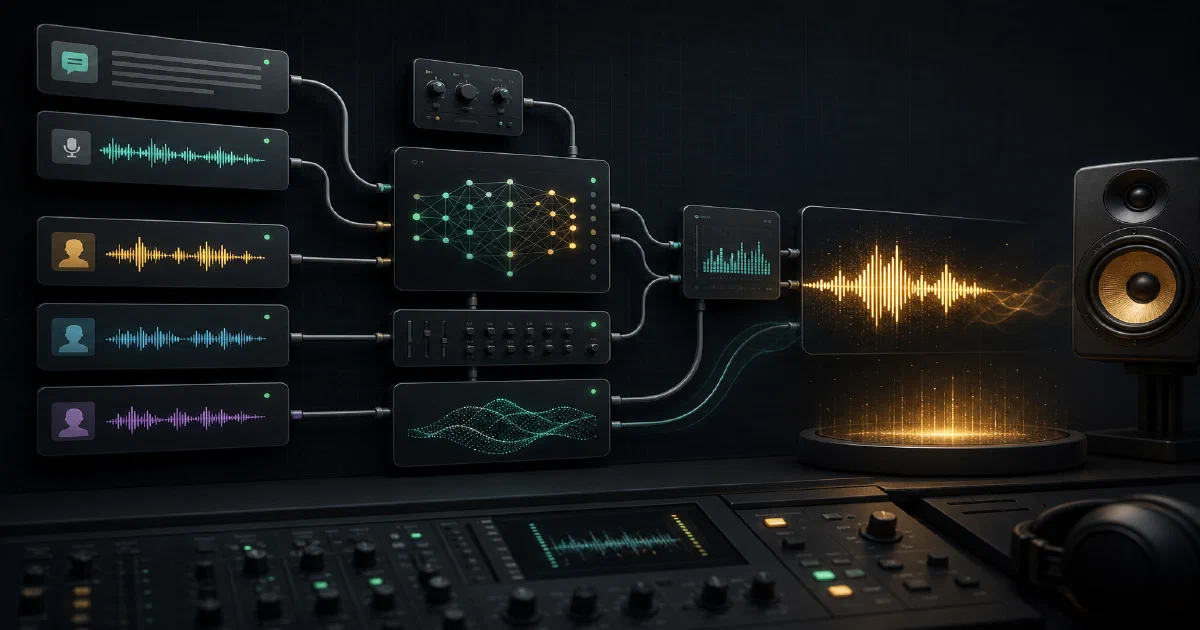

ComfyUI is not only for images.
With the right custom nodes, it becomes a visual workflow canvas for audio generation too.
ComfyUI-Qwen-TTS adds Qwen3-TTS nodes for speech synthesis, voice cloning, voice design, saved speaker prompts, and multi-role dialogue.
It is a plugin for an existing ComfyUI install, not a standalone server or Docker app.
What is ComfyUI-Qwen-TTS?
ComfyUI-Qwen-TTS is a custom-node package by flybirdxx for using Qwen3-TTS inside ComfyUI.
The upstream repository describes it as a simple implementation of Qwen3-TTS for ComfyUI, with nodes for speech synthesis, zero-shot voice cloning, and voice design.
ComfyUI-Qwen-TTS GitHubLicense: Apache-2.0 plugin metadata ❤️
The model weights are separate from the plugin code and follow the upstream Qwen3-TTS license agreement.
It is worth being precise here: this is not a generic ComfyUI wrapper for many unrelated TTS engines.
It is a ComfyUI node pack for the Qwen3-TTS model family.
The different choices are Qwen3-TTS variants, such as 0.6B vs 1.7B, Base vs CustomVoice, and the 1.7B VoiceDesign model.
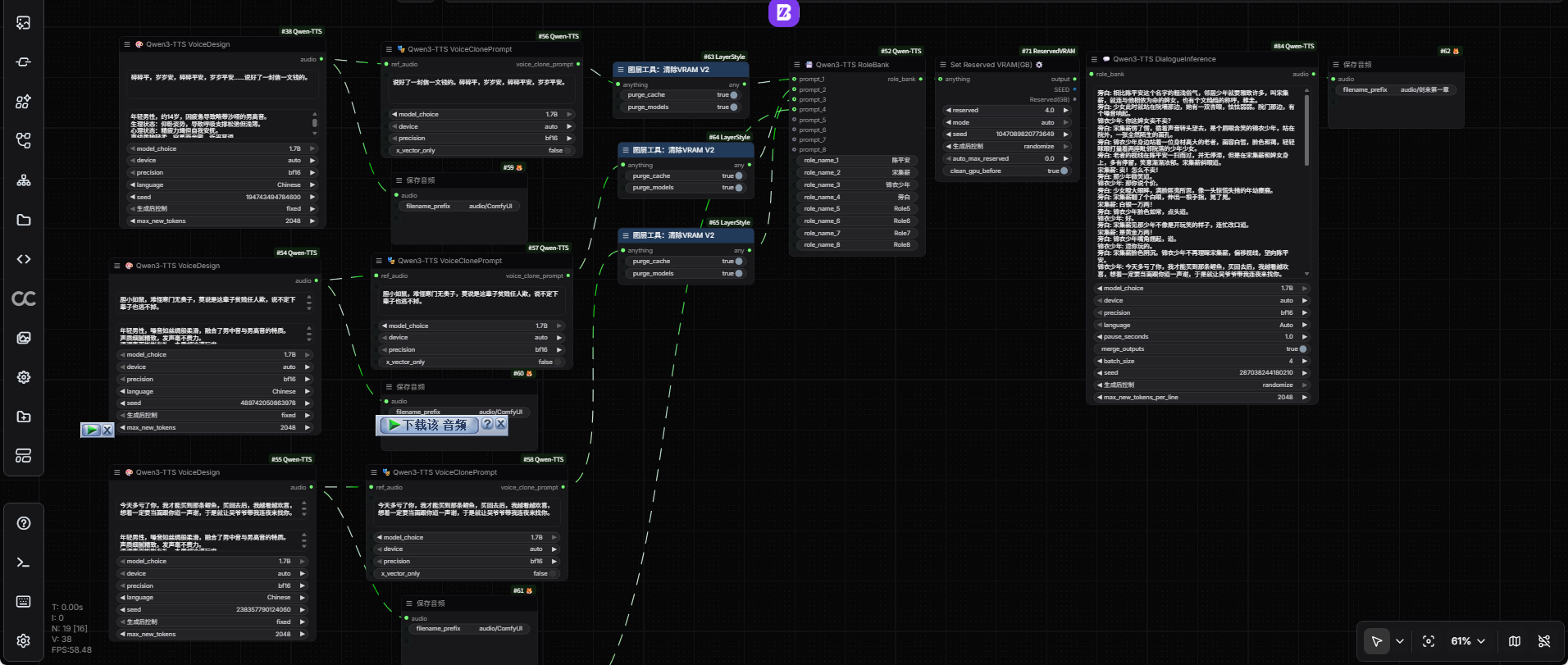
Example Workflow
The repository ships ComfyUI workflow examples and screenshots. I copied the main example image locally for reference:
Open the example workflow image
Why It Is Interesting
The useful part is not just “text goes in, audio comes out.” ComfyUI-Qwen-TTS exposes several voice workflows as graph nodes:
- Voice Design: describe a voice in text and synthesize speech with that style.
- Voice Clone: provide short reference audio and target text.
- Custom Voice: use preset or saved speaker voices.
- Voice Prompt Extraction: extract reusable voice features once and reuse them.
- Role Bank: collect multiple voices for a dialogue workflow.
- Dialogue Inference: synthesize multi-speaker scripts.
- Save / Load Speaker: build a reusable local voice library.
- Train: experiment with custom fine-tuning.
That makes it fit the ComfyUI mental model: reusable blocks, saved workflows, preview nodes, and repeatable generation chains.
Tech Overview
The repository is a Python package with a ComfyUI registration file, node implementation, bundled Qwen3-TTS runtime code, model download helper, workflow examples, and fine-tuning scripts.
Important files:
| Path | Purpose |
|---|---|
__init__.py |
Registers ComfyUI node IDs and display names |
nodes.py |
Main speech, cloning, role-bank, and persistence nodes |
train.py |
Experimental training node |
download_models.py |
Downloads Qwen3-TTS model folders from Hugging Face |
qwen_tts/ |
Bundled Qwen3-TTS model, tokenizer, inference, and fine-tuning code |
example/ |
ComfyUI workflow JSON files and screenshots |
The project metadata currently marks the package as qwen3-tts-comfyui version 1.0.7, requiring Python >=3.9.
Important Dependency Pin
The README calls out one dependency rule very clearly: Qwen3-TTS is incompatible with transformers >= 5.0.
Use the plugin’s supported range:
pip install "transformers>=4.57.0,<5.0.0"
Or pin the README recommendation:
pip install transformers==4.57.3
This matters in ComfyUI because custom nodes often share the same Python environment. If another node upgrades Transformers to version 5 later, this plugin may fail during model loading or generation.
Installing in ComfyUI
Install it inside an existing ComfyUI checkout:
cd ComfyUI/custom_nodes
git clone https://github.com/flybirdxx/ComfyUI-Qwen-TTS.git
cd ComfyUI-Qwen-TTS
pip install -r requirements.txt
pip install transformers==4.57.3
Then restart ComfyUI and look for the Qwen3-TTS node category.
Dependency Notes
The requirements include Torch, Torchaudio, Transformers, Librosa, SoundFile, Accelerate, NumPy, Einops, Tiktoken, SentencePiece, Hugging Face Hub, ONNX Runtime OpenVINO, Safetensors, SciPy, and audio helpers.
Install these inside the same Python environment that runs ComfyUI. If you use a venv, activate that venv first. If you use ComfyUI Manager or a packaged ComfyUI distribution, check how it expects custom-node dependencies to be installed.
Downloading the Models
The plugin expects Qwen3-TTS model variants under ComfyUI’s model tree:
ComfyUI/
└── models/
    └── qwen-tts/
        ├── Qwen3-TTS-Tokenizer-12Hz/
        ├── Qwen3-TTS-12Hz-1.7B-Base/
        ├── Qwen3-TTS-12Hz-0.6B-Base/
        ├── Qwen3-TTS-12Hz-1.7B-VoiceDesign/
        └── voices/
Use the helper script from the custom-node folder:
python download_models.py
For smaller models where available:
python download_models.py --small
For everything:
python download_models.py --all
You can also target a custom model directory:
python download_models.py --target /path/to/models/qwen-tts
Using extra_model_paths.yaml
The plugin supports ComfyUI’s extra_model_paths.yaml style model indirection:
qwen-tts: /mnt/models/Qwen
That is useful if your ComfyUI install is small but your model disk is separate.
Choosing Nodes
| Goal | Node |
|---|---|
| Generate TTS from a described voice | Qwen3-TTS VoiceDesign |
| Clone a voice from reference audio | Qwen3-TTS VoiceClone |
| Use preset/custom speakers | Qwen3-TTS CustomVoice |
| Extract reusable voice features | Qwen3-TTS VoiceClonePrompt |
| Store several voices for dialogue | Qwen3-TTS RoleBank |
| Generate multi-speaker dialogue | Qwen3-TTS DialogueInference |
| Save a reusable voice | Qwen3-TTS SaveVoice |
| Load a saved voice | Qwen3-TTS LoadSpeaker |
| Experiment with single-speaker training | Qwen3-TTS Train |
For most users, I would start with VoiceDesign, then VoiceClone, then SaveVoice / LoadSpeaker once a voice is worth reusing.
Performance and VRAM
The nodes expose an attention selector:
autosage_attnflash_attnsdpaeager
The automatic path checks for faster optional attention backends first, then falls back to PyTorch SDPA and finally eager attention.
The important low-VRAM toggle is unload_model_after_generate. Enable it if you are running near your memory limit or switching between models. Leave it disabled if you are generating many clips with the same model and want faster repeat runs.
Field Note: Local Repo Test
I cloned the repository and ran a bounded local check rather than a full generation run.
What worked:
python3 -m compileall -q /tmp/foss-post-repos/ComfyUI-Qwen-TTS
That passed on Python 3.12.3, which means the checked-out Python files are syntactically valid in this environment.
What I did not run:
- Full ComfyUI startup with the node installed.
- Qwen model download.
- Actual audio generation.
- Fine-tuning.
I intentionally stopped a dependency helper attempt after uv detected the repo pyproject.toml and started resolving the full ML stack, including Torch and CUDA-related wheels. That is a useful practical warning: run this inside the ComfyUI environment you actually plan to use, and expect model/runtime dependencies to be heavy.
Voice Cloning Safety
Voice cloning is powerful enough to deserve a warning. Use reference audio that you own or have explicit permission to use. Do not clone private voices, public figures, coworkers, clients, or family members without consent.
For internal workflows, label generated audio clearly and keep reference clips out of public repositories.
Conclusion
ComfyUI-Qwen-TTS is worth a look if you already use ComfyUI and want voice generation in the same workflow canvas as your other AI pipelines.
The main setup risks are predictable: Transformers version compatibility, large model downloads, GPU/VRAM pressure, and shared-environment conflicts with other ComfyUI nodes. Handle those carefully and the node set gives you a practical path from simple TTS to reusable cloned voices and multi-role dialogue.
FAQ
Is this a Docker project?
ComfyUI/custom_nodes/ and run it inside your existing ComfyUI Python environment.
Comments