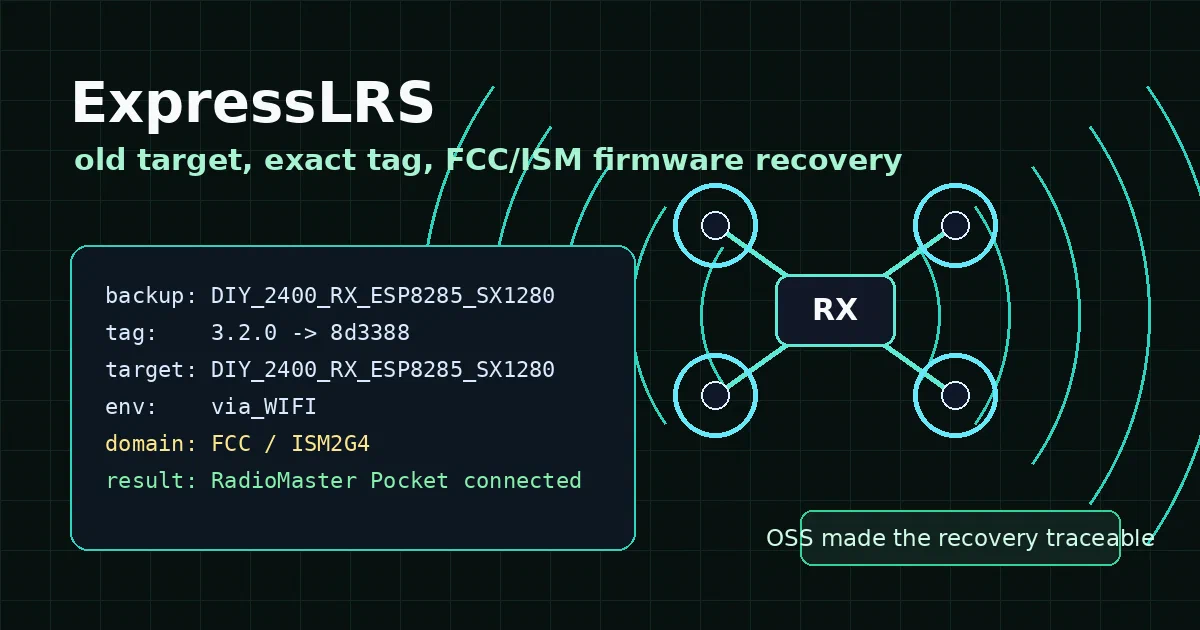

This is not a generic “install the latest firmware” post.
It is a recovery story.
A second-hand drone came with an ExpressLRS receiver that could still serve its own WiFi update page, but it did not connect to my RadioMaster Pocket.
The receiver reported an old target name that no longer appeared cleanly in the current Web Flasher UI.
That could have turned into guesswork.
Instead, the open-source repos made it traceable.
ExpressLRS is an open-source radio-control link for FPV and RC applications. In this case, its source history, target metadata, and build system made it possible to rebuild an old receiver firmware target deliberately instead of guessing through whatever UI names appears today.
ExpressLRS GitHub Source Code ExpressLRS Documentation ExpressLRS Configurator Releases License: GPL-3.0
What is ExpressLRS?
ExpressLRS is an open-source radio link for radio-control applications.
The project targets FPV and RC use cases and is built around Semtech SX127x/SX1280 LoRa hardware combined with Espressif or STM32 processors.
Support both 900 MHz and 2.4 GHz links, WiFi updates, telemetry, high packet rates, receiver protocols such as CRSF/SBUS/SUMD/HoTT/MAVLink/PWM, and binding phrases.
Normally, users should start with the ExpressLRS Configurator or Web Flasher.
This case was different.
The receiver already had old firmware. The web UI identified a specific old target.
The goal was not to move to the newest firmware. The goal was:
same receiver target
same ExpressLRS version family
same WiFi upload path
only change the regulatory profile to FCC / ISM2G4
The Problem
The receiver was reachable in WiFi mode:
SSID: ExpressLRS RX
Password: expresslrs
URL: http://10.0.0.1/
The receiver page warned to use this target:
DIY_2400_RX_ESP8285_SX1280
The backed-up firmware file was:
DIY_2400_RX_ESP8285_SX1280_3.2.0 (8d3388).bin
My RadioMaster Pocket was running the ISM2G4 / FCC side.
The likely issue was a target/domain mismatch, not a need for a random upgrade.
The current ExpressLRS Web Flasher no longer exposed that old DIY target name in the expected place.
Modern UI flows use product names and unified targets.
That is better for most users, but it made this specific recovery confusing.
Why Guessing Was Risky
The Web Flasher offered modern targets that looked close.
Some BetaFPV receiver targets even mapped back to the old target name through prior_target_name metadata.
But “close” is not the same as “safe” for embedded firmware.
The disciplined goal was:
Do not upgrade randomly.
Do not pick a similar-looking modern product target.
Do not change WiFi credentials or binding phrase.
Do not change hardware assumptions.
Only rebuild the same target and version as FCC/ISM2G4.
That is the key lesson of this post.
For embedded systems, the safest move is often not “latest.” It is “the same thing, with one intentional variable changed.”
The OSS Investigation
I cloned the firmware repo:
git clone https://github.com/ExpressLRS/ExpressLRS.git /home/Downloads/ExpressLRS
Then mapped the backup filename to a real tag:
git -C /home/Downloads/ExpressLRS ls-remote --tags origin 'refs/tags/3.2.0'
The backup hash matched:
8d3388ef3369a2d8a64f92a80e42acb29f8e513e refs/tags/3.2.0
Then I searched that release:
git -C /home/Downloads/ExpressLRS grep -n "DIY_2400_RX_ESP8285_SX1280" 3.2.0
At tag 3.2.0, the exact old target still existed:
src/targets/diy_2400.ini:59 [env:DIY_2400_RX_ESP8285_SX1280_via_UART]
src/targets/diy_2400.ini:63 [env:DIY_2400_RX_ESP8285_SX1280_via_BetaflightPassthrough]
src/targets/diy_2400.ini:66 [env:DIY_2400_RX_ESP8285_SX1280_via_WIFI]
In the current tree, the equivalent ESP8285 2.4 GHz receiver build environments are unified:
src/targets/esp8285-rx.ini:11 [env:Unified_ESP8285_2400_RX_via_UART]
src/targets/esp8285-rx.ini:17 [env:Unified_ESP8285_2400_RX_via_BetaflightPassthrough]
src/targets/esp8285-rx.ini:20 [env:Unified_ESP8285_2400_RX_via_WIFI]
The ExpressLRS/Targets repo explained the Web Flasher mismatch.
Modern product metadata can preserve the old name as:
"prior_target_name": "DIY_2400_RX_ESP8285_SX1280"
The important history from the notes:
2c2114a1  2022-05-22  Unified ESP targets (#1552)
5279995f  2023-07-20  Append prior target name to firmware (#2306)
2c5bfcb8  2023-09-18  Use external targets repo (#2400)
That means the target had not vanished.
It had become history-aware metadata behind newer product/unified target names.
What the Code Makes Clear
ExpressLRS is embedded firmware, but the parts that mattered for this recovery were surprisingly readable.
The firmware bakes target identity into the binary. In src/lib/OPTIONS/options.cpp, the target name is stored with a marker before TARGET_NAME:
const unsigned char target_name[] = "\xBE\xEF\xCA\xFE" STR(TARGET_NAME);
That explains why the receiver web UI could warn about the current target and the uploaded image. The target is not just a filename convention; it is embedded metadata.
Runtime options are also treated as structured data. The same file reads and writes JSON for UID, WiFi settings, UART baud, domain, and a flash-discriminator. That is useful because it separates “which firmware did I build?” from “which local options are currently stored on the device?”
The radio behavior is table-driven. For the SX128x 2.4 GHz path, src/src/common.cpp defines the available FLRC and LoRa packet rates, telemetry ratios, packet intervals, and packet sizes. For the frequency plan, src/lib/FHSS/FHSS.cpp defines the 2.4 GHz domain as ISM2G4 or CE_LBT depending on the regulatory define.
There are even Unity tests for the FHSS sequence under src/test/test_fhss/test_fhss.cpp, checking that the hop sequence is deterministic for a seed and does not repeat a frequency inside a block.
So yes, it is another world compared with a web app. But it is not magic firmware. The project exposes enough build flags, target metadata, option JSON, tests, and Python tooling to make a careful recovery possible.
The Build Strategy
I created a detached worktree at the exact old release:
git -C /home/Downloads/ExpressLRS worktree add --detach \
  /home/Downloads/ExpressLRS-3.2.0-build \
  3.2.0
Then I created a local PlatformIO environment because pio was not installed globally:
python3 -m venv /home/Downloads/ExpressLRS-3.2.0-build/.venv

/home/Downloads/ExpressLRS-3.2.0-build/.venv/bin/python \
  -m pip install -U pip platformio
The exact local Python environment used for the successful build was:
system python3: Python 3.12.3
venv python:   Python 3.12.3
PlatformIO:    PlatformIO Core, version 6.1.19
SCons:         4.4.0
The most relevant venv packages were:
platformio==6.1.19
SCons==4.4.0
setuptools==83.0.0
pyserial==3.5
requests==2.34.2
The build ran from the src directory:
cd /home/Downloads/ExpressLRS-3.2.0-build/src

/home/Downloads/ExpressLRS-3.2.0-build/.venv/bin/pio run \
  -e DIY_2400_RX_ESP8285_SX1280_via_WIFI
The successful build identified itself as:
BUILD ENV: 'DIY_2400_RX_ESP8285_SX1280_VIA_WIFI'
build version: 3.2.0 (8d3388) None
The Python 3.12 Build Trap
The first build did not succeed immediately.
This was old firmware source being built on a newer host with Python 3.12.3.
The old bundled wheezy.template AST compiler produced line/column metadata that Python 3.12 rejects:
ValueError: AST node column range (0, 22) for line range (-1, 267) is not valid
The failing file was:
src/python/external/wheezy/template/comp.py
The local worktree-only patch was:
def adjust_source_lineno(source: str, name: str, lineno: int) -> typing.Any:
    node = compile(source, name, "exec", ast.PyCF_ONLY_AST)
    ast.increment_lineno(node, max(lineno, 0))
    return ast.fix_missing_locations(node)
Pinning SCons in the venv did not fix this specific failure; PlatformIO still reached the same bundled template compiler problem.
That was not a firmware logic change.
It was a build-tool compatibility patch so an old release could build on the current Python runtime.
FCC / ISM Evidence
For this 2.4 GHz SX128x receiver target, FCC/ISM is the normal/default path unless LBT is explicitly selected.
Relevant source:
#if defined(RADIO_SX128X)
#define Regulatory_Domain_ISM_2400 1
The build flags included:
-DRADIO_SX128X=1
-DTARGET_NAME=DIY_2400_RX_ESP8285_SX1280
The build did not include:
Regulatory_Domain_EU_CE_2400
The 3.2.0 binary configurator also treats LBT as an explicit option and says the default is FCC for 2.4 GHz firmware.
The Final Artifact
The successful build created:
/home/Downloads/ExpressLRS-3.2.0-build/src/.pio/build/DIY_2400_RX_ESP8285_SX1280_via_WIFI/firmware.bin
I copied it to:
/home/Downloads/elrs/DIY_2400_RX_ESP8285_SX1280_3.2.0_8d3388_FCC-ISM_via_WIFI.bin
Checksum:
f8675a958deb668aa6de0ed294b4a13b254959c2708e00cd1dab0dbb2f45d922
The firmware size on disk is about 360K.
The Flash
The receiver was put into WiFi mode:
SSID: ExpressLRS RX
Password: expresslrs
URL: http://10.0.0.1/
Then the FCC/ISM firmware was uploaded through the receiver’s web UI.
The flash worked.
After flashing, the RadioMaster Pocket connected.
What Was Not Changed
This build did not intentionally modify:
WiFi SSID
WiFi password
Home WiFi credentials
Binding phrase
UID
No binding phrase was baked into the firmware.
The fix was target, version, and regulatory-domain alignment.
Binding still depends on the transmitter and receiver using the same binding phrase or using bind mode afterward.
Why This Is Interesting
This is exactly where open source changes the outcome.
Without the source tree, tags, target files, metadata history, and build scripts, the options would have been vague:
Pick something that looks close.
Flash the latest.
Hope the old receiver target maps correctly.
Recover with serial if it goes wrong.
With the repositories available, the process became evidence-driven:
Read the receiver target warning.
Back up the current firmware.
Map the backup hash to a real tag.
Search the tagged source tree.
Find the exact target environment.
Inspect target migration metadata.
Build the same target/version as FCC.
Flash over WiFi.
Validate by connecting the radio.
That is the kind of embedded-system debugging story worth keeping.
The CLI agent helped because the answer was spread across source trees, git history, build tooling, local Python errors, and metadata repositories.
But the agent did not replace understanding.
It made the investigation faster; the decision still came from evidence.
FAQ
Should everyone build old ExpressLRS firmware manually?
No. Most users should use the current ExpressLRS Configurator or Web Flasher.
Manual source builds make sense when you need an exact old target/version, when the UI no longer exposes the historical target clearly, or when you are doing development.
Why not flash the newest ExpressLRS release?
Because the goal was recovery, not upgrade. The receiver backup identified 3.2.0 (8d3388) and the old target name.
Keeping target and version constant reduced variables.
Why not choose a modern BetaFPV target in the Web Flasher?
Some modern product targets map back to DIY_2400_RX_ESP8285_SX1280 through prior_target_name, but a similar metadata mapping is not proof that a specific physical board target is safe. In this case, building the exact old target was more controlled.
Did this bake in a binding phrase?
No. The build did not intentionally change the binding phrase or UID. The successful connection came from matching the firmware target/version/domain with the transmitter setup; normal binding rules still apply.
Is FCC/ISM legal everywhere?
No. Use the regulatory domain that applies where you operate.
This story used FCC/ISM because the RadioMaster Pocket setup and local context required ISM2G4/FCC.
Do not treat that as universal advice.
What is the main lesson?
For firmware recovery, start from evidence: backup filename, device-reported target, exact git tag, target env, build flags, and checksum.
Do not start from a similar-looking UI option.
Comments