
You use Claude Code or Cursor. T
he AI is excellent at writing code, but it doesn’t know that your team always returns API responses as { data, error } envelopes, never uses Tailwind’s @apply, and writes controllers in past-tense verbs.
So you keep typing the same paragraph at the start of every chat.
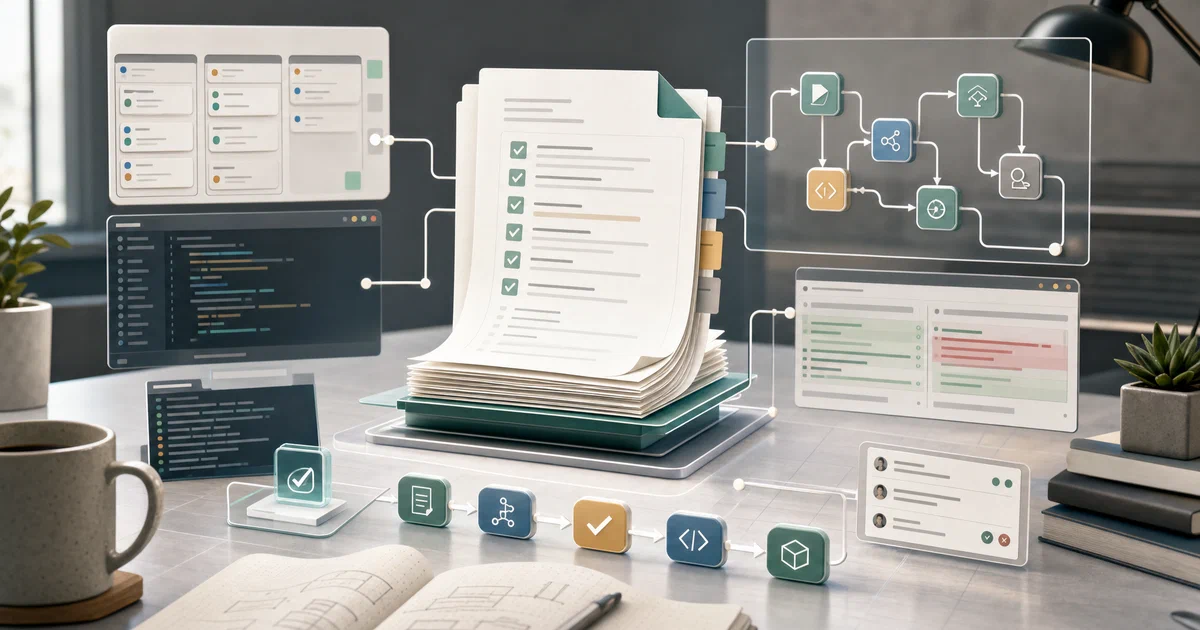
Agent OS captures those conventions into versioned markdown standards and injects them into the AI’s context whenever they’re relevant.
What is Agent OS?
Agent OS is not an AI assistant.
It is a set of slash commands and profile templates you install into your project so that the AI coding tools you already use — Claude Code, Cursor, Antigravity — consistently follow your codebase’s conventions.
The project is bash scripts and markdown files.
There’s no runtime, no daemon, no API keys, no container. The “runtime” is whichever AI coding tool you already pay for.
“Agent OS helps you shape better specs, keeps agents aligned in a lightweight system that fits how you already build. Works alongside Claude Code, Cursor, Antigravity, and other AI tools. Any language, any framework.”
Agent OS on GitHub Agent OS Website Brian Casel on YouTube
What makes it different
- 📚 Standards capture —
/discover-standardswalks your codebase, surfaces recurring patterns, and writes them as versioned markdown - 💉 Smart injection —
/inject-standardspicks the right standards for the current context (Plan Mode, conversation, building a Claude Skill) - 🗺️ Indexed automatically —
/index-standardsmaintains anindex.ymlso injection knows what’s available - 📐 Plan-Mode-friendly spec shaping —
/shape-specadds targeted questions on top of Claude Code’s Plan Mode, considering your standards + product mission - 🔁 Profile-based reuse — capture standards in one project, sync them back to a profile, inherit from that profile in the next project
- 🪶 Pure markdown + bash — no Node process, no container, no daemon, no provider lock-in
- ⚖️ MIT licensed — fully open source
Where Agent OS Sits in the AI Stack
Across recent posts on this site we’ve covered a five-layer AI tooling stack. Agent OS lives at the coding standards layer — distinct from both the personal assistants you message and the coding agents that actually write code:
| Layer | Project | What it is |
|---|---|---|
| Orchestration | Paperclip / Symphony | The “company” / scheduler above any agent |
| Personal assistant | OpenClaw / NanoClaw / Hermes | Messenger-resident agents — Slack, Telegram, voice, Canvas |
| Coding agent harness | Pi / Claude Code / Codex CLI / Cursor CLI | Terminal-resident coding agents (Pi is the MIT option) |
| Coding standards | Agent OS | Captures your codebase’s standards and injects them into AI coding tools |
| Coding workflow | OpenSpec | Spec-driven /opsx:propose workflow inside AI tools |
Concretely:
- Personal assistants (NanoClaw / OpenClaw / Hermes) are AI agents that use code. You message them on Slack and they answer.
- Coding agent harnesses (Pi / Claude Code / Codex / Cursor) are AI agents that write code. You run them in your terminal and they edit files.
- Agent OS is a system that helps the coding agents understand your code. You install it into a project so that when Claude Code or Pi writes new files, they follow the same conventions as your existing files.
They’re complementary, not competing. A serious AI-first developer probably wants:
- A coding agent harness (Pi, Claude Code, Cursor, Codex) to write the code → Agent OS keeps it consistent with your codebase
- A personal AI assistant (NanoClaw, OpenClaw, or Hermes) for everything else — Slack triage, scheduled briefings, voice queries
Agent OS doesn’t replace either of those. It’s the connective tissue that makes the coding agent you’re already using fit your project.
The five design principles (the actual pitch)
Feature bullets are easy — the real argument for Agent OS is in the philosophy:
-
Build on top of AI tools, not around them. The v3 changelog (January 2026) is unusually candid about retreating from earlier responsibilities: spec writing, task breakdown, implementation orchestration were dropped because Claude Code’s Plan Mode and extended thinking handle them better. Agent OS deliberately shrinks to the layer AI tools don’t do well — codifying your codebase’s conventions.
-
Standards are markdown, not config. Every standard is a
.mdfile that any human can read, edit in a PR, or grep. There’s no schema, no DSL, no special parser. The file is the prompt that gets injected. -
Detection over assumption.
/discover-standardsreads your actual code to surface patterns, instead of asking you to fill in a template. It then suggests standards for you to confirm — you stay in the loop, but you don’t write them from scratch. -
Inject only what’s relevant. Loading every standard you’ve ever captured into every prompt would balloon context and dilute signal.
/inject-standardsreadsindex.ymland picks the standards that apply to the current task, formatted differently for “chatting in plan mode” vs “building a Claude Skill” vs “implementing right now.” -
Profile inheritance for the multi-project life. Most AI-first developers work across multiple codebases. Capture standards in your strongest project, sync them to a profile, and the next project you
project-install.shinto starts from those instead of a blank slate.
The combination is the differentiator: Agent OS resists doing things AI tools already do well, and concentrates on the one job AI tools genuinely can’t do without you — knowing what your code looks like.
Self-Hosting Agent OS
There is no Docker setup — Agent OS is not a server. The “install” is copying markdown files into your project. But there are still some details worth getting right.
Install
# 1. Clone Agent OS once, anywhere
git clone https://github.com/buildermethods/agent-os ~/agent-os

# 2. From your project root, install it
~/agent-os/scripts/project-install.sh
This creates .claude/commands/agent-os/*.md (the slash commands) and agent-os/ (your project’s standards + specs + product docs).
First-time workflow
# In Claude Code, after running the installer:
/discover-standards
# → Claude reads your codebase, suggests patterns, writes them to agent-os/standards/

/index-standards
# → Generates agent-os/standards/index.yml

# Then whenever you start a new task:
/inject-standards
# → Auto-picks relevant standards from index.yml

# Or in plan mode:
/shape-spec
# → Asks targeted questions, saves plan to agent-os/specs/
Profile inheritance for cross-project reuse
# After discovering good standards in one project:
~/agent-os/scripts/sync-to-profile.sh --profile rails

# Then in a new project:
~/agent-os/scripts/project-install.sh --profile rails
# → New project starts with your captured rails standards
Define inheritance in config.yml:
version: 3.0
default_profile: default

profiles:
  rails:
    inherits_from: default
  rails-shopify:
    inherits_from: rails
A rails-shopify project install gets default + rails + rails-shopify standards, layered.
Updating Agent OS in an existing project
To update the commands without overwriting your captured standards:
~/agent-os/scripts/project-install.sh --commands-only
The --commands-only flag preserves agent-os/standards/, agent-os/specs/, and agent-os/product/ while refreshing the slash commands. This is the right flag every time you git pull Agent OS itself.
macOS install gotcha (v3 patch)
If you previously hit silent install failures on macOS, v3 fixed two issues that affected the bash scripts:
((var++))underset -efailed silently on some shells — rewritten to explicitvar=$((var+1))(PR #328)tacis GNU-only; not present on macOS withoutcoreutils— replaced with POSIXawk(PR #327)
If you’re still on v2 and hitting “the script just exits with no error,” upgrading to v3 is the fix.
Agent OS vs Other AI-Coding-Tool Add-Ons
| Agent OS | Cursor Rules | Claude Code memory | Custom slash commands | |
|---|---|---|---|---|
| Standards captured from code | Auto via /discover-standards |
Manual | Manual | Manual |
| Inject relevant subset per task | Yes (index.yml) |
All or nothing | All or nothing | N/A |
| Plan Mode integration | Yes (/shape-spec) |
Indirect | Native | Custom |
| Cross-project reuse via profiles | Yes | Per-project | Per-project | Per-project |
| AI tool support | Claude Code, Cursor, Antigravity | Cursor only | Claude Code only | Any |
| Markdown-only | Yes | Yes | Yes | Yes |
Cursor Rules and Claude Code memory (CLAUDE.md) are the closest comparisons. Both are simpler, both are tool-specific. Agent OS adds: automatic standards discovery, indexed injection, cross-project profile inheritance, and an explicit Plan Mode workflow — at the cost of being a more involved system to learn.
Conclusion
Agent OS is a small, specific tool for a real problem: getting AI coding tools to follow your codebase’s conventions, consistently, without you re-explaining them every prompt. The v3 release sharpened it by dropping scope that Claude Code’s Plan Mode now handles better, leaving only the parts that don’t have AI-native solutions: discovery, indexing, injection.
If you primarily use Claude Code or Cursor and find yourself repeatedly typing “remember to use our ApiResponse<T> wrapper” at the start of every session, Agent OS is the right shape of fix. If you don’t use AI coding tools day-to-day, this isn’t the project for you.
Related tools worth knowing:
- OpenClaw — personal AI assistant runtime for messaging + voice; complementary layer
- NanoClaw — minimalist personal assistant; also complementary
- Cursor Rules — Cursor’s built-in equivalent; simpler, Cursor-only
- Claude Code memory (CLAUDE.md) — Anthropic’s official “tell Claude about your project” file; Claude-Code-only
- Claude Cookbooks — task-specific prompt patterns; lower-level than Agent OS
Frequently Asked Questions
Is Agent OS a self-hosted server?
No. It’s bash scripts plus markdown files that get copied into your project. The “runtime” is whatever AI coding tool you already use (Claude Code, Cursor, Antigravity). There’s nothing to deploy, no port to expose, no Docker container.
Does Agent OS replace Claude Code or Cursor?
No — it runs inside them. Agent OS adds slash commands and a agent-os/ directory; your AI coding tool reads those when invoked. Without an AI coding tool, Agent OS does nothing.
How does Agent OS relate to NanoClaw or OpenClaw?
They’re at completely different layers. NanoClaw and OpenClaw are AI assistants that live in your messengers and answer questions; Agent OS is a system for getting AI coding tools to follow your codebase’s conventions. You can run all three in parallel — they don’t compete. See the “How Agent OS Relates to NanoClaw and OpenClaw” section above.
Why did v3 remove spec writing and task breakdown?
Brian Casel’s v3 changelog explains: Claude Code’s Plan Mode + extended thinking now do spec writing better than a framework could, and frontier models track their own todo lists. Agent OS used to provide these; v3 deliberately removes them because trying to compete with Plan Mode is a losing game. What remains is the standards part, which AI tools genuinely don’t do well on their own.
Can I use Agent OS with non-Anthropic models?
Yes. Agent OS is provider-agnostic — the commands are markdown files that any AI coding tool can read. The /shape-spec command does specifically target Plan Mode (which is currently a Claude Code feature), but /discover-standards, /inject-standards, and /index-standards work with any tool that can run slash commands and read markdown.
Do I need to re-run /discover-standards regularly?
Periodically, yes — after major refactors, after adopting new patterns, or when you notice the AI making suggestions that violate your current conventions. The output is a PR-able set of markdown files, so re-running it produces a diff you can review like any other code change.
What about multi-project teams?
Profile inheritance is the answer. Capture standards in your strongest project, sync them to a named profile (sync-to-profile.sh --profile rails), and every new project you spin up starts with those standards via project-install.sh --profile rails. Teams typically share profiles via a private fork of Agent OS, or by checking the profile into a shared internal repo.
Is it safe to commit agent-os/ to my repo?
Yes — and recommended. The standards are part of your project’s conventions, just like your linter config. Committing them means every team member’s AI coding tool injects the same standards, and code review can scrutinize standards changes the same way it scrutinizes test changes.
Comments