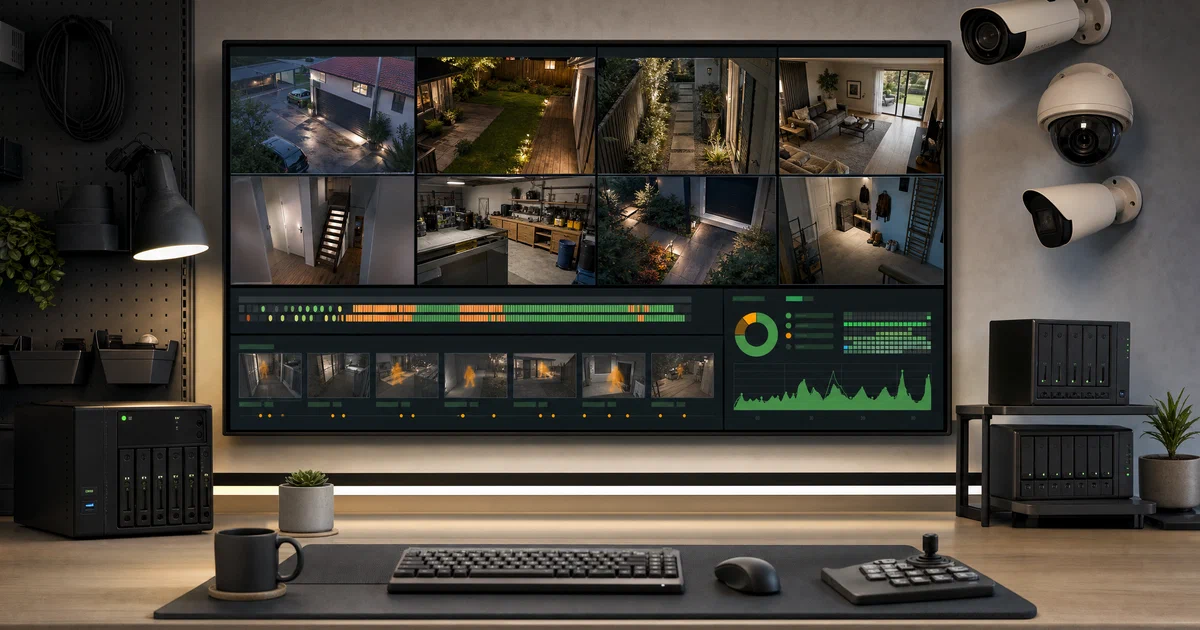

Most self-hosted apps are polite web services.
ZoneMinder is different. It is closer to an operating system subsystem for cameras: capture daemons, motion analysis, event storage, a database, a PHP web console, CGI streaming, camera control, and hardware permissions all have to agree.
ZoneMinder is a GPL-licensed video surveillance platform for Linux. It can monitor IP cameras, USB cameras, and analog capture devices, then record events locally instead of pushing footage into a vendor cloud.
What is ZoneMinder?
ZoneMinder is an open-source CCTV and video management system.
It gives you the pieces you expect from a local NVR-style setup:
- Camera definitions for local and network video sources.
- Live views and recorded event playback.
- Motion detection zones.
- Event recording, filtering, and tagging.
- User accounts and permissions.
- ONVIF-related camera discovery and control tooling.
- Database-backed configuration.
- Local event storage that you control.
The project is old in the useful sense: it has packaging, migration files, daemon scripts, distro notes, forums, and years of hard operational detail baked into the tree.
It is also not a tiny weekend container. If you are used to deploying one Go binary and a SQLite volume, ZoneMinder will feel more like deploying a media-heavy Linux service stack.
Why Self-Host ZoneMinder?
Self-hosting ZoneMinder makes sense when you want cameras without a vendor cloud account.
That can matter for:
- Keeping footage on your own disks.
- Running cameras on a private VLAN.
- Avoiding recurring camera-cloud fees.
- Keeping old IP cameras useful.
- Tuning motion zones for your own property or workshop.
- Integrating alerts and automations into a larger homelab.
The tradeoff is maintenance. Video workloads are sensitive to CPU, disk I/O, GPU/VAAPI support, camera firmware quirks, stream codecs, network jitter, and database health. ZoneMinder gives you control, but it expects you to operate it like infrastructure.
Tech Overview of ZoneMinder
The current ZoneMinder/zoneminder source tree is a mixed C++/PHP/Perl project.
The core media path is native C++:
zmccaptures frames from camera sources.zmaanalyzes and can re-analyze events.zmsserves live and recorded streams through CGI-style web paths.- Shared C++ code handles monitors, frames, events, storage, FFmpeg integration, RTP/RTSP pieces, image handling, logging, and database access.
The operator surface is PHP:
- The main web UI lives under
web/. - The API code lives under
web/api/. - Composer dependencies include JWT/password-related packages.
- The common deployment shape expects Apache, PHP, CGI, and MariaDB/MySQL.
The automation layer is mostly Perl:
zmdc.plsupervises daemons.zmfilter.plruns event filters and actions.- ONVIF scripts discover and interact with cameras.
- Database backup, restore, update, and package helper scripts live under
scripts/.
The database is MySQL/MariaDB. The schema and migrations are in db/, with a full create script plus many versioned update scripts.
Installation Reality Check
The upstream README is direct about installation: packages are preferred for normal users.
That advice is reasonable. ZoneMinder is not just an application process. A real install touches:
- Apache/PHP configuration.
- CGI support.
- MariaDB/MySQL setup.
- Linux service management.
- Camera device permissions for
/dev/video*. - Event and image storage directories.
- Log directories.
- Database migrations.
For Ubuntu and Debian, the docs walk through package-based installs. The usual web console path after setup is:
http://your-hostname-or-ip/zm
For a clean Ubuntu 22.04+ style setup, the shape is:
sudo apt-get update
sudo apt-get upgrade -y
sudo apt install -y mariadb-server zoneminder
sudo a2enmod rewrite headers cgi
sudo a2enconf zoneminder
sudo systemctl restart apache2
sudo systemctl enable zoneminder
sudo systemctl start zoneminder
For local USB or V4L2 cameras, make sure the web server user can access video devices:
sudo adduser www-data video
Then restart ZoneMinder or reboot so the group membership is active.
Self-Hosting ZoneMinder with Docker
Pre-Requisites - Docker
Install Docker on your system before proceeding:
- Linux: Official Docker Engine install guide
- Windows / Mac: Docker Desktop
Verify installation: docker --version && docker compose version
Docker support exists, but it needs a careful read.
The main ZoneMinder repository says the Docker files moved to ZoneMinder/zmdockerfiles
. That repository contains runtime and build Docker material, including a sample docker-compose.yaml.
The sample Compose file is useful as a reference, but I would not paste it blindly into an existing homelab. At analysis time it used:
zoneminderhq/zoneminder:latest-ubuntu18.04- A fixed
container_name: zoneminder - Host port
7878 network_mode: bridgeprivileged: trueshm_size: 512M- Named volumes for events, images, MySQL data, and logs
Those choices are not automatically wrong, but they are broad. privileged: true is especially important: it gives the container more host access than a typical web app container.
Safer Compose Shape for a Trial
For a temporary lab evaluation, rename the container, isolate the Compose project, and choose a host port that is unlikely to collide with existing services.
This is an adapted inspection config based on the upstream sample:
services:
  zoneminder:
    image: zoneminderhq/zoneminder:latest-ubuntu18.04
    container_name: zoneminder-foss-post-trial
    restart: unless-stopped
    network_mode: bridge
    privileged: true
    shm_size: 512M
    ports:
      - "17878:80"
    environment:
      TZ: ${TZ:-Europe/Warsaw}
    volumes:
      - events:/var/cache/zoneminder/events
      - images:/var/cache/zoneminder/images
      - mysql:/var/lib/mysql
      - logs:/var/log/zm

volumes:
  events:
  images:
  mysql:
  logs:
Validate the rendered Compose model before starting anything:
TZ=Europe/Warsaw docker compose \
  -f docker-compose.yml \
  -p zoneminder-foss-post-trial \
  config
If you do start it, use the same project name:
TZ=Europe/Warsaw docker compose \
  -f docker-compose.yml \
  -p zoneminder-foss-post-trial \
  up -d
Then browse:
http://localhost:17878/
For LAN access, replace localhost with the server IP.
Field Note: I Did Not Start the Container
For this analysis, I validated only the Compose configuration. I did not pull the image, start a ZoneMinder container, create volumes, or create networks.
The reason is practical: the available upstream runtime compose uses privileged: true, a fixed container name in the original file, and a moving image tag tied to Ubuntu 18.04. On a machine with existing Docker workloads, a config parse gives enough evidence for the article without taking unnecessary host-level risk.
I copied the upstream compose into /tmp/foss-post/zoneminder-compose-trial/, renamed the container, changed host port 7878 to 17878, and ran:
TZ=Europe/Warsaw docker compose \
  -f /tmp/foss-post/zoneminder-compose-trial/docker-compose.upstream.yaml \
  -p zoneminder-foss-post-trial \
  config
That parse succeeded under Docker 29.7.2 and Docker Compose v5.5.0.
One workflow note: the usual Foss Engineer Home-Lab compose handoff path was not available on this machine because /home/jalcocert/Desktop/Home-Lab was missing. That is why this post includes the inspected Compose snippet directly instead of using the Home-Lab YAML shortcode.
Production Notes
Before treating ZoneMinder as production security infrastructure, check these areas.
Storage
Video eats disks. Put events and images on storage that can handle sustained writes, and decide early how long you will retain footage.
ZoneMinder has database-backed event records plus filesystem-backed media. Back up the database and understand where the event files live before experimenting with cleanup.
Network Design
Cameras are often noisy, outdated, or both. A dedicated camera VLAN is a good idea. Let ZoneMinder talk to the cameras, but do not give every camera general LAN or internet access unless there is a reason.
Authentication
Enable ZoneMinder authentication, set a strong auth hash secret, change default database credentials, and avoid exposing the console directly to the public internet.
For remote access, prefer a VPN or a reverse proxy with TLS and additional access controls.
Hardware Acceleration
The Docker README mentions passing /dev/dri for hardware acceleration. That can help with decode-heavy workloads, but it also changes the host access profile:
--device /dev/dri
For a package install, hardware acceleration usually means validating FFmpeg, VAAPI/QSV/NVIDIA support, driver permissions, and the exact codec profiles emitted by your cameras.
When ZoneMinder is a Good Fit
ZoneMinder is worth a look if you want a Linux-native, local-first surveillance system and you are comfortable operating system services.
It is especially interesting when you have:
- Existing RTSP/IP cameras.
- A spare Linux box with real storage.
- A need for motion-triggered local recording.
- A preference for GPL software.
- A homelab where cameras belong on their own network.
It may be heavier than needed if you only want to watch one stream in a browser, record occasional clips, or run a minimal container without privileged access.
Alternatives to Know
For self-hosted video, also look at:
- Frigate for a modern NVR with object detection workflows.
- SentryShot for a lighter surveillance server approach.
- Shinobi for another open-source CCTV/NVR stack.
ZoneMinder is the more traditional, mature Linux surveillance platform. Frigate is often the more modern object-detection-oriented choice. The right answer depends on cameras, hardware, and alerting expectations.
Conclusion
ZoneMinder is not just “a Docker app for cameras.” It is a full Linux surveillance stack with native media daemons, PHP administration, a database, storage management, motion analysis, and years of distro packaging history.
That makes it powerful, but it also means the boring parts matter: package source, service permissions, database health, disk layout, camera VLANs, authentication, and upgrade strategy.
If you want local CCTV without committing footage to a vendor cloud, ZoneMinder remains one of the serious FOSS options. Start with the package install path unless you specifically need Docker, and treat any privileged container deployment as infrastructure rather than a casual compose file.
FAQ
Is ZoneMinder free and open source?
Should I use Docker or packages?
Does ZoneMinder support IP cameras?
Can I expose ZoneMinder to the internet?
Why was no live Docker trial started for this post?
privileged: true and a moving image tag. To avoid affecting existing containers on the host, I only validated an isolated Compose config parse.
Comments