
The Betaflight stack has three layers that are easy to mix up.
The firmware runs on the flight controller.
The Betaflight App configures and flashes that flight controller.
Betaflight Blackbox Explorer is what you use after the flight, when you want to inspect what actually happened.
It is the post-flight analysis layer.
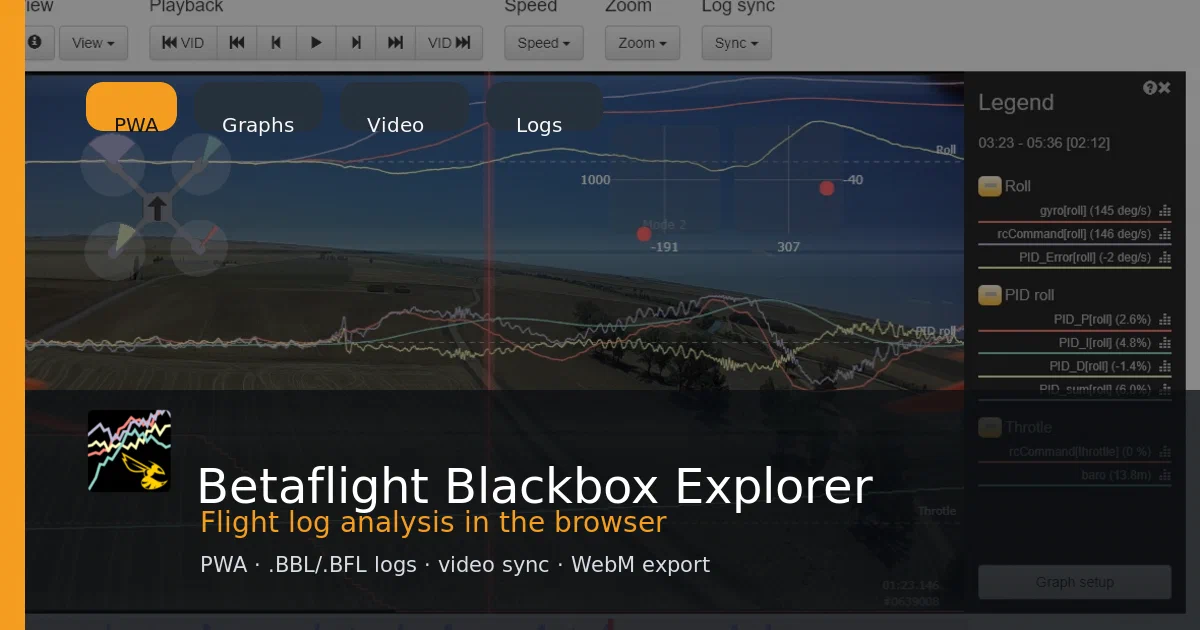
Betaflight Blackbox Explorer is a browser/PWA tool for opening Betaflight Blackbox logs, graphing recorded values over time, syncing those logs with flight video, and exporting analysis media.
Betaflight Blackbox Explorer GitHub Source Code Betaflight Blackbox Explorer PWA Betaflight Blackbox Explorer Master Build Betaflight Blackbox Explorer Releases License: GPL-3.0
What is Betaflight Blackbox Explorer?
Betaflight can record flight data with its Blackbox feature.
Those logs can include the values you need when a quad feels wrong:
- gyro traces
- PID terms
- setpoint and error curves
- motor output
- throttle
- voltage
- receiver commands
- GPS fields when present
- flight events
- arming and disarming context
Blackbox Explorer turns those logs into something you can inspect visually.
The upstream README says it can open logs in the browser, seek through values at each timestep, load a flight video behind the log, and export graphs as a WebM video.
That makes it a natural follow-up to the Betaflight App post.
Betaflight App helps you configure the aircraft before a flight.
Blackbox Explorer helps you understand the data after a flight.
Why It Matters
FPV tuning advice can become vague very quickly.
Someone might say:
It has oscillation.
It has propwash.
The tune feels hot.
The filters are too low.
The motors sound rough.
Those can be useful clues, but they are still subjective.
Blackbox logs let you compare what the pilot commanded, what the gyro measured, what the PID controller produced, what the motors were asked to do, and what events occurred at the same point in time.
That is not magic.
You still need judgment.
But it is much better than tuning from memory.
Repository Snapshot
I cloned and inspected:
repo: https://github.com/betaflight/blackbox-log-viewer
HEAD: 6e531013
describe: 3.7.0-165-g6e53101
package: betaflight-blackbox-explorer
package version: 2026.6.0
license: GPL-3.0
required Node engine: 24.x
.nvmrc: v24.9.0
local Node used: v22.22.0
local npm used: 10.9.4
Recent commits in this checkout were active maintenance work: GitHub token permission hardening, Vite/PWA dependency bumps, min-max curve control changes, and a spectrum-analysis crash fix for long logs.
The main stack:
- Vue 3
- Vite 8
vite-plugin-pwa- Pinia
- Nuxt UI
- Leaflet
- WebM writer
html2canvas- custom Blackbox parser/indexer/graphing code
This is not a Docker app.
It is a static PWA with a serious browser-side parser and visual analysis UI.
Project Layout
Important paths:
| Path | What It Contains |
|---|---|
src/flightlog_parser.js |
Blackbox log parser, field predictors, encodings, headers, frame parsing |
src/flightlog_index.js |
Log indexing around I-frames for seeking and summaries |
src/grapher.js |
Main canvas graph rendering and event drawing |
src/graph_config.js |
Graph presets, field grouping, scaling, and friendly labels |
src/graph_spectrum*.js |
Spectrum analysis calculations and plotting |
src/video_handler.js |
Flight video loading and log/video time offset logic |
src/flightlog_video_renderer.js |
Export rendering path for video output |
src/csv-exporter.js |
CSV export |
src/gpx-exporter.js |
GPX export for GPS tracks |
src/workspace_io.js |
Workspace import/export logic |
src/components/ |
Vue panels, dialogs, toolbar, graph config, playback, sync, legend, map, sticks, spectrum UI |
public/images/pwa/ |
PWA icons |
screenshots/ |
README screenshots used for documentation and this post cover |
The parser code is the part that makes this more than a charting demo.
It understands Blackbox log headers, field definitions, predictors, encodings, frame types, events, firmware types, and historical compatibility names.
The indexer then builds seek-friendly metadata so the UI does not need to reread everything from the beginning when you scrub around a flight.
PWA Details
The Vite config uses vite-plugin-pwa with:
registerType: autoUpdate
mode: generateSW
maximum precache file size: 5 MB
The manifest uses the package metadata:
name: Betaflight - Blackbox Explorer
short_name: Blackbox Explorer
description: Crossplatform blackbox analitics tool for Betaflight flight control system.
It also registers file handlers for:
.bbl
.bfl
That is a useful PWA-specific detail. The goal is not only “open a website.”
The goal is “install the viewer and open flight-log files with it where the platform supports that flow.”
Local Trial
I tested the documented Node/npm path.
The repo asks for Node 24.x, and .nvmrc says:
v24.9.0
This machine was on:
node v22.22.0
npm 10.9.4
So install warned:
EBADENGINE Unsupported engine
required: node 24.x
current: node v22.22.0
But it completed:
npm install
Install result:
added 681 packages
3 vulnerabilities: 1 low, 2 moderate
For a clean contributor setup, I would use the repo’s Node version:
nvm use
npm install
Build, Lint, and Preview
The production build passed:
npm run build
It generated:
dist/registerSW.js
dist/manifest.webmanifest
dist/index.html
dist/assets/index-*.css
dist/assets/index-*.js
dist/sw.js
dist/workbox-*.js
The PWA generation result:
PWA v1.3.0
mode generateSW
precache 47 entries
There were non-blocking warnings:
- Rolldown ignored two misplaced
/* #__PURE__ */annotations from@vueuse/core - the main JS bundle was larger than Vite’s default 500 kB warning threshold
Lint also passed:
npm run lint
There is no standard npm test script in this checkout.
I also ran the preview server:
npm run preview -- --host 127.0.0.1
Then checked the built app endpoints:
curl -I http://127.0.0.1:4173/
curl -I http://127.0.0.1:4173/manifest.webmanifest
curl -I http://127.0.0.1:4173/sw.js
All returned 200 OK.
The repo does not include sample .bbl or .bfl logs, so I did not claim a real log parse in the local trial.
Commands That Worked
Recommended source path:
git clone https://github.com/betaflight/blackbox-log-viewer.git
cd blackbox-log-viewer
nvm use
npm install
npm run build
npm run preview
Local checks:
npm run lint
curl -I http://127.0.0.1:4173/
curl -I http://127.0.0.1:4173/manifest.webmanifest
curl -I http://127.0.0.1:4173/sw.js
Development server:
npm start
The README says the development server is available at:
http://localhost:5173/
Preview after build:
http://localhost:4173/
Static Deployment
This is a good example of a useful PWA that can still be deployed as static files.
The app builds to dist/, and the repo’s Cloudflare workflow deploys that folder with:
pages deploy dist
So the deployment model is closer to:
build static assets
publish dist
let the browser do the app work
There is no database, queue, or server-side API required for the normal viewer path.
That matches the PWA point from the Betaflight App post: PWA does not automatically mean server app.
Where It Fits in the Betaflight Workflow
The practical workflow is:
- Configure the quad with Betaflight App.
- Enable and configure Blackbox logging on the flight controller.
- Fly.
- Pull the Blackbox log from onboard flash or SD card.
- Open the
.bblor.bflfile in Blackbox Explorer. - Add the flight video if you recorded one.
- Sync the video to the arming beep or visible flight moment.
- Inspect gyro, PID, motor, throttle, battery, GPS, and event traces.
- Export CSV, GPX, workspaces, screenshots, or WebM video when useful.
For tuning, I would treat it as evidence, not an oracle.
The viewer can show you what happened.
You still need to understand the aircraft, props, filters, firmware version, sensors, mechanical state, and tune before changing values.
FAQ
Is Blackbox Explorer the same as Betaflight App?
No.
Betaflight App configures and flashes the flight controller.
Blackbox Explorer opens recorded logs after a flight and helps you inspect what happened over time.
Are there open-source alternatives to Betaflight, and are they as user friendly?
Yes, but they solve different problems.
For a normal FPV freestyle or racing quad, Betaflight is still the easiest default path because the firmware, configurator, presets, Blackbox workflow, target support, and community advice all line up around that use case.
The useful alternatives are:
| Project | Best Fit | User Friendliness Compared with Betaflight |
|---|---|---|
INAV |
GPS-assisted FPV, fixed-wing, long range, return-to-home, navigation | Closest in feel. The configurator is familiar if you know Betaflight, but GPS/navigation adds more concepts. |
ArduPilot |
Autonomous missions, serious navigation, planes, rovers, boats, subs, research, Pixhawk-style builds | Much more powerful, but steeper. It is a full autopilot ecosystem rather than an FPV-first configurator workflow. |
PX4 |
Robotics, autonomous drones, research, industrial/Dronecode workflows | Powerful and professional, but not as quick-config friendly for small FPV quads. |
EmuFlight |
FPV multirotor tuning experiments, freestyle/racing pilots who want a Betaflight-adjacent fork | Similar world to Betaflight, but smaller ecosystem and less default for modern builds. |
Cleanflight |
Historical context, older boards/builds | Important ancestor, but not where I would send a new pilot first today. |
Baseflight / MultiWii lineage |
Historical context and old Naze32-era setups | Mostly historical for modern FPV. |
My practical recommendation:
Freestyle/racing FPV quad: Betaflight
GPS long range or fixed wing: INAV
Autonomous missions or robotics: ArduPilot or PX4
Betaflight-like experimentation: EmuFlight
Historical/older builds: Cleanflight/Baseflight
For this post specifically, remember that Betaflight Blackbox Explorer is built for Betaflight Blackbox logs such as .bbl and .bfl.
Other firmware ecosystems often have their own log formats and analysis tools. For example, ArduPilot and PX4 workflows are usually centered around autopilot logs and ground-control tooling rather than Betaflight Blackbox files.
What files does Blackbox Explorer open?
The PWA manifest registers file handlers for:
.bbl
.bfl
Those are Betaflight Blackbox log file extensions.
You can also load a flight video if you recorded one.
Can I use it offline?
Yes, that is one of the reasons it is shipped as a PWA.
The upstream README says the current Blackbox Explorer is built as a PWA and can work online and offline like a regular desktop app.
In practice, install it from the browser while online, then test your own offline workflow before depending on it at the field.
Can I self-host it on Cloudflare Pages?
Yes.
It builds to static files:
npm run build
Then deploy the dist/ directory.
The upstream repo itself has a Cloudflare Pages deployment workflow that uploads dist, so this is a natural static Pages-style deployment.
Why would my flight video fail to load or export badly?
The README calls out two practical video issues.
First, Chrome may not support every video format you recorded.
Second, H.264 videos with B-frames can seek inaccurately in Chrome, which can make exported videos jump backward for a couple of frames.
The recommended workaround is to re-encode the video with HandBrake as MP4/H.264 and avoid problematic B-frames by using an intraframe/keyframe-every-frame style setting.
What should I look at first in a Blackbox log?
Start with the basics:
- gyro traces
- setpoint vs gyro response
- PID terms
- motor output
- throttle
- battery voltage
- arming/disarming events
- receiver command traces
- GPS fields if present
Then compare the log against what you felt during the flight.
If the quad twitched, oscillated, dropped voltage, desynced, washed out, or felt delayed, look for the time window where that happened and inspect the surrounding signals.
Conclusion
Betaflight Blackbox Explorer completes the small Betaflight trilogy nicely.
Betaflight firmware is the embedded control layer.
Betaflight App is the configuration layer.
Blackbox Explorer is the evidence layer.
The local source trial was clean: install completed with only the expected Node engine warning, production build passed, lint passed, and the preview served the app, manifest, and service worker successfully.
For anyone already using Betaflight, this is the tool that turns “it felt weird” into a timeline you can inspect.
Comments