

If the invoice generator post is the lightweight end of the business tooling map, Lago is the other end.
Simple tools help you create a PDF invoice. Lago helps you model usage, plans, credits, entitlements, subscriptions, invoices, payments, and revenue flows before the invoice exists.
Lago is an open-source metering and usage-based billing platform for software products that need programmable billing logic.
- Lago GitHub Source Code
- Lago Docker Documentation
- License: AGPL-3.0 ❤️
- Related Foss Engineer note: Creating invoices with F/OSS
What is Lago?
Lago is billing infrastructure, not just a payment form.
Your product sends usage events into Lago. Lago turns those events into billable metrics, applies pricing rules, credits, wallets, coupons, and subscriptions, then generates invoices and coordinates payment collection.
The useful mental model is:
Usage events -> Metering -> Pricing and credits -> Entitlements -> Invoices -> Payments -> Revenue
That makes Lago interesting when Stripe Checkout is not enough. If you sell a flat monthly subscription, a payment provider might cover most of your needs. If you sell API calls, AI tokens, seats, prepaid credits, overages, minimum commitments, or enterprise-specific contracts, billing becomes product logic.
That is the gap Lago is trying to fill.
Where this fits with the invoice post
The existing open source invoice creator post covers small invoice generators such as Serverless Invoices and React Invoice Generator.
Those are useful when the workflow is:
Fill invoice fields -> Export PDF -> Send to client
Lago is for a different workflow:
Receive product usage -> Rate usage -> Apply pricing model -> Generate invoice -> Collect payment
Both are business tools, but they solve different layers. Lago is the system you consider when billing rules are too important or too dynamic to keep scattered across application code, spreadsheets, and payment-provider metadata.
One-line license comparison: the invoice post’s Serverless Invoices option is a compact MIT-licensed invoice generator, while Lago is AGPL-licensed open-core billing infrastructure with optional Premium features.
Tech Overview of Lago
The top-level getlago/lago repo is a deployment and coordination repo. Its backend and frontend live as submodules: lago-api and lago-front.
The analyzed checkout points to:
getlago/lagocommit02a4bc8lago-apisubmodule commit731388fcalago-frontsubmodule commitdbde5273- latest local release tag
v1.52.1
The stack is larger than a typical self-hosted utility because billing is stateful and asynchronous.
Core components
- Rails API: owns customers, subscriptions, plans, billable metrics, events, invoices, credit notes, payments, wallets, coupons, taxes, webhooks, analytics, and integrations.
- React frontend: web interface for finance, product, and operations workflows.
- PostgreSQL: system-of-record database.
- Redis: queue/cache dependency for Sidekiq and related runtime paths.
- Sidekiq workers: process billing, payment, invoice, PDF, webhook, wallet, alert, analytics, and event jobs.
- Clock process: schedules recurring billing and maintenance work.
- PDF service: Lago’s Gotenberg-based PDF generation service for invoice documents.
- Go events processor: high-volume event pipeline component for Kafka/Redpanda-style event processing.
The Rails routes expose both REST resources and GraphQL. The REST API includes customers, subscriptions, plans, billable metrics, events, fees, invoices, payments, payment requests, wallets, coupons, taxes, analytics, and webhook endpoints.
Payment providers and integrations
Lago keeps pricing and billing logic separate from the payment processor.
In the codebase, the Rails API includes payment-provider paths for Stripe, Adyen, GoCardless, Cashfree, Flutterwave, and MoneyHash. It also includes broader integration code for systems such as Salesforce, HubSpot, NetSuite, Xero, Avalara, Anrok, and similar business tooling.
That separation is the reason Lago is not just “Stripe, but self-hosted.” Stripe can still be the card processor. Lago can be the billing source of truth that decides what should be charged and why.
Self-Hosting Lago with Docker
Lago has several Compose files upstream:
- root
docker-compose.yml deploy/docker-compose.local.ymldeploy/docker-compose.light.ymldeploy/docker-compose.production.ymlexamples/agentic-ai-demo/compose.yml
The root compose in the analyzed checkout uses current v1.52.1 API/frontend images. The deploy/docker-compose.local.yml and deploy/docker-compose.light.yml files in the same checkout were pinned to older v1.27.1 images, so the Home-Lab snippet below adapts the current root compose instead.
Pre-Requisites - Docker
Install Docker on your system before proceeding:
- Linux: Official Docker Engine install guide
- Windows / Mac: Docker Desktop
Verify installation: docker --version && docker compose version
Docker Compose Configuration
The reusable Home-Lab config is here:
name: lago

services:
  db:
    image: getlago/postgres-partman:15.0-alpine
    container_name: lago-db
    restart: unless-stopped
    environment:
      POSTGRES_DB: ${POSTGRES_DB:-lago}
      POSTGRES_USER: ${POSTGRES_USER:-lago}
      POSTGRES_PASSWORD: ${POSTGRES_PASSWORD:?Set POSTGRES_PASSWORD in .env}
      PGDATA: /data/postgres
      PGPORT: ${POSTGRES_PORT:-5432}
      POSTGRES_SCHEMA: ${POSTGRES_SCHEMA:-public}
    healthcheck:
      test: ["CMD-SHELL", "pg_isready -U ${POSTGRES_USER:-lago} -d ${POSTGRES_DB:-lago} -h localhost -p ${POSTGRES_PORT:-5432}"]
      interval: 10s
      timeout: 5s
      retries: 5
    volumes:
      - lago_postgres_data:/data/postgres
    ports:
      - "127.0.0.1:${POSTGRES_PORT:-5432}:${POSTGRES_PORT:-5432}"

  redis:
    image: redis:7-alpine
    container_name: lago-redis
    restart: unless-stopped
    command: ["redis-server", "--port", "${REDIS_PORT:-6379}"]
    healthcheck:
      test: ["CMD", "redis-cli", "-p", "${REDIS_PORT:-6379}", "ping"]
      interval: 10s
      timeout: 5s
      retries: 5
    volumes:
      - lago_redis_data:/data
    ports:
      - "127.0.0.1:${REDIS_PORT:-6379}:${REDIS_PORT:-6379}"

  migrate:
    image: getlago/api:v1.52.1
    container_name: lago-migrate
    restart: "no"
    depends_on:
      db:
        condition: service_healthy
    command: ["./scripts/migrate.sh"]
    environment:
      <<: &backend-env
        DATABASE_URL: postgresql://${POSTGRES_USER:-lago}:${POSTGRES_PASSWORD:?Set POSTGRES_PASSWORD in .env}@${POSTGRES_HOST:-db}:${POSTGRES_PORT:-5432}/${POSTGRES_DB:-lago}?search_path=${POSTGRES_SCHEMA:-public}
        REDIS_URL: redis://${REDIS_HOST:-redis}:${REDIS_PORT:-6379}
        REDIS_PASSWORD: ${REDIS_PASSWORD:-}
        SECRET_KEY_BASE: ${SECRET_KEY_BASE:?Set SECRET_KEY_BASE in .env}
        RAILS_ENV: production
        RAILS_LOG_TO_STDOUT: ${LAGO_RAILS_STDOUT:-true}
        LAGO_RSA_PRIVATE_KEY: ${LAGO_RSA_PRIVATE_KEY:?Set LAGO_RSA_PRIVATE_KEY in .env}
        LAGO_SIDEKIQ_WEB: ${LAGO_SIDEKIQ_WEB:-true}
        LAGO_ENCRYPTION_PRIMARY_KEY: ${LAGO_ENCRYPTION_PRIMARY_KEY:?Set LAGO_ENCRYPTION_PRIMARY_KEY in .env}
        LAGO_ENCRYPTION_DETERMINISTIC_KEY: ${LAGO_ENCRYPTION_DETERMINISTIC_KEY:?Set LAGO_ENCRYPTION_DETERMINISTIC_KEY in .env}
        LAGO_ENCRYPTION_KEY_DERIVATION_SALT: ${LAGO_ENCRYPTION_KEY_DERIVATION_SALT:?Set LAGO_ENCRYPTION_KEY_DERIVATION_SALT in .env}
        LAGO_USE_AWS_S3: ${LAGO_USE_AWS_S3:-false}
        LAGO_AWS_S3_ACCESS_KEY_ID: ${LAGO_AWS_S3_ACCESS_KEY_ID:-}
        LAGO_AWS_S3_SECRET_ACCESS_KEY: ${LAGO_AWS_S3_SECRET_ACCESS_KEY:-}
        LAGO_AWS_S3_REGION: ${LAGO_AWS_S3_REGION:-us-east-1}
        LAGO_AWS_S3_BUCKET: ${LAGO_AWS_S3_BUCKET:-}
        LAGO_AWS_S3_ENDPOINT: ${LAGO_AWS_S3_ENDPOINT:-}
        LAGO_USE_GCS: ${LAGO_USE_GCS:-false}
        LAGO_GCS_PROJECT: ${LAGO_GCS_PROJECT:-}
        LAGO_GCS_BUCKET: ${LAGO_GCS_BUCKET:-}
        LAGO_FROM_EMAIL: ${LAGO_FROM_EMAIL:-}
        LAGO_SMTP_ADDRESS: ${LAGO_SMTP_ADDRESS:-}
        LAGO_SMTP_PORT: ${LAGO_SMTP_PORT:-587}
        LAGO_SMTP_USERNAME: ${LAGO_SMTP_USERNAME:-}
        LAGO_SMTP_PASSWORD: ${LAGO_SMTP_PASSWORD:-}
        LAGO_PDF_URL: ${LAGO_PDF_URL:-http://pdf:3000}
        LAGO_DATA_API_URL: ${LAGO_DATA_API_URL:-http://data-api}
        LAGO_DATA_API_BEARER_TOKEN: ${LAGO_DATA_API_BEARER_TOKEN:-}
        LAGO_REDIS_CACHE_URL: redis://${LAGO_REDIS_CACHE_HOST:-redis}:${LAGO_REDIS_CACHE_PORT:-6379}
        LAGO_REDIS_CACHE_PASSWORD: ${LAGO_REDIS_CACHE_PASSWORD:-}
        LAGO_REDIS_CABLE_URL: ${LAGO_REDIS_CABLE_URL:-}
        LAGO_DISABLE_SEGMENT: ${LAGO_DISABLE_SEGMENT:-true}
        LAGO_DISABLE_WALLET_REFRESH: ${LAGO_DISABLE_WALLET_REFRESH:-false}
        LAGO_DISABLE_SIGNUP: ${LAGO_DISABLE_SIGNUP:-false}
        LAGO_DISABLE_PDF_GENERATION: ${LAGO_DISABLE_PDF_GENERATION:-false}
        LAGO_OAUTH_PROXY_URL: ${LAGO_OAUTH_PROXY_URL:-https://proxy.getlago.com}
        LAGO_LICENSE: ${LAGO_LICENSE:-}
        LAGO_CREATE_ORG: ${LAGO_CREATE_ORG:-false}
        LAGO_ORG_USER_PASSWORD: ${LAGO_ORG_USER_PASSWORD:-}
        LAGO_ORG_USER_EMAIL: ${LAGO_ORG_USER_EMAIL:-}
        LAGO_ORG_NAME: ${LAGO_ORG_NAME:-}
        LAGO_ORG_API_KEY: ${LAGO_ORG_API_KEY:-}
        GOOGLE_AUTH_CLIENT_ID: ${GOOGLE_AUTH_CLIENT_ID:-}
        GOOGLE_AUTH_CLIENT_SECRET: ${GOOGLE_AUTH_CLIENT_SECRET:-}
        MISTRAL_API_KEY: ${MISTRAL_API_KEY:-}
        MISTRAL_AGENT_ID: ${MISTRAL_AGENT_ID:-}
        LAGO_API_URL: ${LAGO_API_URL:-http://localhost:3007}
        LAGO_FRONT_URL: ${LAGO_FRONT_URL:-http://localhost:8087}

  api:
    image: getlago/api:v1.52.1
    container_name: lago-api
    restart: unless-stopped
    depends_on:
      migrate:
        condition: service_completed_successfully
      db:
        condition: service_healthy
      redis:
        condition: service_healthy
    command: ["./scripts/start.api.sh"]
    environment:
      <<: *backend-env
    healthcheck:
      test: ["CMD-SHELL", "curl -f http://localhost:3000/health || exit 1"]
      interval: 10s
      start_period: 30s
      timeout: 60s
      retries: 5
    volumes:
      - lago_storage_data:/app/storage
    ports:
      - "127.0.0.1:${API_PORT:-3007}:3000"

  front:
    image: getlago/front:v1.52.1
    container_name: lago-front
    restart: unless-stopped
    depends_on:
      api:
        condition: service_healthy
    environment:
      API_URL: ${LAGO_API_URL:-http://localhost:3007}
      APP_ENV: production
      LAGO_OAUTH_PROXY_URL: ${LAGO_OAUTH_PROXY_URL:-https://proxy.getlago.com}
      LAGO_DISABLE_PDF_GENERATION: ${LAGO_DISABLE_PDF_GENERATION:-false}
    ports:
      - "127.0.0.1:${FRONT_PORT:-8087}:80"

  api-worker:
    image: getlago/api:v1.52.1
    container_name: lago-worker
    restart: unless-stopped
    depends_on:
      migrate:
        condition: service_completed_successfully
      db:
        condition: service_healthy
      redis:
        condition: service_healthy
    command: ["./scripts/start.worker.sh"]
    environment:
      <<: *backend-env
    healthcheck:
      test: ["CMD-SHELL", "curl -f http://localhost:8080 || exit 1"]
      interval: 10s
      start_period: 30s
      timeout: 60s
      retries: 5
    volumes:
      - lago_storage_data:/app/storage

  api-clock:
    image: getlago/api:v1.52.1
    container_name: lago-clock
    restart: unless-stopped
    depends_on:
      migrate:
        condition: service_completed_successfully
      db:
        condition: service_healthy
      redis:
        condition: service_healthy
    command: ["./scripts/start.clock.sh"]
    environment:
      <<: *backend-env

  pdf:
    image: getlago/lago-gotenberg:7.8.2
    container_name: lago-pdf
    restart: unless-stopped
    command:
      - gotenberg
      - --libreoffice-disable-routes=true
      - --chromium-ignore-certificate-errors=true
      - --chromium-disable-javascript=true
      - --api-timeout=300s

volumes:
  lago_postgres_data:
  lago_redis_data:
  lago_storage_data:
Setup Steps
Create a working folder and copy the sample environment:
mkdir -p ~/Docker/lago
cd ~/Docker/lago

curl -o docker-compose.yml https://raw.githubusercontent.com/JAlcocerT/Home-Lab/main/lago/docker-compose.yml
curl -o .env.sample https://raw.githubusercontent.com/JAlcocerT/Home-Lab/main/lago/.env.sample
cp .env.sample .env
Generate real secret values before starting:
openssl rand -hex 64
openssl rand -hex 32
openssl genrsa 2048 | openssl base64 -A
Then edit .env and replace:
POSTGRES_PASSWORDSECRET_KEY_BASELAGO_RSA_PRIVATE_KEYLAGO_ENCRYPTION_PRIMARY_KEYLAGO_ENCRYPTION_DETERMINISTIC_KEYLAGO_ENCRYPTION_KEY_DERIVATION_SALT
Validate the compose file:
docker compose config
Start Lago:
docker compose up -d
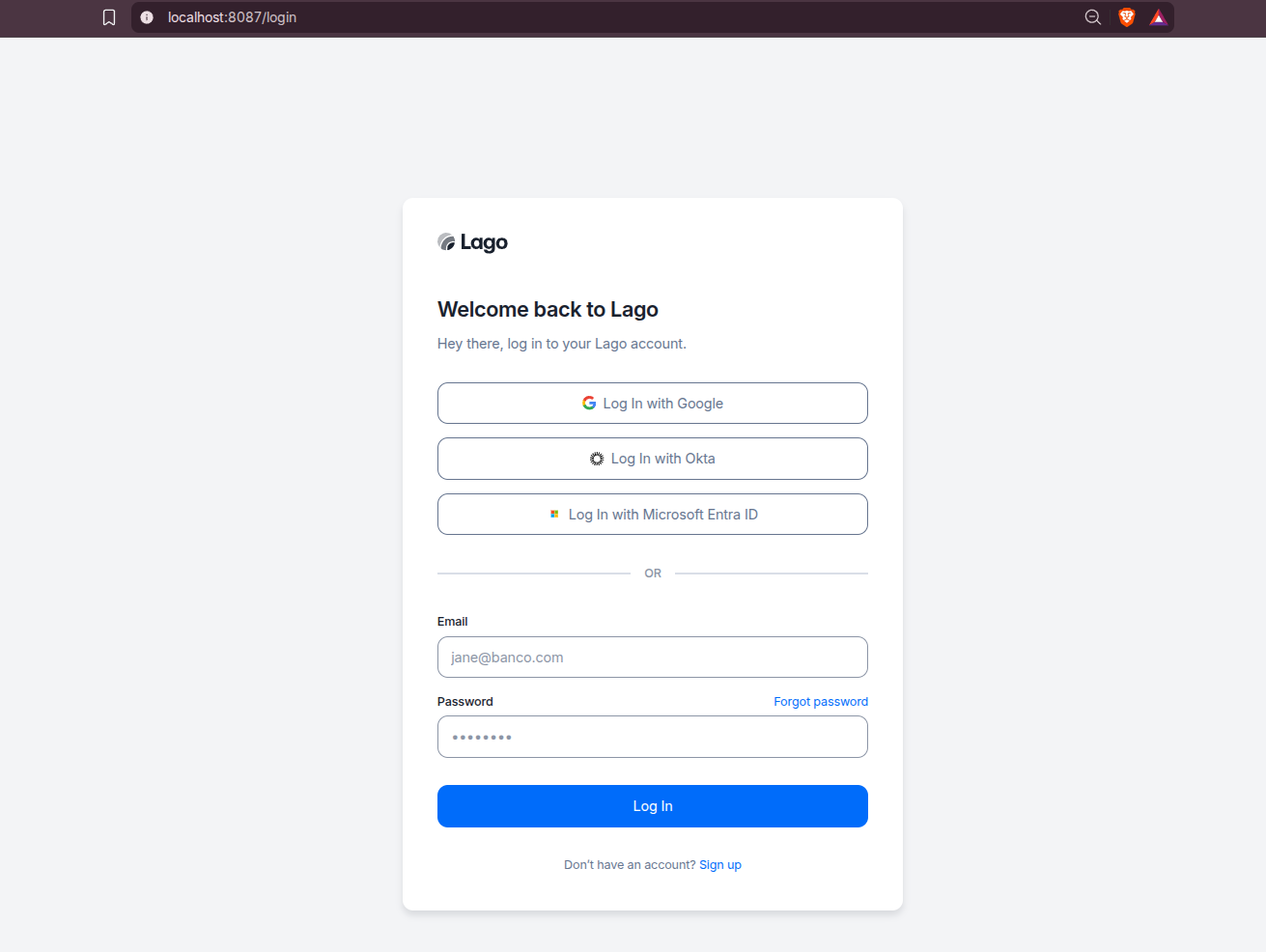
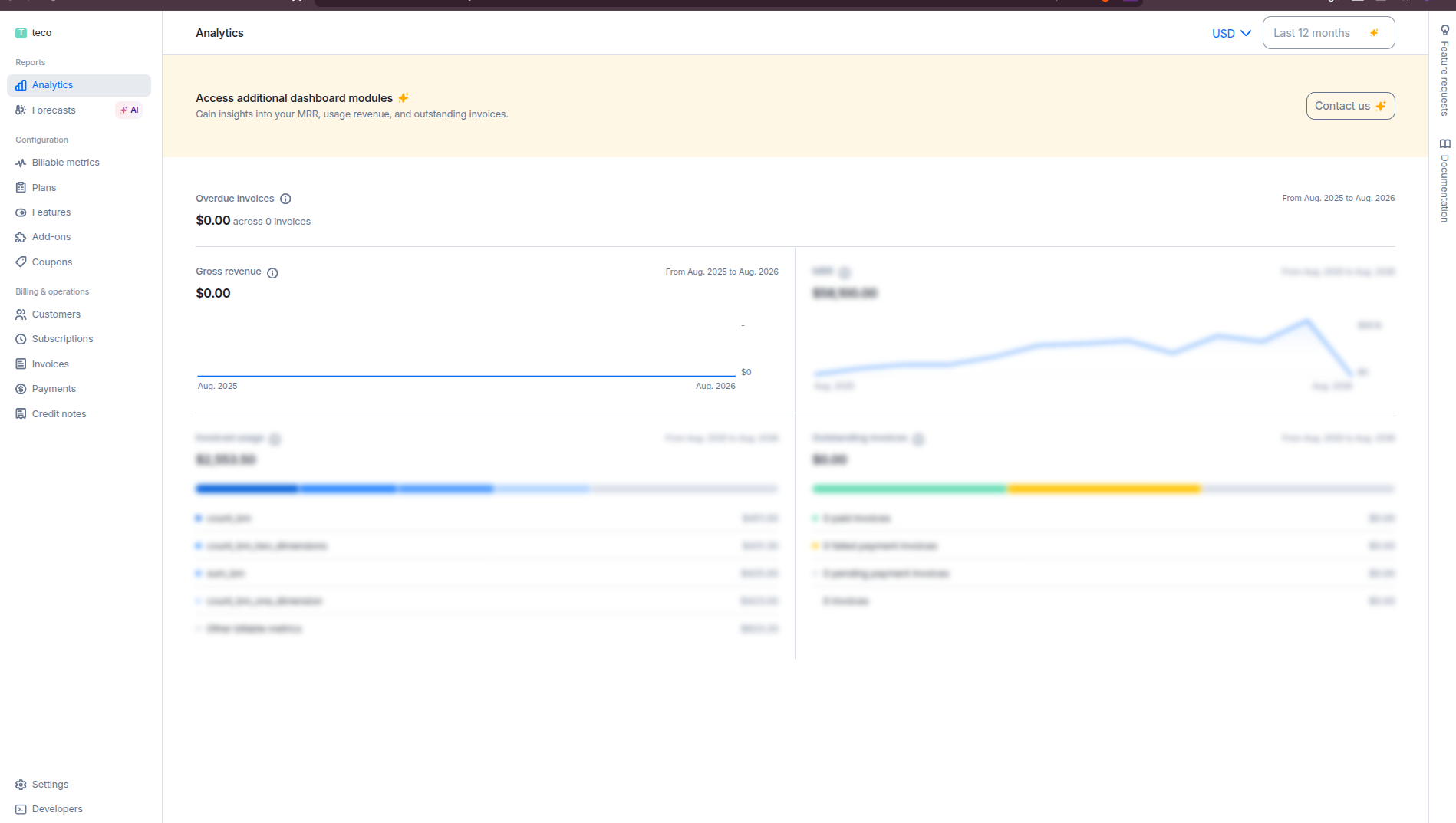
With the Home-Lab ports, the frontend is at:
http://localhost:8087
The API is at:
http://localhost:3007
Field Note: Compose validation
I validated the Home-Lab compose syntax and interpolation with:
POSTGRES_PASSWORD=replace-with-strong-postgres-password \
SECRET_KEY_BASE=replace-with-openssl-rand-hex-64 \
LAGO_RSA_PRIVATE_KEY=replace-with-openssl-genrsa-2048-base64 \
LAGO_ENCRYPTION_PRIMARY_KEY=replace-with-openssl-rand-hex-32 \
LAGO_ENCRYPTION_DETERMINISTIC_KEY=replace-with-openssl-rand-hex-32 \
LAGO_ENCRYPTION_KEY_DERIVATION_SALT=replace-with-openssl-rand-hex-32 \
docker compose config
It rendered successfully.
I did not boot the full stack in this pass.
Lago is a stateful billing app with migrations, PostgreSQL, Redis, background workers, PDF generation, optional event processing, and real secrets.
Before putting real billing data into it, run your own end-to-end test with backups and webhook delivery configured.
Safe Exposure and Production Notes
The Home-Lab compose binds the UI, API, PostgreSQL, and Redis to 127.0.0.1 by default. That is intentional.
Billing data should not be exposed casually.
Start locally, confirm the app works, then put it behind a deliberate HTTPS layer such as Caddy, Traefik, Nginx, or a private tunnel.
Before using Lago beyond local testing, decide these items:
- Backups: PostgreSQL volume backups are mandatory.
- Email: configure SMTP if users need invites, invoice emails, password resets, or payment receipts.
- Storage: use persistent local storage or S3/GCS-compatible object storage for invoice files and attachments.
- Signups: set
LAGO_DISABLE_SIGNUP=trueafter bootstrapping the accounts you need. - Webhook URLs: payment-provider webhooks must point at a stable public HTTPS endpoint.
- Monitoring: track worker queues, API health, Redis, PostgreSQL, and failed jobs.
- Upgrades: read release notes and test migrations against a backup copy first.
Why I would not expose this directly from a random VPS port
Lago is part of your revenue infrastructure. It can contain customers, invoices, payment references, tax data, credits, API keys, and provider webhook state.
Use HTTPS, restrict admin access, keep backups, rotate secrets, and avoid open signup unless you are deliberately running a public tenant.
Lago vs Invoice Generators vs Stripe Billing
The honest read:
- Pick Lago if you need usage events, billable metrics, subscriptions, prepaid credits, wallets, invoices, and payment orchestration under your control.
- Pick Serverless Invoices or React Invoice Generator if you only need to create and export invoice documents manually.
- Pick Stripe Billing directly if your pricing model fits Stripe cleanly and you do not need a separate open-source billing source of truth.
- Pick BillaBear if you want to compare another open-source billing system with a different implementation and product scope.
- Build your own billing logic only if billing is simple enough to stay small or strategic enough that you are ready to maintain the whole lifecycle.
Lago is more infrastructure than app. That is its strength and its cost.
Conclusion
Lago is one of the more serious open-source options for teams that have outgrown “send a Stripe checkout link” but do not want their billing rules hidden inside a closed SaaS dashboard.
For self-hosters, the right first step is not exposing it to the internet. Start locally, generate real secrets, validate the compose, create a test customer, send sample events, inspect the invoice flow, and only then decide whether it belongs in your production business stack.
The older invoice-generator post still matters. Lightweight invoice tools are perfect when you need documents. Lago becomes interesting when the billing system itself is the product infrastructure.
FAQ
Is Lago an invoice generator?
Not primarily. Lago can generate invoices, but its bigger job is usage metering, pricing, subscriptions, credits, wallets, invoice creation, and payment orchestration.
If you only need a PDF invoice, use a smaller invoice generator. If you need product usage to become billable revenue, Lago is the more relevant category.
What is Lago's license?
The Lago platform source is distributed under AGPLv3. That is a real open-source license, but it is stronger than MIT: if you modify Lago and provide it to users over a network, AGPL generally expects you to provide the corresponding source for those modifications.
Lago also has a commercial open-core model. The open-source version is free to self-host, while Lago Premium is available for Cloud and self-hosted deployments with paid capabilities and support.
Practical read: Lago is open-source billing infrastructure, but not “every feature is free forever.” A good short label is AGPL-licensed open-core, unlike the invoice post’s Serverless Invoices example, which is a smaller MIT-licensed invoice generator.
Does Lago replace Stripe?
Not exactly. Lago can work with payment providers rather than replacing them completely.
The important distinction is that Lago can hold billing logic and product usage rules, while Stripe, Adyen, GoCardless, or another provider can still collect money.
Can I self-host Lago with Docker?
Yes. Lago ships Docker Compose examples upstream, and this post includes a Home-Lab compose adapted from the current root compose in the analyzed checkout.
For production, treat the compose as a starting point. Add backups, HTTPS, SMTP, object storage, monitoring, and a careful upgrade process before storing real billing data.
Which ports does the Home-Lab Lago compose use?
The Home-Lab compose binds the frontend to 127.0.0.1:8087 and the API to 127.0.0.1:3007.
PostgreSQL and Redis are also bound to localhost by default. Change those only if you understand the exposure risk.
What secrets should I generate before running Lago?
At minimum, generate:
openssl rand -hex 64
openssl rand -hex 32
openssl genrsa 2048 | openssl base64 -A
Use the 64-byte hex value for SECRET_KEY_BASE, separate 32-byte hex values for the Lago encryption variables, and the base64 RSA output for LAGO_RSA_PRIVATE_KEY.
Should I disable Lago signups?
For a private self-hosted instance, yes. Bootstrap the first account, then set:
LAGO_DISABLE_SIGNUP=true
Open signup on a billing system is rarely what you want unless you are intentionally operating a public multi-tenant service.
Comments