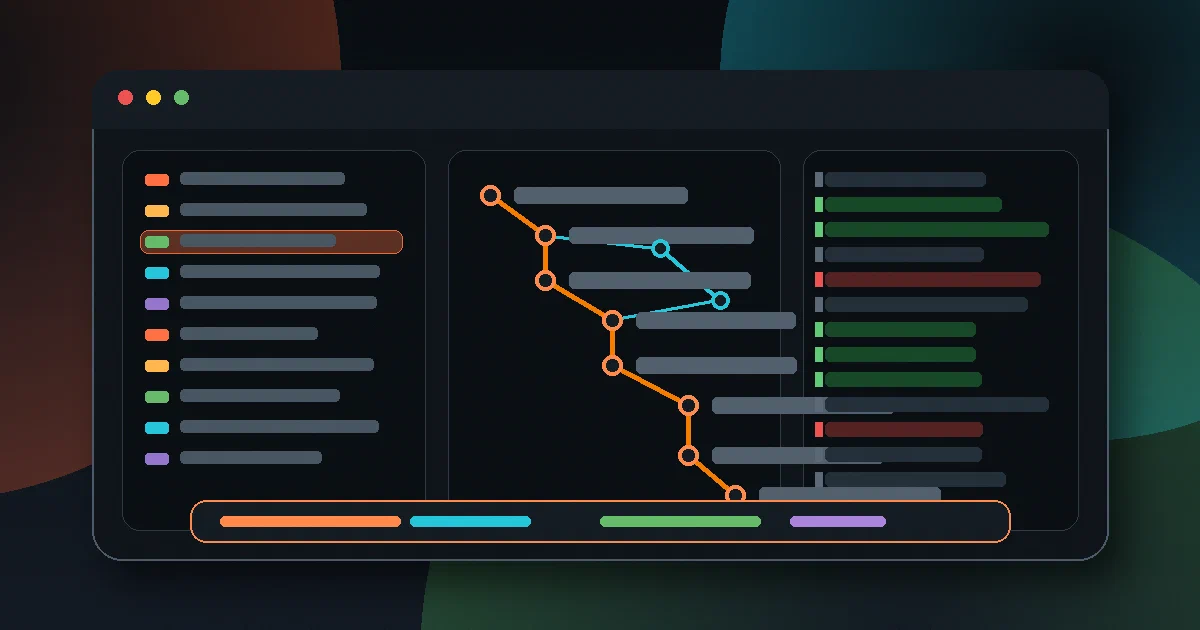

Git is powerful, but the daily interface can still feel like a collection of half-remembered commands.
You stage a hunk with git add -p, rewrite a commit with interactive rebase, inspect a stash, compare branches, jump into a worktree, recover from a bad reset through the reflog, and somewhere along the way you lose the thread of what state the repository is actually in.
lazygit is built for that gap. It is a terminal UI for Git that keeps the repository model visible while turning common workflows into keyboard-driven actions.
It is not trying to hide Git. The useful mental model is simpler: lazygit is a fast control surface over Git commands, repository state, config, and logs.
What is lazygit?
lazygit is a Go application that opens a full-screen terminal interface around a Git repository.
The left-side panels expose repository state: files, worktrees, submodules, local branches, remotes, tags, commits, reflog, and stash. The main panel shows details such as diffs, commit files, logs, and command output. Keybindings then map the current selection to Git operations.
That makes it especially useful for workflows where context matters more than a single command:
- staging individual lines and hunks
- amending or rewording commits
- squashing, fixing up, dropping, editing, and moving commits during rebase
- cherry-picking commits
- browsing commit files and comparing commits
- managing stashes
- switching branches and worktrees
- inspecting remotes, tags, and submodules
- undoing some commit and branch actions through reflog-aware recovery
- adding custom commands for team-specific Git flows
The project describes itself as “a simple terminal UI for git commands”. In source, the important word is “commands”: the UI is valuable because it keeps Git concepts close rather than inventing a separate project model.
Why it is useful
lazygit is best when you already understand Git but want less ceremony.
For example, staging a small part of a file is possible with plain Git, but git add -p can become awkward when you need to split hunks or stage specific lines. In lazygit, the file tree and diff view stay open, and staging is attached to the current line or selected range.
Interactive rebase is similar. The raw command opens a todo file and asks you to encode intent with text commands. lazygit exposes the todo list as an interactive list where squash, fixup, drop, edit, and move operations are direct actions.
The same pattern repeats across the app. It does not remove Git complexity; it reduces the number of mental context switches required to use it.
Source Layout
The repository is a Go module with a substantial vendored dependency tree:
main.go
go.mod
go.sum
Dockerfile
Makefile
justfile
docs/
pkg/
schema/
vendor/
The source is organized around a few clear boundaries:
pkg/app/                     CLI parsing, startup, app lifecycle
pkg/commands/git_commands/    Git command builders and repository operations
pkg/commands/oscommands/      process execution and OS integration
pkg/config/                  defaults, user config, app state, paths
pkg/gocui/                   terminal UI foundation
pkg/gui/                     controllers, contexts, panels, popups, presentation
pkg/gui/controllers/         behavior for branches, commits, files, stash, tags
pkg/gui/services/            orchestration services used by GUI controllers
pkg/i18n/                    translations
pkg/integration/             integration test harness and scenarios
pkg/jsonschema/              config schema generation
pkg/tasks/                   background work
pkg/theme/                   theme handling
pkg/updates/                 update checks
The entrypoint is intentionally small. main.go builds an app.BuildInfo struct from linker-injected values, then calls app.Start.
pkg/app/entry_point.go handles CLI flags such as:
--path
--filter
--version
--debug
--logs
--config
--print-config-dir
--use-config-dir
--use-config-file
--work-tree
--git-dir
--screen-mode
After arguments and environment variables are normalized, the app creates config, validates Git, discovers the repository, then starts the GUI.
Runtime Architecture
The runtime path is roughly:
main.go
app.Start(...)
config.NewAppConfig(...)
app.NewCommon(...)
app.NewApp(...)
git_commands.GetRepoPaths(...)
gui.NewGui(...)
app.Run(...)
pkg/app/app.go shows two important operational decisions.
First, lazygit validates the installed Git version before starting the UI. The current source requires Git 2.32.0 or newer.
Second, repository setup is part of startup. If the current directory is not already a Git repo, lazygit can prompt to initialize one, create it automatically, skip, quit, or fall back to recent repositories depending on config.
That explains why the app feels immediate: by the time the UI appears, lazygit has already resolved the working tree, Git directory, app config, temp directory, logger, translations, update checker, and repository paths.
The Git Command Layer
The pkg/commands/git_commands/ package is the heart of the implementation.
It contains focused files for Git domains:
branch.go
branch_loader.go
commit.go
commit_loader.go
diff.go
file.go
file_loader.go
rebase.go
remote.go
repo_paths.go
stash.go
status.go
submodule.go
sync.go
tag.go
version.go
worktree.go
This is the difference between lazygit and a thin shell script. The application keeps parsed models for branches, commits, files, remotes, stashes, worktrees, and repository paths, then lets GUI controllers operate on those models.
That command layer also has many colocated tests. The project tests branch loading, status parsing, commit loading, Git version parsing, worktrees, stashes, remotes, submodules, rebase behavior, and command builders.
The UI Layer
lazygit uses a terminal UI stack based on its pkg/gocui package and tcell.
The GUI code is split into controllers, contexts, services, presentation helpers, status rendering, popup flows, and modes. That separation matters because lazygit has a lot of context-sensitive behavior:
- pressing a key in the files panel is not the same as pressing it in the commits panel
- a popup action can need confirmation, form input, or menu selection
- some Git actions require refreshing multiple panels after completion
- a background task can update state while the user continues navigating
- the same selected commit may be shown as a graph row, a file list, or a patch
The codebase reflects that by keeping much of the domain behavior under pkg/gui/controllers/ and view state under pkg/gui/context/.
Configuration
The default Linux config path is:
~/.config/lazygit/config.yml
The app also supports older legacy paths and repository-specific config. Repo-local config can live in:
<repo>/.git/lazygit.yml
It can also load .lazygit.yml files from parent directories. That is useful for applying shared rules to a group of repositories without putting everything in the global config.
The config surface is broad. It covers layout, side panels, colors, icons, mouse events, warnings, staging behavior, time formats, language, paging, Git behavior, update checks, custom commands, and keybindings.
You can print the generated default config with:
lazygit --config
And you can print the active config directory with:
lazygit --print-config-dir
Custom Commands
Custom commands are one of lazygit’s strongest extension points.
They let you bind a key to a command in a given context. Commands can use Go template values from the current selection, request input through prompts, present a menu, stream output to the command log, open a terminal, or show output in a popup.
A simple example:
customCommands:
  - key: "C"
    context: "global"
    command: "git commit"
    output: terminal
That makes lazygit useful for teams with small Git conventions that are too local for upstream defaults: branch naming, issue references, custom review commands, deployment checks, or repo-specific scripts.
The risk is the same as any command launcher: custom commands execute shell commands. Treat shared lazygit config like executable workflow code, especially if it lives in a repository.
Undo and Reflog Recovery
lazygit has undo and redo for some Git actions.
This is not magic state management inside lazygit. The docs explain that the feature is built around Git’s reflog. That means it is useful for commit and branch movement, including some rebases and resets, but it cannot undo everything.
Important limitations:
- working tree changes are not generally covered
- stash changes are not covered
- pushing to a remote cannot be undone locally
- branch creation is not recorded in the reflog in the same useful way
- mid-rebase undo/redo is limited
That is a good design constraint. lazygit leans on Git’s own recovery trail rather than pretending it can reverse every operation.
Installing
The README lists many install routes, including binary releases, Homebrew, MacPorts, Scoop, Arch, Fedora and related packages, Debian and Ubuntu packages, Gentoo, openSUSE, NixOS, FreeBSD, Termux, Conda, Go install, Chocolatey, Winget, and manual installation.
For Linux, the release binary path is usually the most direct smoke-test route:
LAZYGIT_VERSION=0.64.1
curl -Lo lazygit.tar.gz \
  "https://github.com/jesseduffield/lazygit/releases/download/v${LAZYGIT_VERSION}/lazygit_${LAZYGIT_VERSION}_linux_x86_64.tar.gz"
tar -xzf lazygit.tar.gz lazygit
./lazygit --version
For source work, the current repo expects Go 1.25.0 according to go.mod, and the Dockerfile uses golang:1.25 for its build stage.
Docker Notes
The repository includes a Dockerfile:
golang:1.25 -> alpine:3.19
The image installs Git and xdg-utils, copies the built binary, and uses lazygit as the entrypoint.
That Dockerfile is useful as a reproducible build reference, but it is not how I would normally use lazygit day to day. lazygit is a local terminal tool that wants access to your Git repositories, terminal, editor, SSH credentials, signing setup, and config. A host install is usually simpler.
I did not start any Docker containers for this analysis.
Local Field Test
I inspected the current repository at commit:
c300c319f954d740b67ed8db4d44ea18551ff231
The latest release at analysis time was:
v0.64.1
published: 2026-08-12T17:57:59Z
Host tools:
go version go1.22.2 linux/amd64
git version 2.43.0
The source build check with the local Go toolchain did not compile because the host Go version is too old for the current go.mod syntax:
go.mod:6: unknown directive: ignore
go.mod:9: unknown directive: ignore
go.mod:80: unknown directive: tool
That is consistent with the module requiring Go 1.25.0.
The official Linux x86_64 release binary did smoke-test successfully:
commit=fbe2379fa5831b1ce1a8a836a604652ffc14844f
build date=2026-08-12T17:52:51Z
build source=binaryRelease
version=0.64.1
os=linux
arch=amd64
git version=2.43.0
I also checked:
lazygit --help
lazygit --print-config-dir
The binary printed help correctly and resolved the config directory to:
/home/jalcocert/.config/lazygit
I did not launch an interactive TUI session against an existing repository because lazygit can stage, reset, initialize, and otherwise mutate Git state by design. The smoke test stayed to non-mutating metadata commands.
Where It Fits
lazygit competes less with full GUI Git clients and more with your muscle memory.
Use it when you want:
- a fast terminal-native Git dashboard
- visual staging without leaving the shell
- less painful interactive rebase workflows
- quick stash, branch, worktree, and commit inspection
- reflog-based help recovering from some mistakes
- custom keybound commands for local workflows
Skip it when you need:
- a hosted Git management interface
- a code review platform
- a replacement for understanding Git
- a fully non-interactive automation layer
- a tool that can safely undo every destructive Git action
Alternatives
The closest alternatives depend on what you want to replace:
git add -p,git rebase -i,git reflog, andgit log --graphfor plain Git workflows.tigfor a terminal Git browser focused on history and diffs.gituifor another Rust-based terminal UI approach.- Fork, GitKraken, Sublime Merge, or IDE-integrated Git tools for graphical workflows.
ghfor GitHub-specific issue, PR, and release workflows.
lazygit is strongest when the question is not “can Git do this?” but “can I keep enough repository context visible while doing it?”
Final Thoughts
lazygit works because it respects Git’s shape.
The source is not a decorative terminal frontend around a couple of commands. It has a real command layer, parsed repository models, context-specific controllers, config schema, integration tests, and a careful relationship with Git recovery mechanisms like the reflog.
That is why it has become one of the rare terminal tools that feels both faster and more understandable than memorizing the equivalent raw commands.
FAQ
Is lazygit a Git replacement?
No. It is a terminal UI over Git workflows. You still need Git installed, and understanding Git remains valuable.
Does lazygit need Docker?
No. The repo has a Dockerfile for building/running in a container, but lazygit is normally installed as a host CLI.
Can lazygit undo everything?
No. Its undo/redo feature is reflog-based, so it helps with some commit and branch movements, but not every working tree, stash, or remote operation.
Is it safe to use on important repositories?
Use the same caution you would with Git commands. lazygit can run real Git operations, including destructive ones. Review keybindings and prompts before using unfamiliar actions.
Comments