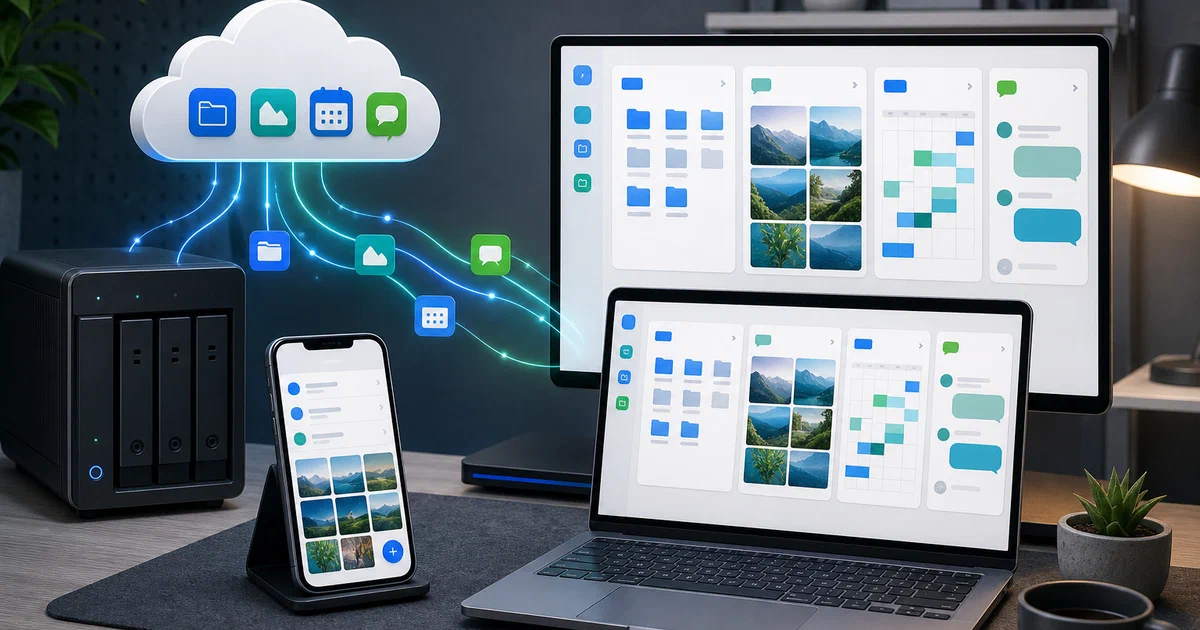

Nextcloud is powerful because it is not just one app.
It can be files, photos, calendars, contacts, Talk, Notes, Deck, Tables, Mail, Cookbook, and a lot more.
That flexibility is also where the client experience gets uneven. Some workflows have dedicated apps, some push you back to the browser, and some installed apps do not feel native at all.
Nextcloud Native is an attempt to solve that from the client side: one independent native workspace for a whole Nextcloud account.
Nextcloud Native turns verified APIs and data relationships into real native interfaces instead of embedding remote web pages or exposing raw API responses.
- Nextcloud Native GitHub Source Code
- Nextcloud Native Website
- Nextcloud Native Testing Releases
- License: AGPL-3.0-or-later ✅
What is Nextcloud Native?
Nextcloud Native is an open-source client for existing Nextcloud servers. It is not a Nextcloud server distribution and it is not an official Nextcloud GmbH project.
The idea is to connect one Nextcloud account and get native interfaces for the things installed on that server: files, photos, Talk history, notes, calendar, contacts, tasks, mail, music, Deck, Tables, Cookbook, and other app families at different levels of completeness.
The important distinction is that the project is not trying to wrap the web UI in a native shell. Its own docs are explicit about avoiding automatic WebView fallbacks. It wants typed contracts, verified capabilities, and reusable native components.
That makes it interesting even if you are not ready to install an alpha client yet. The architecture is a serious answer to a hard problem in self-hosting: how do you make many independently versioned server apps feel coherent on real devices?
Alpha software: keep another copy of important data, read release notes before installing, and do not treat Nextcloud Native as your only production Nextcloud client yet.
Why Self-Hosters Should Care
The usual self-hosting story ends at “the server is running”.
But the client matters. A self-hosted system only becomes part of daily life when files open naturally, photos back up reliably, calendars feel native, and mobile/desktop behavior respects the device you are using.
Nextcloud Native is trying to make Nextcloud feel closer to an operating-system service:
- Files: native browsing, previews, sharing foundations, offline state, and sync work.
- Photos and media: timelines, Memories integration, RAW handling, people/albums, and backup flows.
- Groupware: Calendar, Contacts, Tasks, Mail, and Notes surfaces.
- Collaboration: Talk history and typed message cards, with calls still a future/incomplete area.
- Installed apps: dynamic native workspaces based on verified contracts instead of arbitrary UI guessing.
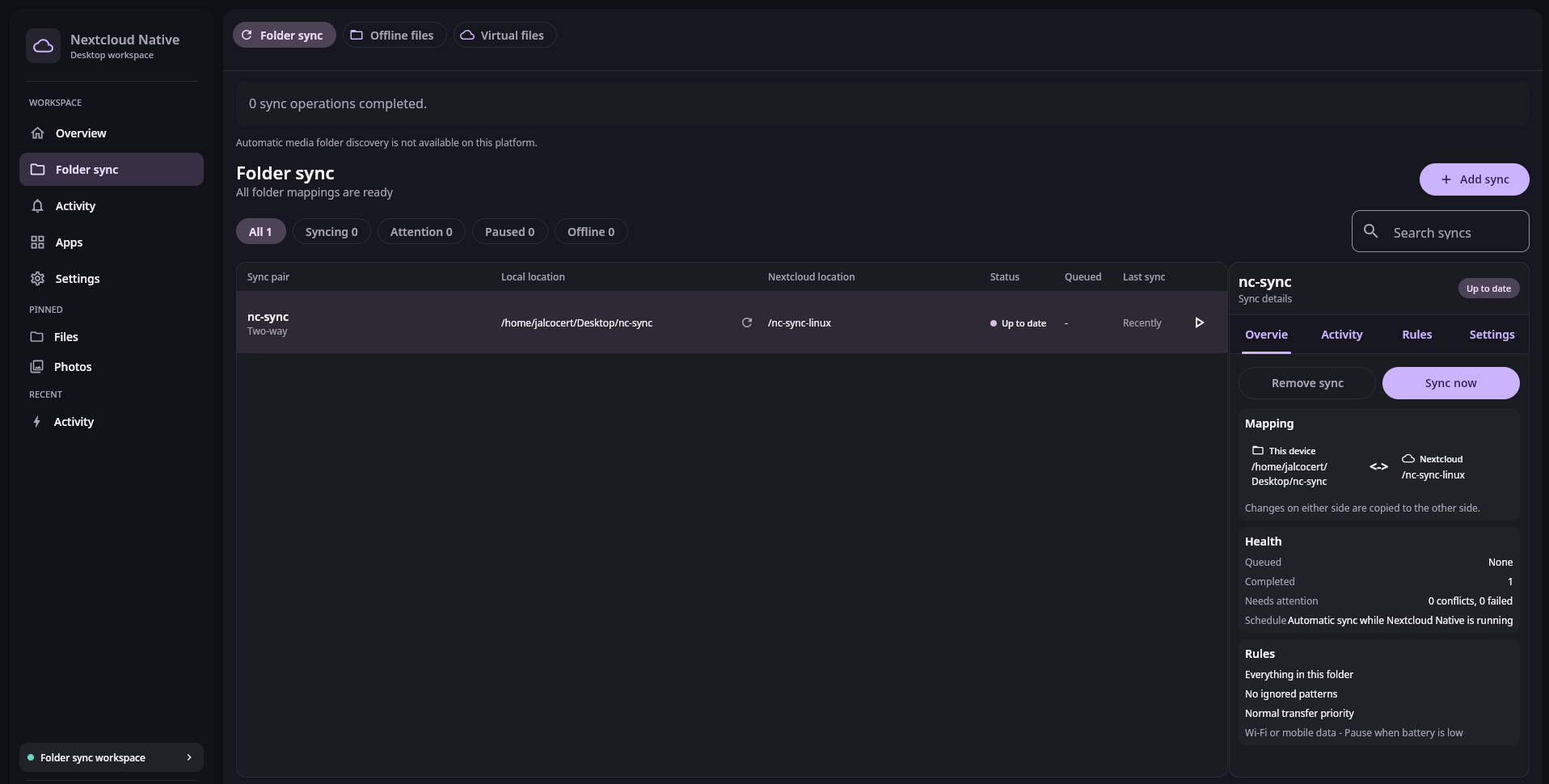
- Desktop integration: Linux folder sync and virtual filesystem work; Windows Cloud Files integration in alpha.
- Android integration: DocumentsProvider, media backup, WorkManager, system sharing, and offline support.
It is ambitious. It is also early. That combination is exactly why it is worth looking at now, with the right expectations.
Tech Overview of Nextcloud Native
The repository is more than a single Android app.
It combines Kotlin Multiplatform, Compose Multiplatform, Rust, Gradle, Android packaging, desktop packaging, and a Vue/Vite website.
Main Repository Areas
| Path | Purpose |
|---|---|
src/ |
Rust semantic compiler, native schema, dynamic descriptor, and tests. |
ui/ |
Shared Compose UI/domain layer plus Android and desktop implementations. |
androidApp/ |
Android launcher, platform integrations, workers, file provider, media backup, and update logic. |
contractAcquisition/ |
Exact-version Nextcloud App Store package and source contract acquisition. |
website/ |
Vue/Vite static project site with guides, downloads, roadmap, and synthetic real-UI screenshots. |
tools/ |
Build, release, package, changelog, screenshot, and verification scripts. |
docs/ |
Release notes and operational documentation. |
The Interesting Architecture Bit
The native UI is not supposed to parse random API responses directly.
The intended flow is more disciplined:
platform-native Compose UI
        |
typed repositories and use cases
        |
versioned protocol and semantic adapters
        |
shared authenticated transport
        |
Nextcloud server and installed apps
The Rust side defines a typed native schema and dynamic app descriptor. The Kotlin side renders native app families such as file browsers, media grids, timelines, calendars, boards, mailboxes, data tables, recipes, documents, and chat threads.
That matters because Nextcloud apps are independently versioned. If a client guesses too much, it risks inventing actions that the server did not advertise. Nextcloud Native’s design tries to avoid that by separating read observations, verified contracts, confidence levels, and mutating actions.
In short: reads do not imply writes.
Platform Status
Current platform support is uneven by design.
| Platform | Current State |
|---|---|
| Android | Active target with signed APK/AAB prereleases. |
| Linux | Primary interactive desktop target with DEB/RPM prereleases. |
| Windows | Alpha MSI with Credential Manager and Cloud Files work. |
| macOS | Packaging preview; authenticated sign-in is not supported yet. |
| iOS / iPadOS | Planned, no supported launcher shipped. |
The project website currently provides downloads for Android, Linux DEB/RPM, Windows MSI, and a macOS Intel preview package. The macOS package is explicitly a packaging preview and cannot sign in yet.
Windows builds are currently unsigned, so release notes recommend checking provenance and checksums before using the installer.
Trying Nextcloud Native
For most people, the practical path is to use the project testing releases rather than building everything from source.
Use the official release page:
Read the release notes carefully. The current release line is still below 1.0.0, and nightly is the default update track.
Good first tests:
- install it against a non-critical Nextcloud account
- avoid using it as the only copy of important files
- start with read-heavy workflows like browsing files, photos, activity, notes, and calendar
- test sync/offline behavior with disposable folders first
- compare behavior against the official Nextcloud clients before trusting a workflow
Install the Linux Nightly DEB
For Debian or Ubuntu-style desktops, the nightly release also provides a .deb package.
I inspected this package without installing it:
- package:
nextcloudnative - version:
1.0.4031 - architecture:
amd64 - installed size: about 228 MB
- download size: about 127 MB
- install path:
/opt/nextcloudnative/ - launcher binary:
/opt/nextcloudnative/bin/NextcloudNative
Download it:
mkdir -p ~/Downloads/nextcloud-native
cd ~/Downloads/nextcloud-native

curl -L -o nextcloudnative_1.0.4031_amd64.deb \
  "https://github.com/Obiente/nc-native/releases/download/nightly-20260816-1524-run1098-5f056089/nextcloudnative_1.0.4031_amd64.deb"
Optional inspection before installing:
dpkg-deb --info nextcloudnative_1.0.4031_amd64.deb
dpkg-deb --contents nextcloudnative_1.0.4031_amd64.deb | less
sha256sum nextcloudnative_1.0.4031_amd64.deb
For the file I downloaded, sha256sum returned:
6e4c48884d8680f46cce74462ecc44aa5b9b3a2a0c753fff741af2c841f5a888
Install it with apt so dependencies are resolved:
sudo apt install ./nextcloudnative_1.0.4031_amd64.deb
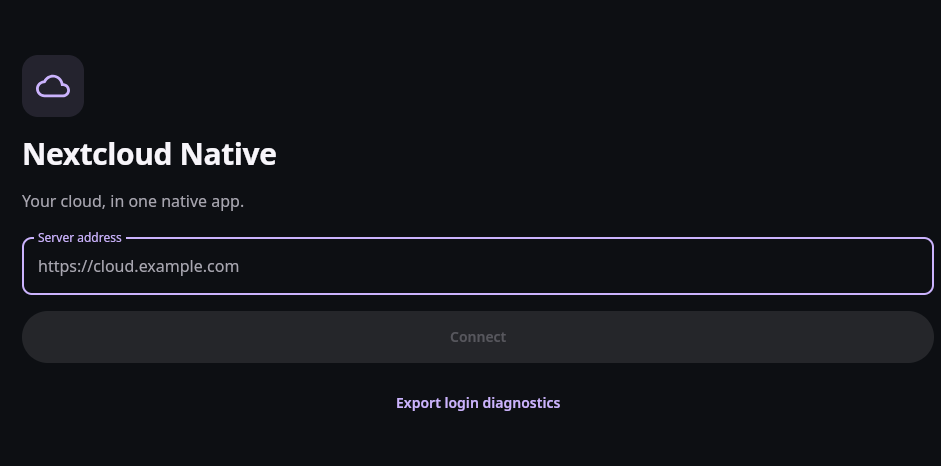
Then launch it from your desktop menu, or run:
/opt/nextcloudnative/bin/NextcloudNative
To remove it later:
sudo apt remove nextcloudnative
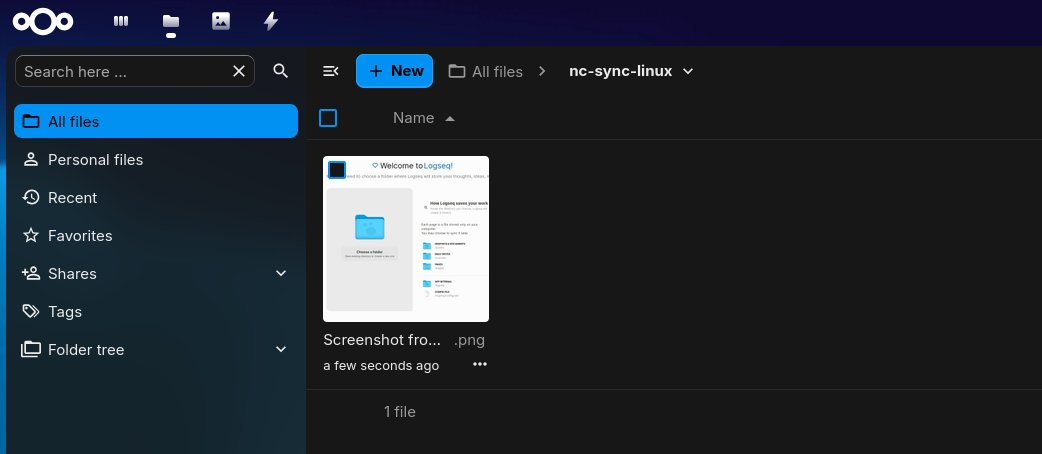
This is still a nightly alpha package. Test it with a non-critical Nextcloud account first, and read the matching release notes before trusting sync or offline-file workflows.
Building Nextcloud Native from Source
The repository documents a source build path for contributors.
Requirements:
- JDK 21
- Rust stable
- Android SDK Platform 36
- Android Build Tools 35.0.0
Clone the repository:
git clone https://github.com/Obiente/nc-native.git
cd nc-native
Run the main checks:
cargo test --locked
./gradlew --no-daemon :ui:desktopTest
./gradlew --no-daemon :ui:createDistributable
./gradlew --no-daemon :androidApp:assembleDebug
bash tools/check-repository.sh
For Android development builds that install alongside release and nightly builds:
./tools/deploy-android-dev.sh
That uses the development application ID and label so local testing does not replace the signed package.
Field Note: Website Build
I cloned the repository at commit aa990a17 and ran a bounded local check.
This environment had Node.js available but did not have Rust or Java configured:
- Node:
v22.22.0 - npm:
10.9.4 rustc/cargo: not installedjava/JAVA_HOME: not available- disk headroom: about 16 GiB free, with the filesystem already 91% used
Because of that, I did not install the full native build toolchain or run the Android/Compose/Rust build matrix locally.
The website path did work:
npm ci --prefix website
npm run --prefix website build
The build completed successfully after content generation. It passed 51 website tests, verified 224 committed synthetic Compose capture assets, built the client and SSR bundles, and prerendered 31 routes.
One useful gotcha: a direct npm run --prefix website test failed before content generation because website/public/search-index.json did not exist yet. The full npm run --prefix website build handles that by running npm run content first.
How It Compares
Nextcloud Native should not be read as a replacement for the official clients today.
It is better understood as a new client experiment with a wider native-app ambition:
- official Nextcloud clients are the safer default for ordinary production sync today
- browser access remains the most complete way to use many installed Nextcloud apps
- DAVx5 and specialized mobile apps still matter for deep OS integration on Android
- Nextcloud Native is interesting when you want one coherent native workspace across more of the server ecosystem
Pick Nextcloud Native if you like testing alpha clients, care about native UX, and have a Nextcloud setup where you can safely experiment.
Wait if your priority is stable production sync, app-store convenience, or a client you can recommend to non-technical users without caveats.
Conclusion
Nextcloud Native is one of the more interesting Nextcloud-adjacent projects I have seen recently because it is not just another sync tray or mobile file browser.
The project is trying to answer a deeper question: can a self-hosted app ecosystem become a coherent native workspace without collapsing everything into a browser or a generic API viewer?
The answer is not finished yet. The release notes are clear about alpha limitations, incomplete sync/offline behavior, macOS sign-in gaps, unsigned Windows packages, and platform-specific maturity.
But the direction is worth tracking.
For self-hosters, this is not only about Nextcloud Native itself. It is also a useful design case study for how open-source clients can treat server apps, contracts, safety, and platform behavior seriously.
FAQ
Is Nextcloud Native an official Nextcloud project?
Does Nextcloud Native replace the official Nextcloud clients?
What if I just need encrypted CLI uploads instead of a native Nextcloud client?
For some Linux workflows, you may not need a full native Nextcloud client at all. The official Proton Drive CLI is already available for Linux, macOS, and Windows, and it can handle explicit terminal operations such as listing folders, uploading files, downloading files, and scripting backup jobs. It is not a background sync engine, but it is practical when you want a deliberate command that runs and exits.
Download the Proton Drive CLI:
Install the downloaded Linux binary:
cd /home/Downloads
chmod +x proton-drive
install -m 0755 proton-drive "$HOME/.local/bin/proton-drive"
Authentication opens a browser flow and sends you through Proton account auth:
proton-drive auth login
The browser flow uses:
https://account.proton.me/auth-desktop
Then inspect your Drive:
proton-drive filesystem list /
proton-drive filesystem list /my-files
Upload one local file:
proton-drive filesystem upload /path/to/local-file "/destination/folder"
For example, upload ~/Downloads/report.pdf to the root of Proton Drive:
proton-drive auth login
proton-drive filesystem upload ~/Downloads/report.pdf "/"
List folders first:
proton-drive filesystem list "/"
Create a folder and upload into it:
proton-drive filesystem create-folder "/" "Uploads"
proton-drive filesystem upload ~/Downloads/report.pdf "/Uploads"
Real example:
proton-drive filesystem upload ~/Desktop/DJI_20260726095445_0040_D.MP4 /my-files/ActionCam
Comments