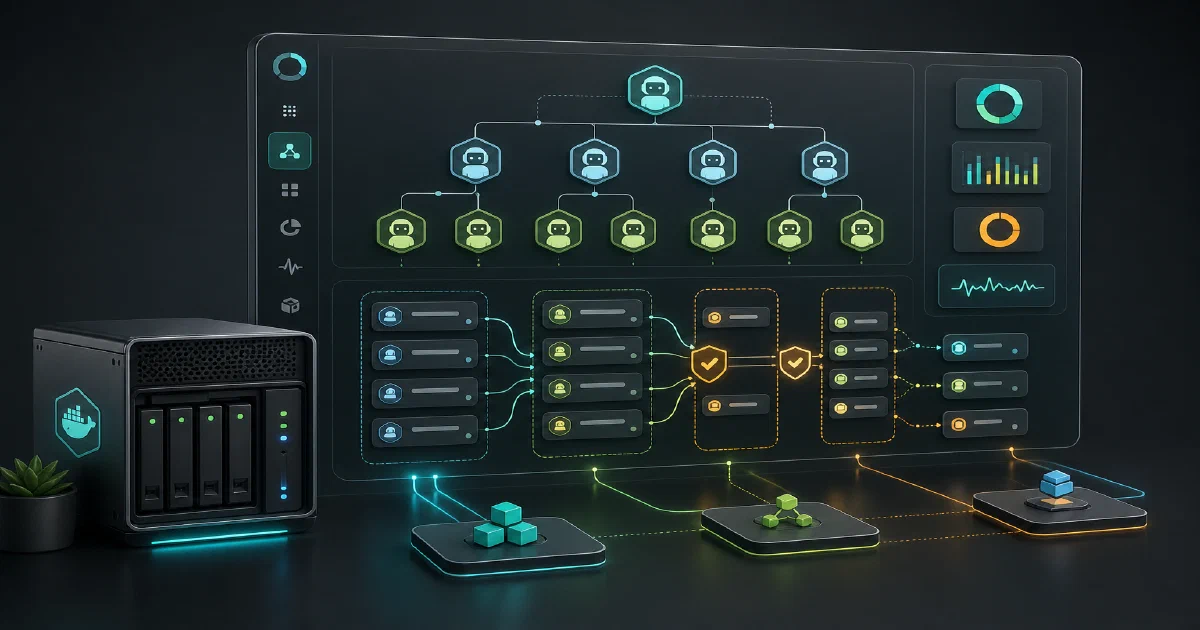

Paperclip is for the moment when one coding agent becomes many.
A single Claude Code or Codex session can live in your terminal. A team of agents needs assignments, status, budgets, memory, review, and a way for a human operator to see what is happening without reading twenty terminal tabs.
That is the gap Paperclip tries to cover.
Paperclip is an open-source control plane for managing teams of AI agents at work.
Paperclip GitHub Source Code Paperclip Website Paperclip Documentation MIT License
What is Paperclip?
Paperclip is a Node.js server, React dashboard, CLI, and adapter system for coordinating autonomous AI agents.
The useful mental model is in the README: if an agent is an employee, Paperclip is the company. You create companies, projects, goals, agents, routines, issues, budgets, and approvals. Agents receive work through Paperclip, report back through heartbeats, and leave a trace of what they did.
Paperclip is not trying to replace Claude Code, Codex, Cursor, OpenCode, Gemini, or a custom HTTP worker. It connects to those tools through adapters and gives them shared operating structure.
Why Self-Host Paperclip?
- Agent visibility: See what each agent is assigned, what it last did, and whether it is blocked.
- Budget control: Track token/cost events and enforce spending limits by agent, project, or company.
- Governance: Route work through review and approval stages instead of trusting every autonomous run.
- Multi-company isolation: Run separate companies from one deployment with company-scoped data.
- Bring your own agents: Use local CLI agents, webhooks, OpenClaw-style gateways, and plugin adapters.
Tech Overview of Paperclip
Paperclip is a TypeScript monorepo using pnpm workspaces.
| Layer | Stack |
|---|---|
| UI | React 19, Vite 6, React Router 7, TanStack Query, Radix UI, Tailwind CSS 4 |
| API | Node.js 20+, Express 5, TypeScript |
| Database | PostgreSQL, Drizzle ORM, embedded PostgreSQL for local quickstart |
| Auth | Better Auth, user sessions, board API keys, agent API keys, run JWTs |
| Agents | Adapter packages for local and external agent runtimes |
| CLI | paperclipai, built with Commander and TypeScript |
| Testing | Vitest, Playwright, Storybook |
The source tree is much broader than a simple dashboard:
paperclip/
|-- cli/          # setup, diagnostics, local run, control-plane commands
|-- server/       # Express API, auth, services, routes, heartbeats, plugins
|-- ui/           # React board UI
|-- packages/     # db, shared types, adapters, plugin SDK, catalogs
|-- docs/         # public docs
|-- doc/          # internal design notes
|-- docker/       # Compose, quadlet, ECS, smoke-test Docker files
`-- releases/     # release-note snapshots
The database schema is the clearest sign of the scope. Paperclip models companies, users, agents, projects, goals, issues, comments, documents, approvals, budgets, costs, heartbeat runs, workspaces, routines, secrets, plugins, environments, cloud upstream sync, and audit logs.
What Makes It Different?
Most agent tools start from a prompt or a task. Paperclip starts from an organization.
That sounds playful, but it changes the primitives:
- Agents have roles, titles, adapters, reporting lines, permissions, budgets, and runtime state.
- Issues can be checked out atomically so two agents do not quietly work on the same task.
- Heartbeats can wake agents on schedules, assignments, mentions, routines, and automation triggers.
- Execution policies can require review and approval stages before work reaches
done. - Secrets can be stored and bound without dumping raw secret values into prompts.
- Workspaces and runtime services are tracked as part of the control-plane state.
This is why Paperclip fits a different use case than a single-agent CLI. If you only run one agent once in a while, it is probably extra machinery. If you are experimenting with persistent agent teams, scheduled routines, coding workers, review agents, and cost controls, the structure starts to make sense.
Trying Paperclip Locally
The fastest upstream path is:
npx paperclipai onboard --yes
That quickstart uses trusted local loopback defaults. For authenticated/private network access, the README shows:
npx paperclipai onboard --yes --bind lan
npx paperclipai onboard --yes --bind tailnet
For source development:
git clone https://github.com/paperclipai/paperclip.git
cd paperclip
pnpm install
pnpm dev
The dev path starts the API and UI at http://localhost:3100 and uses embedded PostgreSQL by default.
Field Note: CLI and Compose Validation
I cloned the repo into tmp/paperclip and inspected commit eaef47f4c710a848b25b5f35596fa309fb23439b, dated 2026-06-06. The checkout was about 78M.
Local environment:
| Tool | Version |
|---|---|
| Node | v22.22.0 |
| pnpm | 9.15.4 |
| Docker | 29.5.3 |
| Docker Compose | v5.1.4 |
| Free disk during review | about 14GB |
| Available RAM during review | about 6.5GB |
| Swap | 0B |
The published npm package observed was:
[email protected]
Node engine: >=20
CLI binary: paperclipai
The published CLI help path completed:
timeout 60 npx --yes paperclipai --help
That exposed setup commands such as onboard, run, doctor, configure, env, db:backup, worktree, plugin, and auth, plus control-plane command groups for companies, issues, agents, approvals, activity, dashboards, routines, secrets, cloud sync, and skills.
npx emitted several deprecated transitive dependency warnings during install, but the help command itself returned successfully.
I also rendered the upstream Docker Compose file:
BETTER_AUTH_SECRET=replace-me-with-a-long-random-secret \
  docker compose -f docker/docker-compose.yml config
That validated the Compose shape with a PostgreSQL 17 service and a Paperclip server service on port 3100.
The Home-Lab Compose snippet in this post was also rendered with:
POSTGRES_PASSWORD=replace-me-with-a-real-password \
BETTER_AUTH_SECRET=replace-me-with-a-long-random-secret \
  docker compose -f assets/snippets/paperclip/docker-compose.yml config
I did not run the full Docker image build or first-admin browser claim flow for this draft. The Dockerfile builds the UI/server and installs several local agent CLIs, so it is a heavier trial than a normal lightweight web app check.
Self-Hosting Paperclip with Docker
Paperclip ships Docker assets upstream. For this site, I prepared a Home-Lab Compose snippet that keeps the defaults conservative: localhost bind, persistent volumes, authenticated/private deployment mode, required .env secrets, and telemetry disabled.
The snippet pins the remote Docker build context to the same commit inspected for this post, rather than following a moving branch. Update that commit deliberately when you want to track a newer upstream release.
Pre-Requisites - Docker! 🐋
Install Docker on your system before proceeding:
- Linux: Official Docker Engine install guide
- Windows / Mac: Docker Desktop
Verify installation: docker --version && docker compose version
Docker Compose Configuration
The reusable Compose file is in the Home-Lab repository:
Paperclip Home-Lab Docker configservices:
db:
image: postgres:17-alpine
container_name: paperclip-db
restart: unless-stopped
environment:
POSTGRES_USER: paperclip
POSTGRES_PASSWORD: ${POSTGRES_PASSWORD:?Set POSTGRES_PASSWORD in .env}
POSTGRES_DB: paperclip
healthcheck:
test: ["CMD-SHELL", "pg_isready -U paperclip -d paperclip"]
interval: 2s
timeout: 5s
retries: 30
volumes:
- paperclip-db:/var/lib/postgresql/data
networks:
- paperclip-net
paperclip:
build:
context: https://github.com/paperclipai/paperclip.git#eaef47f4c710a848b25b5f35596fa309fb23439b
dockerfile: Dockerfile
container_name: paperclip
restart: unless-stopped
depends_on:
db:
condition: service_healthy
ports:
- "${PAPERCLIP_BIND:-127.0.0.1}:${PAPERCLIP_PORT:-3100}:3100"
environment:
DATABASE_URL: postgres://paperclip:${POSTGRES_PASSWORD:?Set POSTGRES_PASSWORD in .env}@db:5432/paperclip
PORT: "3100"
HOST: "0.0.0.0"
SERVE_UI: "true"
PAPERCLIP_HOME: "/paperclip"
PAPERCLIP_DEPLOYMENT_MODE: "authenticated"
PAPERCLIP_DEPLOYMENT_EXPOSURE: "private"
PAPERCLIP_PUBLIC_URL: "${PAPERCLIP_PUBLIC_URL:-http://localhost:3100}"
BETTER_AUTH_SECRET: "${BETTER_AUTH_SECRET:?Set BETTER_AUTH_SECRET in .env}"
OPENAI_API_KEY: "${OPENAI_API_KEY:-}"
ANTHROPIC_API_KEY: "${ANTHROPIC_API_KEY:-}"
PAPERCLIP_TELEMETRY_DISABLED: "${PAPERCLIP_TELEMETRY_DISABLED:-1}"
volumes:
- paperclip-data:/paperclip
networks:
- paperclip-net
networks:
paperclip-net:
driver: bridge
volumes:
paperclip-db:
paperclip-data:
Deployment Steps
Create the .env file next to the Compose file:
cp .env.sample .env
Set at least:
POSTGRES_PASSWORD=change-this-postgres-password
BETTER_AUTH_SECRET=change-this-to-a-long-random-secret
PAPERCLIP_PUBLIC_URL=http://localhost:3100
Then build and start:
docker compose up --build -d
Open:
http://127.0.0.1:3100
For remote access, keep Paperclip behind a VPN, Tailscale, reverse proxy with authentication, or a private network boundary. Do not expose a fresh agent-control-plane deployment to the public internet with weak auth settings.
Configuration Notes
Important environment variables:
| Variable | Why it matters |
|---|---|
BETTER_AUTH_SECRET |
Required secret for authenticated mode |
DATABASE_URL |
PostgreSQL connection string |
PAPERCLIP_PUBLIC_URL |
Browser/auth link base URL |
PAPERCLIP_DEPLOYMENT_MODE |
Trusted local vs authenticated mode |
PAPERCLIP_DEPLOYMENT_EXPOSURE |
Private/public exposure policy |
PAPERCLIP_TELEMETRY_DISABLED |
Set 1 to disable anonymous telemetry |
OPENAI_API_KEY |
Optional for OpenAI/Codex-backed agents |
ANTHROPIC_API_KEY |
Optional for Claude-backed agents |
The README notes that telemetry is enabled by default and can be disabled with PAPERCLIP_TELEMETRY_DISABLED=1, DO_NOT_TRACK=1, CI=true, or config.
Local CLI Storage Paths
For CLI-managed local installs, Paperclip stores instance state under ~/.paperclip/instances/default/ by default.
The docs list config, database, logs, storage, and secrets key paths under that instance directory. You can isolate state with:
paperclipai run --data-dir ./tmp/paperclip-dev
or:
PAPERCLIP_HOME=/custom/home PAPERCLIP_INSTANCE_ID=dev paperclipai run
Recent Release Signals
The repo includes release notes through v2026.529.0.
Recent work has focused on practical operator features:
- inline document annotations and comments
- company skills CLI and catalog management
- first-admin claim flow for fresh self-hosted deployments
- live Claude model discovery
- workspace diff viewer plugin
- Modal sandbox provider plugin
- routine secrets
- Cloud Upstream sync
- scoped permissions and assignment controls
- AWS provider vault setup
- mobile board polish
- Grok local runtime adapter
- i18next groundwork
That release history makes Paperclip feel like an actively moving operations tool rather than a static demo.
Paperclip vs Symphony
Paperclip and Symphony are the orchestration-layer posts in this series.
The difference is scope:
- Pick Paperclip if you want a self-hosted control plane for multiple agents, companies, goals, budgets, approvals, adapters, and human review.
- Pick Symphony if you specifically want a spec-driven Linear-to-Codex runner where each issue becomes an isolated Codex App Server session.
Paperclip is broader and more operations-heavy. Symphony is narrower and more spec-driven.
Conclusion
Paperclip is interesting because it treats agent work as operations, not just prompting.
The self-hosting angle is also real: the repo ships a CLI quickstart, Dockerfile, Compose files, embedded PostgreSQL support, PostgreSQL-backed Docker deployment, auth modes, and first-admin claim flow. The deployment surface is still heavier than a small web app because it bundles a full control plane plus agent-runtime integrations.
For solo experiments, start with npx paperclipai onboard --yes. For a persistent home-lab deployment, use Docker Compose, keep it private, and add real agent provider keys only after the board is reachable and secured.
FAQ
Is Paperclip an AI agent framework?
Does Paperclip need Docker?
No. The upstream quickstart uses:
npx paperclipai onboard --yes
Docker is useful for a persistent self-hosted service, especially when you want PostgreSQL in a separate container and a reproducible deployment artifact.
Does Paperclip run agents continuously?
What should I secure first?
BETTER_AUTH_SECRET, use authenticated/private deployment mode, bind to localhost unless you know the network boundary, disable telemetry if your policy requires it, keep provider API keys out of git, and put remote access behind a VPN or reverse proxy with proper authentication.
What did this article actually test?
I tested the source checkout, local runtime versions, npm package metadata, published CLI help path, upstream Compose rendering, and the generated Home-Lab Compose rendering.
I did not run a full production image build, first-admin browser claim, live agent heartbeat, or multi-agent workflow during this draft.
Comments