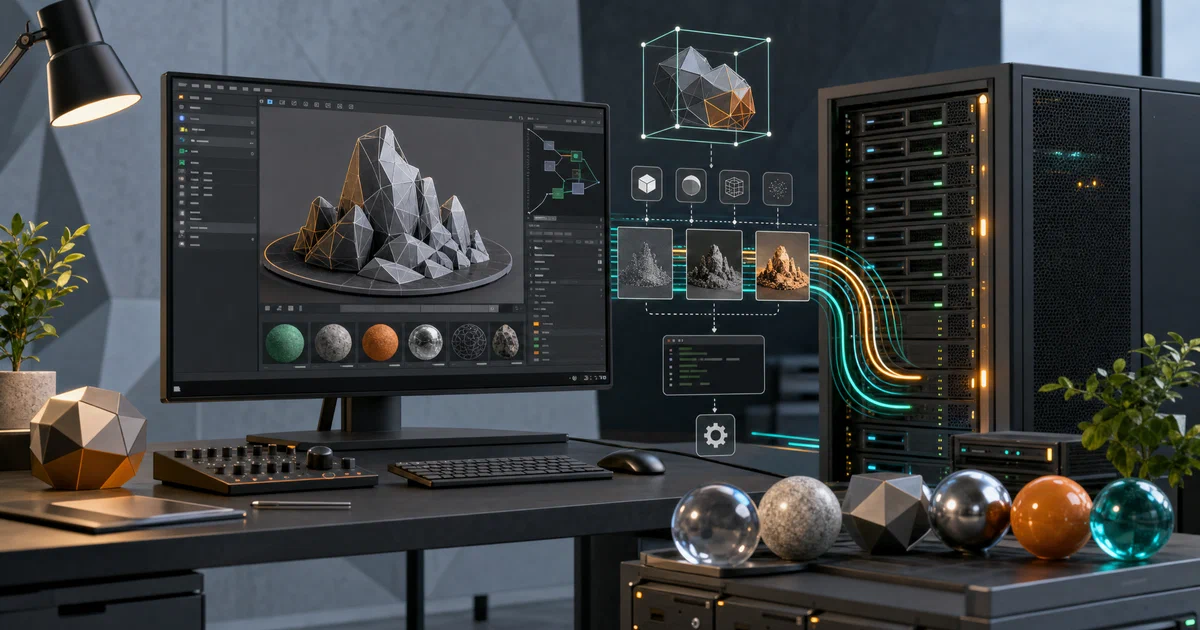

Most people know Blender as the free alternative to Maya or Cinema 4D.
Fewer know it has a fully functional command-line mode that runs without a display server, a Python API that can control every aspect of a scene, and an official render farm manager.
Blender is not only a desktop tool — it is a headless render engine you can run on any Linux server or Docker container.
What is Blender?
Blender is a free and open-source 3D creation suite maintained by the Blender Foundation and the Blender Institute. It covers the complete 3D and media production pipeline in a single GPL-licensed application.
“Blender is the free and open source 3D creation suite. It supports the entirety of the 3D pipeline — modeling, rigging, animation, simulation, rendering, compositing and motion tracking, even video editing and game creation.”
Blender Source Code on GitHub Blender Website Python API Documentation
What Blender covers
- 🧊 3D Modelling — polygon modelling, curve-based modelling, and fully procedural geometry via Geometry Nodes
- 🗿 Sculpting — dynamic topology brushes, multires, face sets, and masking
- 🦴 Animation & Rigging — skeletal rigs, shape keys, inverse kinematics, NLA editor, and motion paths
- 💧 Simulation — fluid (Mantaflow), smoke, particles, rigid bodies, cloth, and ocean
- 🎨 Shading — fully node-based material system with OpenShadingLanguage (OSL) support
- 🔆 Rendering — Cycles (path tracer) and EEVEE (real-time rasteriser) built in
- 🎬 Compositing — node-based compositor for colour grading, keying, and VFX
- 📽️ Video Editing — full sequencer with effects, audio mixing, and text overlays
- ✏️ Grease Pencil — 2D animation and drawing directly in 3D space
- ⚖️ GPL v3 licensed — every line of source is open
The Two Render Engines
Cycles — the path tracer
Cycles is an unbiased physically-based path tracer. It simulates how light actually behaves — bouncing around a scene until it reaches the camera — producing photorealistic results at the cost of render time.
| Feature | Detail |
|---|---|
| GPU acceleration | NVIDIA (CUDA + OptiX RT cores), AMD (HIP + HIP-RT), Intel (oneAPI), Apple (Metal) |
| CPU | SSE4.2, AVX2, F16C vectorisation paths |
| AI denoising | OpenImageDenoise + NVIDIA OptiX Denoiser |
| Volumes | Full volumetric rendering via OpenVDB |
| Shaders | Node-based + OSL procedural shaders |
| Distributed | Network render farm support built in |
Cycles can be built as a standalone executable — useful for integrating into pipelines that do not need the full Blender UI.
EEVEE — the real-time renderer
EEVEE is a GPU rasteriser optimised for speed. It uses screen-space effects to approximate global illumination: reflections, ambient occlusion, depth of field, and volumetrics — all in real time. EEVEE is the default viewport renderer and can produce final-quality output for stylised or real-time-preview workflows.
Installing Blender
Desktop (interactive use)
Linux
Official binary (recommended — most current version):
# Download from blender.org — standalone, no install needed
wget https://www.blender.org/download/release/Blender4.4/blender-4.4.0-linux-x64.tar.xz
tar xf blender-4.4.0-linux-x64.tar.xz
./blender-4.4.0-linux-x64/blender
Flatpak (sandboxed, auto-updates via Flathub):
flatpak install flathub org.blender.Blender
flatpak run org.blender.Blender
Snap:
snap install blender --classic
Package managers (often slightly older versions):
sudo apt install blender        # Ubuntu / Debian
sudo pacman -S blender          # Arch
sudo dnf install blender        # Fedora
macOS and Windows
Download the installer directly from blender.org/download .
- macOS: Universal2 binary — runs natively on both Intel and Apple Silicon.
- Windows:
.msiinstaller or portable.zip. GPU rendering works on NVIDIA (CUDA/OptiX) and AMD (HIP) out of the box.
Headless server / render node
This is the self-hosters’ use case. Blender’s Linux binary runs without a display server — no X11, no Wayland, no desktop environment required.
# Download and extract (same binary as desktop)
wget https://www.blender.org/download/release/Blender4.4/blender-4.4.0-linux-x64.tar.xz
tar xf blender-4.4.0-linux-x64.tar.xz -C /opt
ln -s /opt/blender-4.4.0-linux-x64/blender /usr/local/bin/blender

# Render a single frame headlessly
blender --background /path/to/scene.blend \
  --render-output /output/frame#### \
  --render-frame 1

# Render a frame range
blender --background /path/to/scene.blend \
  --render-output /output/frame#### \
  --render-anim \
  --frame-start 1 --frame-end 250
No DISPLAY variable needed. No desktop session. A bare Ubuntu Server 24.04 VM is sufficient.
Running Blender in Docker
There is no official Blender Docker image, but the headless binary has minimal runtime dependencies. A working Dockerfile:
FROM ubuntu:24.04

RUN apt-get update && apt-get install -y --no-install-recommends \
    wget xz-utils libgl1 libgomp1 libxi6 libxrender1 && \
    wget -q https://download.blender.org/release/Blender4.4/blender-4.4.0-linux-x64.tar.xz && \
    tar -xf blender-4.4.0-linux-x64.tar.xz -C /opt && \
    ln -s /opt/blender-4.4.0-linux-x64/blender /usr/local/bin/blender && \
    rm blender-4.4.0-linux-x64.tar.xz && \
    rm -rf /var/lib/apt/lists/*

ENTRYPOINT ["blender", "--background"]
Build and render:
docker build -t blender-headless .

docker run --rm \
  -v /path/to/scenes:/scenes \
  -v /path/to/output:/output \
  blender-headless \
  /scenes/project.blend \
  --render-output /output/frame#### \
  --render-frame 1-100
For GPU rendering, add --gpus all and install the NVIDIA Container Toolkit
on the host.
Automating renders with Python
Every aspect of Blender is accessible from Python via the bpy module. Scripts run headlessly with --python:
blender --background --python render_script.py
A minimal render script:
import bpy

# Load a scene
bpy.ops.wm.open_mainfile(filepath="/scenes/project.blend")

# Change render settings at runtime
scene = bpy.context.scene
scene.render.engine = "CYCLES"
scene.cycles.samples = 256
scene.render.filepath = "/output/frame"
scene.render.image_settings.file_format = "PNG"

# Render
bpy.ops.render.render(write_still=True)
This makes Blender a programmable render engine — useful for CI/CD pipelines, automated asset previews, procedural scene generation, or batch processing hundreds of variant renders.
Self-Hosted Render Farms
Flamenco — the official solution
Flamenco
is the Blender Foundation’s own render farm manager. It coordinates workers (machines running blender --background) from a central web UI, distributes frames across them, and collects results.
- Manager — web service (Go binary) that schedules jobs
- Worker — lightweight agent that picks up tasks and calls Blender
- No Kubernetes required — runs on bare metal or a small VPS
- Self-contained binaries; no Docker needed but containerisable
A home render farm of 3–4 machines running Flamenco workers can cut render times by 4× without any cloud costs.
DIY approach
The simpler pattern for small workloads: distribute .blend files and a render script to multiple machines via rsync, trigger them over SSH, and collect frames with another rsync. Entirely scriptable in bash.
Blender’s Python module (bpy)
For advanced pipeline integration, Blender can be compiled as a Python extension:
# Build (from source)
make bpy

# Then in your Python environment:
import bpy
bpy.ops.wm.open_mainfile(filepath="scene.blend")
bpy.ops.render.render()
This lets you drive Blender from an external Python process — useful for web services that generate 3D previews or thumbnails on demand.
LTS versions and production use
Blender follows a roughly six-month release cycle. Certain releases are designated LTS (Long-Term Support) and receive two years of bug-fix backports. For production render pipelines where stability matters more than new features, always use an LTS release.
Check blender.org/download/lts for the current LTS version. The GitHub repository tracks development of the next major version (currently 5.0 Alpha) — not suitable for production.
Conclusion
Blender occupies a genuinely rare position in the FOSS landscape: a tool that matches or exceeds commercial equivalents on nearly every dimension, is actively funded by a non-profit foundation, and ships a headless mode that makes it a first-class citizen on Linux servers and Docker clusters.
For self-hosters and DevOps engineers, the most interesting use cases are headless rendering automation, Docker-based render pipelines, and Flamenco render farms. For everyone else, it is simply the best free 3D application in existence.
Related tools worth knowing:
- Flamenco — Blender Foundation’s render farm manager; self-hosted, Go-based, lightweight
- OpenShot — simpler FOSS video editor if you only need the sequencer
- Krita — FOSS digital painting; complements Blender for 2D concept art and texture painting
- Darktable — FOSS RAW photo processing; pairs with Blender’s compositor for photography workflows
Frequently Asked Questions
Does headless Blender need a GPU?
No — CPU rendering with Cycles works without any GPU. GPU rendering (CUDA, OptiX, HIP, Metal) requires the respective driver and hardware, but Cycles falls back to CPU seamlessly. On a CPU-only server, Cycles will use all available cores.
What is the difference between the GitHub repo and the blender.org downloads?
The GitHub mirror (github.com/blender/blender) tracks the development branch — currently 5.0 Alpha, which is not stable. Official releases (stable and LTS) are downloaded from blender.org. For production use always get the binary from blender.org.
Can Blender render network-distributed frames without Flamenco?
Cycles has a built-in distributed rendering mode, but it is complex to configure. Flamenco is the practical answer for most self-hosters. For the simplest case — splitting frames across machines — a bash script that dispatches frame ranges over SSH is easier than any render farm software.
What is the GPL licence implication for self-hosting?
Running Blender on a server (headless rendering, Flamenco worker) is pure use — no licence obligations. If you modify Blender’s source code and distribute the binary (or provide it as a service), the GPL requires you to make the modified source available. Internal use does not trigger this.
Does Blender support rendering via the command line on Windows and macOS?
Yes — blender.exe --background on Windows and blender --background on macOS work identically. The --background flag suppresses the GUI and event loop on all platforms.
How do I install add-ons in a headless Blender?
Add-ons are installed to Blender’s user scripts directory. Copy the add-on .py file or zip to ~/.config/blender/4.4/scripts/addons/ and enable it via a startup Python script passed with --python. The script calls bpy.ops.preferences.addon_enable(module="addon_name").
Comments