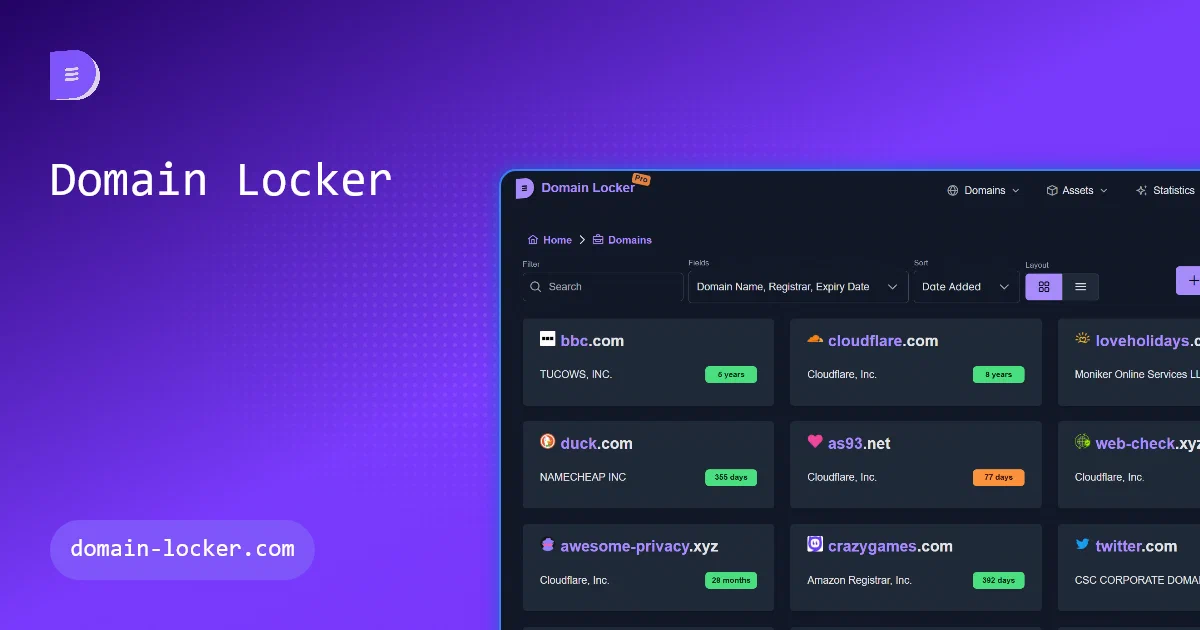

Domain names are easy to collect and surprisingly easy to lose track of.
One registrar here, another there, an old project domain still renewing, a production domain with DNS somewhere else, SSL expiry dates, nameservers, hosts, notes, renewal costs, tags, uptime checks, and notifications.
That is the gap Domain Locker tries to fill.
It is not just a WHOIS lookup page. It is a private inventory for the domains you own or manage.
What is Domain Locker?
Domain Locker is an open-source domain portfolio management and monitoring app by Alicia Sykes.
- Domain Locker GitHub Source Code
- Domain Locker Website
- Domain Locker Self-Hosting Docs
- License: MIT ❤️
The project describes the goal clearly:
The Central Hub for all your Domain Names
I inspected:
repo: https://github.com/lissy93/domain-locker
commit: 3605ce55726fbcb560ee7d7419e71009505d5be9
tag: v0.3.1
package version: 0.3.1
latest GitHub release observed: v0.3.0
license: MIT
The source and Docker registry have 0.3.1, while the GitHub Releases page I checked listed v0.3.0 as the latest release. The v0.3.0 release notes are worth noticing because they mention the move of self-hosted data toward a typed API and SQLite by default.
Why Self-Host It?
Self-host Domain Locker if you manage enough domains that a spreadsheet is starting to feel risky.
Useful cases:
- domain expiry tracking;
- registrar and nameserver inventory;
- SSL certificate visibility;
- DNS, MX, TXT, and host data;
- domain notes, tags, purchase prices, and renewal costs;
- uptime and performance monitoring;
- change history;
- reminder notifications;
- export/import and API access.
It is especially useful for homelabbers, freelancers, small agencies, and anyone with domains spread across registrars.
The important caveat: this is private operational data.
Do not expose it casually.
Tech Overview
Domain Locker is a TypeScript application built around Angular and Analog.
| Layer | Technology |
|---|---|
| Frontend | Angular 19 |
| SSR/app framework | Analog |
| Runtime | Node.js 22 |
| Server routes | Nitro/H3-style handlers |
| Database access | Kysely |
| Default self-hosted database | SQLite through better-sqlite3 |
| Optional database | PostgreSQL |
| UI | PrimeNG, PrimeFlex, Tailwind |
| Charts/maps | ApexCharts, D3, Leaflet |
| Notifications | Webhook, ntfy-compatible webhook, Discord, Apprise |
The self-hosted architecture is now simple:
Domain Locker container
  -> Angular/Analog app
  -> server routes
  -> internal scheduled jobs
  -> SQLite file at /data/domain-locker.db
  -> optional notifications
Postgres remains supported, but it is no longer required for a normal new install.
SQLite vs Postgres
This is the first clarification I would make before deploying.
The current default Docker compose from upstream uses one container and a SQLite file stored in /data.
That is a good fit for:
- a personal homelab;
- a small domain portfolio;
- simple backups;
- low operational overhead;
- quick testing.
Postgres is still available through the separate upstream docker-compose.postgres.yml.
Use Postgres if you want:
- external database backup tooling;
- familiar database operations;
- more explicit separation between app and data;
- an existing Postgres server you already maintain.
For most readers, I would start with SQLite and back up the Docker volume.
Self-Hosting Domain Locker with Docker
I added a new Home-Lab setup using the simple SQLite path, but with a safer default than the upstream quick command.
The Home-Lab compose:
- pins
ghcr.io/lissy93/domain-locker:0.3.1; - exposes the app on port
6161; - persists SQLite in a Docker volume;
- requires
DL_AUTH_PASSWORD; - requires
DL_AUTH_SECRET; - keeps optional notification integrations empty;
- keeps scheduler and WHOIS concurrency tunable.
The public Home-Lab config is here:
Pre-Requisites - Docker
Install Docker on your system before proceeding:
- Linux: Official Docker Engine install guide
- Windows / Mac: Docker Desktop
Verify installation: docker --version && docker compose version
services:
  domain-locker:
    image: ghcr.io/lissy93/domain-locker:0.3.1
    container_name: domain-locker
    restart: unless-stopped
    security_opt:
      - no-new-privileges:true
    ports:
      - "${DL_APP_PORT:-6161}:3000"
    environment:
      DL_ENV_TYPE: "selfHosted"
      DL_AUTH_PASSWORD: "${DL_AUTH_PASSWORD:?Set DL_AUTH_PASSWORD in .env}"
      DL_AUTH_SECRET: "${DL_AUTH_SECRET:?Set DL_AUTH_SECRET in .env}"
      DL_API_KEY: "${DL_API_KEY:-}"
      DL_BASE_URL: "${DL_BASE_URL:-}"
      DL_ALLOWED_ORIGINS: "${DL_ALLOWED_ORIGINS:-}"
      DL_SQLITE_PATH: "/data/domain-locker.db"
      DL_MONITOR_CONCURRENCY: "${DL_MONITOR_CONCURRENCY:-5}"
      DL_WHOIS_CONCURRENCY: "${DL_WHOIS_CONCURRENCY:-3}"
      DL_WHOIS_DELAY_MS: "${DL_WHOIS_DELAY_MS:-500}"
      DL_MONITOR_INTERVAL_MINUTES: "${DL_MONITOR_INTERVAL_MINUTES:-15}"
      DL_UPDATER_INTERVAL_MINUTES: "${DL_UPDATER_INTERVAL_MINUTES:-1440}"
      DL_REMINDERS_INTERVAL_MINUTES: "${DL_REMINDERS_INTERVAL_MINUTES:-1440}"
      DL_CLEANUP_INTERVAL_MINUTES: "${DL_CLEANUP_INTERVAL_MINUTES:-10080}"
      DL_WHO_DAT_URL: "${DL_WHO_DAT_URL:-}"
      NOTIFY_WEBHOOK_BASE: "${NOTIFY_WEBHOOK_BASE:-}"
      NOTIFY_WEBHOOK_TOPIC: "${NOTIFY_WEBHOOK_TOPIC:-}"
      NOTIFY_WEBHOOK_TOKEN: "${NOTIFY_WEBHOOK_TOKEN:-}"
      DISCORD_WEBHOOK_URL: "${DISCORD_WEBHOOK_URL:-}"
      APPRISE_API_URL: "${APPRISE_API_URL:-}"
      APPRISE_KEY: "${APPRISE_KEY:-}"
      APPRISE_URLS: "${APPRISE_URLS:-}"
      APPRISE_TAG: "${APPRISE_TAG:-all}"
    volumes:
      - domain_locker_data:/data
    healthcheck:
      test: ["CMD", "wget", "--spider", "-q", "http://localhost:3000/api/health"]
      interval: 15s
      timeout: 3s
      retries: 5
      start_period: 30s

volumes:
  domain_locker_data:
Create your .env from the sample:
cp .env.sample .env
Then set at least:
DL_AUTH_PASSWORD=replace-with-a-long-random-password
DL_AUTH_SECRET=replace-with-a-long-random-cookie-secret
Start it:
docker compose up -d
Open:
http://localhost:6161
Stop it:
docker compose down
Scheduled Jobs
Domain Locker runs its own scheduled jobs inside the app container.
No cron sidecar is needed.
| Job | Default Interval | Purpose |
|---|---|---|
domain-monitor |
15 minutes | Monitor domain uptime and health |
domain-updater |
24 hours | Refresh domain metadata |
expiration-reminders |
24 hours | Send renewal reminders |
cleanup-monitor-data |
7 days | Aggregate or clean old monitoring data |
The job runner uses database locks, so old external triggers or overlapping schedules should not duplicate work.
Useful tuning variables:
DL_MONITOR_CONCURRENCY=5
DL_WHOIS_CONCURRENCY=3
DL_WHOIS_DELAY_MS=500
DL_MONITOR_INTERVAL_MINUTES=15
DL_UPDATER_INTERVAL_MINUTES=1440
The WHOIS delay matters because some registries rate-limit aggressively.
Notifications
Domain Locker can notify through several self-hosting-friendly channels.
Supported paths visible in the current source include:
- ntfy-compatible webhook;
- generic webhook;
- Discord webhook;
- Apprise API or Apprise URLs.
Optional variables in the snippet:
NOTIFY_WEBHOOK_BASE=
NOTIFY_WEBHOOK_TOPIC=
NOTIFY_WEBHOOK_TOKEN=
DISCORD_WEBHOOK_URL=
APPRISE_API_URL=
APPRISE_KEY=
APPRISE_URLS=
APPRISE_TAG=all
You can run without any of these. The app still works as a local domain inventory.
Safe Exposure Notes
The upstream self-hosting docs explicitly warn that Domain Locker is not intended to be publicly exposed without proper access controls.
That warning is reasonable.
This app stores sensitive domain portfolio data: domains, registrar information, notes, tags, renewal costs, monitoring state, and notification settings.
At minimum:
- set
DL_AUTH_PASSWORD; - set
DL_AUTH_SECRET; - use HTTPS if accessed outside localhost;
- place it behind a trusted reverse proxy or VPN/tunnel;
- back up the SQLite volume;
- avoid exposing it as an anonymous public tool.
The current source also warns when neither DL_AUTH_PASSWORD nor DL_API_KEY is set, because anyone who can reach the instance can read domains and trigger jobs.
Field Test
I tested the pinned Home-Lab compose with temporary credentials:
DL_AUTH_PASSWORD=test-password DL_AUTH_SECRET=test-secret docker compose config
DL_AUTH_PASSWORD=test-password DL_AUTH_SECRET=test-secret docker compose up -d
curl -fsS http://127.0.0.1:6161/api/health
DL_AUTH_PASSWORD=test-password DL_AUTH_SECRET=test-secret docker compose down
The health endpoint returned:
{"status":"ok","database":"ready","message":"Houston, We're still alive 💗."}
That confirms the container starts, initializes/migrates SQLite, and reports the database as ready.
The smoke test created a local Docker volume named:
domain-locker_domain_locker_data
It contains only test state from this run.
How It Compares
Domain Locker overlaps a little with Web-Check, but they solve different problems.
Web-Check is for inspecting a website or domain on demand from the outside.
Domain Locker is for maintaining a private portfolio over time: what you own, when it expires, what changed, what it costs, where it is hosted, and what needs attention.
It also differs from uptime tools like Uptime Kuma or Checkmate. Those are primarily availability monitors. Domain Locker includes monitoring, but its broader job is domain inventory and renewal awareness.
If all you need is “is this URL up?”, use an uptime monitor.
If you need “what domains do I own, where are they, when do they expire, and what changed?”, Domain Locker is the better fit.
Conclusion
Domain Locker is one of those apps that becomes useful before you think you need it.
If you have three domains, a note file may be enough. If you have twenty, spread across registrars and projects, a dedicated inventory starts paying for itself.
The current self-hosted setup is pleasantly simple: one container, SQLite by default, internal scheduled jobs, and optional notification integrations.
Just do not skip the boring parts: password protection, backups, and careful exposure.
FAQ
Is Domain Locker self-hostable?
Yes.
The current simple path is a Docker container with SQLite persisted under /data.
Does Domain Locker need Postgres?
No.
Postgres is optional. The current default self-hosted path uses SQLite, which is easier for a small homelab deployment. Use Postgres if you prefer an external database service.
Does Domain Locker need Supabase?
No for the normal self-hosted setup.
Supabase is used in other deployment/development contexts, but a Docker self-hosted install can use SQLite or Postgres.
Does it need a cron container?
No.
The app runs its own scheduler for domain monitoring, metadata refreshes, reminders, and cleanup jobs.
Can I expose Domain Locker publicly?
Only with care.
Set DL_AUTH_PASSWORD, set DL_AUTH_SECRET, use HTTPS, and put it behind a reverse proxy, VPN, or authenticated tunnel. It is a private portfolio app, not a public lookup service.
What should I back up?
For the SQLite setup, back up the Docker volume that contains:
/data/domain-locker.db
For Postgres, back up the Postgres database.
Is Domain Locker the same as Web-Check?
No.
Web-Check is an on-demand website intelligence scanner. Domain Locker is a long-term domain portfolio and monitoring database. They complement each other well.
Comments