

If GitHub going down takes your entire workflow with it, you already know the problem.
Your code, your issues, your CI pipelines — all renting space on someone else’s servers. Forgejo flips that equation: it is a fully self-hosted software forge that you own and run yourself, and it is lightweight enough to live on hardware you already have.
If you have tried Gitea, Gogs, or GitLab CE, Forgejo sits in the practical middle: more community-governed than Gitea, much lighter than GitLab, and more complete than Gogs.
What is Forgejo?
Forgejo (/for’d͡ʒe.jo/ — from the Esperanto word forĝejo, meaning “forge”) is a community-driven, free/libre Git forge.
It was created in December 2022 when concerns about corporate ownership of Gitea prompted the community to establish an independently governed project.
The promise has never changed: Free/Libre Software forever, community-owned.
“Forgejo was created because we think that the project should be owned by an independent community.”
Forgejo Source Code on Codeberg Forgejo Official Website
Why self-hosters care
- 🪶 Lightweight — runs on a Raspberry Pi or a $5/month VPS without breaking a sweat
- 🔒 Privacy-first — no telemetry, no tracking, minimal defaults
- 🌐 Federation — ActivityPub support (WIP) connects your forge to the Fediverse
- 📦 All-in-one — Git hosting, issues, PRs, wikis, kanban, CI, and a package registry in a single binary
- ⚖️ GPL v3 licensed — copyleft ensures it stays free ❤️
- 🔄 Gitea-compatible — import from GitHub, GitLab, Gitea with zero friction
Forgejo Tech Overview
Forgejo’s backend is written in Go, which is why it compiles to a single binary and consumes very little RAM at idle. The frontend is TypeScript + Vue.js, compiled and embedded into that binary at build time — no separate Node.js process needed at runtime.
Key components
Backend (Go 1.26+)
- HTTP routing via
chi v5 - Database abstraction via
xormORM — supports SQLite (default), MySQL, and PostgreSQL - SSH server (go-based, no system sshd required) for Git-over-SSH
- Full-text search via Bleve (built-in), Elasticsearch, or Meilisearch
- Queue and cache via LevelDB (built-in) or Redis
- Automatic TLS via CertMagic (Let’s Encrypt)
- Object storage: local filesystem or MinIO (S3-compatible)
Authentication
- Local accounts with TOTP 2FA
- WebAuthn / Passkeys
- LDAP / Active Directory
- OAuth2 via 30+ providers (GitHub, GitLab, Google, Keycloak, Authentik, and more)
- PAM, SMTP, OpenID
CI/CD
Forgejo includes Forgejo Actions — a built-in CI runner compatible with GitHub Actions YAML syntax. Your existing .github/workflows/ files work without modification.
Federation ActivityPub support is under active development. The goal: issues and pull requests that cross forge boundaries, turning independent instances into a collaborative network.
Self-Hosting Forgejo with Docker
Get Docker 🐋
Install Docker on your system before proceeding:
- Linux: Official Docker Engine install guide
- Windows / Mac: Docker Desktop
Verify installation: docker --version && docker compose version
Forgejo does not ship an official docker-compose.yml in its repository, but the community-standard setup is straightforward. The image is published at codeberg.org/forgejo/forgejo.
Basic setup (SQLite)
services:
  forgejo:
    image: codeberg.org/forgejo/forgejo:latest
    container_name: forgejo
    environment:
      - USER_UID=1000
      - USER_GID=1000
    restart: unless-stopped
    volumes:
      - forgejo_data:/data
    ports:
      - "3000:3000"   # Web UI
      - "222:22"      # SSH — host port 222 → container port 22

volumes:
  forgejo_data:
Save this as docker-compose.yml, then:
docker compose up -d
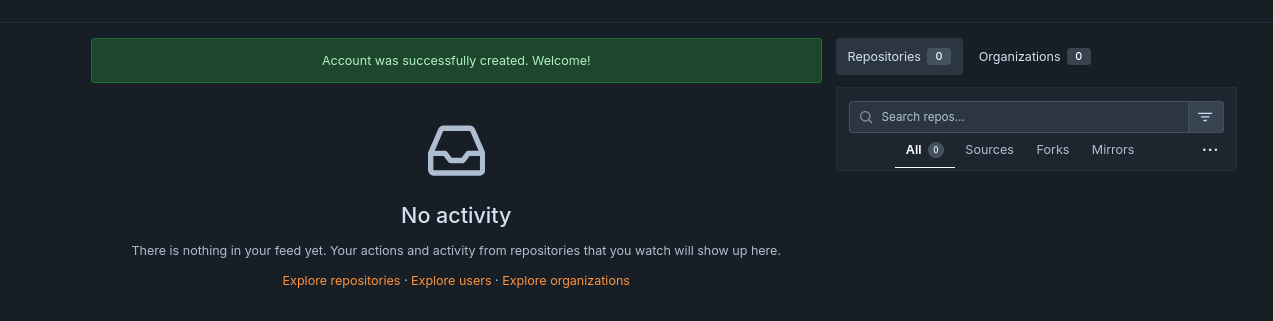
Open http://localhost:3000 — the first-run wizard walks you through:
- Database selection (SQLite is fine for personal/small-team use)
- Admin account creation
- Site title, base URL
Using PostgreSQL instead of SQLite
For production or larger teams, use PostgreSQL:
services:
  db:
    image: postgres:16-alpine
    container_name: forgejo_db
    environment:
      POSTGRES_USER: forgejo
      POSTGRES_PASSWORD: changeme
      POSTGRES_DB: forgejo
    volumes:
      - forgejo_db:/var/lib/postgresql/data
    restart: unless-stopped

  forgejo:
    image: codeberg.org/forgejo/forgejo:latest
    container_name: forgejo
    environment:
      - USER_UID=1000
      - USER_GID=1000
      - FORGEJO__database__DB_TYPE=postgres
      - FORGEJO__database__HOST=db:5432
      - FORGEJO__database__NAME=forgejo
      - FORGEJO__database__USER=forgejo
      - FORGEJO__database__PASSWD=changeme
    restart: unless-stopped
    volumes:
      - forgejo_data:/data
    ports:
      - "3000:3000"
      - "222:22"
    depends_on:
      - db

volumes:
  forgejo_data:
  forgejo_db:
Environment variables follow the pattern FORGEJO__<SECTION>__<KEY> — two underscores separate the INI section from the key name.
Services explained
| Service | Purpose |
|---|---|
forgejo |
The forge itself — web UI, API, SSH server, CI broker |
db (optional) |
External PostgreSQL for production workloads |
Volume /data holds everything: Git repositories, config (app.ini), uploads, and the SQLite database (if used). Back this up.
Port 3000 is the web UI and REST API. Port 22 (mapped to 222 on the host) handles Git-over-SSH. If you want users to clone with git@yourdomain:user/repo.git on the standard port, map "22:22" instead and ensure your host SSH doesn’t conflict.
Running rootless (no root in the container)
Use the rootless image variant:
services:
  forgejo:
    image: codeberg.org/forgejo/forgejo:latest-rootless
    container_name: forgejo
    user: "1000:1000"
    volumes:
      - forgejo_data:/var/lib/gitea
      - forgejo_config:/etc/gitea
    ports:
      - "3000:3000"
      - "222:2222"
    restart: unless-stopped

volumes:
  forgejo_data:
  forgejo_config:
The rootless image uses different volume paths: /var/lib/gitea for data and /etc/gitea for config.
Reverse Proxy and HTTPS
For a public Forgejo instance, put it behind HTTPS before inviting users. The common pattern is:
- Run Forgejo on Docker port
3000. - Put Traefik, Caddy, or Nginx Proxy Manager in front.
- Set the public root URL in
app.ini, for exampleROOT_URL = https://git.example.com/. - Expose SSH on a predictable port such as
222unless the host’s own SSH can move away from port 22.
If your Forgejo instance is only for a private homelab, a VPN such as Tailscale/Headscale is often simpler than exposing it publicly.
Forgejo vs Gitea vs GitLab
| Forgejo | Gitea | GitLab CE | |
|---|---|---|---|
| Best fit | Personal/team Git forge | Lightweight GitHub alternative | Full DevOps platform |
| Resource usage | Low | Low | High |
| Governance | Community-owned | Company-backed project | Company-backed platform |
| License | GPL v3 | MIT | MIT for CE |
| Built-in CI | Forgejo Actions | Gitea Actions | GitLab CI |
| Package registry | Yes | Yes | Yes |
| Federation focus | Active Forgejo goal | Limited | No |
| Raspberry Pi friendly | Yes | Yes | Not really |
The short version: use Forgejo when you want a lightweight Git forge with community governance. Use Gitea when you prefer the upstream ecosystem. Use GitLab only when you actually need the larger integrated DevOps platform and can afford the RAM.
Conclusion
Forgejo delivers everything you would expect from a modern Git forge — repository hosting, issue tracking, pull requests, wikis, kanban, a package registry, and built-in CI — wrapped in a single Go binary that respects your hardware constraints and your privacy.
The community-first governance model means there are no surprise license changes, no VC roadmap overrides, and no telemetry.
If self-sovereignty over your source code matters, Forgejo is the straightforward answer.
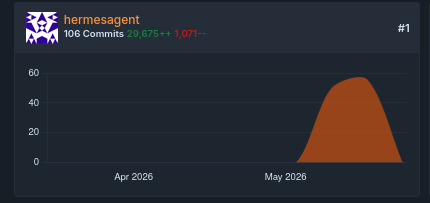
You can use forgejo to let agent tinker autonomously without worries about your main github/gitlab/codeberg account
Alternatives to consider:
- Gitea — Forgejo’s upstream; similar feature set, commercial backing
- GitLab CE — far more features, far heavier resource requirements
- Gogs — even lighter, fewer features, older codebase
For most self-hosters, Forgejo hits the sweet spot: complete enough for a team, light enough for a Raspberry Pi.
Frequently Asked Questions
Can I migrate my repos from GitHub/GitLab?
Yes. Forgejo has a built-in importer under Site Administration → Migrations that supports GitHub, GitLab, Gitea, Gogs, and plain Git URLs, including issues, labels, milestones, and releases.
How much RAM does it actually use?
A fresh Forgejo instance with SQLite idles around 80-120 MB RAM. Under moderate load with a few users, expect 200-400 MB. Compare this to GitLab, which requires several GB.
Can I use my own domain with HTTPS?
Yes. Either put Forgejo behind a reverse proxy (Caddy, nginx, Traefik) that handles TLS, or enable the built-in CertMagic integration by setting PROTOCOL = https and ACME_URL in app.ini.
Is it compatible with GitHub Actions workflows?
Forgejo Actions is designed to be compatible with GitHub Actions YAML syntax. Most workflows work without modification. The runner is a separate component you deploy alongside Forgejo.
What is the difference between Forgejo and Gitea?
Forgejo is a community fork of Gitea. The codebases diverged in 2022 over governance concerns. Forgejo adds Forgejo-specific features (enhanced federation work, some UI differences) and switched to GPL v3 licensing starting with v9.0.
Is Forgejo a good GitHub alternative for a homelab?
Yes. For personal projects, family repos, automation scripts, and small-team work, Forgejo covers the core GitHub workflow: repos, issues, pull requests, SSH, releases, packages, and Actions-style CI. The main thing you give up is GitHub’s network effect.
Should I choose Forgejo or GitLab?
Choose Forgejo when you want a fast, lightweight Git server. Choose GitLab when you need the full DevOps suite: heavyweight CI/CD, security dashboards, built-in container registry workflows, and enterprise-style project management. GitLab is powerful, but it is much heavier to run.
Comments