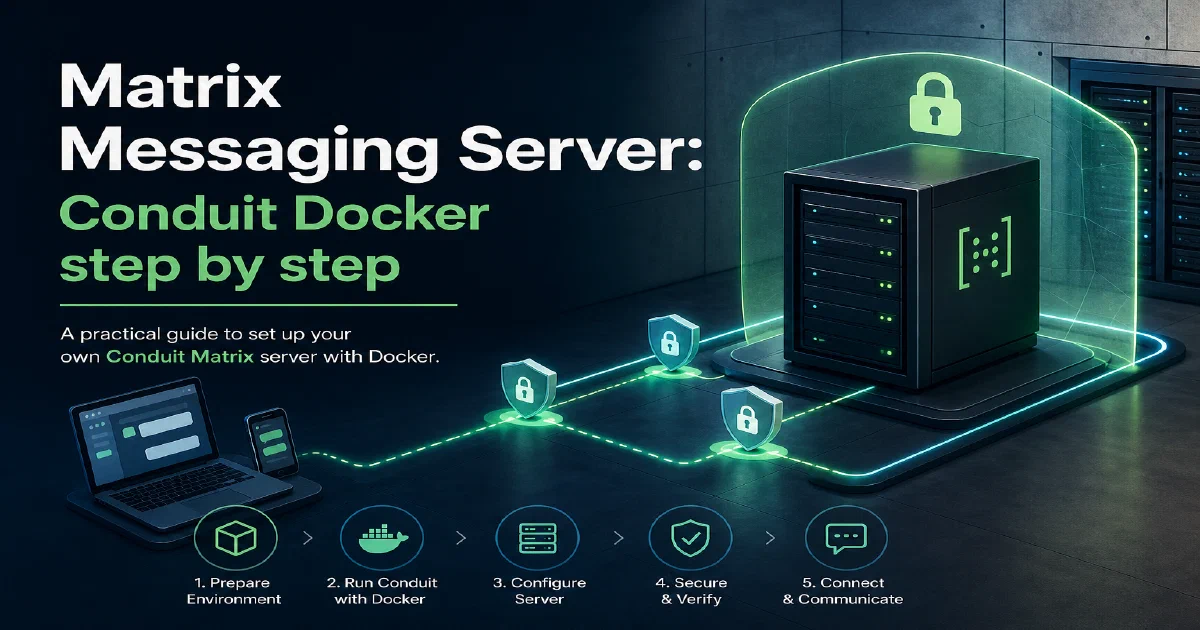

Matrix is one of the most interesting protocols for self-hosted messaging.
Instead of putting every conversation behind one company’s server, Matrix lets many homeservers federate with each other.
You can run your own server, create your own accounts, join rooms, and still communicate with the wider Matrix network when federation is enabled.
Most people start with Synapse, the reference Matrix homeserver.
Conduit is the lighter alternative I wanted to document here.
Conduit is a Matrix homeserver written in Rust, with a simple Docker deployment and an embedded RocksDB database option that fits home-lab setups well.
Conduit Source Code Conduit Documentation Conduit Docker Image
Why Conduit?
Conduit is useful when you want to try Matrix without immediately running the heavier Synapse plus PostgreSQL stack.
The setup in this guide runs one container:
- Conduit as the Matrix homeserver
- RocksDB as the embedded database
- a local
./datafolder for persistence - port
8448on the host mapped to Conduit’s internal6167 - configuration in
conduit.toml
That makes it a practical Matrix playground for a LAN or small self-hosted instance.
For a public federated server, you still need the serious parts: a real domain, TLS, a reverse proxy, firewall rules, backups, and Matrix .well-known responses.
Matrix in Short
Matrix is a decentralized communication protocol.
It gives you:
- Federation: different servers can communicate with each other.
- Open clients: Element is the common starting point, but Matrix has multiple clients.
- Room history: conversations live on the homeserver, not only on one device.
- Encryption support: Matrix supports end-to-end encryption for private rooms.
- Bridges: Matrix can connect to other chat systems through bridges.
This is why Matrix is often compared with IRC, XMPP, Signal, Telegram, and Discord. The difference is that Matrix is designed around federated homeservers and modern client experiences.
Conduit vs Synapse
I already have a Matrix Synapse guide:
Matrix Synapse with DockerThe practical difference:
| Topic | Conduit | Synapse |
|---|---|---|
| Implementation | Rust | Python |
| Typical database | RocksDB embedded | PostgreSQL for production |
| Container count | One container in this setup | Usually Synapse plus PostgreSQL |
| Home-lab feel | Smaller and simpler | More established, heavier |
| Operational maturity | Good for trying and small setups | Reference implementation, common production path |
For a small home server, Conduit is appealing because there is less to run.
For a larger public homeserver, Synapse with PostgreSQL is still the more established operational pattern.
Docker Compose Setup
The reusable compose file lives in my Home-Lab repo:
Matrix Conduit Docker Compose in Home-LabAnd the site includes that public config directly:
services:
  conduit:
    image: matrixconduit/matrix-conduit:latest
    container_name: matrix-conduit
    restart: unless-stopped
    environment:
      # Main settings are in ./conduit.toml. Keep env vars minimal to avoid drift.
      - CONDUIT_CONFIG=/etc/conduit/conduit.toml
    volumes:
      - ./data:/var/lib/matrix-conduit
      - ./conduit.toml:/etc/conduit/conduit.toml:ro
    ports:
      - "8448:6167"  # Federation default. Terminate TLS at a reverse proxy for production
      # - "6167:6167" # Optional: direct access without reverse proxy (not recommended on the open internet)
# For Traefik/Nginx well-known setup see readme.md in this folder.
The compose file keeps the main settings in conduit.toml, instead of spreading everything through environment variables.
The matching config file contains the important homeserver options:
# Conduit configuration file (example)
# Docs: https://docs.conduit.rs/configuration.html

[global]
# The public server name of your homeserver.
# Use a real domain if you plan to federate. For LAN-only tests you can use an IP.
server_name = "192.168.1.11"

# The port Conduit listens on inside the container.
# If you change this, also update your Docker port mapping.
port = 6167

# Database backend and path.
# "rocksdb" is recommended for small/home deployments.
database_backend = "rocksdb"
# Inside the official image, the persistent path is /var/lib/matrix-conduit
# which we already map via docker-compose to a host directory.
database_path = "/var/lib/matrix-conduit/"

# Registration and federation
allow_registration = false      # set to true temporarily to create the first (admin) user
allow_federation  = true

# Performance and limits
max_request_size = 20_000_000   # bytes
max_concurrent_requests = 100

# Optional: trusted servers for fetching public keys faster (reduces latency on first federation)
trusted_servers = ["matrix.org"]

# Logging (one of: error, warn, info, debug, trace)
# log = "info"

# Optional: TURN (for Voice/Video)
# turn_uris = [
#   "turn:turn.example.com?transport=udp",
#   "turn:turn.example.com?transport=tcp"
# ]
# turn_secret = "change_me_turn_secret"

# Optional: If running behind a reverse proxy, you may want to bind only on localhost.
address = "0.0.0.0"
Start Conduit
From the Home-Lab folder:
cd /home/jalcocert/Desktop/Home-Lab/matrix-conduit
docker compose up -d
docker compose logs --tail=200 conduit
If you are running commands from an editor or Flatpak-based shell where Docker is not visible directly, use host-spawn:
host-spawn docker compose up -d
host-spawn docker ps
host-spawn docker compose logs --tail=200 conduit
Then test the Matrix versions endpoint:
curl -fsS http://127.0.0.1:8448/_matrix/client/versions
From the Flatpak-based shell:
host-spawn curl -fsS http://127.0.0.1:8448/_matrix/client/versions
If it responds, Conduit is reachable locally.
Field Note: Local Trial
This setup has already been tried locally with Docker.
The useful details:
- The active compose file stores Conduit state in
./data. - That folder is mounted to
/var/lib/matrix-conduitinside the container. - The database is RocksDB, so there is no separate database container.
- Port
8448was free on this host and mapped to Conduit’s internal6167. http://127.0.0.1:8448/_matrix/client/versionsresponded successfully.- The upstream image does not include
wgetorsh.
That last point matters if you try to add a Docker healthcheck. A healthcheck that runs wget inside the Conduit container can fail even while Conduit is working.
For this image, verify from the host unless you build a custom image with the tooling you need.
The data directory is intentionally not part of the public config. Treat ./data as critical homeserver state: back it up, do not edit it manually, and do not delete it unless you want to erase the instance.
Creating the First User
Registration should stay disabled for normal operation.
To create the first account:
- Edit
conduit.toml. - Set:
allow_registration = true
- Restart Conduit:
docker compose restart conduit
Or from the Flatpak-based shell:
host-spawn docker compose restart conduit
- Register with Element.
- Set registration back to:
allow_registration = false
- Restart Conduit again.
After that, your Matrix user ID will look similar to:
@youruser:192.168.1.11
Use your real domain as the server_name if you plan to federate publicly.
Testing with Element
For local testing, use Element Desktop or another Matrix client that allows plain HTTP homeservers.
On the same PC:
http://127.0.0.1:8448
From another device on the LAN:
http://192.168.1.11:8448
The hosted Element web app at app.element.io may reject this setup because it runs over HTTPS while the local Conduit test server uses plain HTTP.
For Ubuntu/Debian, Element Desktop can be installed with:
sudo apt install -y wget apt-transport-https
sudo wget -O /usr/share/keyrings/element-io-archive-keyring.gpg https://packages.element.io/debian/element-io-archive-keyring.gpg
echo "deb [signed-by=/usr/share/keyrings/element-io-archive-keyring.gpg] https://packages.element.io/debian/ default main" | sudo tee /etc/apt/sources.list.d/element-io.list
sudo apt update
sudo apt install element-desktop
Public Federation Notes
The local Docker setup is enough for LAN testing.
For a public Matrix server, add:
- a real domain, for example
matrix.example.com - TLS through Traefik, Nginx, Caddy, or another reverse proxy
- firewall rules
- persistent backups of
./data .well-knownresponses for Matrix discovery- TURN if you want voice/video calls to work reliably
Typical .well-known responses:
{ "m.server": "matrix.example.com:443" }
For the client file:
{ "m.homeserver": { "base_url": "https://matrix.example.com" } }
For TURN, Conduit can use Coturn-style settings such as:
turn_uris = [
  "turn:turn.example.com?transport=udp",
  "turn:turn.example.com?transport=tcp"
]
turn_secret = "change_me_turn_secret"
Do not publish real secrets in your compose or TOML files.
Related Privacy Tools
I keep broader notes about Matrix, Signal TLS Proxy, IRC, Cabal, the Fediverse, and privacy-friendly frontends in the docs section:
Privacy Communication ToolsFAQ
What is RocksDB?
RocksDB is the embedded database engine used by this Conduit setup.
Embedded means there is no separate database service. Conduit writes directly to files under ./data, mounted in the container as /var/lib/matrix-conduit.
It stores local homeserver state such as users, rooms, events, messages, federation data, media metadata, keys, and internal Conduit state.
Is Conduit easier than Synapse?
For a small local test, yes.
This Conduit setup runs as one container with embedded RocksDB. A production-style Synapse setup usually runs Synapse plus PostgreSQL, which gives you more operational tooling but also more moving parts.
Should registration stay enabled?
No.
Enable registration only long enough to create the first user, then disable it again and restart Conduit.
Can I use this on my LAN only?
Yes.
Use an IP-based server_name for LAN testing and connect with Element Desktop to http://127.0.0.1:8448 from the same machine, or to the machine IP from another device.
Can I federate with matrix.org?
Yes, but not with the bare local setup alone.
You need a public domain, TLS, correct reverse proxy routing, Matrix .well-known discovery, and reachable federation/client endpoints.
Comments