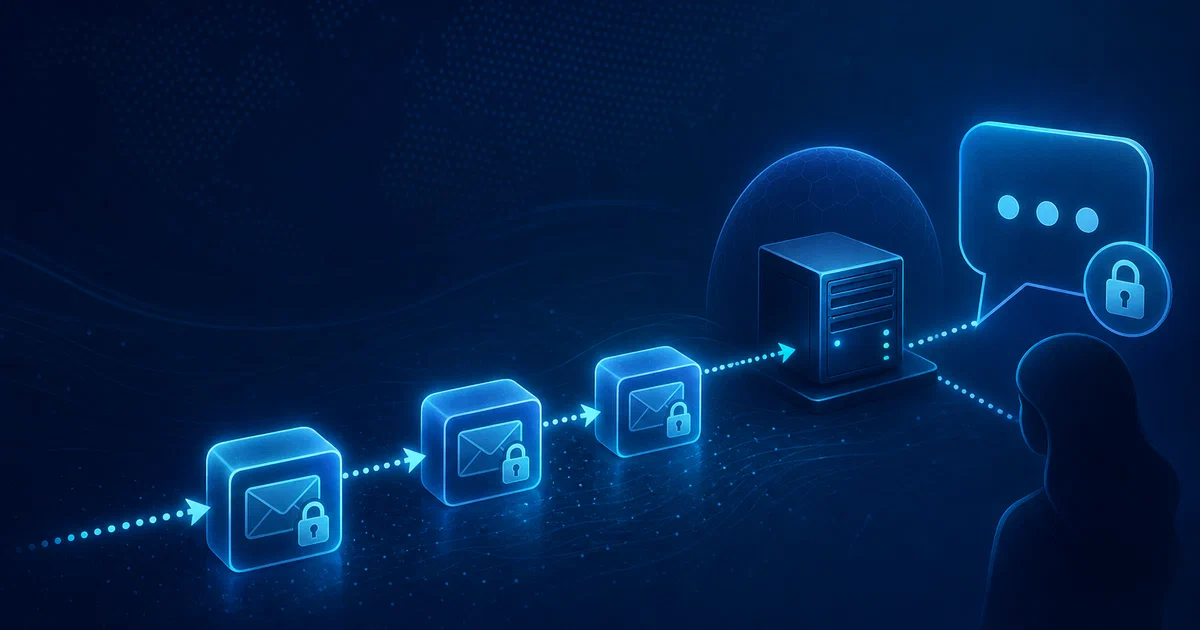

Signal requires a phone number. Matrix requires a domain-based address. Telegram requires a phone number. Even the most privacy-conscious alternatives assign you some kind of identifier — a public key, a username, a random UUID. SimpleX does not. There is no identifier assigned to you anywhere in the SimpleX network, and the servers that relay your messages cannot tell who is talking to whom.
If Matrix Synapse is the self-hosted answer for federated team chat, SimpleX is the answer for metadata-resistant private conversations. Both can be self-hosted, but they solve different privacy problems.
What is SimpleX Chat?
SimpleX Chat is a messaging platform built around a single, radical design decision: users have no identifiers. Instead of routing messages to a user account, SimpleX routes them to per-contact unidirectional message queues — a different queue for each person you talk to, with addresses that rotate over time. Servers never store accounts, never see the link between sender and receiver, and hold messages only until they are delivered.
“SimpleX — the first messaging network operating without user identifiers of any kind, 100% private by design.”
SimpleX Chat on GitHub SimpleX Chat Website SimpleX Blog
What makes it different
- 🪪 No user identifiers — no phone number, username, email, public key, or random ID assigned to you
- 🔐 Double Ratchet E2EE — the same algorithm Signal uses, plus an additional encryption layer on the relay transport
- ⚛️ Post-quantum encryption — Kyber-1024 (PQXDH) added in v5.4, quantum-resistant from day one
- 🔍 Audited twice — Trail of Bits reviewed the implementation (2022) and the cryptographic protocol design (2024)
- 🖥️ Self-hostable relay servers — run your own SMP and XFTP servers; clients can be pointed at any server
- 📱 All platforms — Android (Play Store, F-Droid, APK), iOS (App Store, TestFlight), Desktop (Linux/macOS/Windows), CLI
- ⚖️ AGPL-3.0 licensed — fully open source
How connections work
You connect to a new contact by sharing a one-time invitation link — a QR code scanned in person, or a link sent through any existing channel. The channel doesn’t need to be secure: the link is only used for the initial key exchange. Once connected, you can verify the security code in-app to confirm no interception occurred.
There is no “find by phone number” or “search by username.” You cannot be contacted unless you explicitly share a link.
The Encryption Stack
SimpleX’s cryptography goes beyond what most messengers ship:
| Layer | What it does |
|---|---|
| X3DH key exchange | Establishes initial shared secret (same as Signal) |
| Double Ratchet | Forward secrecy — each message uses a new key |
| PQXDH + Kyber-1024 | Post-quantum key encapsulation layer |
| AES-256-GCM | Symmetric message encryption |
| NaCl secretbox | Additional encryption on the relay transport |
| TLS 1.3 | Wire transport |
The additional encryption layer on the relay transport means that even if TLS were broken, a compromised server would see ciphertext it cannot decrypt. The post-quantum layer means messages encrypted today cannot be harvested and decrypted later by a future quantum computer.
Both the protocol design and the implementation have been independently reviewed by Trail of Bits — the full reports are in the repository.
Self-Hosting a SimpleX Server
This is what makes SimpleX genuinely interesting for the fossengineer audience: you can run the relay infrastructure yourself. Clients configured to use your server never touch the default SimpleX servers for those contacts.
Two server components exist:
- SMP server — relays messages (text, media, calls)
- XFTP server — relays file transfers (chunked, padded, encrypted)
Get Docker 🐋
Install Docker on your system before proceeding:
- Linux: Official Docker Engine install guide
- Windows / Mac: Docker Desktop
Verify installation: docker --version && docker compose version
SMP Server with Docker + Caddy (automatic TLS)
The Docker setup uses Caddy to handle Let’s Encrypt certificates automatically. You need a VPS with a domain name pointing at it.
docker-compose.yml:
name: simplex-smp

services:
  caddy:
    image: caddy:latest
    restart: unless-stopped
    ports:
      - "80:80"
      - "443:443"
    volumes:
      - ./Caddyfile:/etc/caddy/Caddyfile:ro
      - caddy-data:/data
      - caddy-config:/config

  smp-server:
    image: simplexchat/smp-server:latest
    restart: unless-stopped
    ports:
      - "5223:5223"
    volumes:
      - smp-data:/etc/opt/simplex
      - smp-logs:/var/opt/simplex

volumes:
  caddy-data:
  caddy-config:
  smp-data:
  smp-logs:
Caddyfile (replace with your domain):
smp1.yourdomain.com {
  reverse_proxy smp-server:80
}
Open the required ports on your firewall:
ufw allow 80/tcp
ufw allow 443/tcp
ufw allow 5223/tcp
SMP Server via install script (recommended for production)
If you prefer systemd over Docker, the official install script handles everything — binary installation, smp system user, systemd units, log rotation:
curl --proto '=https' --tlsv1.2 -sSf \
  https://raw.githubusercontent.com/simplex-chat/simplexmq/stable/install.sh \
  -o simplex-server-install.sh
# Verify the SHA256 hash shown in docs/SERVER.md before running
chmod +x ./simplex-server-install.sh && ./simplex-server-install.sh
After installation, initialise the server:
su smp -c 'smp-server init --yes \
  --store-log \
  --no-password \
  --control-port \
  --socks-proxy \
  --fqdn=smp1.yourdomain.com'
Adding a Tor onion address
If you want your SMP server reachable over Tor (so clients with Tor enabled can connect without leaking their IP):
# Install Tor
apt install tor

# Create a hidden service pointing to port 5223
echo "HiddenServiceDir /var/lib/tor/simplex-smp/
HiddenServicePort 5223 127.0.0.1:5223" >> /etc/tor/torrc

systemctl restart tor

# Read the onion address
cat /var/lib/tor/simplex-smp/hostname
Pass the .onion address during smp-server init with --fqdn. The server then advertises both the clearnet domain and the onion address to clients, which can choose which to use.
Pointing the app at your server
In the SimpleX app: Settings → Network & servers → SMP servers → Add server.
The server address format is:
smp://[email protected]
The fingerprint is printed by smp-server init and also shown on the server information page at https://smp1.yourdomain.com. Existing contacts are not automatically migrated — use “Change receiving address” in each contact’s info to move them.
SimpleX vs. Other Privacy Messengers
| SimpleX | Signal | Matrix | Telegram | |
|---|---|---|---|---|
| User identifier | None | Phone number | Domain address | Phone number |
| Server sees who talks to whom | No | Minimal | Yes | Yes |
| Post-quantum E2EE | Yes (Kyber-1024) | Yes (PQXDH) | No | No |
| Self-hostable server | Yes | No | Yes | No |
| Audited | Yes (×2, Trail of Bits) | Yes | Partial | No |
| Recommended by Privacy Guides | Yes | Yes | Conditional | No |
The key distinction from Signal: Signal knows your phone number and can correlate your contacts graph even without reading message content. SimpleX has no equivalent data — it cannot know how many users exist, let alone who they contact.
SimpleX vs Matrix for Self-Hosting
Matrix and SimpleX are often compared because both let you run infrastructure yourself, but the architecture is different:
- Use Matrix Synapse when you want rooms, federation, bridges, bots, and team collaboration.
- Use SimpleX when you want one-to-one or small-group conversations where metadata protection matters more than discoverability.
- Matrix identities are stable addresses like
@user:domain.com; SimpleX has no global user identifier at all. - Matrix servers can observe room membership metadata; SimpleX relays only see independent message queues.
For a homelab, the practical answer can be “both”: Matrix for community/workspace chat, SimpleX for sensitive private contacts.
Conclusion
SimpleX occupies the most privacy-preserving position on the messenger spectrum. The combination of zero user identifiers, Double Ratchet with post-quantum extension, two independent Trail of Bits audits, and self-hostable relay servers makes it the right choice for anyone whose threat model goes beyond “I don’t want my messages read” to “I don’t want anyone to know I’m communicating at all.”
It is not the easiest messenger to onboard contacts to — that one-time link exchange is a deliberate friction point, not a bug. But for groups and communities where privacy is a genuine requirement, the server self-hosting story is now mature and straightforward.
Related tools worth knowing:
- Signal — the baseline for private messaging; requires a phone number but is audited and widely trusted
- Matrix / Element — federated, self-hostable, good for team collaboration; metadata protection weaker than SimpleX
- OnionShare — Tor-based anonymous file sharing and chat; no accounts of any kind; not a persistent messenger
Frequently Asked Questions
Do I need to run a server to use SimpleX?
No — the SimpleX apps come pre-configured with the team’s public servers. You only need to self-host if you want complete control over the relay infrastructure, or if your threat model requires it. You can also mix: use your own server for some contacts and the public servers for others.
What happens if my self-hosted SMP server goes offline?
Messages queued for delivery on your server are stored in memory with a write-ahead log. They will be delivered when the server comes back up, as long as the sending client retries (which the app does automatically). If the server is offline for a long time, senders may time out and display delivery failures, but messages are not lost until the retry window expires.
Can I migrate existing contacts to my server?
Yes, one at a time. In each contact’s info page, use “Change receiving address” to switch to your server. Contacts you haven’t migrated continue using whatever server you originally connected through.
What is the XFTP server and do I need it?
XFTP is SimpleX’s file transfer protocol — it handles images, videos, and file attachments. If you’re only running an SMP server, file transfers for contacts using your server will still work (they’ll use the default XFTP servers for file chunks). If you want end-to-end infrastructure ownership, run an XFTP server too — setup is identical to SMP.
Is SimpleX recommended by privacy organizations?
Yes — Privacy Guides and Whonix both recommend SimpleX Chat. It is one of very few messengers on the Privacy Guides list without a phone number requirement.
What does the AGPL-3.0 licence mean for self-hosting?
Running the SMP or XFTP server for your own use (personal, team, community) is completely free under AGPL-3.0 with no source disclosure obligation. If you modify the server code and distribute the modified binary, or offer it as a hosted service to third parties, AGPL requires you to publish your modifications.
Should I use SimpleX instead of Matrix?
Use SimpleX when you care most about hiding the social graph. Use Matrix when you need discoverable rooms, moderation, integrations, bridges, and a richer team-chat model. SimpleX is more private by design; Matrix is more convenient for communities.
Comments