
Recent posts on this site have covered the AI tooling layers — personal-assistant runtimes (OpenClaw / NanoClaw / Hermes), coding agent harnesses (Pi / Claude Code), orchestration (Paperclip / Symphony), workflow augmenters (Agent OS / OpenSpec).
TradingAgents is something different: a worked example of what those building blocks compose into when you apply them to a specific domain.
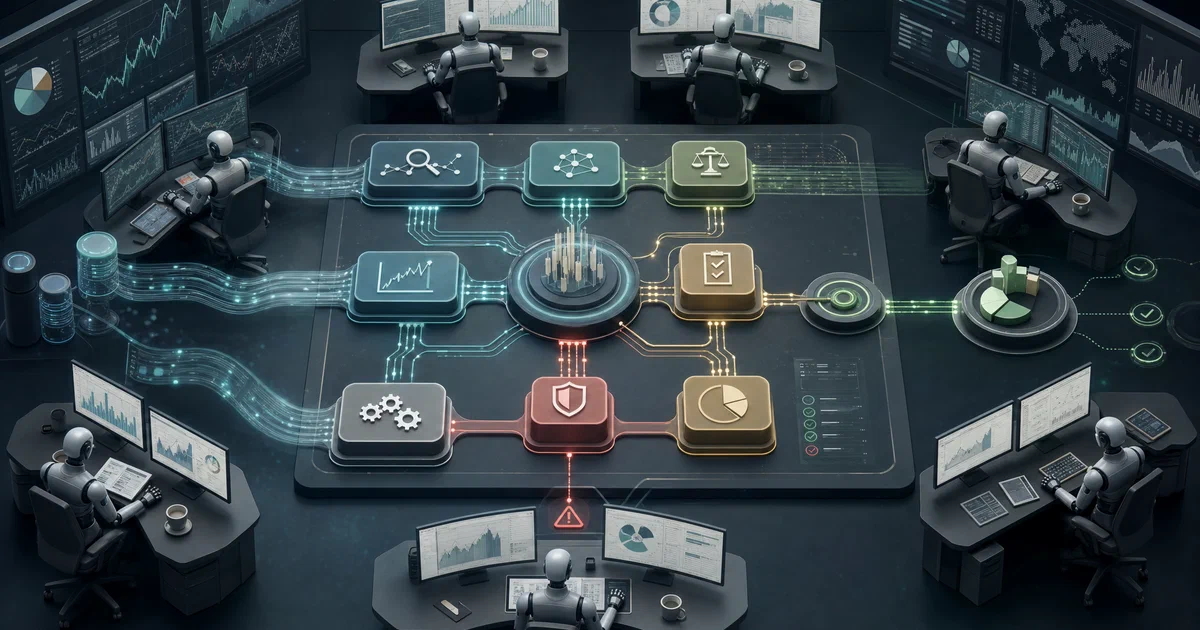
It’s an open-source, Apache-2.0 multi-agent framework that models a real trading firm — analysts debating with researchers, a trader making proposals, a risk team approving or rejecting — to produce a market analysis decision.
It’s not a trading bot. The README is unusually clear about that and it’s worth repeating up front.
“TradingAgents framework is designed for research purposes. Trading performance may vary based on many factors, including the chosen backbone language models, model temperature, trading periods, the quality of data, and other non-deterministic factors. It is not intended as financial, investment, or trading advice.”
What is TradingAgents?
TradingAgents is a research-grade multi-agent LLM framework from Tauric Research (Yijia Xiao, Edward Sun, Di Luo, Wei Wang at UCLA). The architecture mirrors a trading firm: a team of specialized LLM agents — fundamentals, sentiment, news, and technical analysts — feed reports into a structured bullish vs bearish debate, which feeds the trader, which feeds the risk team and ultimately the portfolio manager. Built on LangGraph, supports 15+ LLM providers including dual-region China endpoints and local Ollama.
TradingAgents on GitHub arXiv paper (2412.20138) Tauric Research
What makes it different
- 🏢 Trading-firm architecture — analysts → researchers (debate) → trader → risk team → portfolio manager. Each role is a separate agent with a specialized prompt
- 🥊 Bullish vs bearish debate — bullish and bearish researchers argue the analysts’ reports in configurable rounds before the trader sees a synthesis
- 🌐 15+ LLM providers — OpenAI, Anthropic, Google, xAI, DeepSeek, Qwen (international + China), GLM (international + China), MiniMax (global + China), OpenRouter, Ollama (local + remote), Azure OpenAI for enterprise
- 🇨🇳 Dual-region China LLM endpoints —
qwenvsqwen-cn,glmvsglm-cn,minimaxvsminimax-cn— unusual but necessary for users inside China or against China-region accounts - 💸 Two-tier model config —
deep_think_llm(frontier model for reasoning) vsquick_think_llm(cheap model for data fetch / summarization). The split is intentional; running everything on a frontier model is expensive - 📈 Closed feedback loop — every completed decision is appended to
~/.tradingagents/memory/trading_memory.md; next run fetches the realised return (raw + alpha vs SPY), generates a reflection, injects recent decisions + cross-ticker lessons into the Portfolio Manager prompt - 🔁 LangGraph checkpoint resume — opt-in via
--checkpoint; crashed runs resume from the last successful step rather than restarting - 📊 Backtrader integration — backtesting against historical data
- ⚖️ Apache 2.0 — fully open source, citable research
Where TradingAgents fits in the AI stack
Across recent posts we’ve mapped a five-layer stack of AI infrastructure. TradingAgents doesn’t sit in any of those layers — it’s the layer above them:
| Layer | Project (examples) |
|---|---|
| Orchestration | Paperclip / Symphony |
| Personal assistant runtime | OpenClaw / NanoClaw / Hermes |
| Coding agent harness | Pi / Claude Code / Codex CLI |
| Coding standards | Agent OS |
| Coding workflow | OpenSpec |
| Vertical applications | TradingAgents (finance), other domain-specific multi-agent systems |
This is what the infrastructure is for. The personal assistants and coding agents we’ve covered are general-purpose tooling; TradingAgents is what happens when you pick one domain (financial analysis) and apply LangGraph + multi-agent debate + LLM model selection + persistent memory to that single use case at depth.
For self-hosters reading this site: TradingAgents is the kind of vertical application you can imagine running yourself, on your hardware, calling out to either commercial LLMs (OpenAI / Anthropic) or local models (Ollama). The framework architecture is also genuinely useful as a template for building your own multi-agent system in another domain — research, legal analysis, code review, anything that benefits from the analyst-debate-decider pattern.
How the Agents Compose
The team-of-agents pipeline:
                ┌─────────────────────────────────────────────────┐
                │                  Analyst Team                    │
                │  Fundamentals · Sentiment · News · Technical    │
                └────────────────────┬────────────────────────────┘
                                     │  reports
                                     ▼
                ┌─────────────────────────────────────────────────┐
                │       Researcher Team (configurable debate)      │
                │      Bullish researcher  ⟷  Bearish researcher  │
                └────────────────────┬────────────────────────────┘
                                     │
                                     ▼
                ┌─────────────────────────────────────────────────┐
                │                 Trader Agent                     │
                │  Composes analyst + research → trade proposal   │
                └────────────────────┬────────────────────────────┘
                                     │
                                     ▼
                ┌─────────────────────────────────────────────────┐
                │           Risk Management Team                   │
                │  Volatility, liquidity, exposure assessment     │
                └────────────────────┬────────────────────────────┘
                                     │
                                     ▼
                ┌─────────────────────────────────────────────────┐
                │              Portfolio Manager                   │
                │  Final approve / reject → simulated exchange     │
                └─────────────────────────────────────────────────┘
The four analysts each consume different data:
| Analyst | Inputs |
|---|---|
| Fundamentals | Financial statements, performance metrics |
| Sentiment (grounded in v0.2.5) | News headlines, StockTwits, Reddit chatter |
| News | Global news, macroeconomic indicators |
| Technical | MACD, RSI, other indicators |
The researcher debate forces both bullish and bearish researchers to confront the strongest version of the opposite case before the trader takes over. This is the core design choice — you don’t just average analyst views, you make them argue.
The trader, risk team, and portfolio manager form the decision chain. The trader proposes, risk evaluates, the portfolio manager has final approve/reject authority. A successful run can land at “buy 200 NVDA” or at “no trade — risk team rejected.”
Self-Hosting TradingAgents
Get Docker 🐋
Install Docker on your system before proceeding:
- Linux: Official Docker Engine install guide
- Windows / Mac: Docker Desktop
Verify installation: docker --version && docker compose version
Native install (with conda)
git clone https://github.com/TauricResearch/TradingAgents.git
cd TradingAgents

conda create -n tradingagents python=3.13
conda activate tradingagents
pip install .
Then set your LLM provider’s API key:
export OPENAI_API_KEY=...        # or ANTHROPIC_API_KEY, GOOGLE_API_KEY, etc.
export ALPHA_VANTAGE_API_KEY=... # for market data
Launch the interactive CLI:
tradingagents # interactive CLI
You’ll be prompted for ticker(s), analysis date, LLM provider, model selections, and research depth.
Docker
The simplest path — copy the env template, fill in your keys, run:
cp .env.example .env       # add your API keys here
docker compose run --rm tradingagents
For local-only execution with Ollama (no external API calls):
docker compose --profile ollama run --rm tradingagents-ollama
The Compose file uses Compose profiles so the Ollama service only spins up when you explicitly request the ollama profile — this prevents the (~5 GB) Ollama image being pulled by default.
Compose
services:
  tradingagents:
    build: .
    env_file:
      - .env
    volumes:
      - tradingagents_data:/home/appuser/.tradingagents
    tty: true
    stdin_open: true

  ollama:
    image: ollama/ollama:latest
    volumes:
      - ollama_data:/root/.ollama
    profiles:
      - ollama

  tradingagents-ollama:
    build: .
    env_file:
      - .env
    environment:
      - LLM_PROVIDER=ollama
    volumes:
      - tradingagents_data:/home/appuser/.tradingagents
    depends_on:
      - ollama
    tty: true
    stdin_open: true
    profiles:
      - ollama

volumes:
  tradingagents_data:
  ollama_data:
Python embedding (the actual research workflow)
For programmatic use — running batch analyses, integrating into a larger research pipeline, or comparing model configurations:
from tradingagents.graph.trading_graph import TradingAgentsGraph
from tradingagents.default_config import DEFAULT_CONFIG

config = DEFAULT_CONFIG.copy()
config["llm_provider"]      = "anthropic"
config["deep_think_llm"]    = "claude-opus-4-7"      # reasoning-heavy steps
config["quick_think_llm"]   = "claude-haiku-4-5"     # quick-pass nodes
config["max_debate_rounds"] = 2                       # bullish vs bearish

ta = TradingAgentsGraph(debug=True, config=config)
_, decision = ta.propagate("NVDA", "2026-01-15")
print(decision)
The two-tier deep_think_llm / quick_think_llm config is the cost-management knob. Reserve frontier-model spend for the reasoning-heavy debate + risk steps; let analyst data-fetching run on a cheap model. Full config reference: tradingagents/default_config.py.
Local-only with Ollama
For completely offline operation (no API calls to commercial providers):
-
Pull the model you want to use with Ollama:
ollama pull llama3.3:70b -
Configure TradingAgents to use Ollama:
config["llm_provider"] = "ollama" config["deep_think_llm"] = "llama3.3:70b" config["quick_think_llm"] = "llama3.3:8b" -
Or via Docker with the Ollama profile:
docker compose --profile ollama run --rm tradingagents-ollama
For a remote Ollama server (e.g. running on a GPU box on your network):
export OLLAMA_BASE_URL=http://gpu-box.local:11434/v1
The “Custom model ID” option in the CLI lets you pick any model not in the default list — useful for fine-tuned or community-quantized variants.
Checkpoint resume for long runs
LangGraph saves state after each node when --checkpoint is enabled. A crashed or interrupted run resumes from the last successful step:
tradingagents analyze --checkpoint           # enable for this run
tradingagents analyze --clear-checkpoints    # reset all before running
Per-ticker SQLite databases live at ~/.tradingagents/cache/checkpoints/<TICKER>.db. On a resume run you’ll see Resuming from step N for <TICKER> on <date>; on a clean run you’ll see Starting fresh. Checkpoints are cleared automatically on successful completion.
This matters when you’re running a multi-agent debate with high max_debate_rounds and a slow deep_think_llm — a single run can take 10+ minutes, and not having to restart from scratch after a network blip is genuinely valuable.
The closed feedback loop (decision log)
The decision log is on by default. Each completed run appends to ~/.tradingagents/memory/trading_memory.md. On the next run for the same ticker:
- The framework fetches the realised return (raw + alpha vs SPY)
- Generates a one-paragraph reflection on what happened vs what was predicted
- Injects recent same-ticker decisions + cross-ticker lessons into the Portfolio Manager prompt
This is what makes TradingAgents a research framework rather than just a one-shot analysis tool — it actually learns from prior decisions over time. The Portfolio Manager sees not just the current analyst outputs, but a synthesized memory of “last time we went bullish on NVDA the alpha was -3%, here’s what we said vs what happened.”
Override the log path with TRADINGAGENTS_MEMORY_LOG_PATH. Back this file up across reinstalls if you want to preserve the feedback loop.
TradingAgents vs the Alternatives
This is a research framework, not a trading platform. Honest landscape:
| TradingAgents | FinRL | Qlib | Commercial signal services | |
|---|---|---|---|---|
| Approach | Multi-agent LLM debate | Reinforcement learning | Quant feature engineering | Black-box ML |
| Open source | Yes (Apache 2.0) | Yes (MIT) | Yes (MIT) | No |
| Self-hostable | Yes | Yes | Yes | No |
| Multi-LLM provider | 15+ incl. local Ollama | N/A | N/A | N/A |
| Research-cite-friendly | Yes (arXiv paper) | Yes (papers) | Yes (papers) | No |
| Production-ready | No (research only) | Backtesting | Production-grade | Yes (live) |
The honest read:
- Pick TradingAgents if you want to research multi-agent LLM approaches to market analysis or want a template for building your own multi-agent vertical app
- Pick FinRL if you want reinforcement learning rather than LLM agents
- Pick Qlib if you want a production-grade quant platform (no LLMs, just classical ML)
- Don’t pick any of these for live trading without independent validation — the disclaimers are not boilerplate
Conclusion
TradingAgents is genuinely interesting in two ways: as a research artifact (the multi-agent debate architecture, the persistent decision-log feedback loop, the dual-region China LLM support, the structured analyst→researcher→trader→risk pipeline) and as a template for vertical multi-agent applications in domains other than finance. The fact that you can run the whole thing against local Ollama models means the architecture is studyable end-to-end without a cent of API spend.
For self-hosters interested in where multi-agent LLM systems are headed, this is one of the few open-source frameworks where you can read the prompts, see the LangGraph state machine, modify the analysts’ roles, and observe how the debate structure shapes the output. The Apache 2.0 license + arXiv paper + active monthly releases combine to make this the most accessible research-grade multi-agent framework currently shipping.
Related tools worth knowing:
- Anthropic Claude for Financial Services — the vendor-backed counterpart to TradingAgents: Anthropic’s official reference agents + skills + MCP connectors for FSI workflows. Opposite design philosophy (drafts work product for human review vs. makes trading decisions); same Apache 2.0 license. The two illustrate the open-research-vs-vendor-content pattern that’ll repeat across every vertical
- Trading-R1 — the same group’s successor work; terminal expected soon
- FinRL — RL-based, different paradigm
- Microsoft Qlib — production-grade quant platform, no LLMs
- LangGraph — the orchestration framework TradingAgents builds on
- Backtrader — the backtesting library TradingAgents uses
Frequently Asked Questions
Is this safe to use for real trading?
No. The README disclaimer is explicit: “It is not intended as financial, investment, or trading advice.” TradingAgents is a research framework. The portfolio manager outputs a decision, but the framework doesn’t connect to a real exchange — it lands in a simulated exchange for evaluation. Any leap from “TradingAgents said buy NVDA” to “I’m placing a real order” is yours to make, and the maintainers explicitly disclaim responsibility.
Can I run it fully offline with local models?
Yes — set llm_provider: "ollama" and point it at a local or remote Ollama server (OLLAMA_BASE_URL). Pull models with ollama pull <name>. The Docker compose profile ollama spins up a co-located Ollama container if you don’t have one. Quality of the multi-agent debate degrades with smaller models, but it’s a useful testbed for “can my local model do this?”
Why dual-region Chinese provider endpoints?
The China-mainland endpoints for Qwen (dashscope.aliyuncs.com), GLM (open.bigmodel.cn), and MiniMax (api.minimaxi.com) are physically different services from their international counterparts (dashscope-intl, z.ai, api.minimax.io). Different URLs, sometimes different available models, often different licensing terms. TradingAgents 0.2.5 added the -cn variants explicitly so users inside China or with China-region accounts can use the right endpoint.
What’s the deep_think_llm vs quick_think_llm split for?
Cost management. Running every agent node on Claude Opus or GPT-5.5 would be expensive (the debate alone might invoke the deep model 6+ times per ticker). The two-tier split lets you reserve the frontier model for high-leverage reasoning steps (researcher debates, risk evaluation, portfolio manager decisions) and use a cheap model (e.g. Claude Haiku or GPT-mini) for data fetching, summarization, and tool calls. Typical analysis: ~$0.20 — $2.00 in API spend depending on the split.
How does the decision log feedback loop work?
Every completed analysis appends its decision to ~/.tradingagents/memory/trading_memory.md. On the next run for the same ticker, TradingAgents fetches the realised return (raw + alpha vs SPY), generates a one-paragraph reflection on what happened vs what was predicted, and injects recent same-ticker + cross-ticker lessons into the Portfolio Manager prompt. The framework genuinely learns from prior decisions across runs. Back up that file across reinstalls.
Is this a stock trading bot?
No. It’s a research framework that produces a trading decision for analysis. There’s no order-execution path connected to a real broker. The “simulated exchange” handling in the Portfolio Manager is for evaluation against historical data, not live trading.
What’s the difference between TradingAgents and Trading-R1?
Trading-R1 is the same group’s RL-based successor work, published as a technical report in 2026-01. The Trading-R1 repository exists at TauricResearch/Trading-R1 , with a terminal expected to land soon. Different methodology (reinforcement learning vs LLM-debate orchestration), same problem domain.
Can I use this as a template for non-finance domains?
Yes — that’s arguably the most interesting use. The analyst-team → researcher-debate → decider → risk-eval pattern generalizes to any domain where multiple specialists need to synthesize evidence and a single decision-maker needs to commit. Substitute “Fundamentals / Sentiment / News / Technical” analysts with whatever specialists fit your domain (e.g. “Code Quality / Security / Performance / Compatibility” for a software review system), keep the LangGraph orchestration + decision log architecture, and you have a vertical multi-agent app.
Why is there a Discord and a WeChat?
Tauric Research has a global community — academic researchers tend to be on Discord/X, while a significant portion of the user base (and several of the contributors) are in China where Discord access is intermittent. The WeChat group + the dual-region LLM endpoints + the multi-language README all reflect that the project takes its China-region users seriously rather than treating them as an afterthought.
Comments