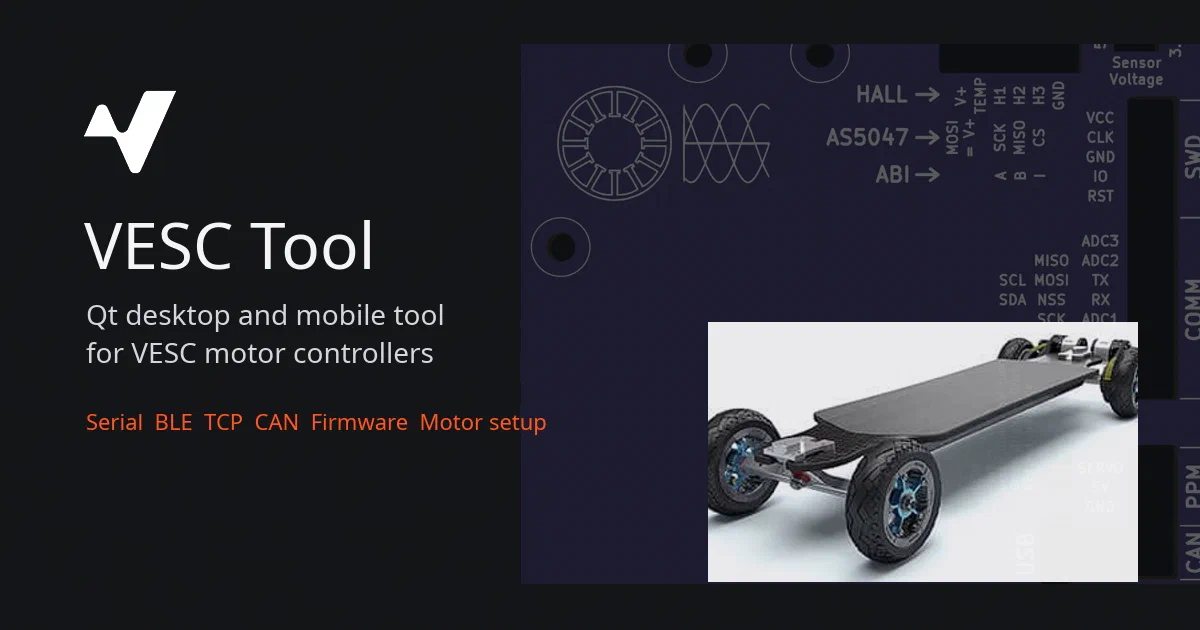

VESC Tool is not a generic hardware dashboard.
It is the official source tree for the application used around VESC-compatible motor controllers: connect to a controller, inspect realtime data, configure motor and app settings, run setup wizards, analyze logs, flash firmware, upload LispBM scripts, and work with connected devices over serial, BLE, TCP, UDP, and CAN-related paths.
That makes it useful, but it also puts the software close to power electronics.
If a tool can set current, duty cycle, RPM, braking current, firmware, and controller configuration, then a local build is not something to poke at while a motor is free to spin.
VESC Tool Source on GitHubWhat Is VESC Tool?
VESC Tool is a Qt/C++ desktop and mobile application for VESC-compatible controllers and devices. The README points users to VESC Project for precompiled stable and development binaries, including binaries for Linux, Windows, macOS, Android, and iOS.
The repository itself is the source-code home. It includes the Qt project, desktop pages, mobile QML UI, protocol implementation, firmware tooling, setup wizards, plotting/logging views, TCP/UDP bridge code, ESP flashing support, package tooling, and bundled third-party libraries.
VESC ProjectWhat It Can Do
From the source layout and command layer, VESC Tool covers a lot of ground:
- Connect over serial, BLE, TCP, UDP, TCP Hub, and optional CAN bus builds.
- Read and write motor controller configuration.
- Read and write application configuration.
- Show realtime values and sampled data.
- Run motor setup and detection routines.
- Work with BLDC, DC, and FOC pages.
- Update firmware and bootloaders.
- Upload, erase, package, and reduce LispBM scripts.
- Analyze logs.
- Work with BMS, IMU, GNSS, IO board, and custom configuration data.
- Expose bridge/server modes over TCP or UDP.
- Build VESC packages from QML/Lisp/metadata.
The key point is that VESC Tool is both a user application and an engineering workbench.
Architecture
The main project file is vesc_tool.pro. In the reviewed clone it sets:
VT_VERSION = 7.01
VT_IS_TEST_VERSION = 1
CONFIG += exclude_fw
It is a qmake project using Qt Core, GUI, Widgets, Network, Quick, Quick Controls 2, Quick Widgets, SVG, and private GUI APIs. Serial, Bluetooth, positioning, gamepad, and optional CAN bus support are controlled by build flags and platform conditionals.
The source is split into a few major layers:
main.cpp: Qt startup, command-line parsing, QML type registration, desktop/mobile branching.mainwindow.*: desktop shell and page wiring.vescinterface.*: connection management, settings, firmware workflows, logs, config backups, BLE/TCP/UDP/CAN handling.commands.*: VESC protocol commands and response parsing.packet.*: binary packet framing and CRC16 validation.pages/: desktop pages for connection, firmware, realtime data, motor setup, app setup, BMS, CAN analyzer, Lisp, logs, and more.mobile/: QML mobile UI and helpers.res/: icons, fonts, themes, version assets, firmware/resource files.
The architecture is practical: UI pages talk to VescInterface, VescInterface owns Commands and Packet, and the packet layer talks to whichever transport is active.
The Hardware Boundary
The Commands class is where the seriousness becomes obvious. It includes methods for:
setDutyCycle(...)
setCurrent(...)
setCurrentBrake(...)
setRpm(...)
setPos(...)
setHandbrake(...)
detectMotorParam(...)
measureRL(...)
measureLinkage(...)
measureEncoder(...)
measureHallFoc(...)
reboot()
shutdown()
setMcconf(...)
setAppConf(...)
There are also firmware erase/write paths, file transfer commands, LispBM commands, BMS commands, IMU commands, and CAN forwarding helpers.
Those are legitimate features. They are also reasons to treat the app like lab equipment. Test with wheels off the ground, current limits in place, backups saved, and a physical way to remove power.
Connection Options
VescInterface supports several transports:
- Serial via Qt Serial Port.
- BLE via Qt Bluetooth.
- TCP client.
- UDP client.
- TCP server bridge.
- UDP server bridge.
- TCP Hub for remote access.
- CAN bus when built with the relevant Qt SerialBus support.
The network modes deserve extra care. A bridge that forwards packets to a controller is effectively remote hardware access. Keep it on trusted networks, bind narrowly where possible, and avoid exposing controller access to the public internet.
Firmware and Official Binaries
The README is clear that official binary releases are distributed through VESC Project. It also explains why forks are discouraged from distributing binaries under the VESC trademark: users need to know whether a downloaded tool and bundled firmware came from the official project.
That is a reasonable line for this kind of software. If you are a normal user, the official binaries are the safest path. If you are a contributor, build from source for development and be careful about how you describe or distribute modified builds.
VESC Trademark PoliciesBuilding From Source
The README shows a Linux qmake build that excludes bundled firmware:
qmake -config release "CONFIG += release_lin build_original exclude_fw"
make -j8
./build/lin/vesc_tool_6.06
The exact output binary name can vary with the project version. In this clone, the qmake file uses VT_VERSION = 7.01.
The repo also has Nix support:
nix run
For a development shell:
nix develop
The Nix package definitions can build several variants, including original, platinum, gold, silver, bronze, copper, and free.
Not a Docker App
I did not find a Dockerfile or Docker Compose file in this repository. That is expected. VESC Tool is a GUI and hardware-control application, not a server stack.
There is no Home-Lab Compose snippet for this one. The right install path is either official binaries from VESC Project or a local Qt build environment for source development.
Local Field Notes
I kept this review static and non-invasive. I cloned the source and inspected the project files and core code paths, but did not run VESC Tool or touch any controller-facing path.
du -sh .
# 55M

qmake -v
# qmake: command not found

make -v
# GNU Make 4.3

g++ --version
# g++ (Ubuntu 13.3.0-6ubuntu2~24.04.1) 13.3.0

nix --version
# nix: command not found
No build was attempted because qmake was not installed. No Nix build was attempted because nix was not installed.
I skipped:
- Running the GUI.
- Serial, BLE, TCP, UDP, TCP Hub, and CAN connections.
- TCP/UDP bridge server startup.
- Firmware upload, bootloader upload, SWD upload, and ESP flashing code.
- Motor detection and runtime control commands.
- Firmware/archive downloads.
- Docker/Compose commands.
Who Should Care?
VESC Tool is worth studying if you build Qt hardware applications, embedded controller tooling, binary protocols, cross-platform desktop/mobile tools, or transport abstraction layers around serial/BLE/TCP/CAN devices.
For VESC users, it is the practical companion app. For developers, it is a large real-world Qt application with a lot of hardware-adjacent design decisions in one place.
FAQ
Is VESC Tool open source?
Can I use Docker to run it?
Should I distribute my own VESC Tool binary?
Can it flash firmware?
Can network mode expose my controller?
Final Thoughts
VESC Tool is a serious piece of open-source hardware software: Qt UI, mobile QML, binary protocol handling, connection abstractions, firmware workflows, setup wizards, scripting, logs, and network bridges all in one project.
The practical advice is simple: use official binaries for normal controller work, use source builds for development, and keep real hardware in a controlled test setup. This is a tool that can make motors move and controllers change state, so the safety margin belongs outside the software as well as inside it.
Comments