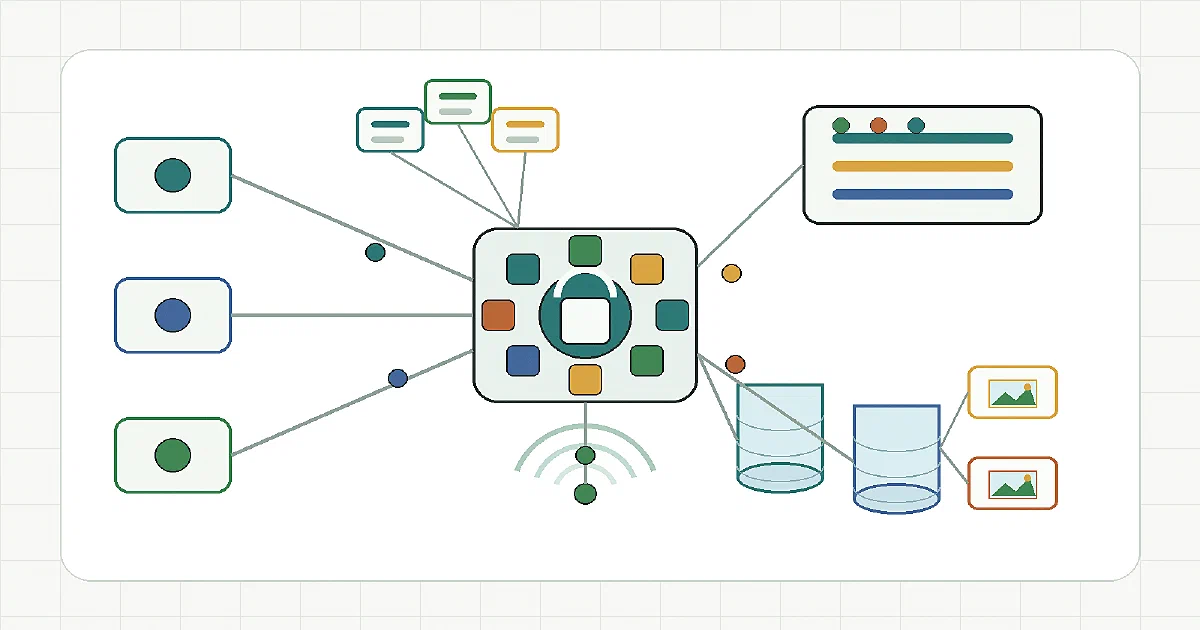

PocketBase is broader than auth.
That is the key difference from Better Auth, which I covered the day before.
PocketBase is an open-source realtime backend in one file. It bundles an embedded SQLite database, auth, realtime subscriptions, file storage, admin dashboard, and REST-ish APIs into a single Go executable.
The short version:
Better Auth = auth framework inside your TypeScript app
PocketBase  = small backend-as-a-service you run as its own backend
So yes, PocketBase can cover authentication.
But it also covers much more than authentication.
What is PocketBase?
PocketBase is a self-hosted backend-as-a-service.
It gives you:
- SQLite-backed collections;
- auth collections and user management;
- email/password auth;
- OAuth2 providers;
- OTP/MFA related auth flows in newer versions;
- file uploads and thumbnails;
- local filesystem or S3-compatible file storage;
- realtime subscriptions through server-sent events;
- REST-ish API endpoints;
- an admin dashboard;
- backups;
- logs;
- API rules;
- Go extension points;
- JavaScript hooks and migrations in the prebuilt binary.
The repo I checked was:
Latest checked tag: v0.40.4 (0.40.5 has since been released)
Checked commit: 5cec579da984436a258602a46a96302fbd31f77c
Commit date: 2026-09-12
License: MIT
Language: Go
The upstream README still warns that PocketBase is pre-1.0, so full backward compatibility is not guaranteed yet.
Architecture
PocketBase is intentionally compact.
The mental model:
PocketBase process
  ├─ SQLite database
  ├─ collection schema builder
  ├─ auth collections
  ├─ REST-ish API
  ├─ realtime SSE broker
  ├─ file storage
  ├─ admin UI
  ├─ backups and logs
  └─ Go / JS extension hooks
The default data directory is pb_data.
That is where the important state lives:
pb_data/
  data.db
  storage/
  backups/
  logs/
That makes PocketBase much easier to reason about than a stack of Postgres, Redis, object storage, an API server, an auth server, and a separate admin UI.
Docker Compose
PocketBase does not publish an official Docker image.
The Home-Lab setup builds a small image from the official release zip:
services:
    pocketbase:
        build:
            context: .
            args:
                PB_VERSION: "${PB_VERSION:-0.40.4}"
        container_name: pocketbase
        restart: unless-stopped
        ports:
            - "${POCKETBASE_PORT:-8080}:8080"
        volumes:
            - pocketbase-data:/pb/pb_data
        healthcheck:
            test: ["CMD", "wget", "-qO-", "http://127.0.0.1:8080/api/health"]
            interval: 30s
            timeout: 10s
            retries: 3
            start_period: 20s

volumes:
    pocketbase-data:
The Dockerfile downloads the pinned PocketBase release:
FROM alpine:3.22

ARG PB_VERSION=0.40.5

RUN apk add --no-cache --upgrade \
    unzip \
    ca-certificates \
    wget

ADD https://github.com/pocketbase/pocketbase/releases/download/v${PB_VERSION}/pocketbase_${PB_VERSION}_linux_amd64.zip /tmp/pb.zip
RUN unzip /tmp/pb.zip -d /pb/

VOLUME /pb/pb_data
EXPOSE 8080

CMD ["/pb/pocketbase", "serve", "--http=0.0.0.0:8080"]
Use the Alpine minor stream (3.22) with --upgrade rather than a pinned patch snapshot.
Upgrading the PocketBase binary alone does not refresh the OS packages underneath it, which is how my own instance kept critical Alpine findings after its first rebuild.
Start it:
cp .env.sample .env
docker compose up -d --build
Endpoints:
App/API:  http://localhost:8080
Admin:    http://localhost:8080/_/
Health:   http://localhost:8080/api/health
Create or rotate a superuser:
docker compose exec pocketbase /pb/pocketbase superuser upsert [email protected] 'replace-with-a-long-password'
I updated the Home-Lab compose at:
Home-Lab/pocketbase/docker-compose.yml
The important fix was removing weak admin defaults from the compose file.
PocketBase superusers should be created or rotated with the superuser upsert command, not stored as convenient default environment variables in a public compose.
Field Note: My Own Instance Was on 0.18.1
PocketBase is so easy to run that it is easy to forget about.
I had an instance quietly backing a small app in my homelab, healthy and answering:
curl http://127.0.0.1:8080/api/health
{"code":200,"message":"API is healthy.","data":{"canBackup":true}}
It was also running PocketBase 0.18.1, many releases behind. Nothing was broken, which is exactly why nobody had upgraded it.
A security scan of my internet-facing containers flagged it with 5 critical and 84 high findings. I have since upgraded it to 0.40.5, with 0 critical remaining.
The full story is in Upgrading PocketBase 0.18 to 0.40: how the scan found it, inspecting the live SQLite database read-only, the backup, the rebuild, and the rollback plan.
The short version, if you are in the same spot:
- Back up
pb_dataandpb_migrations, plus the old Dockerfile and image ID. - Read the release notes between your version and the target.
0.23in particular was a large breaking release. - Build and scan the new image before replacing the running container.
- Refresh the base image packages too, not just the PocketBase binary.
- Recreate the service, then check
/api/healthand your data.
PocketBase is pre-1.0, and older deployments can need migration attention.
PocketBase vs Better Auth
This is the comparison that matters if you read the Better Auth post.
| Question | Better Auth | PocketBase |
|---|---|---|
| Category | Auth framework | Backend-as-a-service |
| Runtime | Embedded in your TypeScript app | Separate Go backend process |
| Database | Your app database through adapters | Built-in SQLite |
| Auth | Core purpose | One part of the platform |
| Admin UI | No full backend admin UI by default | Built-in admin dashboard |
| File storage | Not the goal | Built-in local/S3-compatible file storage |
| Realtime | Not the goal | Built-in realtime subscriptions |
| API generation | Auth endpoints | Collection CRUD APIs |
| Cloudflare Workers fit | Strong | Not a Workers app |
| Best use | App-native auth for custom TS apps | Small full backend for web/mobile apps |
So can PocketBase do the same as Better Auth?
For simple app auth, yes.
PocketBase can handle users, auth tokens, email/password login, OAuth2 login, password reset, API rules, and record permissions.
But it is not the same abstraction.
Better Auth is better when:
- the app backend is TypeScript;
- auth should be embedded in the app;
- you want Hono/Cloudflare Workers/D1;
- you want auth plugins without adopting a full backend platform;
- you already have your own database and API design.
PocketBase is better when:
- you want the database, auth, API, admin UI, file storage, and realtime layer together;
- you want a tiny self-contained backend;
- SQLite is enough;
- your frontend can talk directly to PocketBase APIs;
- speed of building matters more than custom backend architecture.
PocketBase vs Firebase, Supabase, Appwrite, and CloudflareBase
PocketBase is often described as a tiny self-hosted Firebase alternative.
That is fair, with caveats.
| Project | Shape |
|---|---|
| PocketBase | Single-binary SQLite BaaS with auth, files, realtime, admin UI |
| Firebase | Managed proprietary BaaS |
| Supabase | Postgres-centered open-source Firebase alternative |
| Appwrite | Full BaaS platform with more moving parts |
| CloudflareBase | Cloudflare-native Firebase-style platform |
| Better Auth | Auth framework, not full BaaS |
PocketBase is the smallest of these in operational footprint.
That is its superpower.
It is also its limit. SQLite is excellent for many small and medium apps, but PocketBase is not a horizontally scaled multi-service data platform.
If you need multi-region writes, huge analytical workloads, queue-heavy backends, or enterprise IAM, choose a different architecture.
Where PocketBase Fits
Use PocketBase for:
- prototypes;
- internal tools;
- small SaaS products;
- mobile app backends;
- admin panels;
- personal tools;
- single-server apps;
- fast CRUD APIs;
- form and content backends;
- apps that need auth plus files plus realtime quickly.
Avoid PocketBase when:
- you need Cloudflare Workers-only deployment;
- you need Postgres-specific features;
- you need strict enterprise SSO/IAM as the primary product;
- you need a pure auth library;
- you need multi-node database scaling;
- you want Git to be the canonical source of content.
For the Git-based CMS architecture I described earlier, PocketBase is interesting as a rapid backend, but it is not my first choice for the final shape.
That CMS wants:
Markdown in Git
photos in R2
published site as Astro static output
auth and sync as support services
PocketBase would make the CMS database feel very easy, but then the database risks becoming the source of truth.
That is exactly what the Git-based design was trying to avoid.
FAQ
Is PocketBase just an auth server?
No.
Auth is only one part of PocketBase.
PocketBase is closer to a compact backend-as-a-service:
SQLite + auth + files + realtime + APIs + admin UI
Can PocketBase replace Better Auth?
Sometimes.
If you want a complete backend and are happy to build around PocketBase APIs, then yes, PocketBase can handle auth and much more.
If you already have a TypeScript backend and only need an auth layer inside that backend, Better Auth is cleaner.
The decision is really:
Do I want a full backend platform? -> PocketBase
Do I want auth inside my app?      -> Better Auth
Can PocketBase replace Firebase or Supabase?
For many small apps, yes.
PocketBase gives you auth, database collections, files, realtime, and admin UI without a managed SaaS.
But it is SQLite-centered and single-server friendly. Supabase gives you Postgres and a larger platform. Firebase gives you a managed proprietary platform.
PocketBase wins when small, self-contained, and simple is the priority.
Does PocketBase support file storage and S3?
Yes.
By default, uploaded files are stored under pb_data/storage.
PocketBase also has S3-compatible storage support internally, which makes it relevant for R2, MinIO, or RustFS-style object storage setups. Test your provider before migrating important file storage, because S3 compatibility details can matter.
Does PocketBase support realtime?
Yes.
PocketBase has realtime subscriptions using server-sent events.
That is useful for dashboards, chats, collaborative-ish interfaces, notifications, and live updates without adding a separate WebSocket service.
Where is the data stored?
In the Docker setup, the important state is the pocketbase-data volume mounted at:
/pb/pb_data
Back up that volume.
It contains the SQLite database, local file storage, and other runtime state.
Which port does PocketBase use?
PocketBase defaults to 8090.
The Docker setup above serves it on 8080 instead (--http=0.0.0.0:8080), so pick whichever is free on your host and keep the compose port mapping in sync.
Should I upgrade an old PocketBase instance?
Yes, but not blindly. Old versions accumulate vulnerabilities in both the binary and the base image. Back up pb_data and pb_migrations, read the release notes, test the new version in a disposable container, scan the new image, and only then replace the real service.
I walked through exactly that for my own 0.18.1 instance in Upgrading PocketBase 0.18 to 0.40.
Is PocketBase good for a Git-based CMS?
It is good for a fast prototype.
It is not my preferred final source of truth for the Git-based offline CMS stack I described earlier.
PocketBase would make it easy to store posts, users, uploads, and metadata in one backend.
But that architecture has a different goal:
Git = canonical Markdown history
R2 = canonical media storage
Astro = static public site
PocketBase can support a CMS, but it naturally pulls the architecture toward database-first content.
Comments