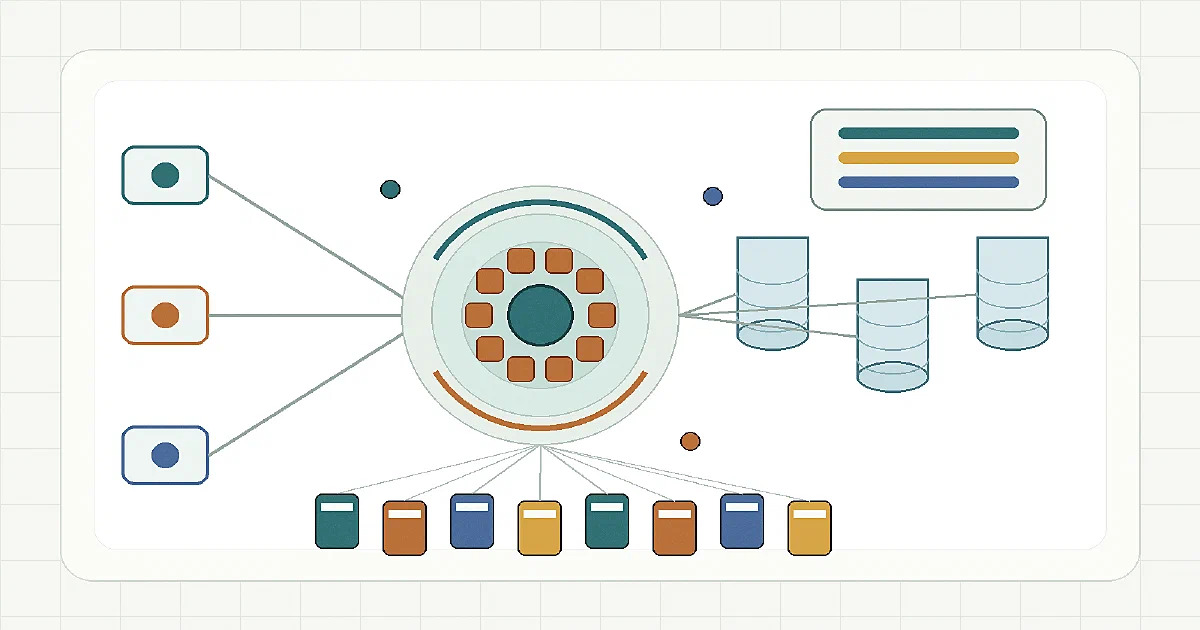

Object storage is one of those pieces that quietly becomes infrastructure.
Once you self-host enough tools, you start seeing S3-compatible storage everywhere: avatars, backups, attachments, generated reports, AI datasets, static assets, logs, and data-lake files.
RustFS is an open-source S3-compatible object storage system written in Rust. The project positions itself as high-performance distributed object storage for workloads such as data lakes, AI, big data, and S3-compatible app storage.
The short version:
RustFS = S3 API + web console + erasure-coded storage + Rust implementation
It is not just a tiny file server with S3-shaped endpoints. It is aiming at the same general space as MinIO, Garage, SeaweedFS object storage, and heavier systems like Ceph.
What is RustFS?
RustFS exposes an S3-compatible API on port 9000 and a browser console on port 9001.
The project ships Docker images, Docker Compose examples, Kubernetes/Helm material, console UI support, IAM/policy components, observability, audit/logging pieces, encryption work, lifecycle/replication features, S3 Select pieces, and distributed storage internals.
The repository I checked was:
Version: 1.0.1
License: Apache-2.0
Latest checked commit: 95268a3b9e921218addfca04c0ebb5b02734cfc7
Commit date: 2026-10-06
The Apache-2.0 license is worth noting because MinIO moved into a very different licensing conversation. If you want an S3-compatible object store with a permissive license, RustFS is an interesting project to watch.
Architecture
RustFS is a Rust workspace with many crates rather than one small binary.
The high-level request path looks like this:
S3 client
  -> HTTP server
  -> object / S3 operation layer
  -> erasure-coded storage
  -> Rust I/O pipeline
  -> local disks or remote nodes
Important pieces:
| Layer | What it does |
|---|---|
| S3 API | Handles bucket/object operations on port 9000 |
| Admin API | Uses the same API port, with MinIO-style admin paths |
| Console | Browser UI on port 9001, under /rustfs/console/ |
| Storage engine | Erasure-coded object storage across configured volumes |
| I/O pipeline | Rust async storage path for local disk and distributed layouts |
| IAM/policy/KMS/audit/notify | Supporting object-storage platform features |
| Inter-node RPC | Used when RustFS is deployed as a distributed cluster |
That shape is closer to an object-storage platform than a simple wrapper around local files.
Docker Compose
For a homelab, the Docker Compose path is the simplest starting point:
services:
  rustfs:
    image: rustfs/rustfs:${RUSTFS_VERSION:-1.0.1}
    container_name: rustfs
    depends_on:
      volume-permission-helper:
        condition: service_completed_successfully
    restart: unless-stopped
    ports:
      - "${RUSTFS_API_PORT:-9000}:9000"
      - "${RUSTFS_CONSOLE_PORT:-9001}:9001"
    environment:
      RUSTFS_VOLUMES: /data/rustfs{0...3}
      RUSTFS_ADDRESS: 0.0.0.0:9000
      RUSTFS_CONSOLE_ADDRESS: 0.0.0.0:9001
      RUSTFS_CONSOLE_ENABLE: "true"
      RUSTFS_ACCESS_KEY: "${RUSTFS_ACCESS_KEY:?Set RUSTFS_ACCESS_KEY in .env}"
      RUSTFS_SECRET_KEY: "${RUSTFS_SECRET_KEY:?Set RUSTFS_SECRET_KEY in .env}"
      RUSTFS_OBS_LOGGER_LEVEL: "${RUSTFS_OBS_LOGGER_LEVEL:-info}"
      RUSTFS_OBS_LOG_DIRECTORY: /app/logs
      RUSTFS_UNSAFE_BYPASS_DISK_CHECK: "${RUSTFS_UNSAFE_BYPASS_DISK_CHECK:-false}"
    volumes:
      - rustfs-data-0:/data/rustfs0
      - rustfs-data-1:/data/rustfs1
      - rustfs-data-2:/data/rustfs2
      - rustfs-data-3:/data/rustfs3
      - rustfs-logs:/app/logs
    security_opt:
      - no-new-privileges:true
    healthcheck:
      test:
        - CMD
        - sh
        - -c
        - "wget -qO- http://127.0.0.1:9000/health >/dev/null && wget -qO- http://127.0.0.1:9001/rustfs/console/health >/dev/null"
      interval: 30s
      timeout: 10s
      retries: 3
      start_period: 40s

  volume-permission-helper:
    image: alpine:3.20
    container_name: rustfs-volume-permission-helper
    command: >
      sh -c "chown -R 10001:10001 /data/rustfs0 /data/rustfs1 /data/rustfs2 /data/rustfs3 /app/logs"
    volumes:
      - rustfs-data-0:/data/rustfs0
      - rustfs-data-1:/data/rustfs1
      - rustfs-data-2:/data/rustfs2
      - rustfs-data-3:/data/rustfs3
      - rustfs-logs:/app/logs
    restart: "no"

volumes:
  rustfs-data-0:
  rustfs-data-1:
  rustfs-data-2:
  rustfs-data-3:
  rustfs-logs:
Create the environment file:
cp .env.sample .env
nano .env
Set real credentials:
RUSTFS_ACCESS_KEY=replace-with-long-admin-access-key
RUSTFS_SECRET_KEY=replace-with-long-random-admin-secret-key
Then start it:
docker compose up -d
The endpoints are:
S3 API:  http://192.168.1.2:9000
Console: http://192.168.1.2:9001/rustfs/console/
Health checks:
curl http://127.0.0.1:9000/health
curl http://127.0.0.1:9001/rustfs/console/health
I also added the compose under the Home-Lab repo at:
Home-Lab/rustfs/docker-compose.yml
Field Test
I tested RustFS with the official image pinned to rustfs/rustfs:1.0.1, mapped to temporary ports:
S3 API:  http://127.0.0.1:3900
Console: http://127.0.0.1:3901/rustfs/console/
The first run failed, and that failure was useful.
RustFS refused to start the four-volume erasure layout because all Docker named volumes were on the same physical disk:
local erasure endpoints must use distinct physical disks
That is the correct safety behavior. Four Docker volumes on one SSD are not four independent failure domains.
For local testing only, I restarted with:
RUSTFS_UNSAFE_BYPASS_DISK_CHECK=true
Then both health endpoints worked:
{"status":"ok","service":"rustfs-endpoint","version":"1.0.1"}
{"status":"ok","service":"rustfs-console","version":"1.0.1"}
The console served HTML at:
http://127.0.0.1:3901/rustfs/console/
Then I tested it as a real S3 endpoint with rclone:
printf 'hello rustfs from fossengineer\n' > hello.txt

rclone mkdir :s3:fe-fieldtest \
  --s3-provider Minio \
  --s3-access-key-id rustfsadmin \
  --s3-secret-access-key rustfsadmin \
  --s3-endpoint http://127.0.0.1:3900 \
  --s3-region us-east-1

rclone copy hello.txt :s3:fe-fieldtest \
  --s3-provider Minio \
  --s3-access-key-id rustfsadmin \
  --s3-secret-access-key rustfsadmin \
  --s3-endpoint http://127.0.0.1:3900 \
  --s3-region us-east-1

rclone ls :s3:fe-fieldtest \
  --s3-provider Minio \
  --s3-access-key-id rustfsadmin \
  --s3-secret-access-key rustfsadmin \
  --s3-endpoint http://127.0.0.1:3900 \
  --s3-region us-east-1
The list call returned:
31 hello.txt
So the tested basics were:
- container starts with the local-test disk bypass;
- API health works;
- console health works;
- console UI path works;
- S3 bucket creation works;
- object upload works;
- object listing works.
Disk Layout Matters
The compose above uses four named volumes because that mirrors the official single-node multi-volume example.
For learning, demos, app testing, and local development, that is fine.
For durability, it is not the same as four separate disks.
Use this mental model:
| Layout | Good for | Not good for |
|---|---|---|
| One Docker volume | Basic local endpoint testing | Durability |
| Four named volumes on one disk | Local erasure-code behavior testing | Disk-failure resilience |
| Four real disks | Single-node disk-failure tolerance | Host-failure tolerance |
| Multi-node cluster | Stronger failure-domain separation | Simplicity |
RUSTFS_UNSAFE_BYPASS_DISK_CHECK=true should stay a local-test switch. If you care about object durability, use real separate disks or a proper distributed layout.
S3 Compatibility
RustFS aims for broad S3 API compatibility, but it is not the same thing as saying every AWS S3 edge case or every MinIO behavior is identical.
The project documents support for common bucket and object workflows, multipart uploads, presigned URLs, range reads, user metadata, policies, versioning, object lock, checksums, CORS, and encryption-related paths.
There are also documented gaps or not-yet-passing areas, including bucket access logging, some POST Object form-upload checksum behavior, bucket ownership controls, multipart listing edge cases, some IAM/account dependent cases, and some multi-storage-class behavior.
RustFS also intentionally rejects some object-key path patterns such as . segments, .. segments, and empty path segments. That is usually fine for normal applications, but it matters if you are migrating strange existing buckets.
Where It Fits
RustFS is a good candidate when you want:
- a self-hosted S3-compatible endpoint;
- object storage for Docker apps that support custom S3 endpoints;
- a permissively licensed MinIO alternative;
- a local replacement for some R2/S3-style storage use cases;
- object storage for AI datasets, analytics files, app uploads, or backups;
- a project written in Rust with a cloud-native storage architecture.
It is not the lightest possible file server. If you only need a few folders over a web UI, use a file manager.
It is also not a full Ceph replacement. Ceph is a much larger storage platform with block, file, and object surfaces.
RustFS vs Alternatives
| Project | Fit |
|---|---|
| RustFS | S3-compatible object storage in Rust, Apache-2.0, web console, erasure coding, distributed ambitions |
| MinIO | Mature S3-compatible object storage, widely deployed, very polished, different licensing posture |
| Garage | Lightweight distributed object storage, good for self-hosted geo/distributed setups, S3-compatible but intentionally not AWS-identical |
| SeaweedFS | Distributed file/object storage with a broader storage-system model |
| Ceph | Heavy-duty cluster storage platform with object, block, and file storage |
| Cloudflare R2 | Managed S3-compatible object storage with no local server, useful for Workers/Pages apps |
RustFS is most interesting if you want something in the MinIO/Garage part of the map but with a Rust implementation and permissive licensing.
FAQ
Is RustFS the project that supersedes MinIO?
No.
RustFS is not an official MinIO successor and it is not maintained as the next generation of MinIO.
The better framing is:
RustFS = MinIO-style S3-compatible object storage alternative
It competes in the same broad category: a self-hostable S3-compatible object store with Docker/Kubernetes deployment, a console, erasure-coded storage, and distributed-storage goals.
The differences are practical:
| Area | RustFS | MinIO |
|---|---|---|
| Implementation | Rust | Go |
| License angle | Apache-2.0 | More complicated modern licensing posture |
| Maturity | Newer, promising, still worth workload testing | Very mature and widely deployed |
| Migration stance | Treat as S3-to-S3 unless tested | Established ecosystem |
| Best use today | Homelab S3, permissive-license evaluation, Rust-native storage stack | Production-proven self-hosted S3-compatible storage |
So I would say RustFS is a serious MinIO alternative, not a MinIO supersede project.
Is RustFS a drop-in MinIO replacement?
For common S3 client usage, it can be configured like a MinIO-style endpoint: endpoint URL, access key, secret key, and usually us-east-1 as a practical region value.
But I would not call it a universal drop-in replacement yet. S3 compatibility is broad, not absolute. Test your actual application before migrating production buckets.
Can RustFS read an existing MinIO data directory?
Not as the default path I would recommend for a homelab.
The repository has MinIO on-disk compatibility work marked as preview and gated behind the rio-v2 feature. The docs also note that MinIO encrypted objects are not readable through that compatibility path.
For now, treat RustFS migration like an S3-to-S3 migration unless you have tested the exact storage format and feature flags yourself.
What UI port should I use?
The S3 API listens on port 9000.
The console listens on port 9001, but the useful path from my Docker test was:
http://SERVER_IP:9001/rustfs/console/
The console health endpoint is:
curl http://SERVER_IP:9001/rustfs/console/health
Why did the Docker compose fail on one machine?
RustFS detected that the four erasure-code volumes were on the same physical disk and refused to pretend they were independent disks.
That is good storage behavior. Losing the one underlying disk would lose all four volumes.
For local testing, set:
RUSTFS_UNSAFE_BYPASS_DISK_CHECK=true
For real durability, use distinct disks or a distributed setup instead.
Does RustFS require Postgres, Redis, or another database?
No for the simple Docker setup.
RustFS stores objects and metadata in its configured storage volumes. You do not need Postgres, Redis, MySQL, or ClickHouse just to run the single-node object store.
You may add observability or external integrations around it, but they are not required for the basic S3 endpoint.
What credentials should I configure?
Set:
RUSTFS_ACCESS_KEY=...
RUSTFS_SECRET_KEY=...
Do not expose a deployment using the default rustfsadmin / rustfsadmin credentials.
Also decide the credentials before production use. The root identity comes from environment variables and is not something you should casually rotate while the server is running.
For multi-node deployments, also review the internode RPC secret settings rather than relying on defaults.
Can Docker apps use it instead of S3 or R2?
Yes, when the app supports a custom S3-compatible endpoint.
Typical values:
Endpoint: http://rustfs:9000 inside Docker, or http://SERVER_IP:9000 from LAN
Access key: value from RUSTFS_ACCESS_KEY
Secret key: value from RUSTFS_SECRET_KEY
Region: us-east-1
Path-style: enabled, if the client asks
That makes RustFS useful for apps that normally expect AWS S3, MinIO, or Cloudflare R2.
Is this a good local alternative to Cloudflare R2?
For Docker apps in your homelab, yes.
For Cloudflare Workers apps, it depends. Workers cannot naturally reach a private LAN service unless you expose RustFS through a public endpoint, tunnel, or another network bridge. If the app runs inside Cloudflare and needs object storage, R2 is usually the native fit.
RustFS is more compelling when the application also runs on your server or when you want to own the object-storage layer.
How does RustFS compare with Cloudflare R2?
RustFS and Cloudflare R2 both speak S3-compatible APIs, but they solve different operational problems.
| Area | RustFS | Cloudflare R2 |
|---|---|---|
| Hosting | You run it | Cloudflare runs it |
| Infrastructure | Server, Docker/Kubernetes, disks, backups | Managed object storage |
| Data location | Your disks or your cluster | Cloudflare account and regions |
| Maintenance | Your responsibility | Cloudflare-managed |
| Cost model | Hardware, disks, power, ops time | Usage-based managed storage |
| Egress | Your network bandwidth | R2 is known for no egress-fee positioning |
| Homelab apps | Strong fit | Works, but less local |
| Cloudflare Workers/Pages apps | Needs public/tunnel access | Native fit |
The simple rule:
- use RustFS when your apps run in your homelab and you want local S3-compatible storage;
- use R2 when your app runs on Cloudflare Workers/Pages or you want managed object storage without running disks;
- use MinIO when you want the most proven self-hosted S3-compatible option today;
- watch RustFS if you want a permissively licensed Rust-based alternative that may become more compelling as it matures.
What is the backup strategy?
For a small homelab deployment, back up the RustFS volumes and keep the credentials needed to read them.
For important data, do not rely on a same-disk four-volume layout. Use separate disks, replication, versioning, object lock where appropriate, and off-site backups.
Object storage is often where other apps put their irreplaceable files. Treat it as primary data, not cache.
Is RustFS ready for production?
It depends on the workload.
The project has a serious architecture and a broad feature roadmap, but object storage is infrastructure. Before production use, test:
- your actual S3 client;
- multipart upload/download behavior;
- presigned URLs;
- lifecycle/versioning/object-lock needs;
- backup and restore;
- disk failure behavior;
- upgrade behavior;
- monitoring and alerting.
For a homelab S3 endpoint and compatibility testing, the Docker path is already very usable.
Comments