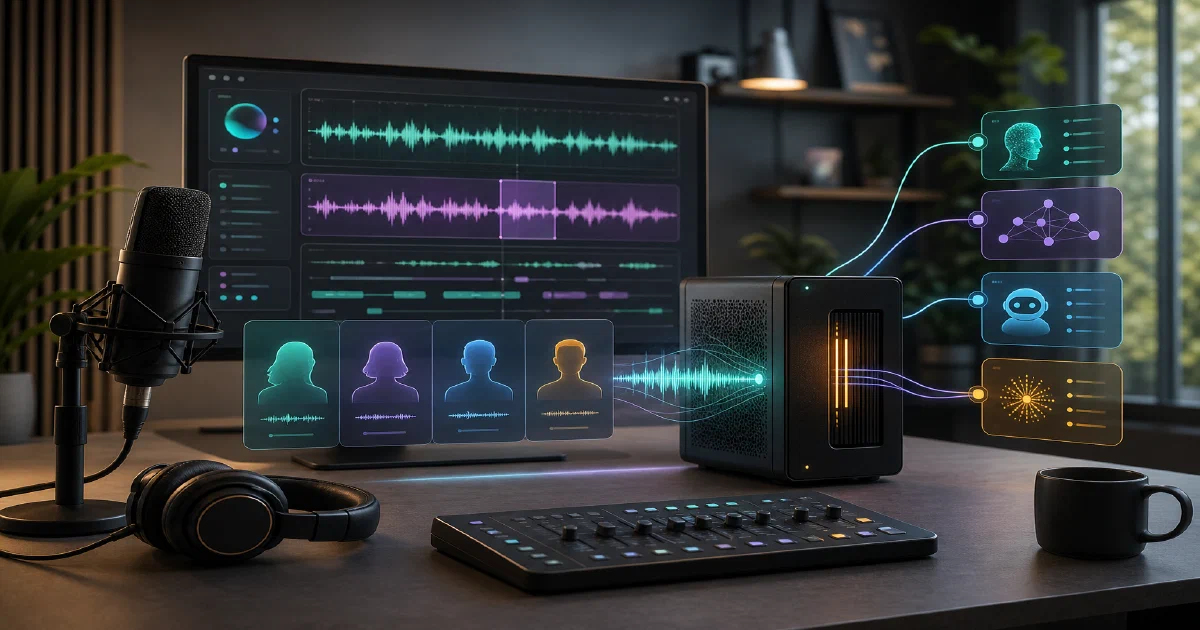

Voicebox is the kind of local AI app that makes the “self-hosting” label more interesting.
It is not just a web UI around one model.
It is a full voice I/O stack: text-to-speech, voice cloning, dictation, transcription, audio effects, stories, local profiles, REST endpoints, and an MCP server that lets agents speak.
The short version: if ElevenLabs is the cloud voice-output tool and WisprFlow is the cloud dictation tool, Voicebox is trying to put both sides of that loop on your machine.
Voicebox is a local-first AI voice studio for cloning voices, generating speech, dictating into apps, transcribing audio, and giving agents a voice.
Voicebox GitHub Source Code Voicebox Website Voicebox Documentation License: MIT ❤️
What is Voicebox?
Voicebox is an open-source AI voice studio.
It can clone voices from reference audio, generate speech across multiple TTS engines, transcribe audio with Whisper, apply audio effects, manage voice profiles, and expose voice tools to AI agents through MCP.
The project ships several surfaces:
- Tauri desktop app for native local use
- React frontend for the app/web UI
- FastAPI backend for voice generation, profiles, history, captures, models, and MCP
- Dockerfile and Compose setup for a self-hosted web deployment
- REST API and MCP server for app and agent integrations
Voicebox is local-first, but it is not small.
The useful parts involve PyTorch, model downloads, GPU acceleration when available, audio processing libraries, and a persistent local data directory.
Why Self-Host Voicebox?
- Privacy: voice samples, captures, transcripts, and generated audio can stay local.
- Agent voice output: any MCP-aware agent can call
voicebox.speak. - Voice input loop: dictation and transcription live beside speech generation.
- Multiple engines: Qwen3-TTS, Qwen CustomVoice, LuxTTS, Chatterbox, TADA, and Kokoro target different speed/quality/language tradeoffs.
- REST API: scripts can call
/generate,/speak,/transcribe,/profiles, and model endpoints directly. - Docker option: the repo includes a Dockerfile and compose file for a local web deployment.
Tech Overview of Voicebox
Voicebox combines a desktop app, web UI, and backend service:
| Layer | Technology |
|---|---|
| Desktop | Tauri 2 / Rust |
| Frontend | React, TypeScript, Vite, Tailwind |
| State | Zustand, TanStack React Query |
| Backend | FastAPI, Uvicorn, Pydantic |
| Database | SQLite via SQLAlchemy |
| TTS | Qwen3-TTS, Qwen CustomVoice, LuxTTS, Chatterbox, TADA, Kokoro |
| STT | Whisper / Whisper Turbo |
| Effects | Spotify Pedalboard |
| MCP | FastMCP mounted at /mcp |
| Inference | PyTorch, MLX, CUDA, ROCm, XPU, DirectML, CPU depending on platform |
The backend code is organized around routes and services:
backend/routes/exposes HTTP endpoints.backend/services/contains generation, profiles, captures, history, models, LLM, and transcription logic.backend/backends/wraps the individual TTS engines.backend/mcp_server/defines MCP context, tools, events, and profile resolution.backend/database/stores profiles, generations, captures, stories, channels, and settings.
REST API
The README shows the core API shape:
curl -X POST http://127.0.0.1:17493/generate \
  -H "Content-Type: application/json" \
  -d '{"text": "Hello world", "profile_id": "abc123", "language": "en"}'

curl -X POST http://127.0.0.1:17493/speak \
  -H "Content-Type: application/json" \
  -H "X-Voicebox-Client-Id: my-script" \
  -d '{"text": "Deploy complete.", "profile": "Morgan"}'

curl -X POST http://127.0.0.1:17493/transcribe \
  -F "[email protected]" \
  -F "model=whisper-turbo"
Important route groups include:
/generate/speak/transcribe/profiles/captures/history/models/effects/stories/mcp
MCP Server
Voicebox includes a built-in MCP server mounted at:
http://127.0.0.1:17493/mcp
For Claude Code:
claude mcp add voicebox \
  --transport http \
  --url http://127.0.0.1:17493/mcp \
  --header "X-Voicebox-Client-Id: claude-code"
The MCP tools are:
voicebox.speakvoicebox.transcribevoicebox.list_capturesvoicebox.list_profiles
That gives coding agents a direct way to speak task completions, ask questions, transcribe clips, or inspect local voice profiles.
Self-Hosting Voicebox with Docker
Voicebox includes a Dockerfile and docker-compose.yml.
Docker Compose Configuration
The included compose file is intentionally local by default:
services:
  voicebox:
    build:
      context: https://github.com/jamiepine/voicebox.git#main
    container_name: voicebox
    restart: unless-stopped
    ports:
      # Localhost-only by default because Voicebox stores voice samples,
      # generated audio, transcripts, and model state.
      - "127.0.0.1:17493:17493"
    volumes:
      # Generated audio is easy to inspect and back up from the host.
      - ./output:/app/data/generations
      # App database, profiles, captures, and internal data.
      - voicebox-data:/app/data
      # Hugging Face cache so models are not downloaded after every rebuild.
      - huggingface-cache:/home/voicebox/.cache/huggingface
    environment:
      LOG_LEVEL: info
      NUMBA_CACHE_DIR: /tmp/numba_cache
    networks:
      - voicebox-net
    deploy:
      resources:
        limits:
          cpus: "4"
          memory: 8G

networks:
  voicebox-net:
    driver: bridge

volumes:
  voicebox-data:
  huggingface-cache:
The public compose file lives in the Home-Lab repo:
Voicebox Docker Compose in Home-LabStart it:
git clone https://github.com/jamiepine/voicebox.git
cd voicebox
docker compose up --build
Then open:
http://127.0.0.1:17493
Keep that localhost binding unless you have a reason to expose it.
Voicebox handles local voice data, audio captures, model downloads, profiles, and agent speech.
If you publish it beyond your machine, put it behind authentication, TLS, and a reverse proxy.
Persistence
The compose setup persists:
- generated audio under
./output - app database, profiles, captures, cache, and model-related state in
voicebox-data - Hugging Face downloads in
huggingface-cache
That Hugging Face volume matters. Without it, rebuilds and container replacement can repeatedly download large models.
Field Note: Docker Build and Local Run
I tested the repo locally on 2026-06-05 at commit b35b909.
Environment:
- Docker
29.5.3 - Docker Compose
v5.1.4 - Python
3.12.3 - no
bun,just,rustc, orcargoavailable in PATH - first pass: filesystem at 94% used, with about 12 GB free
- second pass: filesystem at 88% used, with about 22 GB free
I validated the Docker Compose file:
cd tmp/voicebox
docker compose config
That succeeded and confirmed a single voicebox service, localhost binding on 17493, and the expected voicebox-data and huggingface-cache volumes.
I also ran a backend syntax check:
python3 -m compileall -q backend
Result:
backend_compileall=ok
With about 22 GB free, I then ran the one-command Docker path:
cd tmp/voicebox
docker compose up --build -d
This did build and start Voicebox, but it was tight.
During the build, the image export temporarily pushed / to 100% used and 0 bytes available.
Docker later released temporary build data, leaving about 15 GB free after the container started.
Two local caveats stood out:
- The Dockerfile installs the Python requirements, then installs
Qwen3-TTSfrom GitHub in a later layer without--no-deps, which caused a second large Torch/CUDA dependency download/install. - The running container logged
Could not create HuggingFace cache directory: [Errno 13] Permission denied: '/home/voicebox/.cache/huggingface/hub'.
After startup, Compose reported:
voicebox voicebox-voicebox Up (healthy) 127.0.0.1:17493->17493/tcp
The health endpoint responded:
{"status":"healthy","model_loaded":false,"model_downloaded":null,"model_size":null,"gpu_available":false,"gpu_type":null,"vram_used_mb":null,"backend_type":"pytorch","backend_variant":"cpu","gpu_compatibility_warning":null}
The frontend also served successfully from:
http://127.0.0.1:17493
I also tested a light voice-cloning path with LuxTTS:
- uploaded
Audio from Jesús.oga, a 16.6 second WhatsApp Opus voice note - created a cloned profile named
Jesus WhatsApp LuxTTS - downloaded and loaded
luxttson CPU - Voicebox also downloaded and loaded
whisper-baseduring the sample workflow - generated a short Spanish test clip with the cloned profile
The first generation reached inference but failed while saving the WAV because the bind-mounted tmp/voicebox/output directory was owned by root. After fixing /app/data/generations ownership for the non-root voicebox user, the retry completed:
generation_id: 2ba06592-81c3-4a51-9ed0-ae2c4ae5915b
engine: luxtts
status: completed
duration: 1.525 seconds
audio_path: tmp/voicebox/output/2ba06592-81c3-4a51-9ed0-ae2c4ae5915b.wav
A second test used Audio from Jesús22.oga, a longer 44.9 second WhatsApp Opus note.
Voicebox rejected the full clip with Invalid reference audio: Audio too long (maximum 30.0 seconds), so I trimmed it to 29.5 seconds and uploaded that WAV to a new profile. LuxTTS generated a 7.733 second clip:
generation_id: 3e38c169-4d23-45f5-a8bc-904ad4163215
engine: luxtts
status: completed
duration: 7.733 seconds
audio_path: tmp/voicebox/output/3e38c169-4d23-45f5-a8bc-904ad4163215.wav
I then tested Chatterbox Multilingual with the same trimmed 29.5 second profile. The model downloaded and loaded successfully on CPU, but it was much heavier than LuxTTS: about 3.1 GB cached and roughly 7.1 GB of the 8 GB container memory limit during inference. Generation took about 65 seconds of CPU sampling for a 5.4 second output, but the result was substantially clearer:
generation_id: 8800bb2e-a93b-4fcc-a23e-64db708e5586
engine: chatterbox
status: completed
duration: 5.400 seconds
audio_path: tmp/voicebox/output/8800bb2e-a93b-4fcc-a23e-64db708e5586.wav
Whisper transcribed the Chatterbox output as: Hola, bienvenidos al canal. Hoy vamos a probar una herramienta open-source para clonar voces de forma local.
I also checked the next Qwen option. Qwen CustomVoice is not a voice-cloning path in this app; it uses preset speakers. The next clone-capable Qwen option is qwen-tts-0.6B, so I created a separate Qwen profile using the same 29.5 second sample plus a Whisper transcript as the reference text. Qwen 0.6B downloaded and loaded on CPU, caching about 2.4 GB and peaking around 6.6 GB of the 8 GB container limit during generation. It completed, but the Spanish output was less accurate than Chatterbox:
generation_id: 47540f71-d473-4898-8612-2061f04b8b20
engine: qwen
model_size: 0.6B
status: completed
duration: 4.480 seconds
audio_path: tmp/voicebox/output/47540f71-d473-4898-8612-2061f04b8b20.wav
Whisper transcribed the Qwen output as: Hola, bienvenidos a canal, hoy vamos a probar unas rabaces de forma local
A longer Qwen 0.6B narration chunk also completed. It produced a 15.52 second WAV from a longer informal Spanish paragraph, but it took several minutes of sustained CPU work. That made the practical workflow clearer: for Qwen on CPU, split narration into short chunks and stitch the good takes later.
The practical comparison from this local run:
| Test | Input Sample | Engine | Result |
|---|---|---|---|
| Short WhatsApp note | 16.6s Opus | LuxTTS | Generated, but Spanish pronunciation was rough. |
| Trimmed longer note | 29.5s WAV from 44.9s Opus | LuxTTS | Generated, but still misheard several Spanish words. |
| Same trimmed longer note | 29.5s WAV | Chatterbox Multilingual | Generated the clearest result; Whisper transcription was almost exact. |
| Same trimmed longer note + transcript | 29.5s WAV | Qwen TTS 0.6B | Generated, but dropped and garbled more Spanish words than Chatterbox. |
| Same Qwen profile, longer paragraph | 29.5s WAV + transcript | Qwen TTS 0.6B | Completed, but took several minutes on CPU for a 15.52s output. |
For Spanish narration, I would start with Chatterbox Multilingual, not LuxTTS. LuxTTS is useful for a fast CPU smoke test, but Chatterbox was the first engine in this trial that produced output I would consider usable for a local narration workflow.
The tradeoff is real: the Chatterbox model is larger, slower on CPU, and pushed the container close to its memory limit.
The main clone-capable Spanish engine I did not run yet is TADA 3B Multilingual.
TADA 1B and Chatterbox Turbo are English-oriented, Kokoro and Qwen CustomVoice are preset-speaker paths rather than reference-audio cloning paths, and Qwen 1.7B is a heavier version of the Qwen path already tested.
Two workflow details matter:
- Voicebox rejects reference samples longer than 30 seconds, so longer recordings need to be trimmed or split.
- Generated audio is written through the bind mount at
tmp/voicebox/output; if that host directory is owned byroot, generation can succeed internally and still fail at the final save step. - For CPU-only generation, short narration chunks are much easier to iterate on than one long paragraph.
Temporary assets are intentionally still available:
tmp/voicebox # cloned repo, about 160 MB
Voicebox vs Single-Model TTS Apps
Voicebox is more of a local voice operating layer than a single TTS wrapper.
It includes:
- voice profile management
- multiple reference samples per profile
- generation history and versions
- audio effects and presets
- captures and transcript refinement
- story/timeline editing
- model load/unload and cache management
- MCP bindings per client
- local LLM personality rewrites
That breadth is useful, but it also means setup is heavier than a one-file TTS script.
Expect model downloads, GPU/CPU tradeoffs, and dependency size to matter.
Conclusion
Voicebox is one of the more ambitious local voice projects I have looked at: it ties together TTS, STT, dictation, profiles, effects, local LLM rewriting, REST, and MCP into one app.
For self-hosters, the Docker path is the cleanest way to evaluate the web deployment, but budget disk and memory before starting.
For desktop users, macOS and Windows releases are the easier path today, while Linux users should expect Docker or source builds.
The interesting part is not just “local text-to-speech.”
It is local voice input and output as infrastructure for agents and personal workflows.
FAQ
Is Voicebox open source?
Does Voicebox support Docker?
docker-compose.yml. The compose setup binds to 127.0.0.1:17493 by default.
Does Voicebox require a GPU?
Can AI agents use Voicebox?
voicebox.speak, voicebox.transcribe, voicebox.list_captures, and voicebox.list_profiles.
What port does Voicebox use?
17493.
Comments