
If Creating Websites is not something new to you…
…SSG’s, like NextJS are not a secret anymore…
…and also you are aware on the deployments options for such sites.

Well, today is the day to know that you can already use that knowledge to create PPTs.
And also…You can complement your presentations with Diagrams
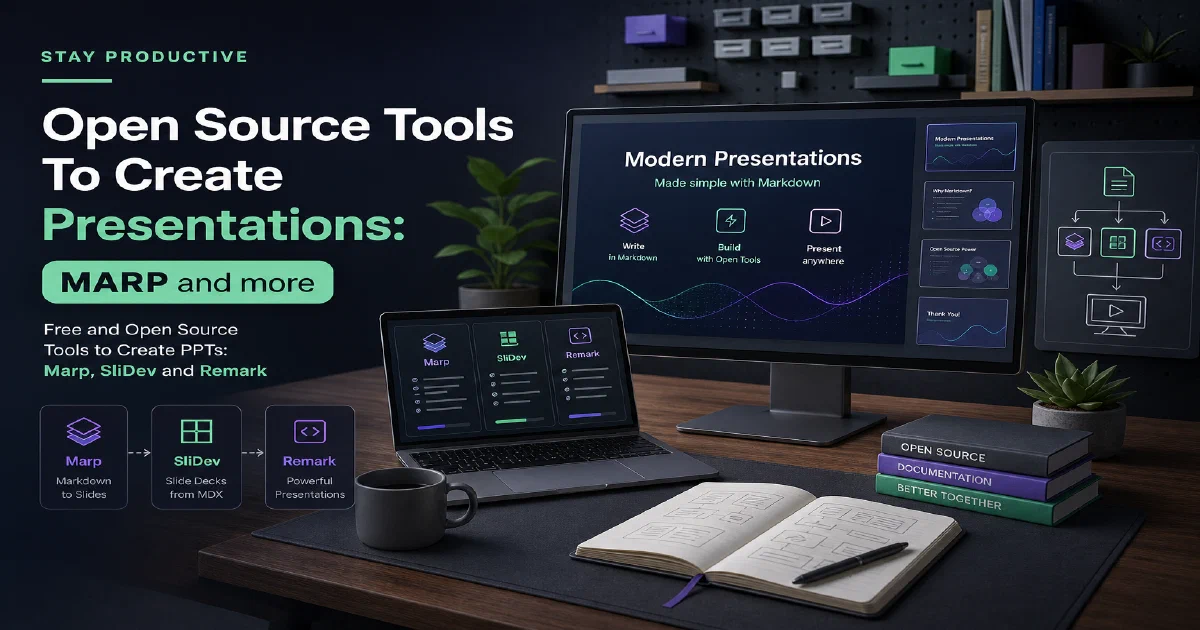
Introducing three powerful tools that bridge the gap between web development and presentation creation:
| Tool | Description | License |
|---|---|---|
| Slidev 🌈 | Built on top of Vue.js, Slidev offers a familiar and developer-friendly experience for creating presentations ~ similar to SSGs! | MIT ❤️ |
| Marp 📝 | Marp takes a Markdown-based approach to presentation creation, making it intuitive and accessible for developers. | MIT ❤️ |
| Remark 🌐 | Remark brings the power of presentations directly to your web browser. With its browser-based approach and support for Markdown, remark allows you to create and deliver presentations without the need for additional software. | MIT ❤️ |
At this point in time you will be wondering if LLMs cant make a cool presentation for you.
The tools with UI are not so evident for machines, but: what if we could do PPT’s with code?
And as these are Code based PPT tool….cant AI generate PPTs?
Sli-Dev
Web-based Slides Maker: The Slidev Project is open-source (MIT ❤️) designed to simplify the process of creating presentation slides for developers.
Here you have a step by step example to use SliDev to create a PPT
Some Details about SliDev 🚀
-
Markdown-based: It leverages Markdown as the primary content format, allowing developers to focus on writing content while integrating code snippets, images, and other elements seamlessly.
-
Vue.js Powered: Built on top of Vue.js, Slidev offers a familiar and developer-friendly experience for creating interactive and visually appealing presentations.
- Vue.js is a versatile JavaScript library for building user interfaces. It focuses on the core functionalities needed for creating interactive web components and applications.
Why SliDev 😮
Live Coding: Embed live code examples within your slides, allowing you to demonstrate code functionality during presentations.
Theming: Customize the look and feel of your slides with a variety of themes and themable components.
Interactive Elements: Integrate interactive elements like carousels, tabs, and code playgrounds into your presentations for a more engaging audience experience.
PDF Export: Generate high-quality PDF versions of your slides for offline distribution or sharing.
Presentation Recording: Record your presentation with speaker notes for later playback or sharing.
Sli-Dev is built on top of RevealJS!
Marp
Marp is built on top of NodeJS - It uses JavaScript runtime environment under the hood.
- The Marp Official Site
- The Marp Source Code at Github
- License: MIT ❤️
Marp offers a compelling value proposition for users who want to create presentations in a simple, efficient, and user-friendly way
- Marp offers a variety of output formats like: PDF, HTML, and PPTX.
- This allows users to choose the format that best suits their needs:
- Sharing and Distribution: PDF and HTML formats are ideal for sharing presentations online or distributing printed copies.
- Integration with Existing Tools: PPTX format allows easy integration of Marp-created slides into existing Microsoft PowerPoint presentations.
Key Features of Marp 📝
-
Markdown-based: Marp utilizes Markdown as the primary format for creating slides, enabling users to concentrate on writing content and structuring their presentations intuitively. 📜
-
Ecosystem of Tools: Marp provides a range of tools to cater to different use cases: 🛠️
- Marp CLI: A command-line interface for converting Markdown presentations to various output formats such as PDF, HTML, and PPTX. 💻
- Marp for VS Code: A VS Code extension that offers live preview, syntax highlighting, and export functionalities for Markdown presentations. 🆚
- Marp Next: A newer iteration of the Marp ecosystem that focuses on a more modular and extensible approach, allowing for customization and integration with other tools. 🔧
-
Simplicity First: Marp prioritizes a user-friendly experience, making it accessible even for beginners with limited coding knowledge. 🙌
- Prerequisites to use MARP:
- 📦 Node.js and npm: Ensure you have Node.js and npm (Node Package Manager) installed on your system.
- You can download and install them from the official Node.js website: https://nodejs.org/en
- 📦 Node.js and npm: Ensure you have Node.js and npm (Node Package Manager) installed on your system.
If you got them, we can get started with MARP:
node --version #example 20.12.2
npm --version #example 10.5.0
If you know some markdown, its pretty simple to get started with MARP
📝 Setting Up Your Marp Project - HOW TO USE MARP⏬
- 🚀 Step 1: Install Marp CLI
Open your terminal and run the following command to install Marp CLI globally:
npm install -g @marp-team/marp-cli
#npm install -g marp-cli
This command uses npm to install the marp-cli package globally, making the marp command available from any directory in your terminal.
- 📁 Step 2: Create a Project Directory
Create a new directory for your Marp project using your terminal’s file navigation commands.
For example:
mkdir my-marp-presentation
cd my-marp-presentation
- 📄 Step 3: Create a Markdown File (Optional)
While you can use the Marp CLI for basic conversions without a file, creating a Markdown file provides a structured way to write your presentation content.
Here’s how to create a basic Markdown file named, for example sample.md:
touch sample.md
- ✍️ Step 4: Write Your Presentation Content (Optional)
Open the sample.md file in your preferred text editor and start writing your presentation content using Markdown syntax.
You can use the Community Themes for MARP - MIT
I really like the MARP Gradient Theme - It includes interesting CSS
Here’s a simple example on how to write the markdown for MARP:
---
marp: true
theme: default #using the default MARP Theme
class:
- lead
- invert
---
# My Presentation Title
## Slide 1
This is the content for my first slide.

## Slide 2
You can add images, code blocks, and other elements.

Or if you want to use one sample:
wget https://raw.githubusercontent.com/rnd195/marp-community-themes/live/themes/gradient.css
marp sample-other-css.md --html
You will see that now it references the Gradient CSS Theme
---
marp: true
theme: gradient #custom-theme can be your theme as well
class:
  - lead
  - invert
---

# Some Slide
- 🔄 Step 5: Convert Markdown to Presentation (Optional)
Navigate back to your terminal within the project directory.
Run the following command to convert your sample.md file to an HTML presentation:
marp sample.md
This command will create a new file named sample.html in your project directory, containing the converted presentation content.
You can convert it to other formats with:
marp sample.md --pdf
#marp sample.md --pptx
- 🌐 Step 6: Open the Presentation (Optional)
Open the generated index.html file in your web browser to view your presentation.
- Marp offers various output formats beyond HTML:
- You can use commands like
marp sample.md -o output.pdfto generate a PDF presentation. - And for PPTX:
marp sample.md --pptx
- You can use commands like
If you want, you can use the MARP extension for VS -
marp-team.marp-vscode
Remark
With Remark you can create markdown driven slideshows:
Remark - A simple, in-browser, markdown-driven slideshow tool
The official page is showing what it can do and you can have the presenting mode of it by pressing C.
remark.js: Browser-based Presentations - But What else? 🌐
-
Markdown-based Slides: remark.js enables you to create presentations directly within a web browser using Markdown for content. This makes it easy to write and structure your slides using a familiar syntax. ✍️
-
In-Browser Experience: With remark.js, everything from creating slides to presenting them happens within your web browser, eliminating the need for additional software installation. 🖥️
-
Useful Features: While potentially less feature-rich compared to dedicated presentation tools, remark.js offers some handy functionalities: 🛠️
- Presenter Mode: Switch to a presenter mode with speaker notes displayed on a separate screen, ideal for delivering presentations. 🗣️
- Syntax Highlighting: Code blocks within your slides can be syntax-highlighted for better readability. 🌈
- Slide Scaling: Slides automatically adjust to different screen sizes, ensuring a responsive presentation experience. 📐
- Touch Support: Navigate slides using touch gestures on mobile devices, enhancing interactivity. 👆
There is a great wiki to learn more about using Remark - https://github.com/gnab/remark/wiki
HOW can I use Remark to CREATE PPTs? ⏬
- What else is great about Remark?
- Use it with your favourite SSG’s
- Remark + HUGO - https://github.com/gnab/remark/wiki/Using-with-Hugo
- Sample HUGO Theme - https://github.com/xaprb/story
- Remark + Jekyll - https://github.com/gnab/remark/wiki/Using-with-Jekyll
- Remark + HUGO - https://github.com/gnab/remark/wiki/Using-with-Hugo
- Use it with your favourite SSG’s
FAQ
How can I use AI to create PPTs? 😉⏬
The idea would be to first choose a theme, and then have the AI generate the content based on a given set of parameters or data.
The AI could be trained to generate relevant content, structure it in a way that makes sense for a presentation, and insert it into the slides using the chosen theme.
This could be especially useful for creating large numbers of similar presentations, or for regularly updating presentations based on new data.
-
Choose a Theme: First, select a theme for your presentation in Slidev or Remark. This will set the visual style for your slides.
-
Define the Structure: Outline the structure of your presentation. This could be a simple list of slide titles or a more detailed outline with notes about the content of each slide.
-
Train or Choose Your AI Model: If you’re building your own AI model, you’ll need to train it using a dataset relevant to your presentation content. If you’re using a pre-built AI, choose one that is capable of generating the type of content you need.
-
Generate the Content: Use your AI model to generate the content for each slide. This could involve generating text, selecting images, creating charts or graphs, etc.
-
Insert the Content into the Slides: Use the Slidev or Remark API to insert the AI-generated content into your slides. This will likely involve some programming.
-
Review and Refine: Review the generated presentation and refine as needed. The AI might not get everything right on the first try, so you’ll need to check the content and make adjustments.
-
Export the Presentation: Once you’re happy with the presentation, export it to a format suitable for your needs. Both Slidev and Remark offer options for exporting presentations to static files, PDFs, etc.
Other Tools for Free Presentations
- mdx-deck
- Deckset
- Pandoc
- Even with Streamlit! - https://github.com/coding-professor/presentation
- For Chads - Create PPTs in the terminal - https://github.com/maaslalani/slides?tab=MIT-1-ov-file#readme
- With Python and https://pypi.org/project/python-pptx/
- https://github.com/scanny/python-pptx - Licensed MIT
- RevealJS
Comments