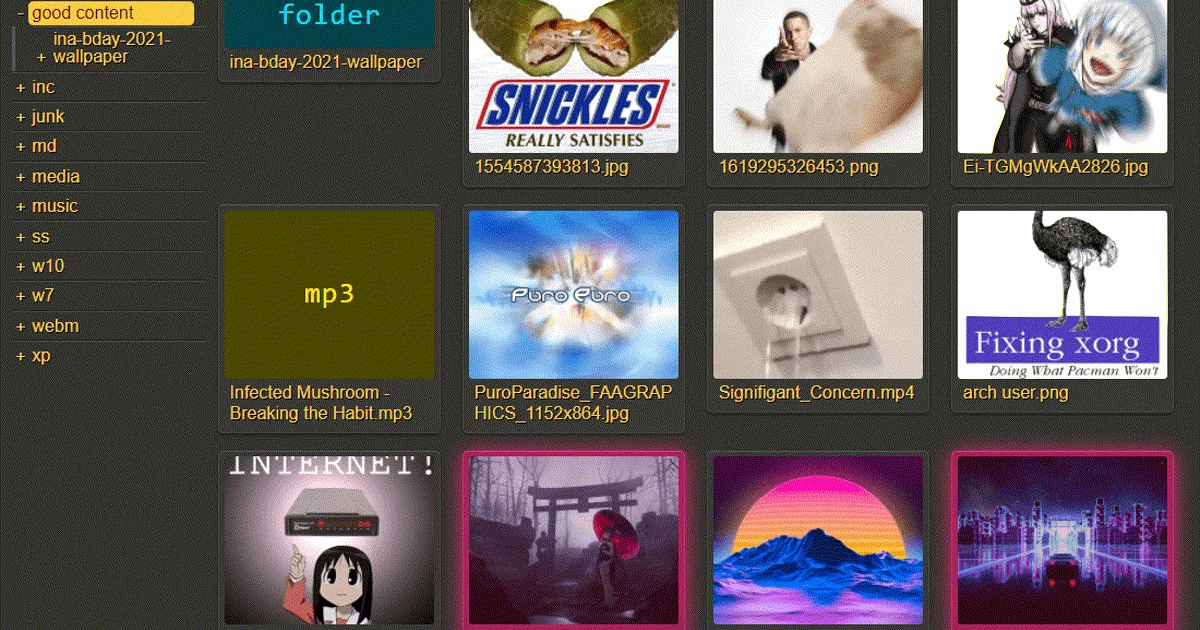

copyparty is what happens when a “simple file server” grows every practical feature you wish your simple file server had.
It starts with a basic promise: turn almost any device into a file server using a web browser. Then it adds resumable uploads, resumable downloads, WebDAV, SFTP, FTP, TFTP, optional SMB, zeroconf, media indexing, thumbnails, audio transcoding, search, RSS, OPDS, upload undo, temporary shares, event hooks, and Docker images.
That makes copyparty one of the more interesting lightweight file-sharing tools for a home lab.
copyparty - portable file server with accelerated resumable uploads, deduplication, WebDAV, SFTP, FTP, zeroconf, media indexer, thumbnails, and more.
- copyparty GitHub Source Code
- copyparty Demo Server
- copyparty Docker Docs
- Example Config
- copyparty Changelog
- License: MIT ✅
What is copyparty?
copyparty is a portable Python file server for sharing files through a browser and several file-transfer protocols.
The server only needs Python, and most extras are optional. You can run it from PyPI, a self-extracting Python script, a zipapp, Windows executables, Docker images, Arch/Homebrew/Nix packages, Android Termux, iOS a-Shell, and more.
The feature list is broad:
- browser file manager;
- resumable uploads and downloads;
- upload deduplication;
- download while an upload is still in progress;
- temporary shares;
- zip and tar folder downloads;
- WebDAV;
- SFTP;
- FTP and FTPS;
- TFTP;
- optional SMB/CIFS;
- mDNS and SSDP discovery;
- file search;
- media indexing;
- thumbnails;
- audio transcoding;
- Markdown and text viewers;
- RSS and OPDS feeds;
- Prometheus-style metrics;
- upload hooks and handler plugins.
That is a lot for a Python package whose mandatory dependency list is basically Jinja2.
Why Self-Host copyparty?
copyparty is useful when you want a fast private file drop without standing up a full cloud suite.
Good fits:
- a LAN upload box;
- a temporary file exchange;
- a media folder browser;
- a WebDAV endpoint;
- an SFTP/FTP-compatible file hub;
- a phone-to-server upload target;
- a lightweight replacement for ad hoc
python -m http.server; - a homelab share with real accounts and per-folder permissions.
It is not trying to be Nextcloud. It does not bring calendars, contacts, office sync clients, or a plugin marketplace. Instead, it focuses hard on moving files, browsing files, indexing files, and surviving awkward client/network behavior.
The Important Warning
The README is very clear about the default behavior:
Running copyparty without arguments gives everyone read/write access to the current folder.
That is convenient for a quick trusted LAN transfer. It is not appropriate for a public server.
Before exposing copyparty, configure accounts and volumes explicitly.
Accounts And Volumes
The core copyparty mental model is simple:
- accounts define users and passwords;
- volumes map real filesystem paths to web paths;
- permissions decide who can read, write, move, delete, list, or manage files.
A simplified config looks like this:
[accounts]
  ed: 123
  k: k

[/]
  .
  accs:
    r: *
    rw: ed

[/dump]
  /home/ed/inc
  accs:
    w: *
  flags:
    e2d
    nodupe
That example gives everyone read access to /, gives user ed read-write access, and creates a write-only upload area at /dump.
For public upload drops, pay attention to wG, filekeys, dirkeys, upload rules, and deduplication settings. The defaults that feel friendly on a LAN can be too open on the internet.
Running copyparty
The quickest Python path is:
python3 -m pip install --user -U copyparty
copyparty
Or, with uv:
uv tool run copyparty
The project also publishes a self-extracting script:
python3 copyparty-sfx.py
For a real deployment, start with an explicit share and account:
copyparty -v /mnt/files:/files:r:rw,alice -a alice:change-this-password
That shares /mnt/files at /files, makes it readable, and gives user alice read-write access.
Running with Docker
The Docker docs recommend the ac image for most users because it includes the useful media stack without going all the way to the largest image:
docker run --rm -it -u 1000 \
  -p 3923:3923 \
  -v /mnt/nas:/w \
  -v $PWD/cfgdir:/cfg \
  copyparty/ac
Then open:
http://localhost:3923
The container convention is:
/wis the mounted file share root;/cfgcontains one or more*.confconfig files;- port
3923is the default web port; -u 1000avoids running as root inside the container.
The repo also includes a basic Docker Compose example:
services:
  copyparty:
    image: copyparty/ac:latest
    container_name: copyparty
    user: "1000:1000"
    ports:
      - 3923:3923
    volumes:
      - ./:/cfg:z
      - /path/to/your/fileshare/top/folder:/w:z
    environment:
      PYTHONUNBUFFERED: 1
    stop_grace_period: 15s
    healthcheck:
      test: ["CMD-SHELL", "wget --spider -q 127.0.0.1:3923/?reset=/._"]
      interval: 1m
      timeout: 2s
      retries: 5
      start_period: 15s
I did not create a Home-Lab Compose snippet here because I did not run or validate Docker in this pass. Use the upstream compose example until you have tested the exact paths, users, permissions, reverse proxy, and config files you want.
Pre-Requisites - Docker!
Install Docker on your system before proceeding:
- Linux: Official Docker Engine install guide
- Windows / Mac: Docker Desktop
Verify installation: docker --version && docker compose version
Docker Image Editions
copyparty publishes several image editions:
copyparty/min: smallest image, just copyparty.copyparty/im: adds image thumbnails and media tag parsing.copyparty/ac: recommended default; adds ffmpeg for video/audio thumbnails, audio transcoding, and better tags.copyparty/iv: adds vips for more thumbnail formats.copyparty/dj: adds BPM and musical-key detection tooling.
For most homelab users, copyparty/ac is the practical starting point.
Features Worth Knowing
The upload engine is one of copyparty’s standout pieces. It supports resumable uploads, duplicate detection, partial upload handling, upload undo, upload lifetimes, and what the project calls race-the-beam: downloading a file while it is still uploading.
The browser UI also goes beyond a plain directory listing. It has grid view, thumbnails, media playback, playlists, search, zip/tar download, file manager actions, Markdown viewing, text viewing, temporary shares, recent uploads, RSS feeds, OPDS feeds, and mobile-oriented upload helpers.
The integrations are deep as well. The repo includes examples for systemd, OpenRC, FreeBSD rc.d, nginx, haproxy, traefik, Podman systemd units, ShareX, iOS shortcuts, Android/Termux, chroot-style isolation, bubblewrap-style isolation, event hooks, metadata parsers, and handler plugins.
Security Notes
copyparty deserves careful configuration because it can expose a lot:
- HTTP and HTTPS;
- WebDAV;
- SFTP;
- FTP and FTPS;
- TFTP;
- optional SMB/CIFS;
- public upload folders;
- public shares;
- metadata parsers;
- thumbnail generation through external tools;
- hooks that can execute programs;
- reverse proxy headers;
- identity-provider integrations.
Conservative defaults for public deployment:
- never run it argument-free on a public interface;
- define accounts and volumes explicitly;
- avoid anonymous write access unless it is the whole point;
- use a non-root container user;
- keep mounted paths narrow;
- put it behind a real reverse proxy for HTTPS;
- only enable the protocols you actually need;
- avoid SMB/CIFS on WAN;
- keep up with security releases.
Recent changelog entries are a good reminder. v1.20.19 fixed an FTP/FTPS upload-outside-volume vulnerability, and v1.20.17 fixed a dirkey/filekey confusion issue. Both features were optional, but optional protocol features still matter when you expose them.
Field Notes From This Review
I kept this pass non-invasive: no Docker, no existing containers, no public server, and no internet-facing test instance.
Local environment:
python3 --version
# Python 3.12.3
Source checks:
python3 -m compileall -q copyparty tests
# passed

python3 -m copyparty --version
# copyparty v1.20.21 "sftp is fine too" (2026-08-17)
Test run:
python3 -m unittest discover -s tests -p 'test_*.py'
# Ran 31 tests in 12.102s
# OK
The test output was very noisy because the suite logs local HTTP/file-server activity while exercising temporary fixtures. The result was clean.
The cloned repository was about:
19M
Who Should Try copyparty?
Try copyparty if you want:
- a fast file drop;
- a browser upload/download hub;
- WebDAV without a big stack;
- a media-aware file browser;
- a portable file server for weird devices;
- a self-hosted share that can be configured from one file;
- a stronger version of the quick “serve this directory” workflow.
Look elsewhere if you need:
- polished enterprise document management;
- desktop sync clients;
- office-suite collaboration as the core feature;
- beginner-proof public deployment defaults;
- a small feature surface.
copyparty is small in footprint, not small in capability.
Conclusion
copyparty is one of the most capable lightweight file servers I have looked at.
It is not a minimalist toy. It is a mature, portable, deeply configurable file-sharing system with a serious upload engine, many protocol surfaces, media tooling, search, sharing, hooks, packaging options, and a long security history.
That combination makes it excellent for a home lab, especially if you value portability and control. It also means you should configure it like a real file server: explicit users, explicit volumes, narrow mounts, reverse proxy, updates, and only the protocols you actually need.
FAQ
Is copyparty open source?
Yes. copyparty is licensed under MIT.
What port does copyparty use?
The default web port is 3923.
Does copyparty need Docker?
No. It can run directly with Python, a self-extracting script, a zipapp, a Windows executable, packages, or Docker.
What is the recommended Docker image?
The Docker docs recommend copyparty/ac for most users because it includes ffmpeg-backed media features.
Is it safe to run with no arguments?
Only for a trusted temporary situation. With no arguments, copyparty gives everyone read/write access to the current folder.
Did you test Docker here?
No. This review avoided Docker and existing containers. I ran Python source checks and the unittest suite only.
Comments