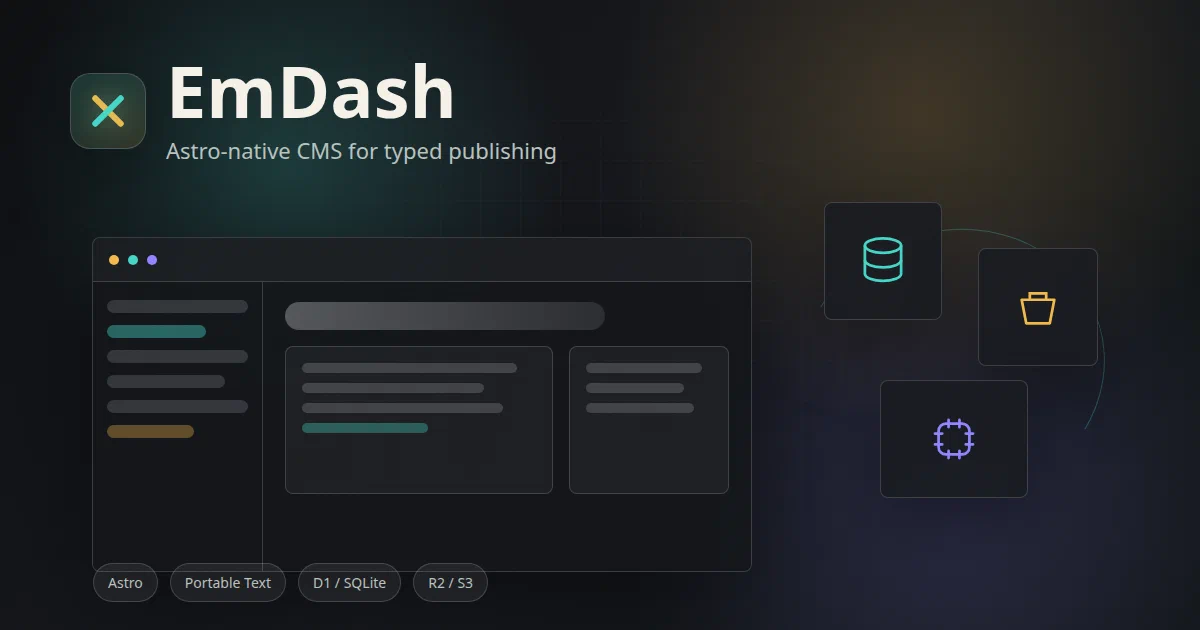

EmDash is the project I wanted to inspect right after Monolith.
Monolith is a Cloudflare-native blog CMS. EmDash is broader: it is a full-stack TypeScript CMS built on Astro, and the repository explicitly describes it as the spiritual successor to WordPress.
That distinction matters. EmDash is not just an editor bolted onto a blog. It is trying to rebuild the WordPress mental model for Astro: content types, admin UX, media, taxonomies, users, roles, plugins, importers, CLI tooling, and automation.
What is EmDash?
EmDash is an MIT-licensed CMS for Astro sites.
The repo describes the goal clearly:
EmDash is a full-stack TypeScript CMS based on Astro; the spiritual successor to WordPress.
The feature set includes:
- posts, pages, and custom content types;
- visual editing with TipTap and Portable Text;
- drafts, revisions, scheduled publishing, and full-text search;
- admin panel for schemas, media, menus, taxonomies, widgets, and imports;
- passkey-first auth, OAuth, magic links, and RBAC;
- sandboxed plugins;
- WordPress import paths;
- CLI tooling;
- built-in MCP endpoint for agents.
That is a serious CMS surface, not a toy admin panel.
Architecture Overview
The clean mental model:
Astro app -> EmDash integration -> SQL content database -> Portable Text -> Astro routes
The stack is portable:
| Layer | EmDash Uses |
|---|---|
| Site framework | Astro |
| CMS integration | emdash Astro integration |
| Content query layer | Astro Live Collections |
| Rich text model | Portable Text JSON |
| Editor | TipTap |
| Local database | SQLite |
| Cloudflare database | D1 |
| Other database paths | Turso/libSQL, PostgreSQL |
| Local uploads | Filesystem |
| Cloudflare uploads | R2 |
| Other upload paths | S3-compatible object storage |
| Auth | @emdash-cms/auth |
| Plugins | Worker isolates through Cloudflare Worker Loader or local workerd |
| Automation | CLI and MCP endpoint |
That portability is the part I like. EmDash is Cloudflare-friendly, but not Cloudflare-only.
Deployment Paths
There are two practical paths to understand.
| Path | What Runs |
|---|---|
| Node / Docker | Astro Node standalone server, SQLite database, local upload directory |
| Cloudflare | Astro Cloudflare adapter, Workers runtime, D1 database, R2 media bucket |
The repository ships a root compose.yaml and Dockerfile. The Dockerfile builds the blog template, serves it through Astro’s Node standalone adapter, and exposes port 4321.
For Cloudflare, the blog template uses D1 and R2 bindings. The documented Cloudflare template also includes optional Worker Loader support for sandboxed plugins.
That makes EmDash different from pure-static Astro:
static Astro site = build HTML once, upload to CDN
EmDash site       = Astro server output, live CMS database, media storage
Home-Lab Compose
I added a Home-Lab folder and a matching site snippet:
The compose builds from a pinned source commit:
services:
  emdash:
    build:
      context: https://github.com/emdash-cms/emdash.git#a17408fe6326999e2acf94949f657621291d54e5
      dockerfile: Dockerfile
    ports:
      - "${EMDASH_PORT:-4321}:4321"
    volumes:
      - emdash-data:/app/data
      - emdash-uploads:/app/uploads
Open:
http://localhost:4321/
http://localhost:4321/_emdash/admin
Important caveat: this is a source build, not a tiny prebuilt image. It pulls the monorepo, installs pnpm workspace dependencies, builds packages, and then builds the template.
Field Note: Local Validation
I tested the parts that were safe to test locally without creating a production CMS instance.
The upstream compose shape validates:
docker compose config
The repository requires a modern Node runtime. This machine has Node 18.19.1, so I used temporary Node 22 and pnpm 11 through npx.
These checks passed:
npx -y -p node@22 node -v
npx -y -p node@22 -p [email protected] pnpm -v
NODE22_DIR=$(dirname "$(npx -y -p node@22 which node)") && PATH="$NODE22_DIR:$PATH" npx -y [email protected] install --frozen-lockfile --ignore-scripts
npx -y -p node@22 -p [email protected] bash -lc 'pnpm --filter emdash build'
npx -y -p node@22 -p [email protected] bash -lc 'pnpm --filter @emdash-cms/auth build'
I did not get to a clean running UI in this local trial. A direct template build exposed missing workspace build artifacts, and a full workspace build later stopped in the admin package because @tailwindcss/cli was not found in that local install path.
So the honest status is:
compose config: verified
core package build: verified
auth package build: verified
running local UI: not verified in this pass
EmDash vs Monolith
Both are interesting for Cloudflare-era publishing, but they are not the same product.
| Question | EmDash | Monolith |
|---|---|---|
| Main identity | Astro-native CMS | Cloudflare-native blog CMS |
| Frontend framework | Astro | React + Vite |
| Backend style | Astro integration/API routes | Hono Worker API |
| Content model | Portable Text in SQL | Markdown text in database |
| WordPress migration | First-class focus | Importer support, but narrower |
| Plugin model | Sandboxed plugin isolates | App-level feature modules |
| Agent/MCP surface | Built-in MCP endpoint | Not the main focus |
| Local Docker path | Node + SQLite template | No classic Docker path in the repo |
| Cloudflare path | Workers + D1 + R2 | Pages + Workers + D1 + R2 |
If you want an Astro site with a serious CMS layer, EmDash is the more relevant project.
If you want a ready-made Cloudflare blog system with Markdown editing, comments, backups, and analytics, Monolith is narrower but more direct.
EmDash vs WordPress
EmDash intentionally borrows the productive parts of WordPress:
- content types;
- admin workflows;
- plugin extensibility;
- media library;
- roles;
- importer path;
- theme/template concepts.
But it avoids the WordPress runtime model:
| WordPress | EmDash |
|---|---|
| PHP runtime | TypeScript / Astro |
| MySQL-first | SQLite, D1, Turso/libSQL, PostgreSQL paths |
| plugin code inside main PHP runtime | sandboxed plugin isolates |
| Gutenberg blocks | TipTap and Portable Text |
wp-admin |
EmDash admin |
| theme templates | Astro routes/components |
This is why I would not call it “WordPress with a new coat of paint.” It is more like a reinterpretation of WordPress concepts for Astro and edge/serverless deployment.
FAQ
Is EmDash a static site generator?
No.
Astro can build static sites, but EmDash’s current templates use server output and live database queries. Published content does not become plain .md files by default, and content changes do not follow the normal static-site flow of:
edit Markdown -> git commit -> Astro build -> deploy static HTML
EmDash is better understood as a CMS layer for Astro.
What triggers the Astro rebuild when I publish from EmDash?
In the default EmDash templates: nothing triggers a static rebuild, because there is no static rebuild in the publishing loop.
This is the important distinction:
Git-backed static Astro:
edit .md -> git commit -> CI/CD -> astro build -> static HTML deploy

Default EmDash:
edit in CMS -> save to database -> next request reads fresh content from DB
EmDash’s current templates use:
output: "server"
That means Astro is running as a server-rendered app. The route queries the EmDash database at request time through the live collection/query layer. When you publish a post in the CMS, the database changes; the next visitor request can see that published content without rebuilding the whole Astro site.
So EmDash is not replacing Git commits with “CMS publish triggers CI/CD.” It is replacing the static build publishing model with a live CMS database model.
The tradeoff is clear:
| Model | Publish Action | What Updates the Site? |
|---|---|---|
| Git static Astro | Commit Markdown and push | CI/CD runs astro build and redeploys static files |
| EmDash default | Publish in CMS | Database state changes; server-rendered route reads fresh content |
| Hybrid/custom | Publish in CMS and call build hook | A custom integration triggers a static rebuild |
Could you build the hybrid version? Yes, but it is not the default. You would deliberately treat EmDash as a build-time data source, add static route generation, and trigger a deploy hook after content changes.
That hybrid path starts looking like:
EmDash admin -> database update -> webhook/deploy hook -> Astro static build -> Cloudflare Pages
But if the goal is fully Git-backed content history, that still does not replace:
Markdown file -> Git commit -> CI/CD
It only replaces the editor with a CMS and uses the database as the content source.
So EmDash uses Astro SSR? What about Monolith?
Yes. In the default templates, EmDash uses Astro server output:
output: "server"
That is Astro SSR in practical terms. The Astro route runs on the configured server runtime, queries the EmDash database, and renders the response. On Cloudflare, that server runtime is the Workers/Cloudflare adapter path. On the local Docker/Node path, it is Astro’s Node standalone server.
Monolith is server-rendered/dynamic too, but through a different architecture:
Monolith frontend = React + Vite app on Cloudflare Pages
Monolith API      = Hono backend on Cloudflare Workers
Monolith data     = D1/R2 by default
So both projects move away from “static files only”, but they do it differently.
| Project | Public Rendering Shape | Backend Shape | Content Source |
|---|---|---|---|
| EmDash | Astro SSR/server output | Astro integration/API routes | SQL database with Portable Text |
| Monolith | React/Vite frontend plus dynamic API calls/routes | Hono Worker API | Database-backed Markdown content |
| Git static Astro | Prebuilt HTML | CI/CD build pipeline | Markdown/MDX files in Git |
The shortest version:
EmDash = Astro SSR CMS
Monolith = Cloudflare app with React frontend + Hono Worker backend
Git Astro = static build from committed content files
That is why publishing in EmDash does not naturally mean “trigger an Astro rebuild.” The running Astro server can read the updated database directly.
What are the pros and cons of EmDash, Monolith, and Git-backed Astro?
These are three different publishing models, not just three UI choices.
| Model | Pros | Cons | Best Fit |
|---|---|---|---|
| EmDash / Astro SSR CMS | Native Astro integration, WordPress-like CMS concepts, rich admin, roles, media, plugins, WordPress import, MCP automation, Cloudflare or Node paths | Dynamic runtime required, database backups matter, Portable Text rather than Markdown files as source of truth, not offline-first, not Git-backed by default | Existing or new Astro sites that need a serious CMS layer |
| Monolith / Cloudflare blog app | More complete blog product out of the box, Markdown-oriented editor, comments, analytics, backups, media, SEO, PWA support, strong Cloudflare fit | Less Astro-native, more opinionated app, content still database-backed, not a Git Markdown workflow, Cloudflare-shaped architecture | Someone who wants a ready Cloudflare blog/CMS rather than building an Astro CMS stack |
| Git-backed static Astro | Very simple production surface, static HTML, Git history, easy rollback, cheap hosting, portable content files, works naturally with CI/CD | Editing UX is weaker unless you add a CMS, media workflow needs design, no live database/admin by default, rebuild required for content changes, collaborative non-technical editing can be awkward | Personal sites, docs, blogs, and teams that value Git as the content source of truth |
My practical take:
Pick EmDash if the site is Astro and the missing piece is a real CMS.
Pick Monolith if the goal is a ready-made Cloudflare blog platform.
Pick Git-backed Astro if durability, portability, and static output matter more than live CMS features.
For my own “offline PWA + R2 media + Git commit + Astro static build” idea, the Git-backed Astro model is still the cleanest publishing target. EmDash is interesting because it has many CMS building blocks that could inspire the editor/auth/media side, but I would still keep Git as the final content ledger if static output and rollback are the priority.
Is EmDash content Markdown-centered and Git-backed?
Not by default.
EmDash stores rich text as Portable Text JSON in the configured database. The CLI and client API include conversion paths that can accept or return Markdown, but the source of truth is not a folder of Markdown files.
That means:
Astro content collections = file-based Markdown/MDX
EmDash collections        = database-backed CMS content
They can coexist in one Astro project, but they are different content systems.
Can EmDash modify my existing static Astro site on Cloudflare Pages?
Not in the Git-backed static-site sense.
EmDash can be added to an Astro project and can render CMS-managed content through Astro routes. But it does not currently work as:
browser editor -> write .md files -> commit to Git -> Cloudflare Pages static rebuild
If that is the exact workflow, you still need a Git-backed CMS, custom GitHub/GitLab commit integration, or an export/sync layer around EmDash.
How close is EmDash to the offline PWA + Git + R2 + Astro static workflow?
Conceptually close in CMS ambition, but architecturally different today.
The target workflow would be:
offline PWA editor -> IndexedDB drafts -> authenticated sync API
                  -> R2 media uploads
                  -> Markdown files committed to Git
                  -> Astro static build
                  -> Cloudflare Pages deploy
EmDash already has useful pieces for that direction:
- Astro integration;
- admin UI;
- media handling;
- auth and roles;
- content APIs;
- CLI;
- MCP automation;
- Cloudflare D1/R2 deployment;
- WordPress migration.
But the missing pieces are important:
- offline-first editor state;
- conflict resolution;
- Git commit/PR workflow;
- Markdown files as canonical content;
- static build trigger as the publishing boundary.
So EmDash is a strong reference and possible foundation, but not a turnkey version of that static publishing system yet.
Does EmDash have PWA/offline editing?
I did not find evidence that PWA/offline editing is a core feature.
Treat EmDash as a web CMS admin, not as a local-first offline editor. To make it offline-capable, I would expect IndexedDB draft storage, an explicit sync queue, media upload retries, conflict handling, and clear separation between “saved locally” and “published”.
Does EmDash use Better Auth?
No. EmDash has its own @emdash-cms/auth package.
That package covers CMS auth needs such as passkeys/WebAuthn, OAuth, magic links, sessions, roles, and scoped access. Better Auth is a general-purpose auth framework we saw in projects such as FeedLog, Seeder, and CloudflareBase; EmDash is taking a first-party CMS-auth approach instead.
How does Hono compare here?
Hono is not the main abstraction in EmDash.
Hono is a lightweight web framework often used for Workers APIs, like we saw in Monolith. EmDash is centered on Astro integration and Astro-compatible server routes. So the comparison is:
Hono       = request router/framework
EmDash     = CMS layer for Astro
Better Auth = auth framework
They solve different problems and can appear together in other projects, but EmDash itself is not primarily a Hono app.
Which Cloudflare services does EmDash use?
The Cloudflare template uses:
| Cloudflare Service | What It Does |
|---|---|
| Workers / Pages runtime | Runs the Astro server output |
| D1 | SQL database for CMS content and metadata |
| R2 | Media uploads and file storage |
| Worker Loader | Optional sandboxed plugin execution |
| Cron triggers | Scheduled publishing / periodic CMS jobs |
The Node/Docker path replaces those with SQLite and local filesystem storage.
Which Cloudflare API keys, permissions, and bindings do I need?
For the basic Cloudflare deployment, EmDash does not need a third-party SaaS API key.
It needs Cloudflare account access and these resources:
| Cloudflare Resource | Binding / Name | Purpose |
|---|---|---|
| Workers runtime | Worker deployment | Runs the Astro server output |
| D1 database | DB |
CMS content, users, schemas, metadata |
| R2 bucket | MEDIA |
Uploaded images and files |
| Cron trigger | * * * * * in the template |
Scheduled publishing and maintenance jobs |
| Worker Loader | LOADER |
Optional sandboxed plugin execution |
For local/manual deployment, the easiest auth path is:
npx wrangler login
For CI/CD, use:
CLOUDFLARE_API_TOKEN
CLOUDFLARE_ACCOUNT_ID
The API token should be allowed to deploy Workers and manage the bindings used by the app.
Practical permissions:
| Scope | Permission |
|---|---|
| Account | Workers Scripts: Edit |
| Account | D1: Edit |
| Account | Workers R2 Storage: Edit |
| Account | Account Settings: Read |
| Zone, if using routes/custom domains | Workers Routes: Edit |
| Zone, if managing DNS during deploy | DNS: Edit |
If you pre-create the D1 database and R2 bucket manually, the CI token can usually be narrower. For first deployment/provisioning, keep D1 and R2 edit permissions available.
The Cloudflare template config looked like this in the repository:
{
  "name": "my-emdash-site",
  "main": "./src/worker.ts",
  "d1_databases": [{ "binding": "DB", "database_name": "my-emdash-site" }],
  "r2_buckets": [{ "binding": "MEDIA", "bucket_name": "my-emdash-media" }],
  "triggers": { "crons": ["* * * * *"] }
}
Sandboxed plugins are the extra paid-plan caveat:
"worker_loaders": [{ "binding": "LOADER" }]
You can leave that disabled if you do not need sandboxed plugin execution at the beginning.
Why did the local run not fully work here?
The blocker was the local build path, not missing Cloudflare credentials.
This machine has:
Node 18.19.1
npm 9.2.0
EmDash expects a modern Node 22+ workflow. I used temporary Node 22 and pnpm 11 through npx, which was enough for dependency installation and some package builds, but not enough to get the whole workspace/template build into a clean running state.
What worked:
dependency install                     passed
docker compose config                  passed
emdash core package build              passed
@emdash-cms/auth package build         passed
What did not complete:
full workspace/template build -> stopped around the admin package build
The visible failure was that @tailwindcss/cli was not found in that local install/build state.
So the honest result is:
compose shape: verified
package-level builds: partially verified
running browser UI: not verified in this pass
If I were retrying locally, I would avoid the temporary npx Node shim and use a clean native Node 22/Corepack setup:
nvm use 22
corepack enable
pnpm install --frozen-lockfile
pnpm build
pnpm --filter emdash-demo seed
pnpm --filter emdash-demo dev
Then the expected admin URL is:
http://localhost:4321/_emdash/admin
Does EmDash have the same philosophy as Monolith?
Partly, but not exactly.
They share the modern Cloudflare-era publishing philosophy:
- no PHP/MySQL WordPress runtime;
- edge/serverless-friendly deployment;
- database-backed content;
- object storage for media;
- browser admin instead of Git-only editing.
But the center of gravity is different.
| Area | EmDash | Monolith |
|---|---|---|
| Core idea | Astro-native WordPress successor | Cloudflare-native blog CMS |
| Framework | Astro | React/Vite plus Hono |
| Content model | Portable Text in SQL | Markdown text in database |
| Scope | CMS framework/platform | Ready-made blog product |
| Portability | Cloudflare, Node/SQLite, Turso/Postgres, S3 paths | More Cloudflare-shaped |
| Plugins | Major design point | Not the central idea |
| Agent surface | Built-in MCP endpoint | Not the main focus |
My short version:
EmDash   = WordPress concepts rebuilt for Astro and TypeScript
Monolith = complete Cloudflare blog/CMS product
If your starting point is “I have an Astro site and want a serious CMS layer”, EmDash is the more relevant project.
If your starting point is “I want a Cloudflare-native blog app ready to operate”, Monolith is more direct.
How far is EmDash from the Git-backed setup I proposed?
Your proposed workflow was:
offline PWA editor
-> local drafts
-> upload photos to R2
-> commit .md files to Git
-> Astro static build
-> Cloudflare Pages deploy
EmDash today is closer to:
Astro site
-> EmDash admin
-> SQL database content
-> Portable Text
-> server-rendered Astro routes
-> media in local storage or R2
So it has several useful pieces for that idea:
- Astro integration;
- admin UI;
- auth and roles;
- media handling;
- Cloudflare D1/R2 support;
- CLI;
- MCP endpoint;
- WordPress import tooling;
- plugin architecture.
But it does not provide the exact Git-centered publishing loop out of the box.
The missing pieces are:
| Missing Piece | Why It Matters |
|---|---|
| Markdown files as source of truth | EmDash uses database-backed Portable Text |
| Git commit / pull request publishing | EmDash does not currently write .md files to a repo |
| Static rebuild as publishing boundary | Current templates use server output and live queries |
| Offline-first PWA editor | The admin is a web CMS, not a local-first draft system |
| R2 media plus Markdown sync | Would need custom URL insertion/export logic |
| Conflict handling | Required for offline edits and multi-user Git sync |
So the verdict is:
EmDash is a strong CMS/admin foundation and reference,
but it is still meaningfully far from an offline PWA + Git-backed Astro static publishing system.
To make it match that setup, I would add a separate sync layer:
EmDash-like editor/auth/media UI
-> write images to R2
-> convert Portable Text or editor state to Markdown
-> commit Markdown/frontmatter to Git
-> trigger Cloudflare Pages static build
At that point, Git becomes the durable content history and the final site remains static, while the CMS is only the editing and publishing control plane.
Is the Docker Compose enough for production?
It is enough to understand and test the local Node/SQLite deployment shape, but I would treat it as an advanced source-build compose.
For production, decide first:
| Target | Use |
|---|---|
| Single VPS / homelab | Node server, SQLite, local uploads, reverse proxy, backups |
| Cloudflare deployment | Workers runtime, D1, R2, Wrangler-managed bindings |
| Larger hosted deployment | PostgreSQL or Turso/libSQL plus S3-compatible storage |
For any production path, backups matter more than the container command. Preserve the database and uploaded media together.
What does the MCP endpoint add?
EmDash exposes an MCP endpoint at:
/_emdash/api/mcp
It is meant for agent-assisted CMS work: reading and writing content, managing media, inspecting schema, handling taxonomies and menus, working with revisions, and managing transfer/import/export flows.
Access is token/scoped. Browser session cookies are not the MCP auth mechanism, which is the right separation for automation.
Prompt Used for the Cover
Text-free editorial cover for EmDash, an Astro-native TypeScript CMS. Show a polished publishing dashboard, Astro-like star motif, SQL database cylinder, media bucket, cloud edge nodes, plugin sandbox capsules, and content blocks flowing into a modern website preview. High-end technical illustration, dark graphite background, white, teal, amber, and violet accents, no logos, no readable UI text, no watermarks.
Comments