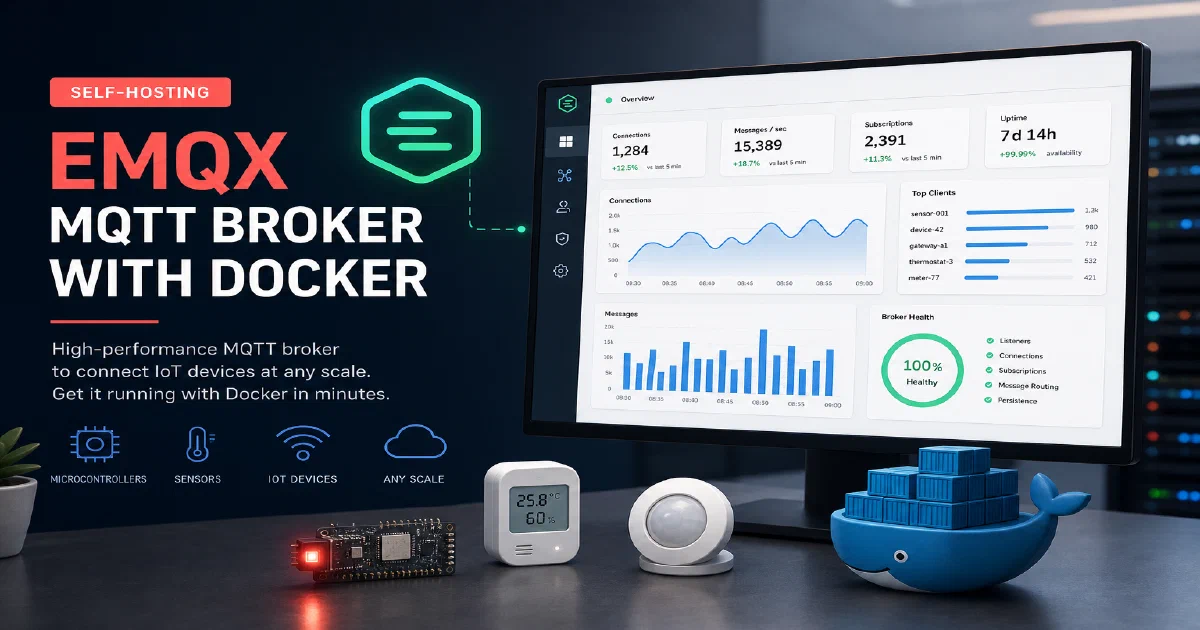

MQTT is the backbone protocol for IoT communication — lightweight, pub/sub, and designed for unreliable networks.
EMQX is one of the most capable open-source MQTT brokers available, supporting MQTT 3.1, 3.1.1, and 5.0, plus WebSocket transport, built-in authentication, and a web dashboard for monitoring connections and message flows.
Whether you are connecting a handful of ESP sensors or scaling to thousands of devices, EMQX handles it cleanly.
Why EMQX?
- Standards compliant: Full MQTT 5.0 support alongside 3.1.1, including shared subscriptions, message expiry, and user properties.
- Built-in dashboard: The web UI at port 18083 gives you a real-time view of connected clients, subscriptions, message rates, and rule engine outputs — no separate monitoring stack required.
- Rule engine: EMQX ships with a powerful rule engine that can filter, transform, and route messages to databases, HTTP endpoints, Kafka, and more — without writing a single line of broker code.
EMQX with Docker
The EMQX Docker image is self-contained and simple to deploy. It exposes MQTT on the standard ports plus WebSocket and the management dashboard.
docker --version
Docker Compose
#version: '3'

services:
  emqx:
    image: emqx/emqx
    container_name: emqx
    ports:
      - "1883:1883"
      - "8083:8083"
      - "8883:8883"
      - "8084:8084"
      - "18083:18083" #admin/public by default
    restart: always
Port reference:
1883— MQTT (plain TCP)8083— MQTT over WebSocket8883— MQTT over TLS8084— MQTT over WebSocket with TLS18083— Web dashboard
Start the broker:
docker compose up -d
Accessing EMQX
The EMQX web dashboard is available at:
http://localhost:18083
The default credentials are admin / public. Change these immediately after first login. From the dashboard you can configure authentication, create ACL rules, inspect live connections, and set up the rule engine.
To verify the broker is working, point any MQTT client at localhost:1883 and subscribe to a topic:
mosquitto_sub -h localhost -t "test/#" -v
Conclusion
EMQX is a production-grade MQTT broker that is surprisingly easy to run with Docker. It is a solid foundation for any IoT project — from a single-node home lab setup all the way to a multi-node cluster as your device count grows. Combine it with ESPHome for MQTT-publishing sensors, eKuiper for SQL-based stream processing on top of MQTT topics, and Home Assistant as your automation layer. New to Docker? Start with the containers primer.
The EMQX project
FAQ
EMQX vs Mosquitto — which one?
Mosquitto is smaller and simpler — a great fit if you just need a broker for a handful of devices. EMQX wins on observability (dashboard, metrics), the rule engine, MQTT 5 features, and clustering. For a home lab MQTT broker that you can also grow into, EMQX is hard to beat.
Do I need TLS?
For local-only traffic on a trusted LAN, plain MQTT on 1883 is fine. The moment you expose the broker beyond that — across networks, over the internet, or to untrusted devices — turn on TLS (port 8883) and require client certificates or username/password auth.
How do I enable authentication?
What is the rule engine actually good for?
Routing messages without code. Examples: forward sensors/+/temperature to a PostgreSQL table, drop messages where payload.value > 100, transform JSON fields before re-publishing. SQL syntax, defined in the dashboard, no broker restart needed.
Can EMQX handle thousands of devices?
Easily on a single node. Public benchmarks show ~1M concurrent connections per node on adequate hardware. For home labs you will hit storage and network limits before EMQX itself becomes the bottleneck.
Does it work on a Raspberry Pi?
Yes — EMQX runs on ARM64 and uses far less RAM than its scale would suggest. A Pi 4 with 2 GB is plenty for a home IoT broker handling hundreds of devices.
Comments