
ESPHome closes the gap between inexpensive microcontrollers and a fully integrated smart home.
Instead of writing Arduino code by hand, you describe your device in YAML: the board, sensors, pins, Wi-Fi, native API, OTA updates, automations, and optional web server.
ESPHome validates that config, generates C++ firmware, compiles it with the right toolchain, and uploads it to the device.
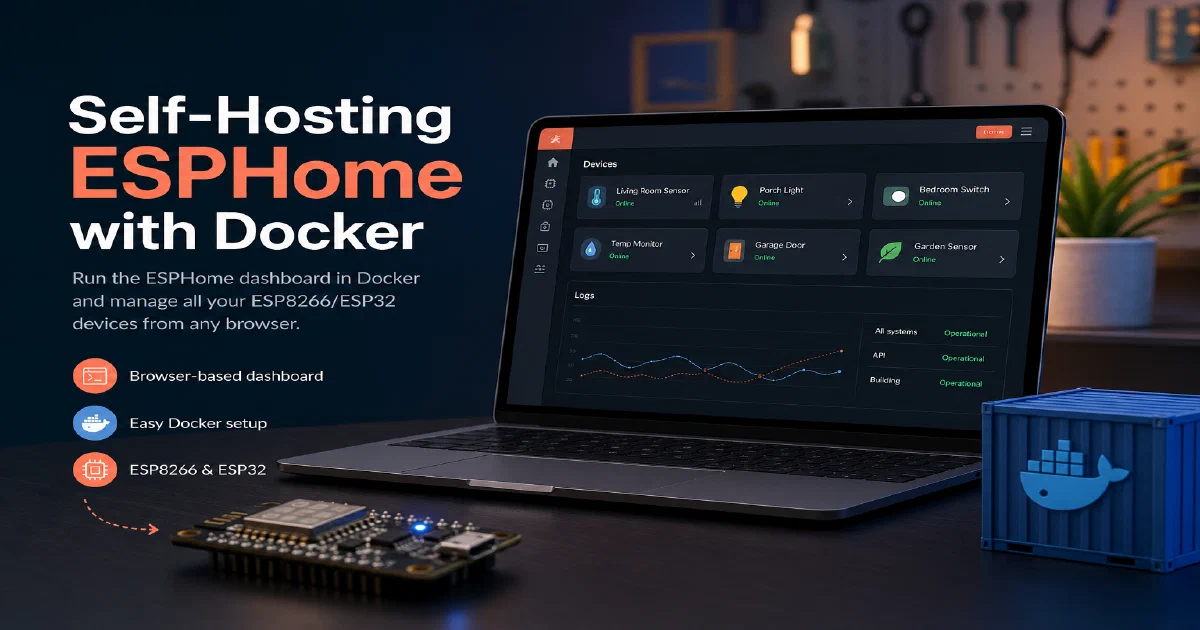
The Docker image gives you the ESPHome Device Builder dashboard, so you can manage those YAML files, compile firmware, flash devices, and run OTA updates from a browser.
Why self-host ESPHome?
- YAML-first firmware: sensors, switches, lights, displays, covers, fans, BLE devices, and automations live in readable config files.
- Local smart-home control: the native API integrates naturally with Home Assistant, and MQTT is available when that fits your architecture better.
- OTA updates: after the first flash, you can push firmware updates over Wi-Fi instead of opening enclosures every time.
- Huge component catalog: the analyzed repository had hundreds of component directories covering ESP32, ESP8266, BK72xx, RP2040/RP2, NRF52, LibreTiny-style targets, and host builds.
- Config as infrastructure: keeping
/configin git turns every device build into a reviewable, restorable artifact.
What the Docker image runs
The official image still comes from the ESPHome repository, but the web UI is now the separate ESPHome Device Builder package.
The container entrypoint sends dashboard /config to esphome-device-builder; direct commands such as version, compile, run, logs, and wizard still go through the esphome CLI.
That separation is useful: the esphome/esphome repository is mostly the compiler, validator, code generator, and generated firmware runtime, while the dashboard is a management UI around those tools.
Local smoke test notes
I tested ghcr.io/esphome/esphome:2026.8.1 locally in an isolated container named esphome-foss-trial, mapped to http://localhost:6053 so it would not interfere with other running containers.
The dashboard returned HTTP 200 OK, /version returned:
{"version":"2026.8.1"}
The CLI also responded with:
Version: 2026.8.1
This was a dashboard and CLI smoke test only. No physical board was connected, no USB flash was attempted, and no OTA update was performed.
Docker Compose
For a real ESPHome setup, host networking is normally the least surprising option. Device discovery and OTA workflows depend on local network behavior, especially mDNS, and first-time flashing often needs USB serial access.
# version: '3'
# services:
#   esphome:
#     image: esphome/esphome
#     container_name: esphome
#     volumes:
#       - /home/Docker/esphome_config:/config  # Maps the local esphome_config directory to the container's config directory
#       - /etc/localtime:/etc/localtime:ro  # Optional: for time synchronization
#     ports:
#       - "6052:6052"  # ESPHome API
#       - "6123:6123"  # ESPHome Dashboard
#     restart: unless-stopped
#     network_mode: host  # Optional: Use host networking for mDNS discovery


#https://esphome.io/guides/getting_started_command_line.html


version: '3'
services:
  esphome:
    container_name: esphome
    image: ghcr.io/esphome/esphome
    volumes:
      - /home/Docker/esphome_config:/config  # Maps the local esphome_config directory to the container's config directory
      - /etc/localtime:/etc/localtime:ro  # Optional: for time synchronization
    restart: always
    privileged: true
    network_mode: host
    environment:
      - USERNAME=test
      - PASSWORD=ChangeMe
Create the folders and .env file next to the compose file:
mkdir -p config cache build

cat > .env <<'EOF'
TZ=Europe/Madrid
ESPHOME_USERNAME=change-me
ESPHOME_PASSWORD=change-me-long-password
EOF
Then validate and start it:
docker compose config
docker compose up -d
Because this compose file uses network_mode: host, the dashboard binds to the host network on port 6052:
http://localhost:6052
The image exposes a version endpoint too:
curl http://localhost:6052/version
Expected response:
{"version":"2026.8.1"}
Volumes
./config:/configstores device YAML files, secrets, dashboard metadata, and project state../cache:/cachekeeps PlatformIO packages, ESP-IDF downloads, and SDK caches across restarts../build:/buildkeeps generated build output outside the container filesystem.
You can skip ./build if you prefer disposable builds, but keeping ./cache is worth it. ESPHome toolchains are large enough that repeated clean downloads get old quickly.
Security notes
Do not run the dashboard without authentication on a shared LAN. In the local Docker trial, Device Builder printed this warning when no credentials were set:
WARNING: Dashboard is running WITHOUT AUTHENTICATION.
Anyone with network access to 0.0.0.0:6052 can manage your devices.
Set $ESPHOME_USERNAME / $ESPHOME_PASSWORD env vars to enable.
The compose file above requires ESPHOME_USERNAME and ESPHOME_PASSWORD before it will render, so you do not accidentally publish an open firmware management dashboard.
Device-level security is separate from dashboard security. Use native API encryption, OTA passwords, and web_server auth when you expose a device web server. Keep ESPHome devices on a trusted network segment, especially if they control relays, locks, heaters, pumps, or anything else physical.
Why privileged mode?
privileged: true is the simple path for USB serial flashing because the container needs access to devices such as /dev/ttyUSB0, /dev/ttyACM0, and relevant kernel interfaces.
If you only do OTA updates from a machine that never flashes over USB, you may be able to remove it. If you want a tighter setup while still flashing over USB, replace it with explicit devices: mappings for the specific serial adapter you use.
Useful CLI commands
The dashboard is convenient, but the CLI is still the core workflow:
docker exec -it esphome esphome version
docker exec -it esphome esphome wizard /config/my-device.yaml
docker exec -it esphome esphome config /config/my-device.yaml
docker exec -it esphome esphome compile /config/my-device.yaml
docker exec -it esphome esphome run /config/my-device.yaml
docker exec -it esphome esphome logs /config/my-device.yaml
For repeatable device work, commit the YAML and keep secrets in a separate secrets.yaml that does not get published.
ESPHome project links
- Official ESPHome documentation
- ESPHome source code on GitHub
- ESPHome Device Builder dashboard repository
- Home-Lab ESPHome compose reference
- ESPHome license details
Conclusion
ESPHome is one of the most practical upgrades you can add to a Home Assistant setup. It gives you local firmware control, readable device definitions, OTA updates, and a broad component ecosystem without making every project a custom embedded C++ job.
Run the dashboard with authentication, keep the config directory backed up, and treat each device YAML as infrastructure. Once that workflow is in place, adding sensors and controllers becomes much closer to editing configuration than maintaining a scattered pile of one-off firmware builds.
If you are already running Home Assistant, ESPHome is the natural next step. Pair it with EMQX when you need MQTT, eKuiper for stream processing at the edge, and the containers primer if Docker is new to you.
FAQ
Do I need Home Assistant to use ESPHome?
No - ESPHome devices can run standalone and expose values over MQTT, the web server, or REST.
But the native API is the strongest reason to use ESPHome, and that is usually paired with Home Assistant.
Most people end up running both.
What ESP boards does ESPHome support?
How do OTA updates work?
After the first USB flash, the device joins your Wi-Fi and exposes an OTA endpoint.
The dashboard pushes new firmware over the network, no cable needed.
Set OTA credentials in your YAML so other clients on the network cannot push their own firmware to your devices.
Can I write custom code if YAML isn't enough?
lambda: block lets you drop into C++ inline, and you can pull in third-party Arduino libraries via lib_deps: or write a full custom component if you need something the built-in components don’t cover.
Where should I store device YAML files?
/config (the ./config:/config line in compose). Putting that directory under git is a great habit because every device’s hardware definition becomes versioned and reviewable.
Comments