
Flowise AI is a Free and Open Tool that empowers us to create sophisticated AI-driven applications with minimal coding required.
This transformative approach democratizes AI technology, enabling users to innovate, optimize operations, and make data-driven decisions swiftly and efficiently
We are going to see how to use Flowise AI with Docker
The FlowiseAI Project
- Flowise AI, a groundbreaking Free platform that is making AI more accessible than ever before.
Flowise is Powered by LangChain.
WHY Flowise AI
🤖 Flowise AI Overview:
- Low-Code/No-Code Approach: Flowise offers a drag-and-drop interface for building applications with minimal coding experience. Users can visually construct LLM workflows by connecting different components.
- Open-Source Nature: Flowise is open-source, enabling transparency, community contributions, and customization of functionalities.
- LangChain Apps: Flowise focuses on building applications utilizing LangChain, a framework for chaining together various LLM functionalities. This allows for creating complex workflows combining different LLM capabilities.
SelfHosting Flowise AI
You can embed FlowiseAI on websites if you want.
Also combine it with Python!
Flowise-AI with Docker
First Things First - Get Docker! 🐋
Important step and quite recommended for any SelfHosting Project - Get Docker Installed
It will be one command, this one, if you are in Linux:
apt-get update && sudo apt-get upgrade && curl -fsSL https://get.docker.com -o get-docker.sh
sh get-docker.sh && docker version
We need to use the Flowise AI Docker Image and their detailed instructions
Let’s clone their repository and edit the environment file:
git clone https://github.com/FlowiseAI/Flowise
cd ./Flowise/docker
cp .env.example .env

cat <<EOL >> .env
FLOWISE_USERNAME=jalcocert
FLOWISE_PASSWORD=youramazingpassword
EOL
Other example on how it can look:
PORT=3010
DATABASE_PATH=/root/.flowise
APIKEY_PATH=/root/.flowise
SECRETKEY_PATH=/root/.flowise
LOG_PATH=/root/.flowise/logs

FLOWISE_USERNAME=jalcocert
FLOWISE_PASSWORD=youramazingpassword
This is it, we have finished the configuration, now lets spin FlowiseAI with Docker:
sudo docker-compose up -d
Now, FlowiseAI is ready for you at: http://localhost:3000
- Whats next?
- You can bring https to your Flowise instance by using NGINX.
- Or, you can expose Flowise AI to the internet, safely with Cloudflare Tunnels
In any case, when you login to Flowise AI - You will need to input the credentials we included in the .env file:
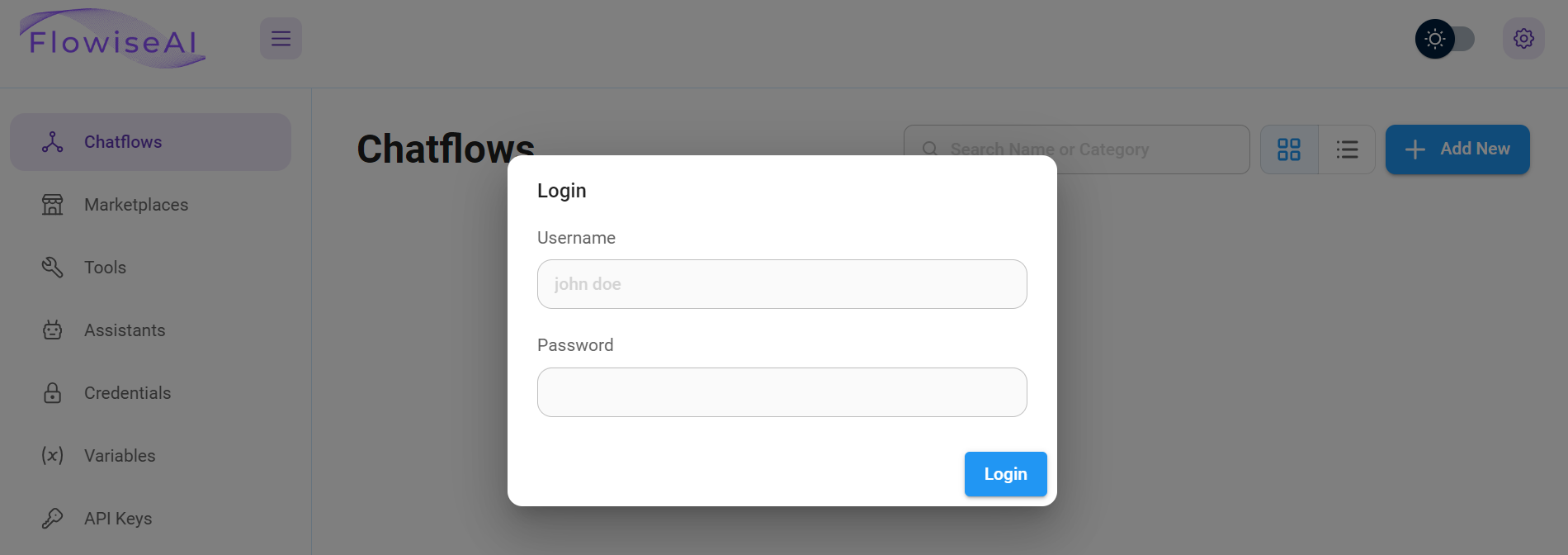
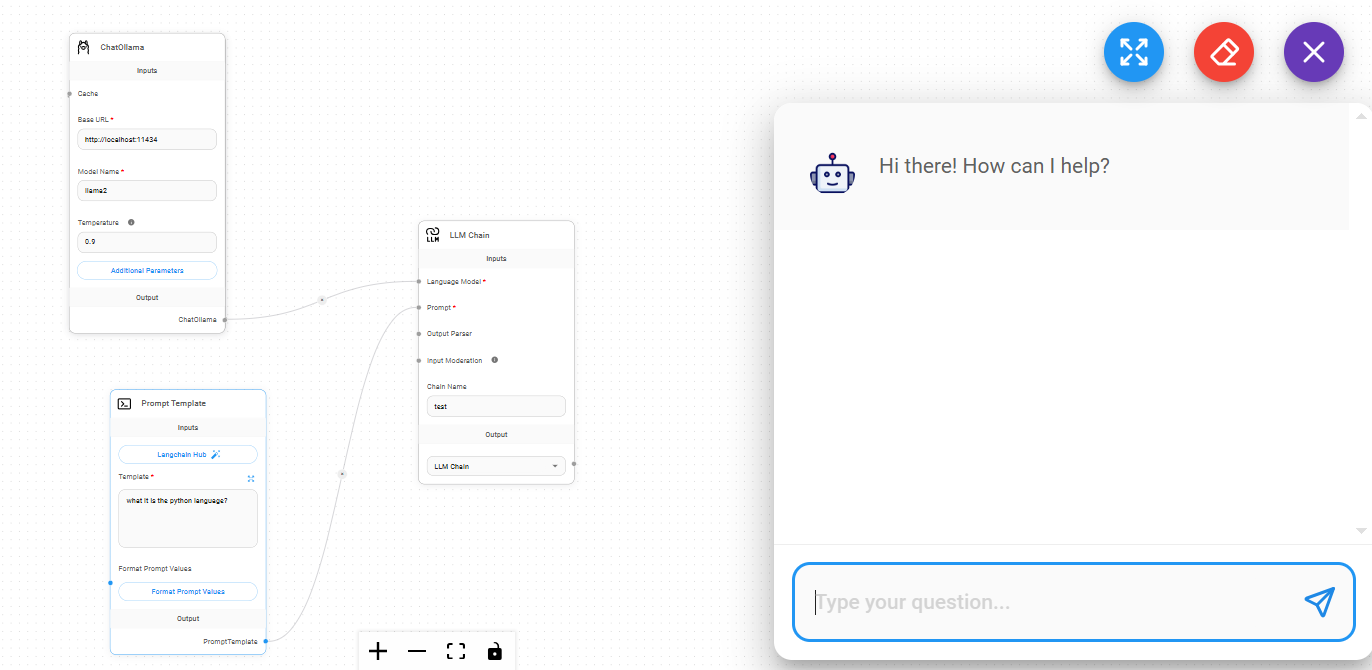
Now, you can start creating AI Workflows with No Code - For example, use Flowise AI together with Ollama locally:
FAQ
What can I do with Flowise AI?
🚀 Potential Use Cases for Flowise AI:
- Chatbot Development: Build chatbots for various purposes such as customer service, information retrieval, or entertainment. Combine LLMs with functionalities for dialogue management and user interaction.
- Content Creation: Develop applications to generate creative content, including writing poems, scripts, summarizing information, or translating languages.
- Data Analysis and Insights: Utilize LLMs for data analysis tasks such as trend identification, report generation, or creating data visualizations.
How to Use FlowiseAI?
I recommend you this List of Videos - https://www.youtube.com/watch?v=kAyKOsm8L5Y
F/OSS Alternatives to FlowiseAI
- LangFlow
podman run -it --rm -p 7860:7860 langflowai/langflow:latest
- You might also be interested in ChatWoot - a FOSS Customer Engagement Platform
Flowise AI vs Dify AI — which to pick?
Dify is the broader product — chatbots, agents, RAG datasets, end-user-facing apps with auth and conversation history. Flowise is more LangChain-native and lighter — best when you are stitching together LangChain components into a workflow. Run Flowise for prototyping pipelines, Dify when you need a deployed app with users.
Can I use Flowise with a local LLM?
Yes — point any “Chat Model” node at a local Ollama instance via the OpenAI-compatible base URL (http://ollama:11434/v1). PrivateGPT and TextGenWebUI also expose compatible endpoints. No cloud API key required.
Does Flowise persist my workflows?
Yes. Flows live in the SQLite database mounted at /root/.flowise (or whatever DATABASE_PATH you set). Back that directory up and your flows travel between hosts.
How do I expose Flowise safely on the internet?
Behind Nginx Proxy Manager for HTTPS, or through a Cloudflare Tunnel without opening router ports. Always set FLOWISE_USERNAME / FLOWISE_PASSWORD before exposing — there is no default auth.
Can I trigger Flowise flows from elsewhere?
Yes. Each chatflow exposes an HTTP endpoint with an API key. Trigger flows from n8n, shell scripts, or any HTTP client. Combined with vector DBs like ChromaDB, you get a complete LangChain-on-your-data stack.
What about embeddable chat widgets?
Flowise generates an embeddable HTML/JS widget per chatflow — paste the snippet into any site and you have a chat bubble backed by your local LLM and your data. Useful for documentation sites, Ghost, or WordPress installs.
Comments