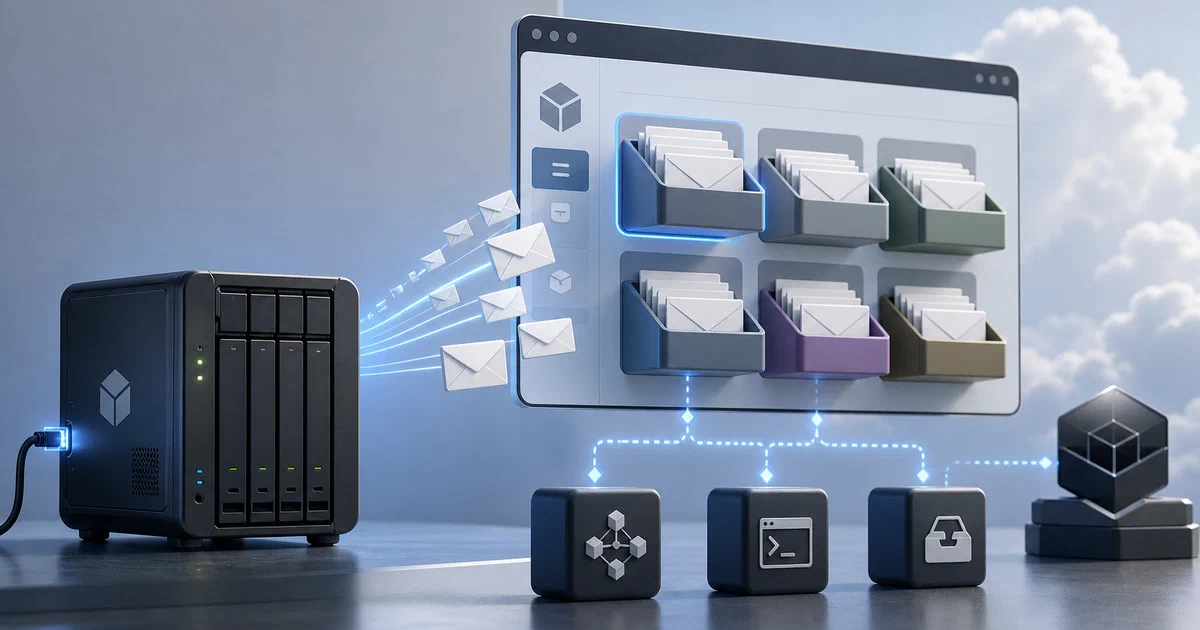

Mailpit and MailDev are great when you want a local inbox for application emails. Inbucket is in the same family, but its mental model is slightly different: it behaves like disposable webmail.
Send mail to almost any address, open the matching mailbox in the browser, and inspect what your application generated.
Inbucket is an email testing service that accepts messages for arbitrary addresses and exposes them through web, REST, and POP3 interfaces.
What is Inbucket?
Inbucket is a self-hosted email testing app for developers, QA environments, and internal test stacks. Your application sends SMTP mail to Inbucket, and Inbucket stores the messages instead of delivering them to real users.
- Inbucket GitHub Source Code
- Inbucket Website
- Inbucket Docker Documentation
- Inbucket Configuration Reference
- License: MIT ❤️
The default ports are:
2500for SMTP9000for the web UI1100for POP3
For host apps, configure SMTP like this:
SMTP_HOST=localhost
SMTP_PORT=2500
SMTP_SECURE=false
For apps running in the same Docker Compose network, use the service name:
SMTP_HOST=inbucket
SMTP_PORT=2500
SMTP_SECURE=false
Why Use Inbucket?
Inbucket is useful when you want local or shared disposable webmail:
- No mailbox setup: mailboxes are created when messages arrive.
- Any test address: send to
[email protected], then open thealicemailbox. - Web inspection: read text, rendered HTML, raw source, and attachments.
- REST API: query mailboxes from integration tests.
- POP3 access: preview captured mail from desktop email clients.
- Retention controls: automatically expire old messages and cap mailbox size.
- No external database: HTTP, SMTP, POP3, and storage are built into the binary.
That makes it especially interesting for test environments where several people need to inspect messages without sharing a real inbox.
Tech Overview of Inbucket
Inbucket is written in Go with an Elm web UI. The compiled service bundles its own HTTP server, SMTP server, POP3 server, REST API, and storage implementation.
The Docker image uses file storage by default:
/configfor configuration assets such as the greeting page./storagefor captured message data.INBUCKET_STORAGE_RETENTIONPERIOD=72hin the image defaults.INBUCKET_STORAGE_MAILBOXMSGCAP=300in the image defaults.
The flow is straightforward:
Your app -> SMTP inbucket:2500 -> Inbucket storage -> Web UI/API/POP3
Unlike MailDev and Mailpit, Inbucket’s mailbox model is front and center. With the default local mailbox naming mode, [email protected] is stored in the reader mailbox, and plus-addressing is ignored for the mailbox name.
Self-Hosting Inbucket with Docker
The Home-Lab compose file binds Inbucket to loopback, persists messages in Docker volumes, keeps the upstream retention pattern, and requires a custom cookie auth key in .env.
services:
  inbucket:
    image: inbucket/inbucket:latest
    container_name: inbucket
    restart: unless-stopped
    ports:
      - "${INBUCKET_WEB_BIND:-127.0.0.1:9000}:9000"
      - "${INBUCKET_SMTP_BIND:-127.0.0.1:2500}:2500"
      - "${INBUCKET_POP3_BIND:-127.0.0.1:1100}:1100"
    environment:
      TZ: ${TZ:-Europe/Warsaw}
      INBUCKET_LOGLEVEL: ${INBUCKET_LOGLEVEL:-info}
      INBUCKET_WEB_ADDR: 0.0.0.0:9000
      INBUCKET_SMTP_ADDR: 0.0.0.0:2500
      INBUCKET_POP3_ADDR: 0.0.0.0:1100
      INBUCKET_WEB_COOKIEAUTHKEY: ${INBUCKET_WEB_COOKIEAUTHKEY:?Set INBUCKET_WEB_COOKIEAUTHKEY in .env}
      INBUCKET_STORAGE_TYPE: file
      INBUCKET_STORAGE_PARAMS: path:/storage
      INBUCKET_STORAGE_RETENTIONPERIOD: ${INBUCKET_STORAGE_RETENTIONPERIOD:-72h}
      INBUCKET_STORAGE_MAILBOXMSGCAP: ${INBUCKET_STORAGE_MAILBOXMSGCAP:-300}
      INBUCKET_SMTP_MAXMESSAGEBYTES: ${INBUCKET_SMTP_MAXMESSAGEBYTES:-10240000}
      INBUCKET_SMTP_DISCARDDOMAINS: ${INBUCKET_SMTP_DISCARDDOMAINS:-bitbucket.local}
    volumes:
      - inbucket-config:/config
      - inbucket-storage:/storage

volumes:
  inbucket-config:
  inbucket-storage:
Pre-Requisites - Docker
Install Docker on your system before proceeding:
- Linux: Official Docker Engine install guide
- Windows / Mac: Docker Desktop
Verify installation: docker --version && docker compose version
Create the .env file:
cp .env.sample .env
Change this value before starting:
INBUCKET_WEB_COOKIEAUTHKEY=replace-with-a-long-random-cookie-key
Then start it:
docker compose up -d
Open:
http://localhost:9000
Point a host app at:
SMTP_HOST=localhost
SMTP_PORT=2500
SMTP_SECURE=false
Or point a container in the same Compose network at:
SMTP_HOST=inbucket
SMTP_PORT=2500
SMTP_SECURE=false
Testing a Message
If the stack is running as the inbucket Compose project, send a tiny SMTP message from another container:
docker run --rm --network inbucket_default alpine:3.20 sh -c '
  apk add --no-cache busybox-extras >/dev/null &&
  {
    sleep 1;
    printf "HELO local.test\r\n";
    sleep 1;
    printf "MAIL FROM:<[email protected]>\r\n";
    sleep 1;
    printf "RCPT TO:<[email protected]>\r\n";
    sleep 1;
    printf "DATA\r\n";
    sleep 1;
    printf "Subject: Inbucket smoke test\r\n";
    printf "From: [email protected]\r\n";
    printf "To: [email protected]\r\n";
    printf "\r\n";
    printf "Hello from Docker Compose.\r\n";
    sleep 1;
    printf ".\r\n";
    sleep 1;
    printf "QUIT\r\n";
  } | nc inbucket 2500
'
Then open:
http://localhost:9000/m/reader
You can also query the REST API:
curl http://localhost:9000/api/v1/mailbox/reader
That API path is useful when a test needs to assert that a signup, reset, invitation, or transactional email exists.
Inbucket with listmonk and App Testing
Inbucket can catch local SMTP from listmonk, Rallly, Ghost, Mautic, or any app that supports custom SMTP settings.
For listmonk, use it to preview newsletter campaigns, transactional templates, unsubscribe footers, and message headers before connecting a real SMTP provider.
Inbucket does not replace your production mail delivery service.
For real subscribers, switch listmonk or your app to a proper SMTP provider or supported messenger backend, then configure DNS, bounces, unsubscribe handling, and list hygiene.
Inbucket vs Mailpit vs MailDev
| Tool | Best fit | Default SMTP | Default UI | Notable angle |
|---|---|---|---|---|
| Inbucket | Disposable webmail and shared QA inboxes | 2500 |
9000 |
Arbitrary mailbox names, REST, POP3 |
| Mailpit | Deeper email QA and inspection | 1025 |
8025 |
HTML checks, link checks, screenshots, tagging |
| MailDev | Developer inbox and preview flow | 1025 |
1080 |
Node/TypeScript stack, responsive preview, MCP |
Use Inbucket when the disposable mailbox workflow matters. Use Mailpit when you want stronger HTML/link QA. Use MailDev when you want a simple developer inbox with the modern MailDev workflow.
Safe Exposure Notes
Keep Inbucket private unless you intentionally want a shared internal test mailbox. Captured emails can contain login links, password reset URLs, invite tokens, internal hostnames, and test user data.
The compose file binds all ports to 127.0.0.1 by default. If you expose it to a LAN or reverse proxy, add the controls appropriate for your environment and avoid routing real production email into it.
Conclusion
Inbucket sits nicely beside Mailpit and MailDev. It is not trying to be a production mail server; it is a disposable test webmail service with SMTP, web, REST, POP3, storage retention, and mailbox creation built in.
For self-hosted app experiments, it gives you another clean way to answer: did the app send the email, which mailbox received it, and what did the message contain?
FAQ
Is Inbucket a production email server?
What ports does Inbucket use?
2500 for SMTP, 9000 for the web UI, and 1100 for POP3.
Do I need to create mailboxes first?
local mailbox naming mode, mail sent to [email protected] appears in the reader mailbox.
Can I test listmonk with Inbucket?
Yes. Configure listmonk to send SMTP through inbucket:2500 when both services are in the same Docker network, or localhost:2500 when listmonk runs on the host.
Use it for local campaign previews, transactional templates, unsubscribe footer checks, and SMTP wiring. Use a real SMTP provider or messenger backend for production newsletters.
Do I still need SendGrid, SES, or another provider?
Yes, for real users. Inbucket, Mailpit, and MailDev are testing inboxes. They prove that an application generated an email, but they do not provide real-world delivery, sender reputation, inbox placement, bounce processing, or domain authentication.
For production transactional email, the usual pattern is:
App -> SMTP/API provider -> recipient inbox
That app might be Rallly, Ghost, Mautic, a custom web app, or listmonk’s transactional API. The provider might be SES, SendGrid, Postmark, Mailgun, Brevo, Resend, SMTP2GO, or another transactional email service. You still need SPF, DKIM, DMARC, provider credentials, rate-limit awareness, and whatever bounce/error handling the app supports.
For newsletter and lead-capture flows, Inbucket is only for testing. A production newsletter stack needs a list/campaign tool plus a delivery provider:
Lead form -> listmonk subscriber list -> campaign/template -> SMTP provider -> recipient inbox
listmonk handles subscriber lists, campaigns, templates, public subscription forms, unsubscribe links, segmentation, bounce integrations, and a transactional API. It still needs a real SMTP provider or messenger backend to deliver to actual subscribers.
Use Inbucket to test per-recipient mailboxes and fake users, Mailpit to QA templates and links, MailDev for a simple developer preview inbox, listmonk for newsletter/list management, and SendGrid/SES/Postmark/etc. for actual delivery.
How is Inbucket different from Mailpit and MailDev?
Inbucket’s main killer feature is the disposable webmail mailbox model. Instead of one shared developer inbox, you can send to many fake recipients and open each mailbox separately:
[email protected]  -> /m/alice
[email protected]    -> /m/bob
[email protected] -> /m/qa-123
That is useful for QA, multi-user testing, signup flows, invite flows, staging data, and tests where each fake user should have a visible mailbox.
Inbucket pros: arbitrary mailboxes are created automatically, POP3 is built in, the REST API can query a specific mailbox, no external database is required, and retention controls can expire old messages or cap each mailbox.
Inbucket cons: it has less built-in email QA than Mailpit, the UI is more utilitarian than Mailpit or MailDev, the default SMTP port is 2500 instead of the common dev SMTP port 1025, and public exposure is risky because mailboxes are intentionally easy to browse by name.
Mailpit is stronger for deeper QA, especially HTML checks, link checks, screenshots, tagging, search, and API-heavy inspection workflows.
MailDev is a clean developer inbox with responsive preview, REST API, relay support, a Node/TypeScript stack, and MCP support in MailDev 3.
For listmonk, choose Mailpit when the goal is email-template QA. Choose Inbucket when the goal is testing many fake subscribers, signup flows, invite flows, or per-recipient mailboxes. Choose MailDev when you just want a simple developer preview inbox.
Does Inbucket check email HTML quality like Mailpit?
Why does the compose require INBUCKET_WEB_COOKIEAUTHKEY?
Should I expose Inbucket publicly?
127.0.0.1, a private Docker network, or an authenticated internal route.
Comments