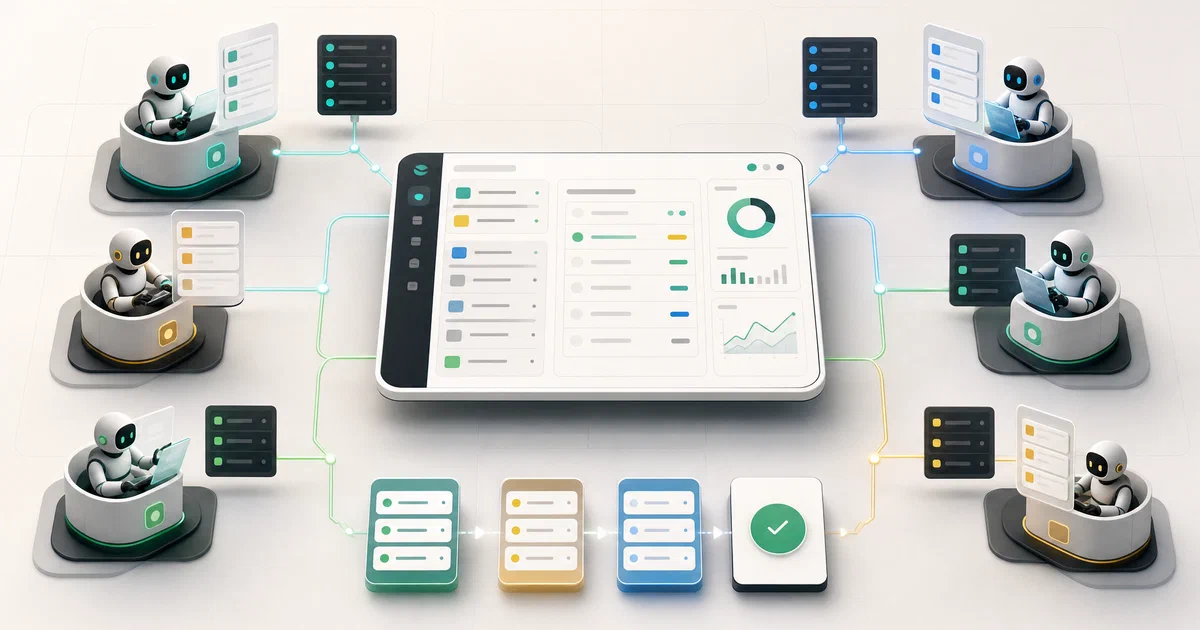

You have twenty Claude Code tabs open.
Six are stuck waiting for input you forgot about.
Three are looping and burning tokens.
One actually shipped the feature you asked for. You have no idea which is which.
Paperclip turns that pile of agents into an org chart with goals, budgets, governance, and heartbeats — the way you’d run a real company, except every employee is an AI.
What is Paperclip?
Paperclip is a self-hosted control plane that orchestrates a team of AI agents to run a business. It looks like a task manager, but under the hood it has org charts, budgets, governance, goal alignment, heartbeats, and agent coordination. The tagline says it best: “If OpenClaw is an employee, Paperclip is the company.”
“Open-source orchestration for zero-human companies. Define the goal. Hire the team. Approve and run.”
Paperclip on GitHub Paperclip Website Paperclip Discord
What makes it different
- 🏢 Org charts, not chat threads — agents have roles, titles, reporting lines, permissions, budgets
- 💓 Heartbeats over continuous chat — agents wake on a schedule, check work, act, sleep
- 💰 Hard-stop budgets — token + dollar limits scoped by company / agent / project / goal / issue / provider / model
- 🛡️ Board governance — approval workflows, override controls, audit log, revisioned config, rollback
- 🎯 Goal-aware execution — every task carries full goal ancestry so the agent sees the why not just the title
- 🔌 Bring your own agents — Claude Code, Codex, Cursor, Gemini, bash, HTTP webhooks, OpenClaw. “If it can receive a heartbeat, it’s hired”
- 🏢 Multi-company — one deployment hosts unlimited companies with full data isolation
- 📦 Company portability — export/import entire orgs (agents, skills, projects, routines, issues) with secret scrubbing
- 📱 Mobile-ready dashboard — manage your autonomous businesses from anywhere
- ⚖️ MIT licensed — fully open source
Where Paperclip Sits in the AI Stack
Across recent posts on this site we’ve covered a five-layer AI tooling stack. Paperclip sits above all of it:
| Layer | Project | What it is |
|---|---|---|
| Orchestration | Paperclip / Symphony | The “company” / scheduler above any agent |
| Personal assistant | OpenClaw / NanoClaw / Hermes | Messenger-resident agents — Slack, Telegram, voice, Canvas |
| Coding agent harness | Pi / Claude Code / Codex CLI / Cursor CLI | Terminal-resident coding agents (Pi is the MIT option) |
| Coding standards | Agent OS | Captures your codebase’s conventions, injects into AI coding tools |
| Coding workflow | OpenSpec | Spec-driven /opsx:propose workflow inside AI tools |
Concretely: NanoClaw, OpenClaw, Hermes, Pi, Claude Code, Codex — these are individual agents at different layers. Agent OS and OpenSpec are workflow frameworks that make those agents more disciplined. Paperclip is the company that hires those agents, sets their budgets, schedules their work, audits their output, and fires the ones that don’t perform.
The pairing the README explicitly endorses: OpenClaw is an employee; Paperclip is the company. Both are MIT, both are by the same broader community, and the integration is first-class.
The five design principles (the actual pitch)
Feature lists don’t explain why Paperclip exists. The opinionated claims do:
-
Agents are employees, not chat sessions. Most agent frameworks treat each conversation as ephemeral state — you ask, the agent responds, the context dies with the tab. Paperclip treats agents as persistent organizational members: they have a job description, a role, a reporting line, a budget, and a track record across heartbeats and reboots. Closing your laptop doesn’t fire them.
-
Goals over tasks; tasks over prompts. Every task in Paperclip carries full ancestry up to the company goal. The agent always sees “build dark-mode toggle → for the design refresh project → to deliver the v2 redesign goal → to hit $1M MRR.” This is the opposite of vibe-prompting one task at a time and losing the bigger picture.
-
Budgets are hard stops, not warnings. Most agent setups have soft cost monitoring at best (“you’ve used $50 this week”). Paperclip’s budgets are enforced at every heartbeat tick: if the cap is exceeded at any scope (company / agent / project / goal / issue / provider / model), the agent pauses and queued work cancels. Runaway loops become a fixed-cost problem, not a $5,000 surprise.
-
The board is human and the audit log is immutable. Approval gates, override controls, agent pause/resume/terminate, revisioned config, rollback — every governance feature exists because real companies need human oversight on automated decisions, and the audit log exists so post-incident reviews are possible. You stay in the loop where it matters.
-
Many companies, one server. A single Paperclip deployment can host an unlimited number of companies with complete data isolation. This isn’t a multi-tenant SaaS feature — it’s an architectural choice that supports the “portfolio of autonomous businesses” use case the project openly envisions. Solo entrepreneurs running three side projects, agencies running five client orgs, anyone with a portfolio of AI-driven work — one Paperclip, many companies, separate audit trails.
The implicit philosophy: AI agents are powerful enough now that the bottleneck has shifted from “how good is the agent?” to “how do you coordinate twenty of them?” Paperclip is opinionated about the answer.
Self-Hosting Paperclip with Docker
Get Docker 🐋
Install Docker on your system before proceeding:
- Linux: Official Docker Engine install guide
- Windows / Mac: Docker Desktop
Verify installation: docker --version && docker compose version
Fastest path: npx onboard
npx paperclipai onboard --yes
This defaults to trusted local loopback — no auth required, fastest first run, embedded PostgreSQL provisioned automatically. Open http://localhost:3100 and start defining your first company.
For LAN or Tailscale exposure, pick a bind preset:
npx paperclipai onboard --yes --bind lan
# or:
npx paperclipai onboard --yes --bind tailnet
These switch to authenticated/private mode — Better Auth wired up, login required, no loopback trust.
Manual / dev mode
git clone https://github.com/paperclipai/paperclip.git
cd paperclip
pnpm install
pnpm dev
Server + UI in watch mode at http://localhost:3100. Embedded Postgres is created automatically.
Requirements: Node.js 20+, pnpm 9.15+.
Docker Compose
The compose below is adapted from docker/docker-compose.yml in the upstream repo. The BETTER_AUTH_SECRET is load-bearing — the server refuses to start without it in authenticated mode:
services:
  db:
    image: postgres:17-alpine
    environment:
      POSTGRES_USER: paperclip
      POSTGRES_PASSWORD: paperclip
      POSTGRES_DB: paperclip
    healthcheck:
      test: ["CMD-SHELL", "pg_isready -U paperclip -d paperclip"]
      interval: 2s
      timeout: 5s
      retries: 30
    ports:
      - "5432:5432"
    volumes:
      - pgdata:/var/lib/postgresql/data

  server:
    build:
      context: ..
      dockerfile: Dockerfile
    ports:
      - "3100:3100"
    environment:
      DATABASE_URL: postgres://paperclip:paperclip@db:5432/paperclip
      PORT: "3100"
      SERVE_UI: "true"
      PAPERCLIP_DEPLOYMENT_MODE: "authenticated"
      PAPERCLIP_DEPLOYMENT_EXPOSURE: "private"
      PAPERCLIP_PUBLIC_URL: "${PAPERCLIP_PUBLIC_URL:-http://localhost:3100}"
      BETTER_AUTH_SECRET: "${BETTER_AUTH_SECRET:?BETTER_AUTH_SECRET must be set}"
    volumes:
      - paperclip-data:/paperclip
    depends_on:
      db:
        condition: service_healthy

volumes:
  pgdata:
  paperclip-data:
BETTER_AUTH_SECRET is mandatory and must be a sufficiently random string — generate with openssl rand -hex 32.
Compose variants in the repo
Paperclip ships multiple compose configurations for different scenarios:
| File | Use case |
|---|---|
docker-compose.yml |
Full authenticated mode (the one above) |
docker-compose.quickstart.yml |
Loopback-only trusted mode for fastest first run |
docker-compose.untrusted-review.yml |
Review sandbox — for safely reviewing work products from agents that might emit untrusted content |
Dockerfile.onboard-smoke |
CI smoke test for the onboard flow |
ecs-task-definition.json |
AWS ECS task definition |
quadlet/ |
Podman Quadlet unit files |
Pick the variant that matches your deployment shape — compose.quickstart for personal dev, compose.yml (the one above) for production-ish, ECS task for AWS, Quadlet for Podman/systemd.
Connecting your first agent
Once Paperclip is running, the workflow is:
- Create a company — name, mission statement, initial budget
- Hire an agent — pick an adapter (Claude Code, Codex, Cursor, OpenClaw, HTTP webhook, bash)
- Assign a role + budget — title, reporting line, monthly cap
- Define a goal — what does this company actually exist to do?
- Create the first task — heartbeat tick will pick it up on the next schedule
For Claude Code specifically: Paperclip spawns it as a subprocess with the right workspace, injects the agent’s role + skills + goal context into its system prompt, captures the structured output back into the task ticket. You don’t run claude in twenty terminal tabs anymore — Paperclip runs it on your behalf, on a schedule, with budgets, in tracked tickets.
For OpenClaw: webhook adapter. Paperclip POSTs the task payload to the OpenClaw Gateway; the agent runs in its own container; the work product comes back as the webhook response.
Telemetry — on by default, easy to disable
Anonymous usage telemetry is enabled by default. The project is upfront about this:
| Method | How |
|---|---|
| Environment variable | PAPERCLIP_TELEMETRY_DISABLED=1 |
| Standard convention | DO_NOT_TRACK=1 |
No personal info, issue content, prompts, file paths, or secrets are sent. Private repo references are hashed with a per-install salt before transmission. If you’d rather opt out entirely, set either env var.
Paperclip vs the Alternatives
| Paperclip | Asana / Trello + agents | n8n / Zapier | Just opening 20 Claude tabs | |
|---|---|---|---|---|
| Built for AI agents | Yes | No (built for humans) | Partial | N/A |
| Atomic task checkout | Yes | No | No | No (lots of double-work) |
| Per-agent budgets with hard stops | Yes | No | No | No (runaway costs) |
| Goal ancestry on every task | Yes | Limited | Limited | None |
| Heartbeat scheduling | Yes | No | Yes (limited) | Manual |
| Approval workflows | Yes (board) | Yes (humans) | Limited | None |
| Multi-company isolation | Yes | Per-workspace | Per-account | None |
| Open source + self-hosted | MIT | No (SaaS) | n8n self-host yes | N/A |
The honest read: if you have one AI agent doing one task, you don’t need Paperclip. If you have twenty agents running continuously across multiple projects, Asana isn’t built for them and n8n/Zapier are workflow tools that don’t model org charts, budgets, or governance. Paperclip exists for the specific moment when “managing my AI agents” becomes a job in itself.
Conclusion
Paperclip is what happens when someone takes “AI agents will replace whole companies” seriously and builds the actual control plane that would make it work. Org charts, heartbeats, governance, budgets, multi-company isolation — these aren’t bolted-on features, they’re the entire point.
The trade-off: setting Paperclip up isn’t trivial. You’re defining a company structure, assigning roles, configuring budgets, choosing adapters. If your AI usage is “Claude Code, sometimes,” this is dramatically over-engineered for you. If your AI usage is “I have a portfolio of side projects I want to run autonomously while I sleep,” Paperclip is the most opinionated answer that exists.
Related tools worth knowing:
- OpenClaw — the canonical agent to hire; “if OpenClaw is the employee, Paperclip is the company”
- NanoClaw — minimalist agent alternative; also pairs cleanly
- Agent OS — standards layer for the coding agents Paperclip hires
- OpenSpec — spec-driven workflow for individual coding tasks
- awesome-paperclip — community plugin catalog
Frequently Asked Questions
Is Paperclip an agent itself?
No. Paperclip doesn’t run an LLM — it orchestrates other agents that do. The agents are Claude Code, Codex, Cursor, OpenClaw, or any HTTP-receiving service. Paperclip’s job is to assign work to them, track budgets, govern approvals, and capture results.
Do I need to run agents continuously?
No. The default model is heartbeats — agents wake on a schedule, check assigned work, act, then sleep. Continuous agents (like OpenClaw) can also be hooked in if your use case needs them, but it’s not the default.
Why is it called “Paperclip”?
The name is a deliberate nod to the “paperclip maximizer” thought experiment in AI safety — the idea of an AI tasked with making paperclips that consumes the universe pursuing its goal. The project name acknowledges this risk while positioning itself as the layer that prevents it: human board, hard budget stops, approval gates, audit logs. The implicit pitch is “the maximizer is fine if there’s a board.”
Can I run this on a Raspberry Pi?
Probably yes for development. Production deployments need enough Postgres throughput for whatever heartbeat rate your agents run at. Pi 5 with an SSD will handle a small company of 2-3 agents on hourly heartbeats. For dozens of agents on minute-scale heartbeats, run it on a real server.
What’s the upgrade path for the data model?
Drizzle migrations via pnpm db:migrate. Schema changes are versioned and applied automatically on server start. For Docker deployments, the server runs pending migrations on startup before accepting requests — no manual pnpm db:migrate step needed.
How does multi-company isolation actually work?
Every entity in the data model is company-scoped at the schema level — issues, agents, secrets, activity, budget entries, everything. Switching companies in the UI is effectively switching a where-clause on every query. Companies cannot see each other’s data without explicit export/import.
Can I expose this to the internet?
Yes, but read the docs first. Use --bind tailnet to put it behind Tailscale (recommended), or set PAPERCLIP_DEPLOYMENT_EXPOSURE: public with a proper reverse proxy + TLS + Better Auth + your own domain. Don’t expose loopback mode publicly — it has no authentication.
What’s Clipmart?
“Coming Soon” per the README — a catalog of pre-built company templates you can download and import into your Paperclip instance with one click. Think Docker Hub for entire AI orgs. The export/import infrastructure already ships in the open-source repo; Clipmart will be the public catalog on top.
Comments