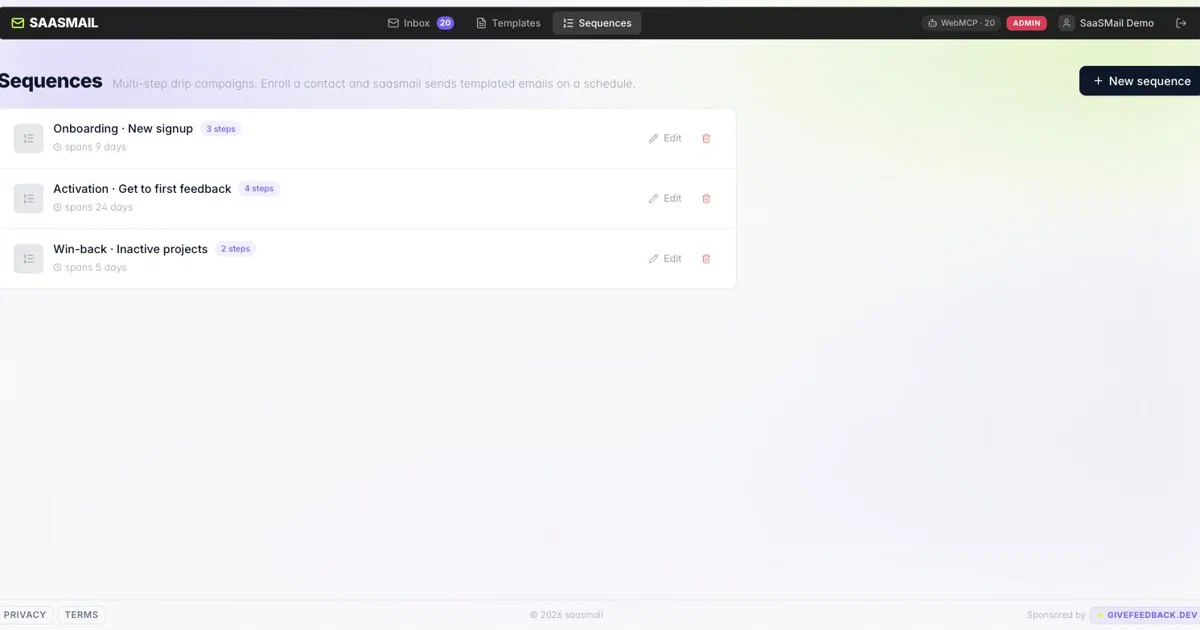

After Cloudflare Agentic Inbox and Mailflare, SaaSMail is the more campaign-shaped email project in this small Cloudflare series.
It is not just a personal inbox.
It is closer to:
shared customer inbox + templates + sequences + suppressions + API
The important framing is that SaaSMail is Cloudflare-native self-hosting. You deploy it into your own Cloudflare account. You do not run a normal Docker Compose stack on a VPS.
What Is SaaSMail?
SaaSMail describes itself as:
The centralized inbox for SaaS teams. One unified timeline per customer - marketing, notifications, and support emails collapsed into a single view, per person.
I inspected:
repo: https://github.com/choyiny/saasmail
commit: 1be56eb77246b3f355469983a970265f63b7c47c
version: 0.10.0
license: Apache-2.0
The app is built for SaaS teams that want to own their customer email workspace without operating a traditional mail server.
That distinction matters.
SaaSMail does not give you IMAP, POP3, Postfix, Dovecot, or a local SMTP stack. It gives you a Cloudflare Worker app with a web UI, API, database, object storage, queue, email routing, and provider integrations.
What You Get
From the current README, docs, and source inspection, SaaSMail includes:
- one timeline per customer;
- multiple inboxes with team permissions;
- thread and chat-style inbox views;
- per-inbox forwarding;
- reusable HTML templates with
{{variable}}interpolation; - multi-step email sequences;
- delay overrides and sequence step skipping;
- automatic sequence cancellation when a contact replies;
- suppressions and unsubscribe management;
- RFC 8058 one-click unsubscribe;
- transactional send bypass for account-critical mail;
- API keys for programmatic sending and inbox access;
- OpenAPI docs at
/docand/swagger-ui; - HMAC-signed
message.receivedwebhooks; - MCP endpoint for remote AI clients;
- WebMCP browser tools for page-aware agents;
- passkey-aware user access and inbox-scoped permissions.
So yes, this is much more marketing/customer-lifecycle aware than Mailflare.
Mailflare feels like a custom-domain webmail workspace. SaaSMail feels like a customer communication layer for SaaS products.
Stack
The current stack is:
| Layer | SaaSMail uses |
|---|---|
| Runtime | Cloudflare Workers + Hono |
| Frontend | React 19, Vite 7, Tailwind CSS 4, TipTap |
| Database | Cloudflare D1 with Drizzle ORM |
| Attachments | Cloudflare R2 |
| Inbound email | Cloudflare Email Routing / Email Workers |
| Outbound email | Cloudflare Email Sending, Resend, Bavimail, or Postmark |
| Sequences | Cloudflare Queues plus hourly cron trigger |
| Realtime | Durable Object NotificationsHub, WebSockets, Web Push |
| Auth | BetterAuth, invite-based users, passkeys |
| API docs | Zod + Hono OpenAPI |
| AI access | MCP and WebMCP |
The Worker config makes the Cloudflare dependency explicit:
{
  "main": "worker/src/index.ts",
  "d1_databases": [{ "binding": "DB", "database_name": "saasmail-db" }],
  "r2_buckets": [{ "binding": "R2", "bucket_name": "saasmail-attachments" }],
  "email_routing": { "enabled": true },
  "queues": {
    "producers": [{ "binding": "EMAIL_QUEUE", "queue": "saasmail-sequence-emails" }],
    "consumers": [{ "queue": "saasmail-sequence-emails" }]
  },
  "durable_objects": {
    "bindings": [{ "name": "NOTIFICATIONS_HUB", "class_name": "NotificationsHub" }]
  },
  "triggers": { "crons": ["0 * * * *"] }
}
This is not a static Vite app.
Vite builds the frontend and bundles the Worker deployment, but the production application depends on Worker code, D1, R2, Queues, Durable Objects, Email Routing, and an outbound email provider.
Cloudflare Dependency Map
| Cloudflare service | Required? | What SaaSMail uses it for |
|---|---|---|
| Workers | Yes | Runs the web app, API, email handler, queue consumer, cron job, MCP endpoint, and static assets. |
| D1 | Yes | Stores users, inboxes, people, email metadata, templates, sequences, suppressions, OAuth clients, API keys, and settings. |
| R2 | Yes | Stores email attachments. |
| Email Routing | Yes for inbound | Delivers incoming mail for your domain into the Worker. |
| Queues | Yes for sequences | Enqueues scheduled sequence email steps. |
| Cron Triggers | Yes for sequences | Checks hourly for due sequence steps. |
| Durable Objects | Yes for realtime | Fans out live notifications and push updates per user. |
| Email Sending | Optional outbound path | Lets you send without Resend, Bavimail, or Postmark when the EMAIL binding is configured. |
| Custom domain / DNS | Practical requirement | Lets the Worker receive and send mail for your domain. |
If you want the broader context, I covered the base model in Cloudflare Workers, D1, KV, and R2 - Serverless Apps Without a VPS .
SaaSMail is a more specialized version of that pattern for email.
Email Providers
Inbound is Cloudflare.
Outbound is configurable.
The supported outbound providers are:
- Cloudflare Email Sending;
- Resend;
- Bavimail;
- Postmark.
SaaSMail chooses the provider at runtime with this precedence:
Bavimail -> Postmark -> Resend -> Cloudflare Email Sending
So if you set more than one provider, the highest one in that order wins.
The relevant secrets are:
BAVIMAIL_API_KEY
BAVIMAIL_ALIAS_ID
POSTMARK_API_KEY
RESEND_API_KEY
Cloudflare Email Sending is configured differently. You uncomment the send_email binding in wrangler.jsonc:
"send_email": [
  { "name": "EMAIL" }
]
Then onboard the domain in Cloudflare Email Service.
Self-Hosting SaaSMail
There is no Home-Lab Docker Compose file for this one.
That is intentional.
The upstream project does not ship a Docker runtime that replaces Cloudflare Workers, D1, R2, Queues, Durable Objects, and Email Routing. A Compose file here would imply a local deployment path that the project does not currently provide.
The manual Cloudflare path is:
git clone https://github.com/choyiny/saasmail.git
cd saasmail
yarn install
wrangler login
wrangler d1 create saasmail-db
wrangler r2 bucket create saasmail-attachments
wrangler queues create saasmail-sequence-emails
cp wrangler.jsonc.example wrangler.jsonc
cp .dev.vars.example .dev.vars
Then edit wrangler.jsonc:
account_id
d1_databases[].database_id
BASE_URL
TRUSTED_ORIGINS
routes / custom domain
optional send_email binding
VAPID_PUBLIC_KEY / VAPID_SUBJECT, if using push
Generate and set the required secrets:
openssl rand -hex 32
wrangler secret put BETTER_AUTH_SECRET
wrangler secret put UNSUBSCRIBE_SECRET
Then add provider secrets if you are not using Cloudflare Email Sending:
wrangler secret put RESEND_API_KEY
wrangler secret put POSTMARK_API_KEY
wrangler secret put BAVIMAIL_API_KEY
wrangler secret put BAVIMAIL_ALIAS_ID
Run the production D1 migrations before first use:
yarn db:migrate:prod
Deploy:
yarn deploy
Finally, configure Cloudflare Email Routing for the domain and add a catch-all rule that routes inbound mail to the SaaSMail Worker.
If Your Domain Is Already on Cloudflare
This setup is much smoother if the domain is already in Cloudflare DNS.
The rough flow is:
- Deploy SaaSMail to a Worker.
- Bind a custom hostname such as
mail.example.com. - Create the D1 database, R2 bucket, Queue, Durable Object migration, cron trigger, and secrets.
- Enable Email Routing for the zone.
- Route a catch-all or selected addresses to the Worker.
- Pick outbound sending: Cloudflare Email Sending, Resend, Bavimail, or Postmark.
- Check SPF, DKIM, DMARC, and provider-specific DNS records before sending real customer mail.
Owning the domain in Cloudflare does not remove deliverability work.
It removes a lot of infrastructure work.
Transactional, Marketing, and Cold Outbound
SaaSMail is strongest for consented customer communication.
| Use case | Fit | Notes |
|---|---|---|
| Transactional email | Good | Use POST /api/send and set transactional: true for OTPs, password resets, receipts, and account-critical messages. |
| Customer lifecycle email | Good | Templates, sequences, delay controls, suppressions, unsubscribe, and reply cancellation fit onboarding and product follow-up flows. |
| Marketing newsletters | Possible, but check scale | It has unsubscribe and sequence primitives, but it is not a full newsletter platform with advanced segmentation, deliverability dashboards, A/B testing, or audience analytics. |
| Cold outbound | Not recommended | It is not a cold-email platform. It lacks inbox rotation, warmup, bounce management, reputation isolation, and campaign safety controls. |
This is where SaaSMail differs from Mailflare.
In the Mailflare post, I framed Mailflare as poor for marketing newsletters because it is primarily a webmail/workspace with send APIs.
SaaSMail is more credible for SaaS lifecycle email because sequences and suppressions are part of the product.
But that still does not make it a cold outbound tool.
For cold sales outreach, you normally want a specialized platform such as Smartlead, Instantly, Lemlist, or similar, plus separate domains and reputation isolation. Do not run unsolicited prospecting from the same primary domain you use for login links, receipts, support, and customer trust.
API Notes
SaaSMail exposes OpenAPI docs on every running deployment:
/doc
/swagger-ui
API keys use the sk_... format and are sent as:
Authorization: Bearer sk_...
A send request goes to:
POST /api/send
The payload supports attachments through multipart form data and includes fields such as:
{
  "to": "[email protected]",
  "fromAddress": "[email protected]",
  "subject": "Welcome",
  "bodyHtml": "<p>Hello</p>",
  "bodyText": "Hello",
  "transactional": false
}
The transactional field is not cosmetic.
When it is false or omitted, SaaSMail treats the send as marketing-style email: suppressions apply, unsubscribe headers are added, and an unsubscribe footer is appended when needed.
When it is true, SaaSMail bypasses suppressions and skips unsubscribe headers/footer. That is the right behavior for account-critical messages.
Field Note: Local Build Trial
I tried a bounded local build in a temporary clone.
Environment:
node: v18.19.1
npm: 9.2.0
yarn command: /usr/bin/yarn 0.32+git
The documented Yarn command could not be reproduced on this machine because /usr/bin/yarn was not the Node package manager Yarn:
yarn: error: no such option: --frozen-lockfile
Plain npm install also failed on a React type peer dependency conflict.
This worked far enough to install dependencies:
npm install --package-lock=false --legacy-peer-deps
But the build failed on the local Node version:
You are using Node.js 18.19.1.
Vite requires Node.js version 20.19+ or 22.12+.
SyntaxError: The requested module 'node:util' does not provide an export named 'styleText'
My practical note: use Node 20.19+ or Node 22+ for this repo, even though the setup docs still say Node v18+.
I did not attempt a production deployment because that would require creating Cloudflare resources, configuring domain email routing, and choosing a live outbound provider.
SaaSMail vs Mailflare vs Agentic Inbox
These three projects sit near each other, but they solve different problems.
| Project | Best mental model | Deployment |
|---|---|---|
| Agentic Inbox | Cloudflare AI email demo with MCP and Workers AI | Cloudflare-only |
| Mailflare | Custom-domain webmail/workspace with Cloudflare and Docker paths | Cloudflare or Docker |
| SaaSMail | Shared SaaS customer inbox plus templates and sequences | Cloudflare-only |
If you want a Docker homelab mail workspace, Mailflare is the more relevant project.
If you want to study Cloudflare email primitives and AI/MCP integration, Agentic Inbox is the sharper demo.
If you want customer timelines, SaaS lifecycle emails, template sends, suppressions, unsubscribe, and sequence automation, SaaSMail is the more focused tool.
FAQ
Is SaaSMail self-hosted?
Yes, but in the Cloudflare-native sense.
You deploy the app into your own Cloudflare account, bind your own D1 database, R2 bucket, Queue, Durable Object, custom domain, secrets, and email routing.
It is not self-hosted as a single Docker container or local Compose stack.
Can SaaSMail be deployed statically to Cloudflare Pages?
No, not with full functionality.
The frontend is built with Vite, but SaaSMail needs Worker routes, an email handler, D1, R2, Queues, Durable Objects, cron triggers, secrets, and provider bindings. A static Pages deployment would only cover the browser assets, not the email platform.
Use the Worker deployment path.
Does SaaSMail use SMTP?
Not as a generic SMTP server in the inspected deployment model.
Inbound mail is Cloudflare Email Routing into the Worker. Outbound mail is sent through Cloudflare Email Sending, Resend, Bavimail, or Postmark.
If your provider only exposes classic SMTP on ports 25, 465, or 587, that is not the documented path here. Cloudflare Workers are a better fit for HTTP/API-based email providers or Cloudflare’s own send_email binding.
Do I need Resend, Postmark, or another email API?
Not necessarily.
You can use Cloudflare Email Sending if your Cloudflare plan and domain setup support it and you configure the EMAIL send_email binding.
If you do not use Cloudflare Email Sending, then yes, you need one of the supported outbound providers: Resend, Bavimail, or Postmark.
Receiving still depends on Cloudflare Email Routing.
What Cloudflare resources do I need?
At minimum:
- Workers for the app/API/email handler;
- D1 for relational application data;
- R2 for attachments;
- Queues for scheduled sequence sends;
- Durable Objects for realtime notifications;
- Cron Triggers for hourly sequence scheduling;
- Email Routing for inbound mail;
- a custom domain in Cloudflare DNS.
Cloudflare Email Sending is optional if you use Resend, Bavimail, or Postmark for outbound mail.
Is SaaSMail good for transactional email?
Yes, if you configure a reliable outbound provider and set the API payload correctly.
For password resets, OTPs, receipts, and other account-critical mail, pass:
{ "transactional": true }
That bypasses suppressions and skips unsubscribe headers/footer.
Is SaaSMail good for newsletters and marketing?
It is a better fit than a plain webmail app because it has templates, sequences, suppressions, unsubscribe handling, and automatic cancellation on reply.
For heavy newsletter operations, still compare it with dedicated tools that provide subscriber analytics, segmentation, bounce handling, A/B testing, deliverability monitoring, and campaign reporting.
SaaSMail is strongest for SaaS lifecycle messaging, onboarding drips, customer follow-up, and support-adjacent communication.
Can I use SaaSMail for cold outbound?
I would not.
SaaSMail has sequences, but it is not a cold outbound platform. It does not provide inbox rotation, warmup, bounce-risk controls, domain cycling, campaign throttling, prospect list hygiene, or reputation isolation.
For cold outreach, use a specialized cold-email stack such as Smartlead, Instantly, Lemlist, or similar, and keep that separated from your primary product/support domain.
How does SaaSMail compare with Mailflare?
Mailflare is broader as a custom-domain webmail/workspace and has a Docker deployment path.
SaaSMail is narrower and more SaaS-customer focused: shared timelines, templates, sequences, suppressions, unsubscribe, API keys, and lifecycle messaging.
If you want a Docker-friendly homelab inbox, start with Mailflare. If you want a Cloudflare-native SaaS communication workflow, SaaSMail is the more direct fit.
What are the pros and cons versus Mailflare?
SaaSMail pros:
- Better fit for SaaS customer lifecycle email: onboarding, activation, follow-up, and product sequences.
- Built-in templates, sequence scheduling, suppressions, and one-click unsubscribe.
- Clear
transactional: trueAPI behavior for account-critical email. - Stronger fit when your app wants to send via API and track the customer conversation in one timeline.
- Cloudflare-native architecture with no VM, Docker host, SMTP daemon, or local database server to maintain.
SaaSMail cons:
- No normal Docker Compose or local homelab deployment path.
- Requires Cloudflare Workers plus D1, R2, Queues, Durable Objects, Cron Triggers, and Email Routing.
- Less suitable if you want a general personal webmail replacement.
- More locked into Cloudflare primitives.
- Local development/build tooling currently wants a newer Node stack than the docs imply.
Mailflare pros:
- More complete as a custom-domain webmail/workspace.
- Has both Cloudflare and Docker deployment paths.
- Better fit for homelab users who want SQLite/local files in a container.
- Broader inbox/productivity surface: domain management, JMAP, backups, routing rules, calendar/booking features, AI assistant, MCP, and webhooks.
- Easier to reason about if you want local backup/migration around a Docker volume.
Mailflare cons:
- Not as focused on SaaS lifecycle campaigns.
- Weaker fit for marketing-style drip sequences out of the box.
- If deployed in Docker mode, you inherit more traditional mail/server operations: volumes, SMTP or relay choices, reverse proxy, backups, and host maintenance.
- Still needs careful DNS and deliverability setup before handling real mail.
The short version: choose SaaSMail for Cloudflare-native SaaS customer messaging and sequences. Choose Mailflare for a broader custom-domain inbox, especially when Docker/homelab deployment matters.
What should I back up?
Back up D1 data and R2 attachments.
D1 contains the application state: users, inboxes, contacts, email metadata, templates, sequences, suppressions, API keys, settings, and OAuth records.
R2 contains attachment blobs.
Also keep a private copy of your wrangler.jsonc shape, Cloudflare resource IDs, DNS records, and secret inventory. Do not store real secrets in a public repo.
Conclusion
SaaSMail is one of the clearer examples of a Cloudflare-native app that is not just a demo.
It uses the platform for real product concerns: inbound mail, outbound mail, relational state, attachments, queues, scheduled work, realtime notifications, webhooks, API access, and AI-agent access.
That also means the deployment boundary is real.
Do not expect a simple Docker Compose file.
Use SaaSMail if you are comfortable with Cloudflare Workers as the runtime and want a self-owned customer email workspace with templates and sequences.
Use Mailflare if you want a broader inbox product with a Docker option.
Use a dedicated outreach tool if your actual goal is cold outbound.
Comments