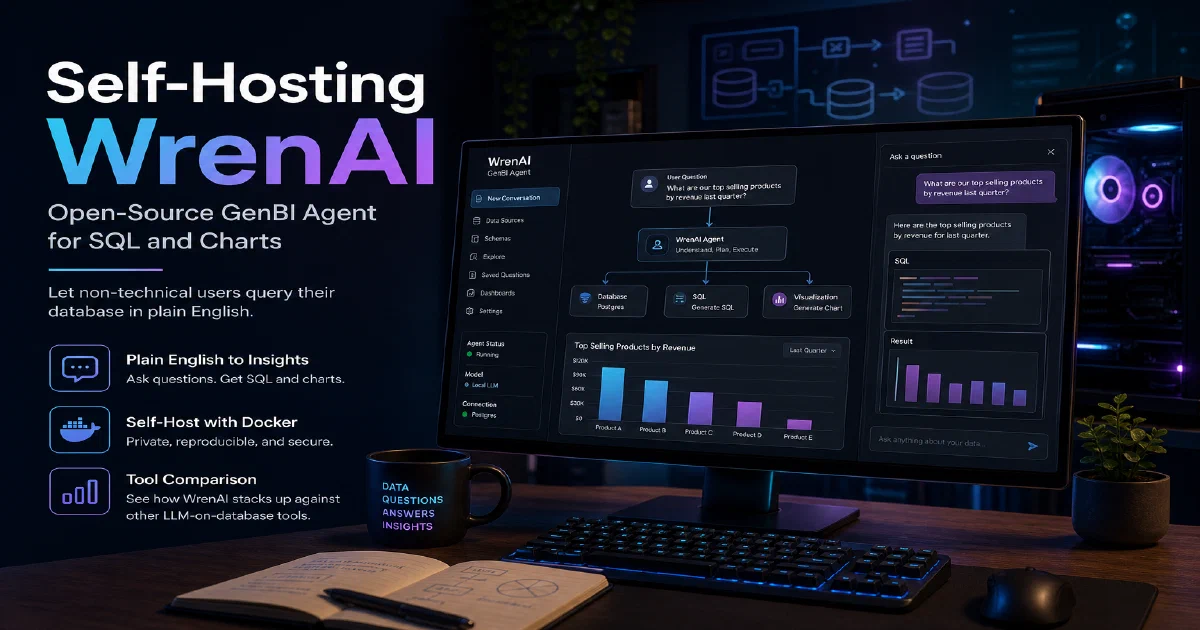

Generative BI is one of the more useful real-world applications of LLMs.
WrenAI tackles the problem head-on: connect it to your database, give it a semantic model, and your team can ask questions in plain English — “what was conversion last week vs the week before, broken down by channel?” — and get a SQL query, a chart, and a written summary back.
Crucially, WrenAI is open source, so you can run the whole stack on your own hardware against your own LLM (local or commercial).
Why WrenAI?
- GenBI without the SaaS: Self-host the whole stack. No data sent to a vendor’s cloud, no per-query pricing.
- BYO model: Wire it into OpenAI, Anthropic, Ollama, or any OpenAI-compatible endpoint. Local LLMs are first-class.
- Semantic layer: Define your model — tables, relationships, metrics — once, and WrenAI uses it to ground every generated query. Less hallucination than naive text-to-SQL.
- Multi-database: PostgreSQL, MySQL, SQL Server, BigQuery, Snowflake, DuckDB, ClickHouse — one agent across them.
WrenAI with Docker
WrenAI is a multi-service stack: the agent, the UI, the AI service, and a small Postgres for metadata.
The official launcher script wraps it all and pulls down the right compose file.
docker --version
Quick start
The simplest path is the official launcher — it walks through LLM choice and writes the compose env for you:
curl -L https://github.com/Canner/WrenAI/releases/latest/download/launcher.sh | bash
If you prefer to keep things explicit, clone the repo and use the bundled compose file:
git clone https://github.com/Canner/WrenAI.git
cd WrenAI/docker
cp .env.example .env
# edit .env — set LLM_PROVIDER, OPENAI_API_KEY (or OLLAMA_URL), and database URLs
docker compose up -d
The UI lands on port 3000:
http://localhost:3000
On first run you connect a data source, WrenAI introspects the schema, and you start defining the semantic model.
From there, every question becomes a generated SQL query plus a chart spec.
Pairing WrenAI with a local LLM
If you want a fully local stack, point WrenAI at Ollama running on the same network.
Set LLM_PROVIDER=ollama and OLLAMA_URL=http://ollama:11434 in .env, then make sure both containers are on the same Docker network.
A 7B-class instruction-tuned model is the practical floor for SQL generation; 13B+ gives noticeably better chart suggestions.
Conclusion
WrenAI is one of the cleanest open-source takes on generative BI.
If you have a database and a team that is allergic to SQL, this is a credible alternative to the commercial GenBI tools — without sending a byte of your data to anyone else’s cloud.
Pair it with Rill for fast operational dashboards, Ollama for local LLM inference, and the containers primer if Docker is still new ground.
The WrenAI project
FAQ
How is WrenAI different from a plain text-to-SQL prompt?
A naive text-to-SQL prompt gives the LLM raw schema and hopes for the best — fine for toy examples, hallucination-prone in production.
WrenAI introduces a semantic model in between: tables become entities, foreign keys become relationships, common formulas become reusable metrics.
The agent reasons over the model rather than the raw schema, so generated SQL is grounded and consistent.
Can I really run it without OpenAI?
Yes. Local LLMs via Ollama work, as does any OpenAI-compatible server (LiteLLM, vLLM, llama.cpp). Quality depends on the model — code-tuned 13B+ models give the best SQL.
How does WrenAI handle large schemas?
What databases are supported?
PostgreSQL, MySQL, SQL Server, BigQuery, Snowflake, DuckDB, ClickHouse, and a few more. Most popular OLTP and OLAP engines are covered. For unsupported sources, you can usually mirror to one of the supported engines first.
Is the data sent to the LLM?
Only schema and (optionally) a small sample of values for context. Actual rows do not leave your infrastructure unless you configure WrenAI to do so. With a local LLM, no data leaves the host at all.
WrenAI vs Vanna vs DataLine — which to pick?
Vanna is a Python library — great if you are building a custom GenBI feature into your own app. DataLine is a polished single-user desktop-style tool. WrenAI is the team-oriented, self-hostable option with a semantic layer and a real UI. Pick by what you actually need: library, single-user app, or team product.
How does it work on a Raspberry Pi?
Slowly. The agent itself is fine, but you’ll want the LLM running on something more capable — a workstation with a GPU, or a remote inference endpoint. Run WrenAI on the Pi and offload inference elsewhere.
Comments