
EdgeEver is one of the more complete note-taking projects in this Cloudflare/self-hosting run.
EdgeEver describes itself as an open-source AI-native knowledge base and Evernote alternative with native MCP. The repository ships both Cloudflare and Docker deployment paths, which makes it more flexible than the Cloudflare-only notes apps I covered recently.
The short version:
Cloudflare mode = Workers + static assets + D1 + R2
Docker mode     = Bun + SQLite + local /data resources
That is a useful split. You can treat EdgeEver as a zero-server Cloudflare app, or run it like a normal homelab service.
What is EdgeEver?
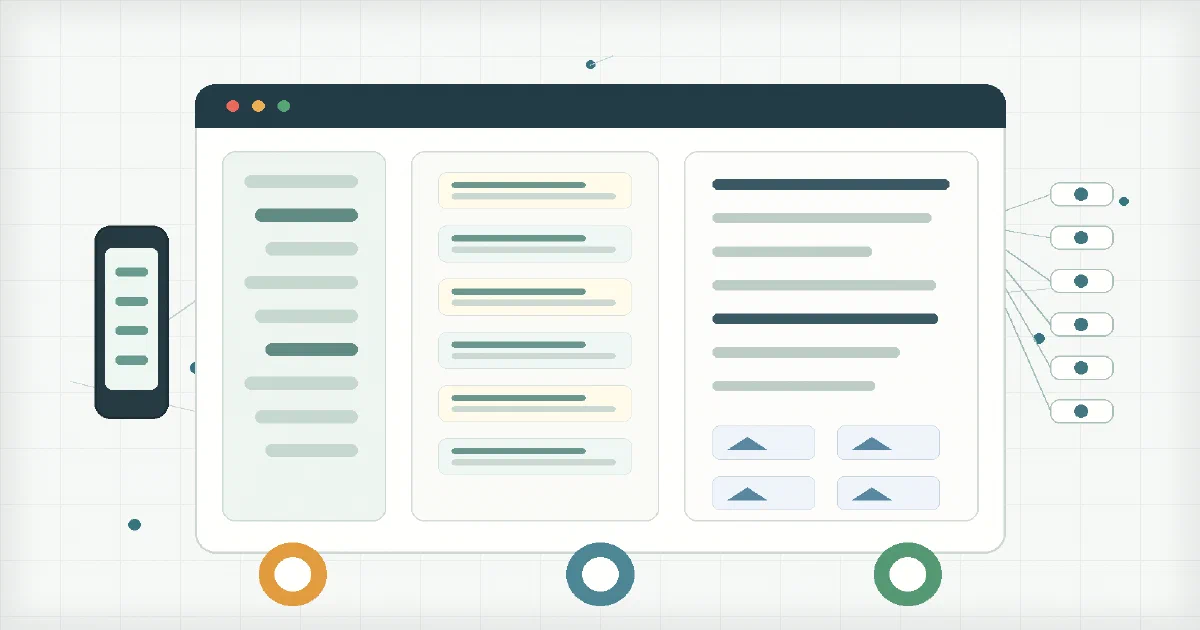
EdgeEver is a modern notes and knowledge-base app with an Evernote-like three-pane workflow.
The feature set is broad:
- rich text and Markdown-style editing;
- notebook hierarchy and organization;
- web clipping;
- files up to 1 GiB with chunked streaming;
- client-side image compression;
- visual diagram notes;
- AI-assisted tables and forms;
- revisions and exports;
- password-protected sharing;
- AI RSS digest;
- remote MCP and desktop agent integration;
- bring-your-own AI provider support;
- web, desktop, mobile, and browser-extension targets.
It is not a tiny capture app. It is closer to a full personal knowledge base with AI and agent surfaces built into the architecture.
Architecture Overview
The stack is modern TypeScript:
| Layer | EdgeEver Uses |
|---|---|
| Web frontend | React, Vite, React Router, TanStack Query, Tailwind, shadcn/Radix |
| Editor | TipTap / ProseMirror |
| API | Hono and Zod |
| PWA/offline | vite-plugin-pwa, Workbox, Dexie, sync queue |
| Cloudflare storage | D1 and R2 |
| Docker storage | SQLite and local filesystem resources |
| Optional object storage | S3-compatible storage in Docker mode |
| Runtime | Cloudflare Workers or Bun self-hosted |
| Agent access | Remote MCP and desktop ACP-style integration |
The important implementation detail is that the same Hono API and service layer are used across the Cloudflare and Docker targets. The storage adapters change:
Cloudflare adapter -> D1 + R2
Docker adapter     -> SQLite + /data/resources, or SQLite + S3-compatible resources
That avoids the common problem where the Docker edition feels like an afterthought.
Docker Compose
For a homelab, Docker is the simplest starting point:
services:
  edgeever:
    image: ghcr.io/tianma-if/edgeever:${EDGE_EVER_VERSION:-v1.100.0}
    container_name: edgeever
    init: true
    restart: unless-stopped
    ports:
      - "${EDGE_EVER_PORT:-8787}:8787"
    environment:
      EDGE_EVER_AUTH_USERNAME: "${EDGE_EVER_AUTH_USERNAME:-admin}"
      EDGE_EVER_AUTH_PASSWORD: "${EDGE_EVER_AUTH_PASSWORD:?Set EDGE_EVER_AUTH_PASSWORD in .env}"
      EDGE_EVER_SESSION_TTL_DAYS: "${EDGE_EVER_SESSION_TTL_DAYS:-400}"
      EDGE_EVER_CONTAINER_IMAGE: "ghcr.io/tianma-if/edgeever"
    volumes:
      - edgeever-data:/data
    security_opt:
      - no-new-privileges:true
    cap_drop:
      - ALL
    stop_grace_period: 30s

volumes:
  edgeever-data:
Create the environment file:
cp .env.sample .env
nano .env
At minimum, set:
EDGE_EVER_AUTH_PASSWORD=change-this-long-password
Then start it:
docker compose up -d
The UI listens on:
http://192.168.1.2:8787/
From the host, the health check is:
curl http://127.0.0.1:8787/api/health
In my local test, the container reported:
{
  "ok": true,
  "runtime": "self-hosted-bun",
  "authMode": "required",
  "migration": "0059",
  "storage": {
    "database": "sqlite",
    "resources": "filesystem"
  }
}
The root page also served the EdgeEver web app.
Docker Data Layout
Docker mode persists data under /data inside the container.
The practical files are:
/data/edgeever.sqlite
/data/edgeever-secrets.json
/data/resources/
That makes backups easy:
- Stop the container.
- Back up the whole Docker volume.
- Start the container again.
If you configure S3-compatible attachment storage, remember that SQLite still stays under /data, but newly uploaded resources live in the external bucket. In that setup, back up both the volume and the bucket.
Cloudflare Deployment
The Cloudflare path uses:
| Binding | Service | Purpose |
|---|---|---|
DB |
D1 | Notes, metadata, accounts, settings |
RESOURCES |
R2 | Attachments and binary resources |
| Worker assets | Cloudflare Workers Static Assets | Built React/Vite frontend |
| Worker secrets | Cloudflare Workers | Admin password, credential encryption |
A typical Cloudflare deployment needs:
- a Cloudflare account;
- Workers enabled;
- a D1 database, normally named
edgeever; - an R2 bucket, normally named
edgeever-resources; EDGE_EVER_AUTH_PASSWORDas a Worker secret;- optionally
EDGE_EVER_AUTH_USERNAME; - optionally
EDGE_EVER_CREDENTIALS_ENCRYPTION_KEY; - Wrangler credentials or Cloudflare Git deployment.
The Cloudflare version is the right path when you want no server, no Docker host, and Cloudflare-managed TLS/routing/storage.
The Docker version is the right path when you want local data and ordinary volume backups.
Where It Fits
| Project | Best Fit |
|---|---|
| Memos Worker | Small Cloudflare-native notes and docs |
| FlareMo | Cloudflare Memos-style workspace with AI/team features |
| Inkstone | Cloudflare-native Markdown notebook |
| EdgeEver | Evernote-style knowledge base with Cloudflare and Docker deployment |
| Official Memos Docker | Traditional Docker notes app |
EdgeEver is the most “complete app” of this subset. It has more moving parts than Memos Worker, but it also gives you more: desktop/mobile targets, clipping, attachments, exports, revisions, PWA behavior, AI, and MCP.
FAQ
Can EdgeEver be self-hosted locally?
Yes.
Unlike several Cloudflare-native apps in this series, EdgeEver has an official Docker path. The container runs a Bun self-hosted server and stores data in SQLite plus local filesystem resources by default.
The Home-Lab compose in this post pins ghcr.io/tianma-if/edgeever:v1.100.0 and exposes the UI on port 8787.
Can EdgeEver run solely on Cloudflare infrastructure?
Yes.
The Cloudflare deployment uses Workers, Worker assets, D1, and R2. That means no VPS, no Docker host, no database VM, and no OS patching.
The tradeoff is the usual Cloudflare-serverless one: your app is coupled to Cloudflare bindings and limits. If you want easier migration and traditional file/volume backups, Docker mode is the simpler ownership model.
Does Docker mode need PostgreSQL, Redis, D1, KV, or R2?
No for the default setup.
Docker mode uses SQLite and local filesystem storage under /data. Redis is not required. PostgreSQL is not supported in the first Docker release. D1 and R2 are for the Cloudflare deployment path, not the local Docker path.
Optional S3-compatible storage can be configured for attachments if you prefer MinIO, R2, S3, or another compatible bucket.
What is the default login?
The default username in the compose here is:
admin
The password is not hardcoded. You must set it in .env:
EDGE_EVER_AUTH_PASSWORD=change-this-long-password
On first successful login, EdgeEver creates the user record. After that, users and access tokens are managed inside the app.
How does EdgeEver authentication work?
EdgeEver bootstraps authentication from environment variables such as EDGE_EVER_AUTH_USERNAME and EDGE_EVER_AUTH_PASSWORD.
Passwords are hashed with PBKDF2-SHA256. Sessions use an edgeever_session cookie. The app also supports API tokens and MCP tokens, so agents can access the knowledge base without sharing the web login password.
This is not Better Auth. It is EdgeEver’s own auth layer, designed around the app’s self-hosted and Cloudflare deployment model.
Is EdgeEver a PWA? Does it work offline?
Yes, EdgeEver has a real PWA layer.
The web app uses Vite PWA, Workbox, Dexie, and a sync queue. The service worker caches the app shell and assets, resource files can be cached, and the browser can keep local state for offline or unstable-network use.
That does not mean the full app runs forever without the server. Authentication, sync, sharing, MCP, uploads, and cross-device state still need the API. A practical way to describe it is:
offline-friendly writing and caching = yes
fully independent offline serverless replacement = no
Is EdgeEver only a PWA, or does it have native apps?
It is both.
The web app is a PWA, so you can use it from a browser and install it like an app on supported platforms. That is what the Docker container exposes at http://192.168.1.2:8787/.
But EdgeEver is not only a PWA. The repository also includes platform-specific clients:
- web app and PWA;
- browser extension for clipping;
- Electron desktop app with a Rust sidecar;
- Android app built with Expo / React Native;
- iOS app built with SwiftUI and GRDB.
The native clients still sync against your EdgeEver instance. So for a homelab setup, the Docker service is the backend/web UI, and the other clients are additional ways to access the same knowledge base.
What is special about the EdgeEver editor?
The editor is one of the reasons EdgeEver feels closer to Evernote or a polished desktop notes app than to a plain Markdown textarea.
Under the hood it uses TipTap / ProseMirror, so the live editing model is structured rich text rather than raw Markdown only. That gives it room for richer blocks, attachments, tables, task-style content, consistent formatting, and UI-assisted editing without losing the ability to export or interoperate through Markdown.
The practical editor features worth calling out are:
- rich-text writing for normal notes;
- desktop dual-view editing, so you can switch between rich text and Markdown source;
- focus mode for distraction-free writing;
- native Mermaid code block rendering;
- visual diagram notes for mind maps, flowcharts, and architecture diagrams;
- attachment-aware notes, not just text blobs;
- AI-assisted editing for summarizing, extracting key points, proofreading, translating, continuing, and polishing text;
- one-note export to Markdown, HTML, or PDF.
That explains the storage model too. EdgeEver is not “just Markdown in a database”. It keeps a structured editor document for fidelity, a Markdown representation for APIs/agents/import/export, and plain text for search/indexing.
Does EdgeEver store Markdown files in Git?
No.
EdgeEver is database-backed. Internally, it keeps TipTap/ProseMirror JSON as the primary rich document representation, Markdown for API/import/export/agent workflows, and plain text for indexing/search.
ZIP exports include readable Markdown, which is good for portability. But the live source of truth is not a Git folder of .md files.
If your target architecture is:
authenticated editor -> Markdown commit -> CI build -> static Astro on Cloudflare Pages
then EdgeEver is a source of ideas, not a drop-in implementation.
Are notes stored as .md files directly in SQLite?
Not exactly.
In Docker mode, the live database is SQLite, but EdgeEver does not behave like a folder of .md files mounted into SQLite. A note has multiple stored representations:
content_json      TipTap / ProseMirror document, the editor source of truth
content_markdown  Markdown representation for API, import, export, and agents
content_text      Plain text for search, excerpts, summaries, and indexing
So yes, Markdown-like note content exists inside SQLite as text, but it is not the only source of truth. The rich editor model is the canonical live format, and Markdown is the interoperability/export layer.
This is why ZIP export is important: the exported notes/ directory is readable Markdown, but the running application remains database-backed.
How does EdgeEver compare with Inkstone, FlareMo, and Memos Worker?
EdgeEver is the most Evernote-like of the group.
| Project | Main Difference |
|---|---|
| Memos Worker | Much smaller, Cloudflare-only, timeline-style notes |
| FlareMo | Memos/team/workspace style, Cloudflare-native, Better Auth, AI/workflow focus |
| Inkstone | Markdown notebook with CodeMirror, D1, R2/KV, Durable Objects, and stronger Markdown focus |
| EdgeEver | Full knowledge-base app with clipping, attachments, rich editor, desktop/mobile targets, Docker, Cloudflare, AI, and MCP |
So the decision is mostly about complexity:
Memos Worker = lightweight capture
Inkstone     = Markdown notebook
FlareMo      = Cloudflare knowledge workspace
EdgeEver     = Evernote-style platform
Can EdgeEver find notes with AI or embeddings?
It can find notes through app search and MCP tools, but I would not call the current note search a native vector-embedding system.
From the source I reviewed, normal note search is built around SQLite/D1 full-text search and fallback text matching:
memos_fts
content_text
bm25(...)
LIKE fallback queries
The MCP/agent layer can search, read, organize, summarize, and update notes through scoped tools. That means an external AI agent can ask EdgeEver for relevant notes, read them, and use them as private context.
What I did not find is an always-on vector database that embeds every note and performs semantic nearest-neighbor retrieval. Some “embedding model” and “vector database” strings exist in the codebase, but they are part of the diagram/architecture icon vocabulary rather than proof of a note embedding store.
So the practical distinction is:
AI-assisted writing, summarization, extraction, translation = yes
AI agents can search/read notes through MCP tools = yes
native note embeddings / vector RAG index = not in the analyzed source
That is still useful, but it is different from tools that maintain a dedicated semantic embedding index for every note.
What AI keys are needed?
None for the basic note-taking app.
EdgeEver uses bring-your-own AI providers. If you want AI summarization, extraction, RSS digest, or agent workflows, you configure provider credentials for services such as OpenAI-compatible APIs, Anthropic, Gemini, or custom proxies.
Those keys are app-level configuration, not required for the Docker health check or normal CRUD usage.
What does MCP add?
MCP lets external AI agents query and act on your notes through scoped tools instead of screen-scraping the UI.
For a knowledge base, that is useful because the agent can search notes, retrieve content, create structured entries, or work with diagrams/tables through explicit API surfaces.
Use API/MCP tokens with limited scope rather than sharing the main admin password.
How do I migrate between Cloudflare and Docker?
EdgeEver’s portability story is better than many apps because it supports standard SQLite in Docker, REST APIs, CLI tooling, and ZIP import/export with readable Markdown.
Still, treat Cloudflare and Docker as different backends:
- Cloudflare stores app data in D1 and resources in R2.
- Docker stores app data in SQLite and resources in
/data/resourcesunless S3 is enabled. - ZIP export/import is the safest human-readable bridge.
- For full-fidelity recovery on Docker, back up the whole
/datavolume.
For production moves, test a restore into a separate instance before relying on the export.
Should I pick Cloudflare or Docker?
Pick Cloudflare if you want zero infrastructure management and are comfortable with Cloudflare as the platform.
Pick Docker if you want:
- local-first ownership;
- simple volume backups;
- no Cloudflare storage dependency;
- a service you can put behind your own reverse proxy;
- easier inspection of SQLite and resource files.
For a homelab, I would start with Docker. For a low-maintenance public personal app, Cloudflare is attractive.
Conclusion
EdgeEver is not the smallest notes app in this series, but it is one of the most balanced.
It can run as a true Cloudflare app, yet it also gives homelab users a conventional Docker path with SQLite and local files. That combination makes it much easier to recommend than a Cloudflare-only note tool when long-term backup and migration are part of the decision.
Comments