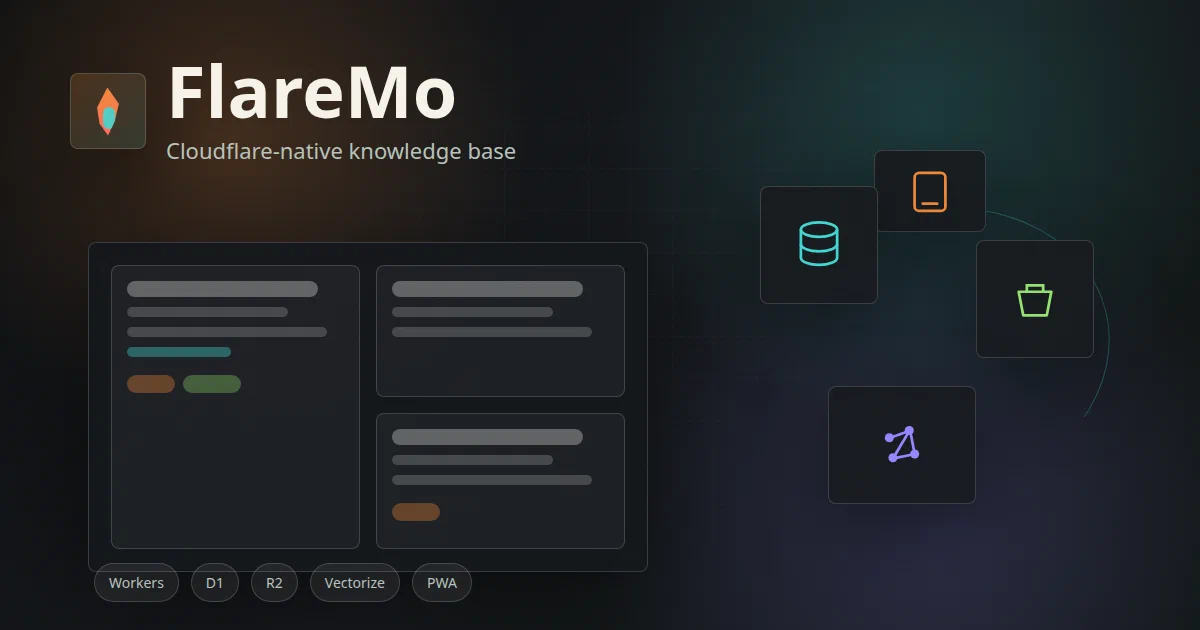

FlareMo is one of the more interesting Cloudflare-native projects in this series because it sits between several categories at once.
It is a Memos-compatible note app. It is a team knowledge base. It is a PWA with offline behavior. It has MCP and agent memory. It also has an article publishing surface, plugins, semantic search, and a Cloudflare-only deployment model.
That makes it a useful follow-up to Monolith, EmDash, and the Cloudflare Workers, D1, KV, and R2 serverless stack post.
What is FlareMo?
FlareMo is an AGPL-3.0 Cloudflare-native knowledge-base app inspired by Flomo and Memos.
Its README describes the pitch as:
Zero Servers · Zero Upkeep · 24/7 Global Edge Uptime · Absolute Data Ownership
The practical feature list is broad:
- memo capture with tags, Markdown/GFM, attachments, image/audio previews, and revisions;
- D1 FTS5 keyword search;
- semantic search with Workers AI embeddings and Vectorize;
- PWA install and offline replay for submissions/uploads;
- projects, tasks, Kanban boards, due dates, and reminders;
- team mode with owner/admin/member/reader roles;
- three visibility levels: private, team, public;
- Memos
/api/v1compatibility subset; - Better Auth sessions and revocable
memos_pat_tokens; - MCP endpoints;
- Agent Memory CLI and Skill;
- plugin card system for share images;
- article publishing with worker-rendered public pages, feed, and sitemap.
This is not a small weekend clone of Memos. It is a serious Cloudflare app.
The Important Self-Hosting Detail
FlareMo is self-hostable, but not in the Docker Compose sense.
Self-hosting here means:
deploy the Worker, static assets, D1 database, R2 bucket, queues, Vectorize indexes, and secrets into your Cloudflare account
There is no docker-compose.yml because the runtime is built around Cloudflare bindings.
The decision point is direct:
| If you want… | Pick… |
|---|---|
| A local Docker notes app | Memos, Outline, SilverBullet, Logseq-style tools |
| A Git-backed static Markdown site | Astro, Hugo, Jekyll, Quartz, Starlight |
| A Cloudflare-native Memos-style knowledge base | FlareMo |
Architecture Overview
FlareMo uses Workers Static Assets for the React frontend and a Worker for the dynamic routes and API.
| Layer | FlareMo Uses |
|---|---|
| Frontend | React 19, Vite 8, TanStack Router, TanStack Query |
| UI | Tailwind CSS 4, Radix/Base UI, Lucide |
| API | Hono on Cloudflare Workers |
| Static hosting | Workers Static Assets |
| Database | Cloudflare D1 |
| ORM | Drizzle ORM |
| Auth | Better Auth, Drizzle adapter, API Key plugin |
| File storage | Cloudflare R2 |
| Async work | Cloudflare Queues and Cron |
| Semantic search | Workers AI embeddings plus Vectorize |
| PWA | Custom service worker and manifest |
| API compatibility | Memos-compatible adapter, OpenAPI, Connect/gRPC-Web subset |
| Agent tooling | CLI, Skill, MCP endpoints |
The wrangler.jsonc.example file is useful because it shows the app’s real shape. It defines:
ASSETSfor Workers Static Assets;DBfor D1;ATTACHMENTSfor R2;MEMBER_REMOVAL_QUEUE;DATA_EXPORT_QUEUE;VECTORIZE_MEMOS;VECTORIZE_MEMORIES;AI;RATE_LIMITER;- daily cron.
It also configures assets.run_worker_first for dynamic paths such as /api/*, /article/*, /file/*, /mcp, /memory/*, /share/*, /feed.xml, /sitemap.xml, and /openapi.json.
That prevents the SPA fallback from swallowing routes that the Worker must render or authorize.
Deployment Notes
FlareMo supports several deployment paths:
- Deploy to Cloudflare button;
- manual Wrangler deployment;
- manually triggered GitHub Actions deployment from your fork;
- agent-guided deployment using the included docs.
Manual deployment looks like:
pnpm install
cp wrangler.jsonc.example wrangler.jsonc
pnpm provision:remote
pnpm exec wrangler secret put BETTER_AUTH_SECRET --config ./wrangler.jsonc
pnpm exec wrangler secret put FLAREMO_BOOTSTRAP_SECRET --config ./wrangler.jsonc
pnpm deploy:dry-run
pnpm deploy
The important production secrets are:
| Secret | Purpose |
|---|---|
BETTER_AUTH_SECRET |
Better Auth session/signing secret |
FLAREMO_BOOTSTRAP_SECRET |
One-time /setup passphrase for owner bootstrap |
FLAREMO_RECOVERY_SECRET |
Optional break-glass owner recovery |
| ASR provider secrets | Optional voice capture providers |
FLAREMO_VOICE_CONFIG_KEY |
Optional encryption key for voice provider config |
The important public vars are:
| Variable | Purpose |
|---|---|
FLAREMO_PUBLIC_URL |
Canonical origin for Better Auth and cookies |
FLAREMO_TRUSTED_ORIGINS |
Additional allowed browser origins |
FLAREMO_SINGLE_USER_EMAIL |
Owner email for single-user runtime model |
FLAREMO_SINGLE_USER_NAME |
Owner display name |
FLAREMO_EMBEDDING_PROVIDER |
workers-ai, http, or none |
FLAREMO_EMBEDDING_MODEL |
Default Workers AI embedding model |
For GitHub Actions deployment, the documented required secrets are:
CLOUDFLARE_API_TOKEN;CLOUDFLARE_ACCOUNT_ID;BETTER_AUTH_SECRET;FLAREMO_BOOTSTRAP_SECRET.
The Cloudflare token needs edit permissions for Workers, D1, R2, Queues, Vectorize, and Worker scripts.
Home-Lab Note
I added a Home-Lab folder for FlareMo, but it is documentation-only:
There is no compose file because a compose file would be misleading. The application is not designed as a portable Node container with SQLite on disk. The persistent state lives in Cloudflare D1, R2, Queues, and Vectorize.
Local Trial Notes
I did not deploy FlareMo to Cloudflare from this machine.
I did run the bounded checks that do not create remote resources:
npx -y -p node@22 -p [email protected] bash -lc 'node -v && pnpm -v && pnpm install --frozen-lockfile --ignore-scripts'
npx -y -p node@22 -p [email protected] bash -lc 'pnpm --filter @flaremo/web build'
npx -y -p node@22 -p [email protected] bash -lc 'pnpm --filter @flaremo/worker check'
Results:
| Check | Result |
|---|---|
| Install | Passed |
| Web production build | Passed |
| Worker TypeScript check | Passed |
| Full local UI | Not attempted |
| Cloudflare deployment | Not attempted |
The full local UI path needs a configured wrangler.jsonc, .dev.vars, local D1 migrations, and Worker bindings. The upstream docs point to:
pnpm migrate:local
pnpm dev
with the local app at:
http://localhost:8787
Build warnings worth noting:
- Vite warned about
__dirnamein the Vite config and a future native config loader. - Some chunks exceed 500 kB after minification.
- One dynamic import is ineffective because the same module is also statically imported elsewhere.
None of those blocked the checked build.
PWA and Offline Behavior
FlareMo’s PWA design is worth studying.
The service worker deliberately avoids caching private API traffic, attachments, share responses, and Cloudflare Access pages. It caches only:
- public app shell;
- offline page;
- Vite content-addressed static assets.
It also checks HTML body markers before caching app-shell/offline documents. That matters because an Access login page or error page should never become the offline fallback.
For the Git-backed static Astro idea, this is one of the best patterns to borrow:
cache the editor shell
never cache auth walls as content
queue writes explicitly
show local/synced/published state separately
FlareMo vs Monolith vs EmDash
| Project | Main Identity | Rendering / Runtime | Content Source |
|---|---|---|---|
| FlareMo | Memos-style knowledge base and PWA | React/Vite SPA plus Worker routes | D1 notes/articles, R2 files |
| Monolith | Cloudflare blog CMS | React/Vite app plus Hono Worker API | Database-backed Markdown |
| EmDash | Astro-native CMS | Astro SSR/server output | SQL-backed Portable Text |
| Git Astro idea | Static publishing workflow | Astro static build | Markdown/MDX files in Git plus R2 media |
FlareMo is not trying to be an Astro CMS.
It is useful here because it shows how much product behavior can live inside a Cloudflare Worker app: offline shell, memos API, public share pages, article pages, feed/sitemap, MCP, auth, R2 media, semantic search, and background cleanup.
FAQ
Can I run FlareMo with Docker Compose?
Not as the supported deployment model.
FlareMo is designed for Cloudflare Workers and Cloudflare bindings. You can run local development through Wrangler, local D1, and .dev.vars, but that is not the same as a production Docker Compose stack.
For production, expect:
Workers + Static Assets + D1 + R2 + Queues + Vectorize + Workers AI
Can FlareMo be deployed on a homelab server?
Not as-is for production.
A homelab machine can be your operator workstation:
clone repo -> install pnpm deps -> run wrangler -> provision/deploy to Cloudflare
But the app itself is meant to run on Cloudflare:
Worker runtime + Workers Static Assets + D1 + R2 + Queues + Vectorize + Workers AI
So the distinction is:
| Scenario | Supported? | Notes |
|---|---|---|
| Homelab as deploy workstation | Yes | Run pnpm, wrangler, and GitHub/Cloudflare deploy commands from your machine |
| Local development with Wrangler | Yes | Uses local Worker/D1-style dev state and .dev.vars |
| Production on a VPS with Docker Compose | No | No supported compose stack or local replacement for all bindings |
| Production on Cloudflare | Yes | Intended deployment model |
You could theoretically port FlareMo to a local stack, but that would be a real fork:
- D1 would need SQLite/Postgres replacement work;
- R2 would need filesystem or S3-compatible storage replacement work;
- Queues and Cron would need local workers/schedulers;
- Vectorize and Workers AI would need alternative embedding/search services;
- Workers Static Assets and Worker routing would need a Node/server adapter.
At that point you are no longer “deploying FlareMo to a homelab”; you are creating a new runtime target.
Which Cloudflare services does FlareMo need?
The core Cloudflare dependencies are:
| Service | Required? | Purpose |
|---|---|---|
| Workers | Yes | Hono API, dynamic pages, auth, MCP, queues/cron handlers |
| Workers Static Assets | Yes | React/Vite PWA shell |
| D1 | Yes | Canonical data and auth tables |
| R2 | Yes | Attachments, exports, plugin packages |
| Queues | Yes in full setup | Member removal cleanup and data exports |
| Vectorize | Needed for semantic search and memory recall | Embedding indexes |
| Workers AI | Needed for default embeddings/AI memory | Embedding generation and AI workflows |
| Rate Limiting binding | Configured | Credential-sensitive throttling |
| Cron | Configured | Maintenance and cleanup |
| Cloudflare Access | Optional | Outer perimeter, not application identity |
If you disable semantic search with FLAREMO_EMBEDDING_PROVIDER=none, normal D1 FTS5 search still works.
Which Cloudflare keys, secrets, and permissions are required?
For manual deployment from your machine, the simplest path is an interactive Wrangler login:
pnpm exec wrangler login
For GitHub Actions or non-interactive deployment, use repository secrets:
| Secret | Required? | Purpose |
|---|---|---|
CLOUDFLARE_API_TOKEN |
Yes for CI | Lets the workflow provision resources and deploy the Worker |
CLOUDFLARE_ACCOUNT_ID |
Yes for CI | Selects the Cloudflare account |
BETTER_AUTH_SECRET |
Yes | Better Auth session/signing secret; use a long random value |
FLAREMO_BOOTSTRAP_SECRET |
Yes for first setup | One-time /setup passphrase to create the owner account |
The Cloudflare API token needs account-level edit permissions for the resources FlareMo provisions:
| Cloudflare Permission | Why |
|---|---|
| Workers Scripts: Edit | Deploy the Worker |
| D1: Edit | Create/use the D1 database and run migrations |
| Workers R2 Storage: Edit | Create/use the attachment bucket |
| Queues: Edit | Create/use background queues |
| Vectorize: Edit | Create/use memo and memory vector indexes |
| Account: Read | Let Wrangler/workflows discover account metadata |
If you bind a custom domain or manage DNS during setup, add the matching zone permissions:
| Zone Permission | When Needed |
|---|---|
| Workers Routes: Edit | Worker routes/custom hostname wiring |
| DNS: Edit | Creating or changing DNS records |
Optional feature credentials:
| Secret / Variable | When Needed |
|---|---|
FLAREMO_RECOVERY_SECRET |
Break-glass owner recovery |
FLAREMO_CF_ANALYTICS_TOKEN |
Cloudflare usage panel; analytics read token |
FLAREMO_CF_ACCOUNT_ID |
Usage panel |
FLAREMO_VAPID_PUBLIC_KEY / FLAREMO_VAPID_PRIVATE_KEY |
Web Push reminders |
FLAREMO_ASR_DASHSCOPE_API_KEY |
DashScope voice capture |
| Tencent ASR secret values | Tencent voice capture |
FLAREMO_ASR_MINIMAX_API_KEY |
MiniMax batch ASR |
FLAREMO_VOICE_CONFIG_KEY |
Encrypt owner-saved voice provider config |
Auth model after deployment:
Human browser login -> Better Auth cookie session
Scripts / CLI / MCP -> memos_pat_ personal access token
Optional edge perimeter -> Cloudflare Access
Cloudflare Access is not the application login. If you put Access in front of FlareMo, machine clients may need both Access headers and a FlareMo PAT:
CF-Access-Client-Id: ...
CF-Access-Client-Secret: ...
Authorization: Bearer memos_pat_...
Does FlareMo use Better Auth?
Yes.
Better Auth is the application identity layer. Browser users get HttpOnly cookie sessions. Scripts, Memos-compatible clients, CLI, and MCP use revocable personal access tokens with the memos_pat_ prefix.
Cloudflare Access can sit in front of the app, but it does not replace Better Auth. If Access is enabled for API clients, clients need both:
CF-Access-Client-Id / CF-Access-Client-Secret
Authorization: Bearer memos_pat_...
That separation is good architecture: Access protects the edge, Better Auth identifies the application user.
Is FlareMo fully Memos-compatible?
No. It provides a Memos-compatible subset.
The project is clear that FlareMo is not a fork of the Memos Go server. It exposes a current /api/v1 Memos-style surface, a legacy wire mode, OpenAPI, a bounded Connect/gRPC-Web unary subset, SSE, and MCP tooling.
That is enough to be useful for clients and migration, but it should not be described as complete Memos Server parity.
How does FlareMo handle semantic search safely?
D1 remains the source of truth.
Vectorize stores derived embedding indexes, not authoritative content. After Vectorize returns candidate matches, FlareMo goes back to D1, reloads the memo records, and re-checks status, visibility, and permissions.
That is the right pattern:
AI/vector search = candidate retrieval
database = authority and permission check
For your future Astro/Git idea, the equivalent would be:
vector index = derived search layer
Git/R2 manifest = publishing authority
Do not let embeddings become the content source of truth.
What ideas should I borrow for a Git-backed static Astro CMS?
FlareMo is not Git-backed, but it has several useful design ideas.
The best ones to borrow:
| FlareMo Idea | Why It Helps the Git/Astro Direction |
|---|---|
| Offline app shell with marker-verified caching | Prevents auth/error pages from becoming cached editor state |
| Explicit offline write queue | Maps well to draft, upload, commit, build, and publish states |
| Separate application auth from edge access | Lets Cloudflare Access protect the app while app roles still govern content |
| PATs for automation | Useful for CLI, agents, deploy hooks, and MCP clients |
| D1 as authority, Vectorize as derived | Translate this to Git as authority, search indexes as rebuildable |
| R2 for binary assets | Same direction: photos/audio stay out of Git, Markdown references stable URLs |
run_worker_first route map |
Useful if a Cloudflare Worker fronts editor APIs, media, feeds, sitemap, and share previews |
| Human-in-the-loop Agent Memory | Useful as editorial/project memory, but not as the published content source |
| Content authority rules | Separate “author can edit” from “admin can govern/delete” |
| Public share/article SSR routes | Good reference for preview/share pages before static publishing |
The key adaptation is to change the authority layer:
FlareMo: D1 is the source of truth
Git Astro: Git Markdown files are the source of truth
A FlareMo-inspired Git/Astro system could look like:
PWA editor shell
-> IndexedDB drafts and upload queue
-> R2 image/audio upload
-> Markdown/frontmatter generation
-> Git commit or pull request
-> Cloudflare Pages static Astro build
-> optional derived search/vector indexes
That keeps the published site simple and static, while still borrowing the good application patterns from FlareMo.
Could FlareMo itself become the Git-backed CMS?
Not without changing its core publishing model.
FlareMo’s current source of truth is D1. It can export/import data and has article publishing, but it is not designed to write .md files to Git and trigger Astro builds.
To make it Git-backed, you would need a new publishing adapter:
- convert memo/article content to Markdown/frontmatter;
- upload media to R2;
- write files into Git through GitHub/GitLab APIs;
- create pull requests for untrusted editors;
- trigger Cloudflare Pages builds;
- map deployed build status back into the editor UI.
That is possible as a separate product direction, but it is not what FlareMo ships today.
What should I not copy from FlareMo for the static Astro idea?
Do not copy the whole Cloudflare data plane if your goal is static publishing.
For the Git-backed Astro direction, avoid making D1 the canonical content store unless you deliberately want a dynamic CMS. Also avoid making Vectorize, Workers AI, or agent memory mandatory for the publishing path.
Keep the core path boring:
Markdown in Git
assets in R2
static build from CI/CD
derived indexes are rebuildable
Borrow the editor UX and sync patterns, not necessarily the database-first architecture.
Prompt Used for the Cover
Text-free editorial cover for FlareMo, a Cloudflare-native Memos-style knowledge base. Show a quiet notes timeline, offline PWA shell, D1 database, R2 media bucket, vector search nodes, AI memory cards, and Cloudflare edge routes. High-end technical illustration, graphite background, white, cyan, orange, lime, and violet accents, no logos, no readable UI text, no watermarks.
Comments