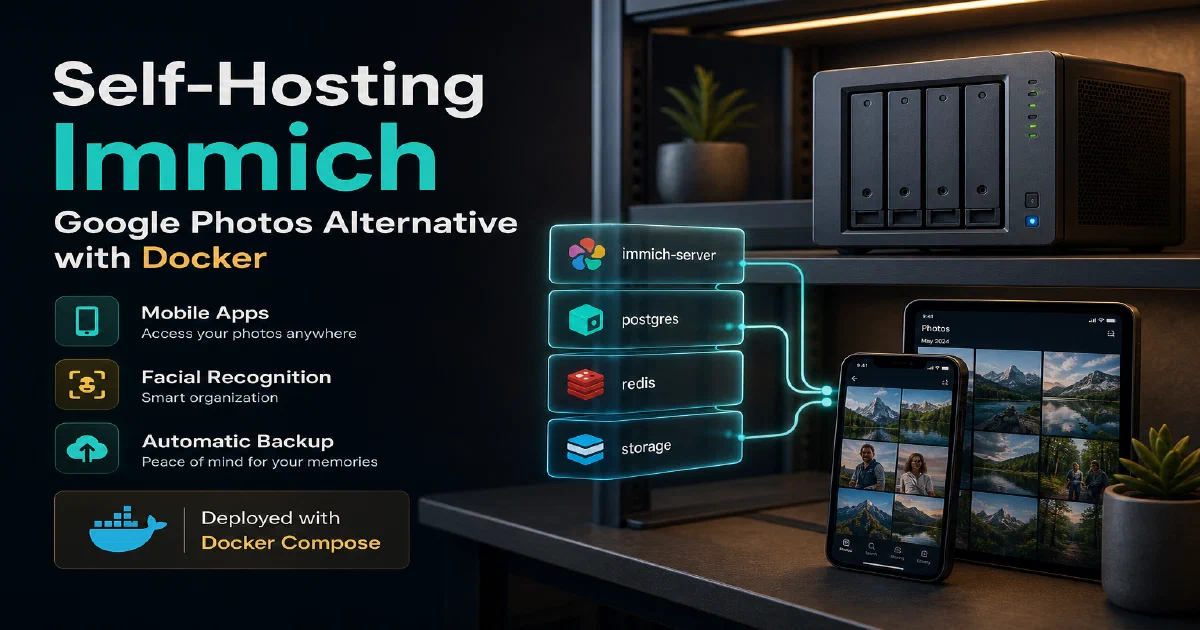

Immich has quickly become the go-to self-hosted photo management solution for anyone who wants Google Photos-level features without sending their memories to a third-party server.
It offers automatic mobile backup, a timeline view, facial recognition, album sharing, and an active development community that ships updates at a remarkable pace.
Why Immich?
- True Google Photos replacement: Mobile apps for Android and iOS handle background backup automatically, complete with live photo support and video transcoding.
- Machine learning on your hardware: Facial recognition and CLIP-based smart search run locally using the included machine learning container — no data leaves your server.
- Active project: Immich has one of the fastest release cadences of any self-hosted app. Features land quickly and the team takes breaking changes seriously with proper migration paths.
Immich with Docker
Immich runs as a multi-container stack. The official compose file brings up the main server, a machine learning service, Redis for caching, and a PostgreSQL instance with the pgvecto-rs extension for vector search.
Always pull the compose file from the latest release rather than pinning to a stale copy.
docker --version
Docker Compose
# WARNING: To install Immich, follow our guide: https://immich.app/docs/install/docker-compose
#
# Make sure to use the docker-compose.yml of the current release:
#
# https://github.com/immich-app/immich/releases/latest/download/docker-compose.yml
#
# The compose file on main may not be compatible with the latest release.
#https://immich.app/docs/install/docker-compose/

#https://github.com/immich-app/immich
#https://immich.app/docs/install/docker-compose
#https://github.com/immich-app/immich/blob/main/docker/docker-compose.yml
#https://github.com/immich-app/immich/blob/main/docker/example.env

name: immich

services:
  immich-server:
    container_name: immich_server
    image: ghcr.io/immich-app/immich-server:${IMMICH_VERSION:-release} #https://github.com/immich-app/immich
    # extends:
    #   file: hwaccel.transcoding.yml
    #   service: cpu # set to one of [nvenc, quicksync, rkmpp, vaapi, vaapi-wsl] for accelerated transcoding
    volumes:
      # Do not edit the next line. If you want to change the media storage location on your system, edit the value of UPLOAD_LOCATION in the .env file
      - ${UPLOAD_LOCATION}:/usr/src/app/upload
      - /etc/localtime:/etc/localtime:ro
    env_file:
      - .env #change this to stack.env if you are using PORTAINER (!!!!)
    ports:
      - '2283:2283'
    depends_on:
      - redis
      - database
    restart: always
    healthcheck:
      disable: false

  immich-machine-learning:
    container_name: immich_machine_learning
    # For hardware acceleration, add one of -[armnn, cuda, openvino] to the image tag.
    # Example tag: ${IMMICH_VERSION:-release}-cuda
    image: ghcr.io/immich-app/immich-machine-learning:${IMMICH_VERSION:-release}
    # extends: # uncomment this section for hardware acceleration - see https://immich.app/docs/features/ml-hardware-acceleration
    #   file: hwaccel.ml.yml
    #   service: cpu # set to one of [armnn, cuda, openvino, openvino-wsl] for accelerated inference - use the `-wsl` version for WSL2 where applicable
    volumes:
      - model-cache:/cache
    env_file:
      - .env
    restart: always
    healthcheck:
      disable: false

  redis:
    container_name: immich_redis
    image: docker.io/redis:6.2-alpine@sha256:148bb5411c184abd288d9aaed139c98123eeb8824c5d3fce03cf721db58066d8
    healthcheck:
      test: redis-cli ping || exit 1
    restart: always

  database:
    container_name: immich_postgres
    image: docker.io/tensorchord/pgvecto-rs:pg14-v0.2.0@sha256:739cdd626151ff1f796dc95a6591b55a714f341c737e27f045019ceabf8e8c52
    environment:
      POSTGRES_PASSWORD: ${DB_PASSWORD}
      POSTGRES_USER: ${DB_USERNAME}
      POSTGRES_DB: ${DB_DATABASE_NAME}
      POSTGRES_INITDB_ARGS: '--data-checksums'
    volumes:
      # Do not edit the next line. If you want to change the database storage location on your system, edit the value of DB_DATA_LOCATION in the .env file
      - ${DB_DATA_LOCATION}:/var/lib/postgresql/data
    healthcheck:
      test: >-
        pg_isready --dbname="$${POSTGRES_DB}" --username="$${POSTGRES_USER}" || exit 1;
        Chksum="$$(psql --dbname="$${POSTGRES_DB}" --username="$${POSTGRES_USER}" --tuples-only --no-align
        --command='SELECT COALESCE(SUM(checksum_failures), 0) FROM pg_stat_database')";
        echo "checksum failure count is $$Chksum";
        [ "$$Chksum" = '0' ] || exit 1
      interval: 5m
      start_interval: 30s
      start_period: 5m
    command: >-
      postgres
      -c shared_preload_libraries=vectors.so
      -c 'search_path="$$user", public, vectors'
      -c logging_collector=on
      -c max_wal_size=2GB
      -c shared_buffers=512MB
      -c wal_compression=on
    restart: always

volumes:
  model-cache:
You also need a .env file alongside the compose file with at minimum:
UPLOAD_LOCATION=/path/to/your/photos
DB_DATA_LOCATION=/path/to/postgres/data
DB_PASSWORD=changeme
DB_USERNAME=immich
DB_DATABASE_NAME=immich
Then start the stack:
docker compose up -d
Accessing Immich
The Immich web UI is available at:
http://localhost:2283
On first load you will go through a short onboarding wizard to create your admin account. After that, install the Immich mobile app and point it at your server address to start backing up photos.
Conclusion
Immich is a compelling, privacy-respecting alternative to cloud photo services that keeps getting better. If you have a reasonably capable home server, deploying it with Docker takes about ten minutes. Put it behind Nginx Proxy Manager for HTTPS, monitor it with Uptime Kuma, and if you are still new to containers, the Docker primer is a good starting point.
The Immich project
FAQ
Is Immich a true Google Photos replacement?
For backup, timeline, search, sharing, and facial recognition — yes.
The mobile apps handle background upload as well as Google Photos does, and the web UI is comparable.
The one big gap is the cloud convenience: with Immich you are responsible for storage, backups, and access — but that is the trade-off you wanted by self-hosting.
How much hardware do I need?
A modern x86 server or a Raspberry Pi 5 with an SSD will run Immich for personal use. Machine learning is the heaviest workload — disable the ML container if you are running on weak hardware, or offload it to a separate machine with a GPU.
Will my photo library be safe? What about backups?
UPLOAD_LOCATION is the source of truth — back it up like any other dataset. The PostgreSQL volume holds metadata (albums, faces, tags) and should be backed up separately. Restoring without the database is fine; you just lose the metadata.
Can I import my existing Google Photos library?
Yes. Use Google Takeout to export, then run the official immich-cli upload against your export. The CLI preserves timestamps and album structure where possible. Expect the first import on a large library to take hours.
Does facial recognition work offline?
Yes — that is the whole point. Immich uses CLIP and InsightFace models running locally in the ML container. No data ever leaves your server. Smart search (“dog on a beach”) also runs locally via CLIP embeddings.
How does Immich compare to PhotoPrism or Lychee?
PhotoPrism has a more polished search UI but slower release cadence. Lychee is simpler and lighter but lacks ML features. Immich wins on mobile apps and active development — pick PhotoPrism if you want a quieter, more conservative tool.
Comments