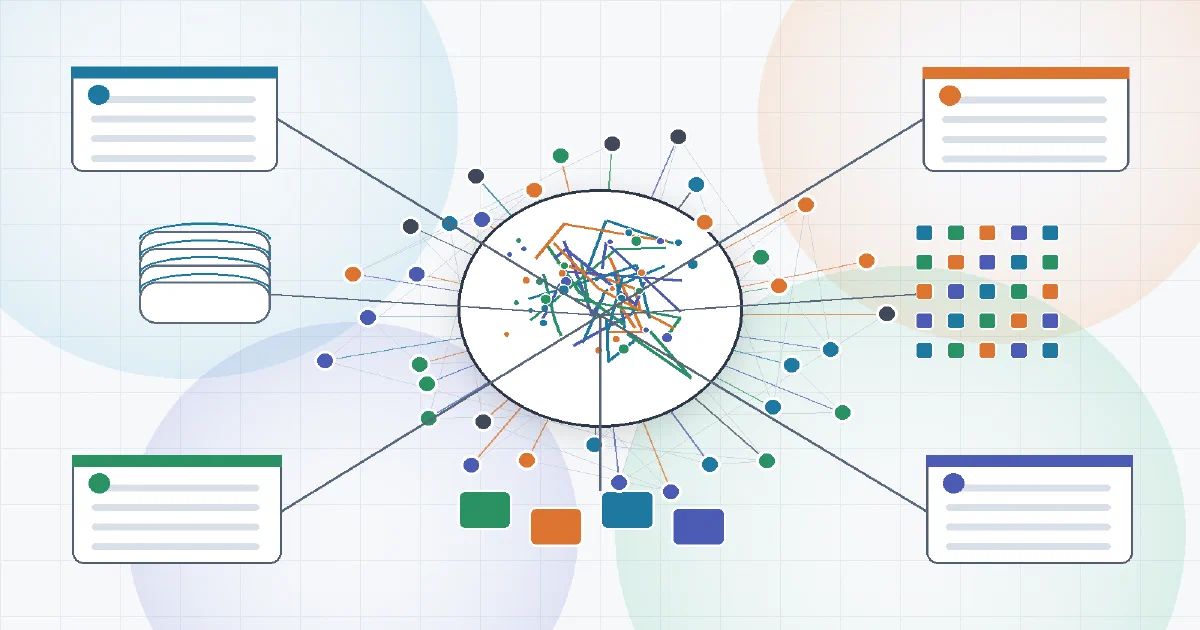

Second Brain Cloudflare is not another notes app.
It is closer to a private memory service for AI tools: Claude, Cursor, Codex, ChatGPT, Gemini CLI, browser capture, Obsidian, calendars, email imports, and other MCP-compatible clients can all write to and recall the same memory layer.
The interesting part is the deployment model:
Cloudflare Workers + D1 + Vectorize + Workers AI + KV + static dashboard
So this belongs in the same Cloudflare-serverless family as Memos Worker, Inkstone, Cloudflarebase, and the broader Workers/D1/KV/R2 architecture note.
But the product shape is different.
Second Brain Cloudflare is built around memory retrieval, not document editing.
What It Does
The core workflow is simple:
- Capture something you want your AI tools to remember.
- Store it in your own Cloudflare account.
- Embed it semantically.
- Retrieve it later through MCP, REST, the dashboard, CLI hooks, or connected integrations.
The repository exposes tools such as:
remember;append;update;recall;brief;resolve;digest;history;list_recent;get;forget;undo;link;unlink;connections;share;- prompt capsule helpers.
That gives it a more operational feel than a notebook. You do not just open a page and write. You teach a shared memory layer facts, decisions, preferences, project context, historical changes, and team notes that agents can recall later.
Architecture
The repo is a TypeScript Cloudflare Worker application.
| Layer | Second Brain Cloudflare Uses |
|---|---|
| Runtime | Cloudflare Workers |
| App data | D1 |
| Semantic index | Vectorize |
| Embeddings | Workers AI, @cf/baai/bge-small-en-v1.5 |
| Reranking | Workers AI, @cf/baai/bge-reranker-base |
| Digest and insight reasoning | Workers AI LLM bindings |
| OAuth/cache/state | KV |
| Dashboard | Static assets served by the Worker |
| Agent protocol | MCP plus REST |
| Scheduled work | Cloudflare Cron Triggers |
The default embedding dimension is 384, matching the BGE small embedding model. The Vectorize metric is cosine.
That is why it is materially different from many small note apps: semantic search is a first-class storage path, not a later add-on.
What Gets Stored Where
Second Brain Cloudflare does not store your notes as Markdown files.
The main content lives in D1 tables. The schema includes entries, tags, sources, validity metadata, workspaces, users, memberships, projects, graph edges, events, maintenance cursors, and prompt capsule revisions.
Vectors are written separately to Vectorize. The capture pipeline chunks content, embeds the chunks, and stores vector metadata that points back to the D1 entry.
In practical terms:
| Data | Storage |
|---|---|
| Memory text and metadata | D1 |
| Teams, users, projects, events | D1 |
| Graph links between memories | D1 |
| Full-text search index | D1 FTS / fallback SQL |
| Embedding vectors | Vectorize |
| OAuth/runtime cache/capsule cache | KV |
| Dashboard files | Worker static assets |
That makes it very good for AI recall, but it is not the same ownership model as a Git-backed Markdown vault.
Search and Recall
Recall combines several paths:
- semantic vector search through Vectorize;
- keyword search through D1 full-text search;
- graph expansion through linked memories;
- reranking;
- temporal filtering with
as_of; - workspace/project/source/tag filters.
The keyword side matters more than it sounds. Exact names, ticket IDs, versions, domains, and foreign-language phrases are often better found with full-text search than embeddings.
The vector side handles the more AI-native query:
What did we decide about the Cloudflare memory project?
Even if the captured memory did not use those exact words, the semantic index can still surface it.
Local Test
The repository includes a local UX harness:
npm run dev:local
In my test I ran it at:
http://localhost:8788/
The dashboard served successfully, the PWA manifest loaded, and the test token was:
ux-harness-local-token
Because the harness listens on port 8788, it was also reachable from the LAN machine address:
http://192.168.1.2:8788/
The dashboard accepted the bearer token properly through the connect form.
I then captured a memory:
curl -X POST http://127.0.0.1:8788/capture \
  -H "Authorization: Bearer ux-harness-local-token" \
  -H "Content-Type: application/json" \
  -d '{"content":"Foss Engineer test memory: Second Brain Cloudflare stores semantic memories for AI tools and recalls them through MCP.","source":"foss-test","tags":["foss","cloudflare"]}'
The API returned ok: true.
Then recall worked:
curl "http://127.0.0.1:8788/recall?query=semantic%20memories%20AI%20tools&topK=3" \
  -H "Authorization: Bearer ux-harness-local-token"
The result returned the inserted memory with:
{
  "semantic_unavailable": false
}
So the local harness is useful for development validation. It is not the same as a production homelab Docker deployment.
Deployment
There are two realistic deployment paths.
Desktop Installer
The desktop installer is the friendliest path.
It provisions the required Cloudflare resources in your account and stores the generated auth token in your OS keychain. The installer is designed to avoid forcing normal users through Wrangler, Node, Git, and manual Cloudflare binding setup.
This is still your Cloudflare deployment. The desktop app is not a hosted SaaS that owns your memories.
Manual Wrangler Deployment
The manual path is closer to:
npm install
npm run vectors:create
npm run deploy
Then set the Worker secret:
wrangler secret put AUTH_TOKEN
The deployed MCP endpoint is:
https://YOUR-WORKER-URL/mcp
Clients should authenticate with:
Authorization: Bearer YOUR-TOKEN
Query-string token auth was intentionally removed because URLs leak into browser history, reverse-proxy logs, screenshots, and telemetry.
How It Compares
| Project | Best Fit |
|---|---|
| EdgeEver | Full Evernote-style knowledge base with rich editor, Docker mode, Cloudflare mode, attachments, PWA, and MCP |
| Memos Worker | Lightweight Cloudflare-native memo app |
| Inkstone | Cloudflare-native Markdown notebook |
| FlareMo | Memos-style Cloudflare knowledge base with team/AI ideas |
| Cloudflarebase | Backend platform on Cloudflare, not a note or memory app |
| Second Brain Cloudflare | MCP-first semantic memory layer for AI tools |
The closest comparison is not “Evernote alternative”.
It is “private memory server for all my AI agents”.
FAQ
Can Second Brain Cloudflare be self-hosted?
Yes, but in the Cloudflare-native sense.
It runs inside your Cloudflare account using Workers, D1, Vectorize, Workers AI, and KV. That gives you ownership of the deployment and data location within your Cloudflare account, but it is not a single Docker container for a VPS.
Can it run solely on Cloudflare infrastructure?
Yes for the core app.
The memory API, dashboard, MCP endpoint, database, vector index, embeddings, reranking, cache, and cron jobs are all Cloudflare primitives.
External integrations such as Notion, calendars, email providers, browser extensions, Obsidian workflows, and AI clients are optional capture or recall surfaces. They are not required for the core Worker to exist.
Is there a Docker Compose for a homelab?
Not as the production deployment model.
The repository has a strong local development harness, and I verified it locally. But the actual self-hosting target is Cloudflare, not Docker plus local volumes.
For a traditional local notes app, compare EdgeEver in Docker mode or the original Memos Docker setup.
What Cloudflare services does it need?
It uses several Cloudflare services:
| Service | Purpose |
|---|---|
| Workers | API, dashboard, MCP endpoint, auth checks, scheduled handlers |
| D1 | Memories, teams, users, projects, graph edges, history, events, FTS |
| Vectorize | Semantic vector index for embedded memory chunks |
| Workers AI | Embeddings, reranking, classification, digest, insight reasoning |
| KV | OAuth state, readiness flags, runtime cache, prompt capsule cache |
| Static assets | Dashboard/PWA files served by the Worker |
| Cron Triggers | Maintenance, integrations, insight accrual, weekly reasoning |
That means it is not portable to a plain Node.js host without replacing the storage and AI bindings.
Does it use real embeddings or just keyword search?
It uses both.
The semantic side uses Workers AI embeddings with BGE small and stores vectors in Vectorize. The keyword side uses D1 full-text search where available, with SQL fallback behavior for simpler cases.
The combination is important: embeddings are good for meaning, while keyword search is better for exact IDs, names, versions, domains, commands, and quoted phrases.
What happens if Vectorize is unavailable?
The project is designed to degrade.
Capture and keyword recall can continue, while semantic indexing can be restored later. You lose the high-quality meaning-based retrieval until Vectorize is available again, but the whole memory layer does not have to stop accepting text.
Is it a PWA?
Yes, the dashboard includes a web app manifest and service worker.
Important nuance: the service worker is not an offline-first document editor cache. In the inspected source it is focused on web push and notification click handling, deliberately avoiding a fetch handler that could serve stale app shells after deploys.
So call it a PWA dashboard, not an offline notebook.
Is it only a desktop app, or can I use it from the browser?
It is not only a desktop app.
There are three different user-facing surfaces:
| Surface | What it is for |
|---|---|
| Worker dashboard / PWA | Browser UI served by the Worker for connecting, asking, remembering, browsing memories, projects, and team context |
| Desktop app | Installer and connector that provisions Cloudflare resources and helps wire local tools |
| MCP / REST API | The agent-facing memory interface used by Claude, Codex, Cursor, hooks, scripts, and other clients |
The desktop app is the easiest setup path, but the dashboard is still a browser app.
What is the UX harness, and how is it different from the desktop app and production deployment?
The UX harness is a local development and testing mode.
It runs the real Worker and dashboard on your machine, but it replaces Cloudflare services with local stand-ins. That is why it can run at http://192.168.1.2:8788/ without a Cloudflare account.
| Mode | Purpose | Where it runs | Cloudflare account needed? |
|---|---|---|---|
| UX harness | Test/demo the UI and API locally | Your machine, usually port 8788 |
No |
| Desktop app | Provision and connect your real Second Brain | Your desktop, talking to Cloudflare | Yes |
| Production deployment | Real long-term memory service | Cloudflare Workers URL | Yes |
The UX harness is for trying the product safely: dashboard, bearer login, capture, recall, local D1/KV, local AI/vector stand-ins. It is not where I would store long-term real memory.
The desktop app is not the main database or server. It is more like an installer and connector. It helps create the Worker, D1 database, KV namespace, Vectorize index, Workers AI binding, and AUTH_TOKEN in your Cloudflare account, then helps wire local tools to that deployed brain.
The production deployment is the real self-hosted service: Cloudflare Worker, D1, Vectorize, Workers AI, and KV. That is what AI tools should use long term through the Worker URL and bearer token.
Which port does the local harness use?
The local UX harness defaults to port 8788.
Run it with:
npm run dev:local
Then open:
http://localhost:8788/
The port can be changed with:
UX_PORT=8790 npm run dev:local
During my test, the auth token printed by the harness was:
ux-harness-local-token
That token is for local development only, not a production secret.
Can I use it from another device at http://192.168.1.2:8788/?
For the local UX harness, usually yes while it is running on the machine at 192.168.1.2.
The harness listens on port 8788 by default. In my test it served the dashboard and API locally, and then the same UI loaded successfully from:
http://192.168.1.2:8788/
The dashboard connect form accepted the local bearer token:
ux-harness-local-token
Because this is a development harness, use it only on a trusted LAN and do not expose it to the internet.
If http://192.168.1.2:8788/ does not load, check:
- the harness is still running;
- port
8788is not blocked by a host firewall; - the machine really has IP
192.168.1.2; - no other service is already using port
8788; - you are on the same LAN or VPN.
The production deployment is normally your Cloudflare Worker URL, not your LAN IP.
Is there a desktop app too?
Yes.
The desktop app is mainly an installer and connector. It provisions the Worker, D1 database, KV namespace, Vectorize index, and secrets in your Cloudflare account, then helps connect local tools.
It is different from the PWA dashboard. The PWA is the web UI served by the Worker; the desktop app is a Tauri-based setup and client integration helper.
What API keys or permissions are needed?
At minimum, the Worker needs an AUTH_TOKEN secret. Clients use it as a bearer token.
For full deployment, the Cloudflare account needs permissions to create or manage Workers, D1, KV, Vectorize, and Workers AI resources.
The desktop installer uses Cloudflare OAuth to provision those resources. The repo documents scopes around account read, Workers write, Workers scripts write, KV write, D1 write, AI write, Vectorize write, and offline access for setup flows.
For manual deployment, expect Wrangler authentication plus these app resources:
AUTH_TOKEN
D1 database
Vectorize index with 384 dimensions and cosine metric
KV namespace
Workers AI binding
Worker static assets
How is this different from EdgeEver?
EdgeEver is an Evernote-style app. It gives you a rich editor, attachments, notebooks, clipping, exports, Docker mode, Cloudflare mode, and a broader knowledge-base UI.
Second Brain Cloudflare is a memory layer for agents. It has a dashboard, but the main product surface is the MCP/REST memory API and the recall pipeline.
If you want to write notes manually, EdgeEver is more complete. If you want Codex, Claude, Cursor, and other tools to share durable memory, Second Brain Cloudflare is the more direct fit.
How is this different from Hermes Agent?
Hermes Agent is an agent runtime. It is built to run an assistant loop with models, tools, memory, skills, scheduled work, gateway integrations, CLI/TUI surfaces, and Docker deployment options.
Second Brain Cloudflare is not trying to be the agent. It is the memory layer an agent can use.
The practical distinction:
| Project | Main job |
|---|---|
| Hermes Agent | Run the assistant/agent loop and execute work |
| Second Brain Cloudflare | Store, index, and recall durable memory for many AI clients |
So Hermes is closer to “the worker”. Second Brain Cloudflare is closer to “the shared memory service”. They can be complementary: Hermes or another agent could use Second Brain Cloudflare through MCP/REST so its memories survive across sessions and can be shared with Codex, Claude, Cursor, and other tools.
Does it store Markdown files or support Git-backed notes?
No, not as the primary model.
Memories are stored as database rows in D1, with semantic vectors in Vectorize. That is excellent for agent recall, but it is not the same as a folder of .md files that can be committed to Git.
If the goal is “edit Markdown, commit to Git, rebuild Astro, store images in R2”, this project is more useful as inspiration for the MCP memory and recall layer than as the CMS itself.
Does it support teams?
Yes.
The current model supports personal memory plus a shared team/company layer. The schema includes workspaces, users, memberships, admin events, shared entries, and project grouping.
That lets one Worker serve both private memory and team memory without turning every memory into a public shared item.
What are Prompt Capsules?
Prompt Capsules are deterministic, read-only projections of selected memory.
Instead of dumping every memory into every AI prompt, the app can build scoped capsule outputs for gateways and custom agents. The source tracks capsule revisions and caches projections through KV.
That is a good pattern for agent systems: stable context blocks are easier to audit than an opaque “retrieve everything” prompt.
Can I connect it to Codex, Claude, Cursor, and other AI clients?
Yes, that is the point.
The project exposes MCP and REST surfaces and includes integration notes for AI clients, CLI hooks, editor hooks, browser capture, Obsidian, calendars, email, and mobile shortcuts.
The practical result is one shared memory layer instead of separate context scattered across each AI tool.
What did the local test show?
I tested the repository locally with the UX harness.
The dashboard served at http://localhost:8788/, manifest.json confirmed the PWA metadata, and the UI was reachable from the LAN at http://192.168.1.2:8788/.
The dashboard accepted the local bearer token through the connect form. The /capture endpoint accepted a bearer-token memory insert, and /recall returned the inserted memory with semantic retrieval available.
One caveat: the repo expects a modern Node runtime. The dependency tree warned under Node 18, while typecheck and local validation were run with Node 24.
Comments