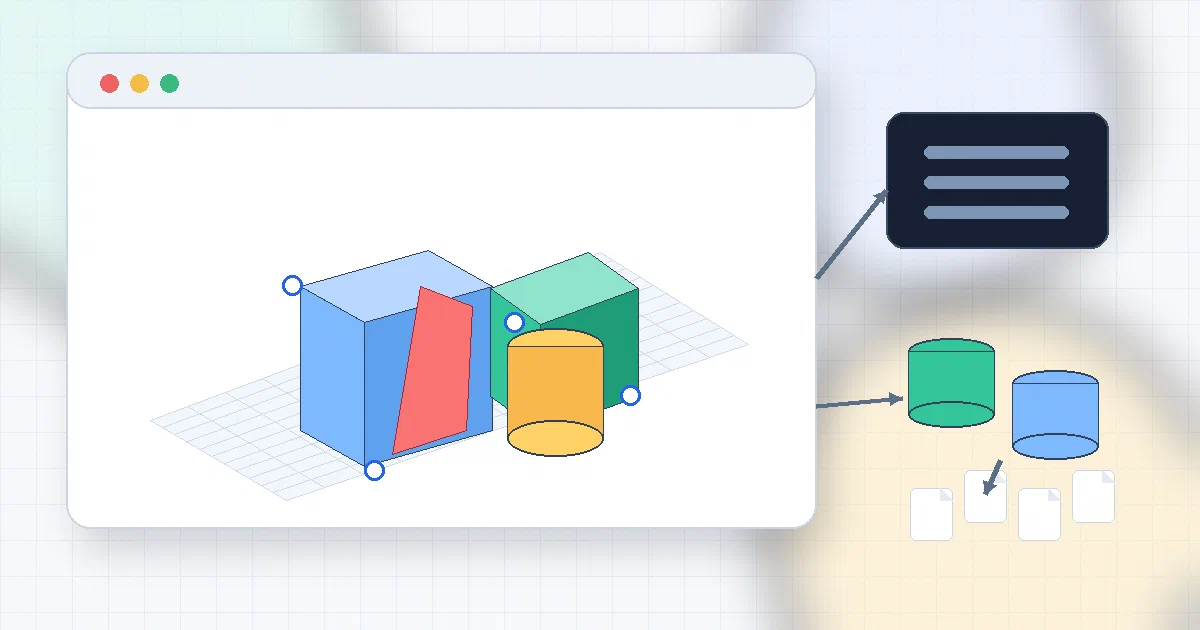

SketchForge is the kind of project that makes sense for a homelab, makerspace, classroom, or FabLab.
It is not trying to replace FreeCAD for serious parametric work. It is closer to a self-hostable, open-source, browser-based CAD workspace for people who want to make a simple printable part without creating an Autodesk account first.
The useful phrase is:
local-first browser CAD
What is SketchForge?
SketchForge is an AGPL-licensed 3D design editor that runs in the browser.
It can:
- create primitive shapes;
- resize, rotate, align, and group objects;
- use solid and hole workflows;
- perform boolean cuts and intersections;
- import STL files;
- export STL, OBJ, STEP, SVG, and native
.skfprojects; - preserve editable project state in the browser;
- optionally save shared
.skfprojects to a Docker volume.
The upstream pitch is straightforward: build shapes, cut holes, import STL files, and export models without accounts, cloud lock-in, or heavyweight CAD setup.
Why It Is Interesting
Most CAD tools split into two uncomfortable categories:
- simple web tools that are convenient but cloud/account-tied;
- serious desktop CAD systems that are powerful but intimidating.
SketchForge sits in the middle.
It gives you a browser workplane, a local dashboard, primitives, import/export, booleans, fillets, chamfers, STEP/B-Rep pieces, and a Docker path for local network hosting.
For a classroom or makerspace, that is a useful shape:
one local server -> many browsers -> each user keeps private projects locally
                                  -> optional shared project shelf
Architecture Overview
The stack is modern web CAD:
| Layer | SketchForge Uses |
|---|---|
| Web app | Next.js 15 |
| UI | React 19 |
| Language | TypeScript |
| 3D rendering | Three.js |
| Booleans / CSG | Manifold 3D and three-bvh-csg |
| STEP / B-Rep path | occt-wasm and brepjs |
| Styling | Tailwind CSS |
| Desktop app | Electron |
| Container | Node 22 Alpine production image |
| License | AGPL-3.0-only |
The repo is organized around:
apps/web       Next.js app
apps/desktop   Electron wrapper
deploy/docker  Dockerfile and Compose files
docs           .skf format, changelog, MCP docs
tests          unit, e2e, and performance tests
That makes it more than a small Three.js demo. There is a real project format, import/export logic, shared project API, Docker health check, and desktop packaging path.
Self-Hosting SketchForge with Docker
I added a Home-Lab compose:
SketchForge Docker Compose
services:
  sketchforge:
    image: ghcr.io/formsmith746/sketchforge-3d:latest
    container_name: sketchforge
    restart: unless-stopped
    ports:
      - "${SKETCHFORGE_PORT:-3816}:3000"
    environment:
      SKETCHFORGE_SHARED_PROJECTS_DIR: /data/projects
      SKETCHFORGE_UPDATE_TRIGGER_URL: "${SKETCHFORGE_UPDATE_TRIGGER_URL:-}"
      SKETCHFORGE_UPDATE_ADMIN_KEY: "${SKETCHFORGE_UPDATE_ADMIN_KEY:-}"
      SKETCHFORGE_UPDATE_TRIGGER_TOKEN: "${SKETCHFORGE_UPDATE_TRIGGER_TOKEN:-}"
    volumes:
      - sketchforge-shared-projects:/data/projects

volumes:
  sketchforge-shared-projects:
Start it with:
cd /home/jalcocert/Desktop/Home-Lab/sketchforge
docker compose up -d
Then open:
http://localhost:3816/
http://192.168.1.2:3816/
The container serves the app on container port 3000. I mapped it to host port 3816 because port 3000 was already occupied on this server.
Field Note: Local Docker Trial
I tested the prebuilt GHCR image instead of building from source.
Command used:
docker run -d --name sketchforge-foss-trial --restart unless-stopped \
  -p 3816:3000 \
  -e SKETCHFORGE_SHARED_PROJECTS_DIR=/data/projects \
  -v sketchforge-foss-trial-projects:/data/projects \
  ghcr.io/formsmith746/sketchforge-3d:latest
Result:
container: sketchforge-foss-trial
status: healthy
URL: http://127.0.0.1:3816/
LAN URL: http://192.168.1.2:3816/
shared API: /api/shared-projects returned {"enabled":true,"projects":[]}
image digest: sha256:7d3eac6d30e5c63e898bbe5bba750eb17b5ad224f7667c428dea035a501a3b37
So yes, it can run locally as a self-hosted web app.
The trial container is intentionally named sketchforge-foss-trial. The reusable Home-Lab compose uses the cleaner service/container name sketchforge.
How Project Storage Works
SketchForge is local-first, but that does not mean “everything is stored on the Docker server.”
There are two storage paths:
| Storage | Where It Lives | What It Is For |
|---|---|---|
| Private projects | Browser localStorage + IndexedDB | Each user’s local dashboard/projects |
| Shared projects | Docker volume at /data/projects |
Explicit shared .skf files for a class, workshop, or team |
That means rebuilding or updating the container should not erase private projects stored in a user’s browser.
For shared projects, preserve the Docker volume:
sketchforge-shared-projects:/data/projects
Do not update with docker compose down --volumes unless you intentionally want to delete the shared library.
The .skf Format
SketchForge has its own native project format: .skf.
It is a ZIP-style project package with:
project.skf
├── project.json
└── assets/
    ├── source/
    ├── derived-mesh/
    ├── brep/
    ├── image/
    └── display-edges/
The format is not just a screenshot or final mesh. It preserves editable object graphs, groups, boolean operations, imported STL/SVG/STEP sources, B-Rep data where available, display edges, chamfer/fillet settings, and history within documented limits.
That is useful because STL alone is a final mesh. .skf is closer to an editable project backup.
SketchForge vs OpenSCAD, FreeCAD, CADQuery, and Blender
We have covered several 3D/CAD-adjacent tools already:
- OpenSCAD for script-based constructive solid geometry;
- FreeCAD for full desktop parametric CAD;
- CADQuery for Python-based parametric modeling;
- CQ-Editor for a CADQuery GUI workflow;
- Blender for 3D modeling, animation, and rendering.
SketchForge is different from all of those.
| Tool | Best Fit | Mental Model |
|---|---|---|
| SketchForge | Quick browser-based printable parts | Visual workplane, primitives, booleans, exports |
| OpenSCAD | Reproducible scripted CSG | Code describes the model |
| CADQuery | Python parametric parts | Python API builds geometry |
| FreeCAD | Full desktop parametric CAD | Workbenches, constraints, assemblies |
| Blender | Artistic 3D scenes and mesh modeling | Mesh/scene creation, rendering, animation |
I would reach for SketchForge when someone wants the fastest path from “I need a bracket/key tag/simple part” to an exported STL.
I would reach for FreeCAD, OpenSCAD, or CADQuery when dimensions, reproducibility, constraints, and parametric history matter more than browser convenience.
FAQ
Is SketchForge a PWA?
Not in the strict full-PWA sense from the source pass.
It is a browser app with local-first project storage and touch/icon metadata, but I did not find a clear service worker or offline app-shell registration path in the inspected code.
So the accurate description is:
browser app: yes
local-first project storage: yes
self-hostable: yes
desktop app: yes, via Electron
full offline PWA: not clearly
If you need guaranteed offline launch after first visit, test that specifically before depending on it in a classroom or workshop.
Can SketchForge be self-hosted?
Yes.
It ships Docker Compose files, a Dockerfile, and a prebuilt GHCR image. I tested the prebuilt image locally on port 3816, and the container became healthy.
For this server, open:
http://192.168.1.2:3816/
Does SketchForge require accounts or cloud storage?
No for normal use.
The app does not require user accounts. Private projects stay in each user’s browser storage. Docker deployments can add an optional shared .skf library through /data/projects, but that is explicit shared storage, not a mandatory cloud account.
What happens if I clear my browser data?
Private projects can disappear if you clear the browser storage for the SketchForge site.
That is the tradeoff of local-first browser storage. Export important work as .skf, STL, OBJ, STEP, or SVG. For shared classroom/makerspace projects, use the Docker shared library so the .skf files live in /data/projects.
What is the shared project library?
The shared project library is a server-side folder enabled by:
SKETCHFORGE_SHARED_PROJECTS_DIR=/data/projects
The dashboard can list shared .skf files, open them as private working copies, and save projects back to the shared library. The API uses revision checks so a user does not silently overwrite a file that changed after they loaded it.
It is not simultaneous multiplayer CAD. It is shared file storage.
Which environment variables do I need?
For the basic Docker setup, none are required beyond the compose defaults.
Useful variables:
| Variable | Purpose |
|---|---|
SKETCHFORGE_PORT |
Host port, defaulted to 3816 in the Home-Lab compose |
SKETCHFORGE_UPDATE_TRIGGER_URL |
Optional internal service that updates/recreates SketchForge |
SKETCHFORGE_UPDATE_ADMIN_KEY |
Optional admin confirmation key for that update trigger |
SKETCHFORGE_UPDATE_TRIGGER_TOKEN |
Optional bearer token sent to the update trigger |
The update trigger is optional. Do not give the web container raw access to the Docker socket just to make updates clickable.
Is SketchForge safe to expose publicly?
I would not expose it openly without an access layer.
SketchForge is intentionally account-free. That is good for a LAN, class, or FabLab, but it also means there is no built-in user permission system protecting the shared library.
Use a private LAN, VPN, reverse proxy auth, Authelia, Authentik, Cloudflare Access, or another gate if you publish it outside your home network.
Does SketchForge have MCP or AI-agent control?
Yes, but it is for local development.
The repository includes a SketchForge MCP server script that can inspect and control a live local editor tab: list editors, read scenes, create shapes, update objects, group/cut parts, list edges, apply chamfers/fillets, and capture viewport images.
The README states that the MCP route is disabled in production builds and Docker/static hosting. Treat it as a developer automation bridge, not as a production remote-control API.
How does the AGPL license affect self-hosting?
SketchForge is licensed under AGPL-3.0-only.
If you run the unmodified upstream image privately, that is straightforward. If you modify SketchForge and let users interact with that modified version over a network, you need to provide the corresponding source code under the same license.
The app includes a Source link, and operators of modified builds should set NEXT_PUBLIC_SOURCE_CODE_URL at build time to point users to the matching source.
Conclusion
SketchForge is a good fit for local network CAD access:
homelab server -> browser CAD editor -> local private projects -> optional shared .skf shelf
It is not a full replacement for FreeCAD, OpenSCAD, CADQuery, or Blender. It is more focused: open a browser, make a practical part, import or export common formats, and avoid account-gated CAD workflows.
For makerspaces, classrooms, and home 3D printing, that is enough to make it worth covering.
Comments